

Sep 23, 2026Posted by Kevin Miller to Play Video
Quick Summary
When looking for 4K UHD players in 2026, we have selected five of the most popular options, each built for a specific niche. To learn the strengths of the programs we have reviewed, we have provided which video player is best used for performance, reliability, ease of use and more:
GPU-Optimised Performance: PotPlayer
The All-Around Video Player Solution: VLC Media Player
Best for Opening 4K UHD Blu-rays: Blu-ray Master Free Blu-ray Player
The Minimalist Solution: MPV Player
Optimised for Apple Silicon: Elmedia Player
Modern streaming services have now started offering premium subscriptions for 4K streaming. However, since they are online, streamed media content is vulnerable to heavy compression and quality dips due to Wi-Fi quality. To enjoy the true 4K UHD experience, you have to watch uncompressed local files saved in a high-bitrate format like MKV or via a Blu-ray ISO. Unfortunately, these media types are unsupported by native video players on both Windows and Mac. In this article, we will introduce the 5 best free 4K UHD video players for desktops, all optimized to fix common issues such as missing codecs, display issues, and heavy resource consumption.

Table of Contents
- Part 1. How We Test the Best 4K UHD Video Players
- Option 1. PotPlayer — The Power-User’s Performance Beast
- Option 2. VLC Media Player — The Reliable Swiss Army Knife
- Option 3. Blu-ray Master Free Blu-ray Player — The Physical & ISO Archiver
- Option 4. MPV Player — The Minimalist Purist’s Graphic Masterpiece
- Option 5. Elmedia Player — The Apple Silicon-Optimized Aesthetic (Mac Only)
- Part 7. Inside the 4K Matrix
- Part 8. FAQs About Free 4K UHD Video Players
Part 1. How We Test the Best 4K UHD Video Players
For objective testing of the 4K UHD video player software we will review, we made sure both computers serving as testing benchmarks are not over-spec, NASA-grade devices. Instead, the two testing devices are an entry-level AMD-powered laptop with integrated graphics and a macOS desktop built for generic office work.
To stress-test both the 4K players and the hardware, we loaded a demanding video file encoded with the 10-bit HEVC/H.265 and AV1 codecs. We also ran a Blu-ray ISO image loaded with modern 4K UHD video and pushing bitrates past 90 Mbps.
By following these testing methods, we managed to set 4 core benchmarks that users who plan on looking for 4K UHD players should look for:
GPU Hardware Acceleration Efficiency
Since processing 4K video is demanding, we checked whether the program actually offloads the decoding to NVDEC/Intel QSV or if it ties up CPU resources when playing UHD media. Using too much CPU may cause playback issues such as 4K video not playing.
HDR-to-SDR Tone Mapping Accuracy
Since they offer top video quality, most 4K videos are supported by HDR10 and Dolby Vision systems. However, translating these advanced visual features to standard monitors may be challenging. As such, we tested whether these 4K players would look modern or like faded 70s photographs.
Codec Autonomy
During installation, we also checked whether the program could be used right out of the box. Or whether the program requires the right codecs to run 4K videos. The latter is not an advisable setup, since sketchy downloads and the installation of complicated codec packs are significant barriers.
Audio Passthrough Capabilities
Finally, the last aspect we have considered in this review is the program's ability to route lossless Dolby Atmos and DTS:X audio to external soundbars, receivers, or any sound system.
| 4K UHD Video Players | System Compatibility | Ease of Use | Price | Best Uses | Supported Video Formats | Advanced Settings |
| PotPlayer | Windows | Easy | Free | Playing 4K UHD videos with customizable playback. | MKV, MP4, AVI, MOV, WMV, FLV, and more. | • Hardware accelerated • Extensive Filters • Subtitle controls |
| VLC Media Player | Windows, macOS, Linux, Android, iOS | Easy | Free (Open Source) | Playing 4K videos, DVD, Blu-ray, and uncommon video formats. | MP4, MKV, WebM, AVI, MOV, MPEG, H.264, HEVC, and more. | • Hardware decoding • Cross-platform availability. • Subtitle downloader. |
| Blu-ray Master Free Blu-ray Player | Windows, macOS | Easy | Free | Playing 4K Blu-ray, DVD, ISO images, or digital videos. | MP4, MKV, AVI, MOV, MPEG, H.264, HEVC, VP9, AV1, and more. | • Audio/Video track selection. • Subtitle adjustment settings. • Aspect ratio and playback adjustments. |
| MPV Player | Windows, macOS, Linux | Difficult | Free (Open Source) | HDR 4K and 8K video playback. | MP4, MKV, AVI, MOV, MPEG, H.264, HEVC, VP9, AV1, and more. | • Adjustable hardware decoding. • Shader, colours, HDR, and video adjustments. • Supports playing Blu-ray and DVD media. |
| Elmedia Player | macOS | Moderate | Free (Optional upgrade) | Streaming in macOS, Apple TV, Smart TV, Chromecast, and third-party wireless connections. | MKV, MP4, AVI, MOV, WMV, WebM, VOB, MPG, MXF, and more. | • Video tuning and quality adjustments. • Media deinterlacing. • Subtitle controls. |
Option 1. PotPlayer — The Power-User’s Performance Beast

The first program we will feature as a free-to-download 4K video player for PC is PotPlayer. Designed as an optimal frame-drop exterminator program, this tool ensures smooth playback of your 4K media by allowing customizable GPU consumption.
This was made possible by the program's exceptional use of DXVA2 and D3D11 hardware decoding, enabling effortless rendering of 4K/60 FPS media. Moreover, it can be used to adjust pixel-shaded images. 3D rotations can also be edited in real time, and frame interpolation is available.
Unfortunately, it is Windows-only, and its menu looks similar to flight simulator applications, which may give casual users an intimidating impression.
Main Features:
- Wide codec support to play digital and physical DVD media without issue.
- Equipped with DXVA, CUDA, and Quick Sync hardware acceleration systems.
- Extensive subtitle control and adjustment.
Pros
- Retains smooth playback when running 4K videos.
- Equipped with reliable hardware acceleration systems.
- Supports many video formats due to its built-in codec packs.
Cons
- The wide range of options and settings may be overwhelming for beginners.
- Advanced features require configuration.
- Overwhelming interface design due to its wide range of settings and adjustments.
Option 2. VLC Media Player — The Reliable Swiss Army Knife
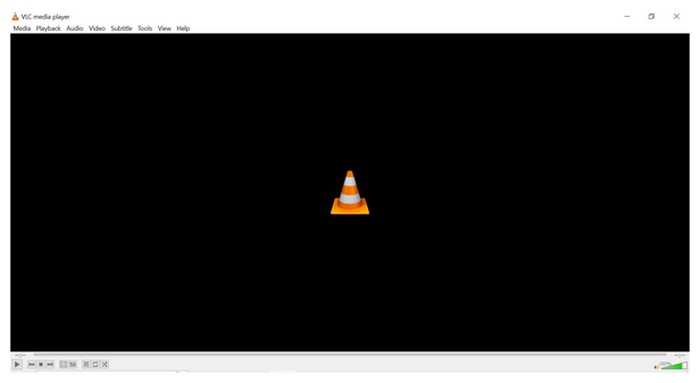
When looking for a cross-platform video player that is almost unbrickable for trying to play corrupted 4K, the good old reliable VLC Media Player is also a reliable option for playing UHD videos.
Often considered one of the most reliable multimedia player tools, VLC is also one of the best free 4K video players available today. Since it is an open-source program, it is completely ad-free and track-free, and it runs on virtually all operating systems.
The tool’s version 3.0 also brings native HDR tone mapping and advanced AV1/HEVC support without sweating. However, you have to deal with minor inconveniences when using the program, as the interface feels dated and the default HDR tone-mapping colours can sometimes look slightly oversaturated compared to dedicated renderers.
Main Features:
- Hardware-decoding system for enhanced GPU resource utilisation.
- Supports video playback for Blu-ray, DVD, and digital media.
- Wide codec support to play formats and physical content.
Pros
- Free and open source software.
- Available in Windows, macOS, and Linux.
- Free from ads and tracking malware.
Cons
- It is resource-hungry when running HD videos.
- Some advanced settings are overwhelming for beginners.
- Playing 4K videos requires advanced settings adjustments on some devices.
Option 3. Blu-ray Master Free Blu-ray Player — The Physical & ISO Archiver

Moving on to our third option, we have Blu-ray Master Free Blu-ray Player, which is the most recommended program for seamless AACS decryption, ripping ISO images, and playing modern 4K DVD playback seamlessly.
When it comes to video playback, most 4K players have no issues, as they are designed to handle such demanding tasks. However, a common dilemma for these programs is their inability to play commercial 4K discs or raw BDMV folders. This is where dedicated Blu-ray players like Blu-ray Master stand out.
The tool can handle disc structures effortlessly and even access the entire Blu-ray menu with no problem. It also helps that the software has a sleek, minimalist design tailored to deliver a home theater experience, with snapshot controls and subtitle synchronization settings.
However, the program has a small catch: it lacks heavy-duty customization and video filters. This makes the program unsuitable for real-time sharpening or motion smoothing, as commonly found on digital players.
Free Download
For Windows
Secure Download
Free Download
for macOS
Secure Download
Main Features:
- Blu-ray and DVD playback for both discs and ISO images.
- Smooth playback for 4K quality Blu-ray, DVD, and digital videos.
- Videos have adjustment options for subtitle and audio tracks.
Pros
- Very easy to use for users who want to watch digital or DVD videos.
- Supports both physical DVDs and ISO copies.
- Straightforward and well-labeled playback controls.
Cons
- Limited playback settings compared to dedicated multimedia players.
- Some advanced Blu-ray features may not be accessible to the program.
Option 4. MPV Player — The Minimalist Purist’s Graphic Masterpiece
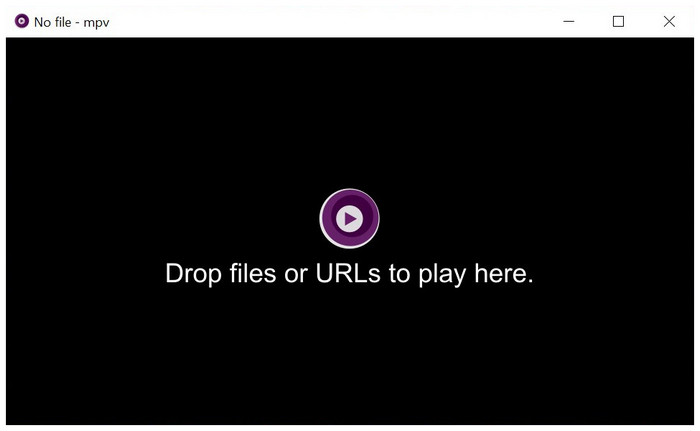
If your concern for using a 4K UHD video player for Windows is to enjoy maximum visual sharpness, MPV Player is our recommended solution. Among the options in this list, this tool has the most advanced videophile scaling algorithms, making compressed 4K media still look incredibly crisp.
The program also runs very well, as it has no GUI shell and uses almost no background RAM even when playing demanding 4K media files. Due to the lack of an interface, it has an extremely steep learning curve, and configuring it requires editing a text file using terminal commands and Lua scripts.
Main Features:
- High-quality video output to provide a 4K experience.
- Uses GPU-accelerated performance for smooth playback.
- Equipped with advanced video editing settings.
Pros
- Extremely lightweight installation size.
- Customizable playback and settings.
- Supports hardware decoding.
Cons
- Not designed for beginners.
- Minimal interface.
- Relies on commands to adjust playback settings.
Option 5. Elmedia Player — The Apple Silicon-Optimized Aesthetic (Mac Only)

Finally, we will provide the sole Apple-optimized media player in this article: Elmedia Player. This hardware-accelerated media player is fully optimized for all M1, M2, or M3 Apple Silicon chips with advanced routing.
If you are using an Apple device, Elmedia works great as a definitive QuickTime replacement, since it supports 4K MKV files without burning your Mac's resources or turning your device into a heating pad.
Moreover, it has built-in DLNA support for both AirPlay and Chromecast, enabling the casting of 4K media to smart TVs. However, it is exclusive to macOS. The program's advanced settings can only be accessed by upgrading to its Pro version.
Main Features:
- Play 4K and 8K video without stuttering.
- Hardware-accelerated playback and settings.
- Supports wireless streaming via AirPlay, Chromecast, and DLNA.
Pros
- Optimized and seems fully integrated on Mac computers.
- Supports both Intel and Apple Silicon Mac computers.
- Smooth playback performance for 4K videos.
Cons
- Available only for macOS computers.
- Advanced features require buying the Elmedia Pro upgrade.
- Fewer advanced controls compared to other video players.
Part 7. Inside the 4K Matrix
Since most 4K videos are designed for modern devices, it uses the HEVC extension. Unfortunately, this codec scheme is not available on Windows 11 computers by default. It requires users to buy a $0.99 HEVC extension. While other players do it for free, setting them up and giving the tools the right extension to support HEVC require technical skills. This makes using exclusive 4K videos a more accessible solution.
Moreover, most modern 4K video players are also equipped with smart dithering algorithms to prevent colour banding on regular displays. This will ensure that upgrading to 10-bit colour matters even when playing on generic 8-bit screens.
Part 8. FAQs About Free 4K UHD Video Players
-
Why is my CPU hitting 100% and lagging when playing a local 4K MKV video?
Playing 4K videos is extremely demanding. It is common for CPU resources to be consumed when playing such media files. As such, you have to download a dedicated 4K UHD video player for Windows 10/11 or Mac players to avoid burning your resources.
-
Do I need to purchase the Windows “HEVC Video Extensions
No, you don’t have to. Using the free video players we have prepared in this article won’t require you to buy the HEVC extensions. All the programs we have featured have HEVC codec support built in.
-
Why do HDR 4K movies look washed out and grey on my standard laptop screen?
You may be using a subpar video player. 4K videos are way different than standard HD or SD videos. You have to play these files on media players that support this configuration to enjoy UHD quality fully.
-
Can a free 4K software player bypass Disney or Sony Blu-ray region code protections?
Yes, but it is limited. Among the options on this list, only the Blu-ray Master Free Blu-ray Player bypasses protections. The program can do this since it was designed to handle Blu-ray media.
-
What is the minimum hardware specification required to play 4K UHD 60fps files without frame drops?
The minimum requirements to play such files are only 8GB of RAM and a fast SSD. The other requirements on the video player side are harder to achieve. These are the support for 10-bit HEVC/AV1 decoding.
Conclusion
When selecting a 4K UHD video player, there is no one-size-fits-all option. Selecting which 4K player works best for you depends on how you plan to use the software. As such, we have provided a recommendation on which program to choose based on specific user needs.
For users looking to control every frame, PotPlayer works best. If you want reliability and familiarity, you may use VLC Media Player. However, if you plan to watch physical 4K discs or ISO images, use the Blu-ray Master Free Blu-ray Player.
In 2026, display hardware is no longer the bottleneck. Stop letting poor stock software choke your premium screen—pick the free key that actually unlocks your 4K media.
