

Aug 19, 2025Posted by Selena Thomas to Media Player
Blu-ray discs, with their stunning HD picture quality and immersive surround sound, provide users with the ultimate home theater experience. However, there are many obstacles to overcome when playing Blu-rays on computers, particularly Macs. These are mostly caused by stringent digital rights management regulations and a lack of native system compatibility. Macgo Blu-ray Player is a professional playback program created especially to solve this issue. This MacOS-specific playback utility offers users a smooth Blu-ray, DVD, and digital media playback experience along with high-quality decoding output.
But can it really live up to expectations? In this Macgo Blu-ray Player review, we will thoroughly analyze its features, actual performance, strengths and weaknesses, and user experience to help you determine whether it satisfies your needs. Now, let’s get started!

- Part 1. Macgo Blu-ray Player Introduction
- Part 2. Macgo Blu-ray Player Review: Key Features
- Part 3. Macgo Blu-ray Player Review : User Experience and Final Verdict
- Part 4. Best Alternative to Macgo Blu-ray Player
- Part 5. FAQs
Part 1. Macgo Blu-ray Player Introduction
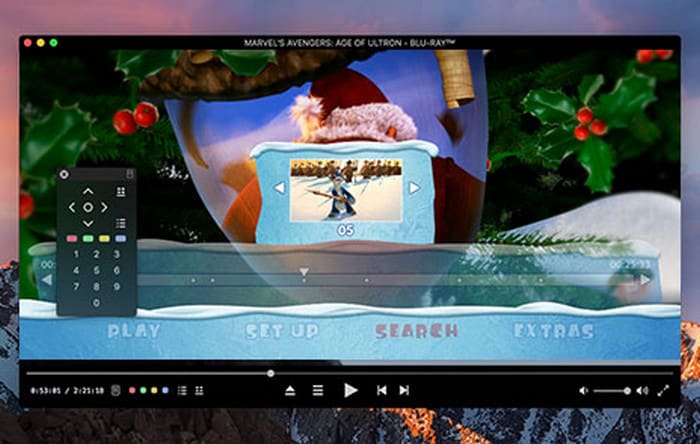
Macgo Blu-ray Player is a Blu-ray player software specially designed for Mac OS users, supporting the playback of original Blu-ray Menus, Blu-ray Discs, ISO files, and BDMV folders. Its playback can be up to 1080p HD quality without loss of data or frame. You can enjoy a fantastic home cinema experience with it.
According to the feedback from most users, it has the following advantages and disadvantages:
Pros
- User-friendly interface: It has a simple and intuitive design and is easy to operate.
- Full format compatibility: Except for Blu-ray, it also supports DVD, AVCHD, and digital formats like MKV and MP4.
- Hardware acceleration tech: It can reduce memory usage and save 20% to 50% of CPU load.
Cons
- A little bit high price: Users need to purchase an authorization to use all the features.
- Mac platform only: Windows or Linux systems are not supported.
- Doesn’t support 3D: Macgo Blu-ray Player doesn’t support 3D Blu-ray as of now.
Part 2. Macgo Blu-ray Player Review: Key Features
After learning the fundamentals of Macgo Blu-ray Player, let's concentrate on the program's main selling points. Just as purchasing a professional playback device requires considering multiple performance indicators, evaluating Blu-ray playback software also needs to be comprehensively examined from multiple dimensions. Therefore, the following review will provide you with an in-depth analysis from several key dimensions to find out if it's the best 4K Blu-ray player for Mac.
Safety and Stability
The stability of Macgo Blu-ray Player does not perform that well. Although it plays Blu-ray discs properly most of the time, some customers have complained about crashes, incompatibility with more recent discs, and sporadic menu navigation troubles. Additionally, some users have encountered situations where the software needs to be updated to support newer Blu-ray DRM schemes.
As for safety, Macgo Blu-ray Player performs much better. It contains no malicious code, and there are no ads or bundled software during the installation process.
Ease of Use
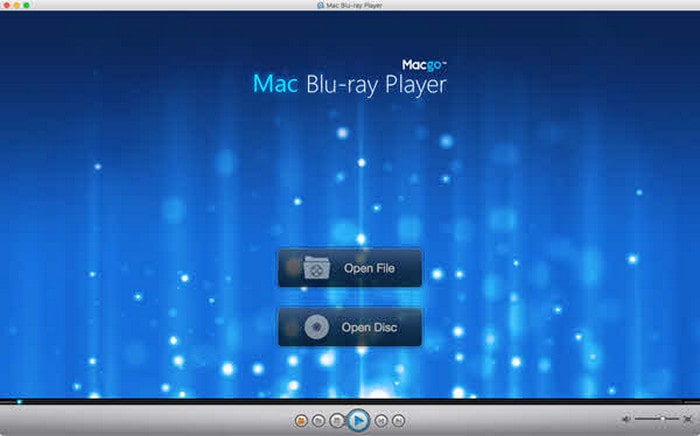
Macgo Blu-ray Player is designed for ease of use on Mac. It offers a straightforward interface for playing Blu-ray discs on Macs, so that users can easily navigate menus and control playback using the intuitive controls. New users can typically master the basic operations in just three minutes. Additionally, the program greatly improves operational efficiency by providing more than 20 sets of professional-grade keyboard shortcuts, such as frame stepping, volume adjustment, and chapter skipping.
Media Format Support
Macgo Blu-ray Player supports a variety of media formats, which brings great convenience for users.
- Blu-ray and DVD Formats: BD-R 1.1/BD-RE 2.1, BD-R 2.0/BD-RE 3.0, BDROM 2.2, BD-J, DVD-Video, DVD-VR, DVD+VR, VCD, SVCD, CD, etc.
- Video Formats: MPEG-1/2, MPEG-4 ASP, XviD, 3ivX D4, H.263 / H.263i, H.264 / MPEG-4 AVC, Cinepak, Theora, Dirac / VC-2, MJPEG (A/B), WMV etc.
- Audio Formats: AAC3, AC3, ALAC, APE, AOB, DTS, FLAC4, M4A, MID, MKA, MP2, MP3, MPA, OGG, RMI, WAV, and WMA.
- Photo Formats: BMP, JPEG, JPG, PNG, TIF, and TIFF.
Price
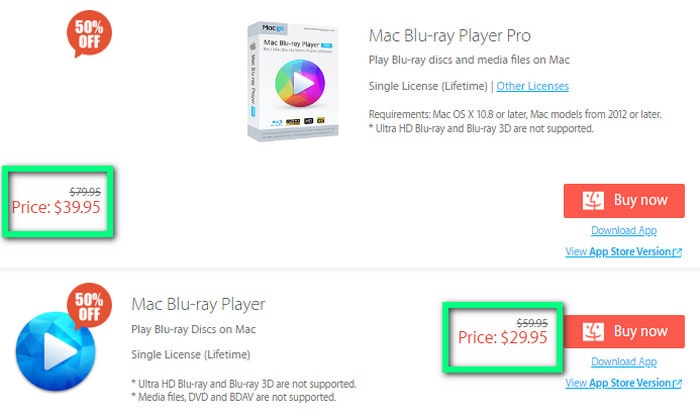
Macgo Blu-ray Player isn’t free, and it offers two versions for purchase.
- Common version: Lifetime license for $29.95. It only supports playing Blu-rays and media files; DVD and BDAV are not supported.
- Pro version: Lifetime license for $39.95. It supports Blu-rays, DVDs, BDAV, and media files.
Note: Both the common version and the pro version don’t support Ultra HD Blu-ray and Blu-ray 3D.
Part 3. Macgo Blu-ray Player Review : User Experience and Final Verdict
Through the detailed professional test data presented above, we have comprehensively understood the technical parameters and performance of the Macgo Blu-ray Player. However, laboratory data ultimately needs to return to actual usage scenarios for validation. Here is some genuine user feedback. I hope it will be helpful to you.
User Experience
Some people like:
- Some home movie enthusiasts are very pleased with the performance of playing Blu-ray discs on a Mac. Because this software can flawlessly display the video quality standards that Blu-ray discs are supposed to have, regardless of the Blu-ray region code.
- For some users who care about playing sound effects, the fidelity of the Dolby Atmos sound is astonishing.
- Many users specifically noted that the software’s compatibility with older Blu-ray discs surpassed their expectations, allowing for the seamless reading of discs released as recently as ten years ago.
Some people don’t like:
Some customers feel that the $39.95 price is a bit high for non-professional users, which makes them unhappy.
And some tech enthusiasts have pointed out that the software's power consumption control on M1 chip Macs needs optimization, and the fan speed significantly increases when playing 4K content.
Final Verdict
Overall, Macgo Blu-ray Player is an excellent choice for Blu-ray playback on the Mac. It is particularly suitable for Blu-ray movie enthusiasts who use Macs and pursue lossless audio and video quality. However, for users who occasionally watch Blu-ray, its price is a little bit high. And for some professional filmmakers, it may not perform that well, because it doesn’t support 3D Blu-rays.
Part 4. Best Alternative to Macgo Blu-ray Player
So what about those users who want to play Blu-rays for free or those who use Windows? Don’t worry about that. Blu-ray Master Free Blu-ray Player can effectively make up for these shortcomings.
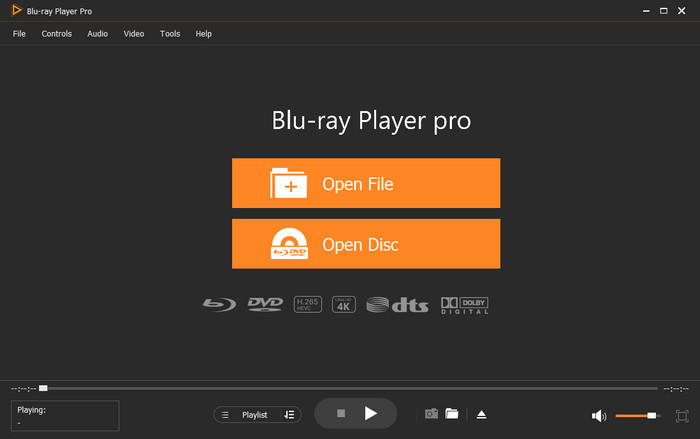
Blu-ray Master Free Blu-ray Player is a robust player for Blu-rays, DVDs, and a wide range of videos and audio formats. Additionally, it is user-friendly, even for beginners, and supports playback up to 1080p HD quality. In addition, it supports playing 3D Blu-rays and DVDs. And it is compatible with both Windows and Mac, which makes it capable of meeting different needs. Moreover, it offers a wide range of amazing editing tools to customize Blu-ray/DVD playback, including adjustments to movie effects such as brightness, contrast, and saturation. What’s more important, it is totally free. You can download and try it.
Free Download
For Windows
Secure Download
Free Download
for macOS
Secure Download
Part 5. FAQs
-
Does Macgo Blu-ray Player play 4K UHD Blu-ray discs?
No, it does not support playing 4K UHD Blu-ray discs, but it supports common Blu-ray discs and 4K video files.
-
Is Macgo Blu-ray Player still being updated and supported?
It has been a while since Macgo announced support for the Macgo Blu-ray Player and released any updates. Since the software's most recent release in 2020, there haven't been any announcements or updates. Additionally, the product is no longer listed on the official Macgo website, and the forum is dormant, indicating that the software is no longer being actively maintained or updated.
-
Do I need an external Blu-ray drive to use Macgo Blu-ray Player?
Yes, you will need an external Blu-ray drive to connect to your computer, in addition to Macgo Blu-ray Player, if you wish to play Blu-ray discs on a Mac. There are no built-in Blu-ray drives on Macs.
Conclusion
Throughout this Macgo Blu-ray Player review, we have analyzed its key features, advantages, and disadvantages. Macgo Blu-ray Player, with its outstanding Blu-ray playback performance, has become a reliable choice for Mac users, while Blu-ray Master Free Blu-ray Player offers a practical alternative for users with limited budgets and Windows systems. Visit the official website to download the software now and start your HD movie journey!
More from Blu-ray Master
