

Nov 28, 2025Posted by Kevin Miller to Play Video
If you have a compilation of 3GP files, then you must be aware of the playback limitations this kind of file has. Yes, it is one of those typical formats that is commonly used for storing video files. However, unlike the famous ones, 3GP files are not widely supported by media players. Therefore, your intention to have an efficient 3GP file player should be intact. Fortunately, bumping into this article is a good shot since it has the best media players for popular platform devices. Come and meet them by scrolling below.

- Part 1. What is 3GP
- Part 2. Best Free 3GP Player with 100% Video and Audio Quality
- Part 3. Top 5 3GP Players for Windows and Mac
- Part 4. Top 4 3GP Players for Android and iOS
- Part 5. FAQs About 3GP and Players
| System Compatibility | Ease of Use | Format Support | Subtitle Support | Playback Quality | Playback Controls | |
| Blu-ray Master Free Blu-ray Player | Windows and Mac | 3GP, MP4, MKV, MP3, and many others |  | HD | Play, pause, skip, menus | |
| MiniTool MovieMaker | Windows | 3GP, MP4, AVI, MOV, etc. |  | HD | Basic timeline controls | |
| QuickTime Player | Windows and Mac | 3GP, MKV, MP4, AVI, etc. | | HD | Basic controls | |
| MPlayer | Windows, Mac, and Linux | 3GP, MPEG, MP4, etc. | | HD | Advanced controls, command-line options | |
| Media Player Lite 3GPP Player | Windows | 3GP, MP4, MOV, AVI, etc. | | HD 720p/1080p | Basic controls | |
| Real Player | Windows and Mac | 3GP, MP4, MKV, etc. | | HD | Standard controls + cloud/casting features | |
| Lark Player | Android | 3GP, MP3, MP4, and more | | HD, 4K | Basic controls and playlist management | |
| MX Player | Android & iOS | 3GP, MKV, MP4, AVI, FLV, etc. | | HD, 4K | Gesture for volume, brightness, and other advanced controls | |
| VLC Media Player | Android & iOS | 3GP, MKV, MP4, AVI, FLAC, etc. | | HD, 4K | Standard controls | |
| PlayerXtreme Media Player | Android & iOS | 3GP, MKV, MP4, AVI, FLV, DTS, and so on. | | HD, 4K | Standard controls and library management |
Part 1. Part 5. FAQs About 3GP and Players
A 3GP is an abbreviation for 3rd Generation Partnership Project, which means a file container format primarily used for storing media on mobile devices, specifically videos and audio files. Third Generation Partnership Project developed this type of file to support multimedia files on third-generation or 3G mobile phones and was eventually supported by 4G phones and other networks. Furthermore, as part of the design of this 3GP file format, it has this efficiency regarding data transmission, making it fit for earlier smartphones with limited bandwidth and resources.
Moreover, when it comes to compression, 3GP uses the H.263 or H.264 codecs for the video and the AAC-LC or AMR-NB codecs for the audio. With the information above, if you still want to have high-quality 3GP playback on your current Android, iPhone, or computer, then a 3GP media player could help you.
Part 2. Best Free 3GP Player with 100% Video and Audio Quality
Blu-ray Master Free Blu-ray Player offers the excellent image and audio quality for 3GP playback. The 3GP player freeware supports Dolby 5.1, DTS and HD audio. Moreover, you can enjoy the most advanced kernel and newest playing technology for impressive audiovisual experience.
You can enjoy 3GP video files with full screen to get the home theater entertainment. Of course, you can also play 3GP files with half, normal or double screen. In spite of the basic audio and video playing features, you can select the custom subtitle, audio/video track, video effects and more choices.
The 3GP video player is safe, clean and easy to use. It can be your best solution for Windows Media Player not playing 3GP, as well as QuickTime and other incompatible video players.
Key Features:
• Play videos in 3GP, 3G2, MKV, MP4, AVI, WMV, FLV, SWF, VOB and over 200 formats without codec packs.
• Choose any video and audio effect to bring you full pleasure.
• Take a snapshot while playing a 3GP video movie and save as JPG in one click.
• Advanced 3GP playing technology.
• The free 3GP player works with Windows 10/8/7/Vista/XP and Mac OS X 10.5 or above.
Free Download
For Windows
Secure Download
Free Download
for macOS
Secure Download
How to Play a 3GP File with Stunning Video Playback Effect
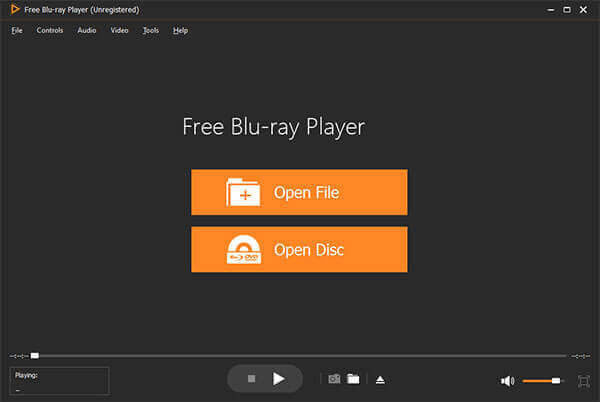
Step 1.Download, install and launch free 3GP player for Windows or Mac. Click the Open File button to add your 3GP file.
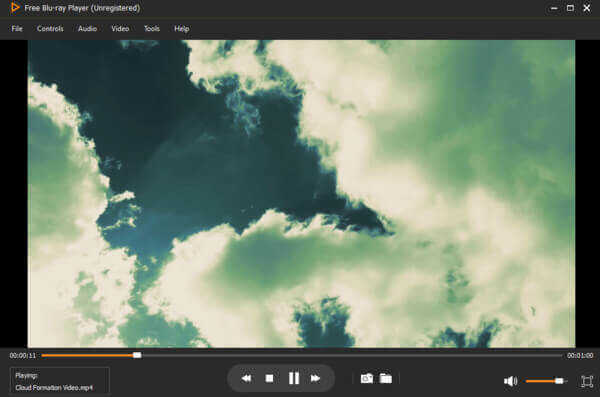
Step 2.Play, pause, resume, stop, forward or backward the 3GP video. You can adjust the volume control to manage 3GP audio.
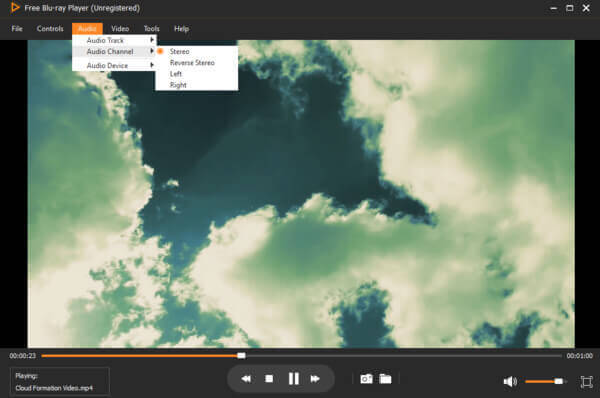
Step 3.Choose 'Audio Channel' from the 'Audio' list to adjust 3GP audio effect. Meanwhile, you can get other filters from 'Video' and 'Audio' lists.
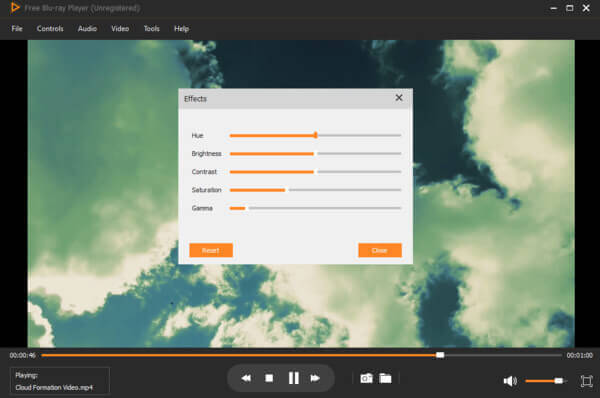
Step 4.Select 'Effects' from the 'Tools' list. The free 3GP player software allows users to adjust hue, brightness, contrast, saturation and gamma easily.
Blu-ray Master Free Blu-ray Player provides a seamless video playback experience with you. You can enjoy high-quality 3GP files on it. It includes multiple interesting features on image display, audio, and subtitles that can help you enhance your watching experience in an ideal way. We think that the best point of this tool is its playlist feature, which allows you manage your movies. Have a try!
Part 3. Top 5 3GP Players for Windows and Mac
Want to get more 3GP video and audio players? Here're another two media players that support the 3GP format.
MiniTool MovieMaker
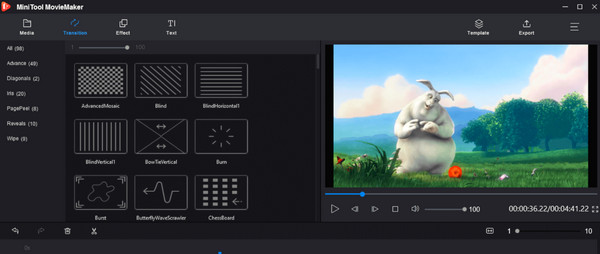
MiniTool MovieMaker is a flexible video editing computer program that provides an effective solution for video editing and creation. Along with its features is its capability to play 3GP files. Using this software, you can also edit and enhance your 3GP files into a professional-looking clip. Furthermore, it provides many editing tools, such as cutting, splitting, trimming, and merging videos. Tag, along with the tools, is the setting for adding transitions, various effects, and text to enhance the content's visual. Also, this 3GP player for Windows supports adding audio narration or a piece of background music to further enrich your 3GP viewing experience.
Supported OS: Windows
Pros
- Its ease of use lets you play 3GP effortlessly.
- It can work with newly captured 3GP files.
- It lets you add audio tracks to your 3GP videos.
Cons
- Its performance in playing the 3GP depends on your PC’s system.
- It is limited only to a certain platform.
QuickTime Player
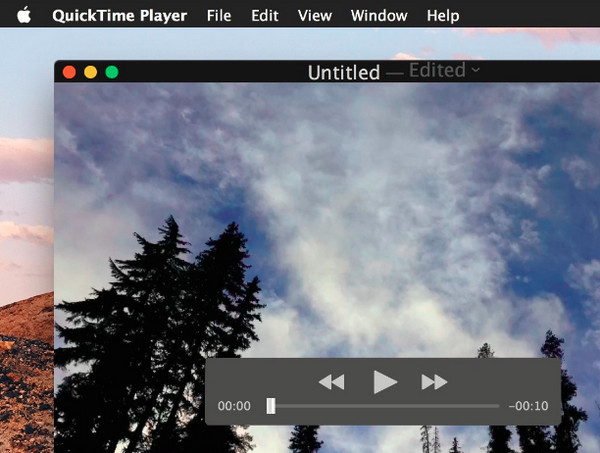
Moving on to Mac’s solution for playing 3GP files is this QuickTime Player. If you are a Mac user, you know that this built-in media player is dedicated to playing video and audio files. Furthermore, among the formats that it supports storing and transmitting, 3GP and 3GPP are one of them. Meanwhile, this 3GP player on Mac enables you to add audio tracks and backgrounds to your videos, accompanied by other functionalities and features it is infused with.
Supported OS: Mac
Pros
- You do not need to take time to install it.
- It is easy to use.
- A player that comes with screen recording.
Cons
- The codecs it supports are limited.
- You cannot use it on Windows.
- It lacks advanced video editing tools.
MPlayer
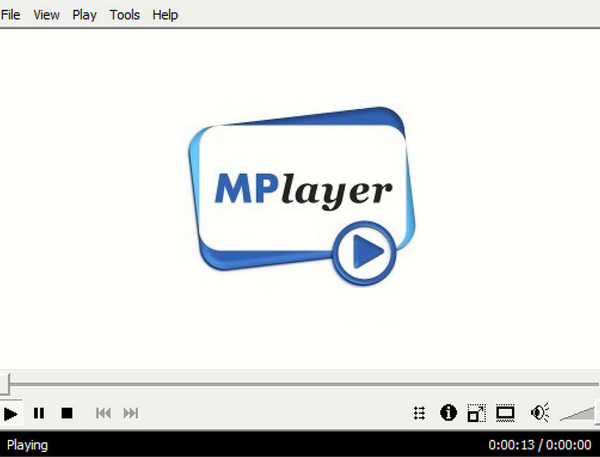
Here comes a free and open-source media playing program that is popularly known for its capability of playing a wide variety of file formats and codecs. MPlayer debuted in 2000 and has improved through the years. It comes with a command-line interface infused with parameters that make it suitable for professional users. Even though it looks advanced to you, this player has the ability to play 3GP files without any hassles. Aside from that, this free 3GP player also enables you to watch online videos in excellent quality.
Supported OS: Windows, Mac, and Linux.
Pros
- It supports various video formats aside from 3GP.
- It is a cross-platform media player.
- It is fast and lightweight, unlike others.
Cons
- It might be confusing for beginners.
- With an outdated interface.
Media Player Lite 3GPP Player
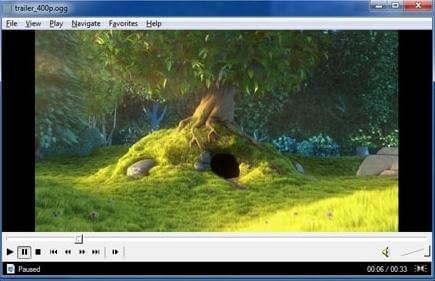
Media Player Lite can be your Windows Media Player alternative. The open source 3GP player is free to use. You can play 3GPP files on Windows for free with no 3GPP codecs. With the GPU assisted acceleration and enhancing, you can open 3GPP files smoothly.
3GP player free download link: http://www.mediaplayerlite.net/3gpp-player/
Also work as the free media player for MPEG-1, MPEG-2 and MPEG-4 playback. WAV, WMA, MP3, OGG, SND, WMV, etc.
Pros
- No cost, making it accessible for anyone.
- Use minimal system resources.
- Opens and plays 3GP files seamlessly, with straightforward functionality.
Cons
- The design is outdated compared to many modern players.
- Some versions may include bundled installation risks.
Real Player
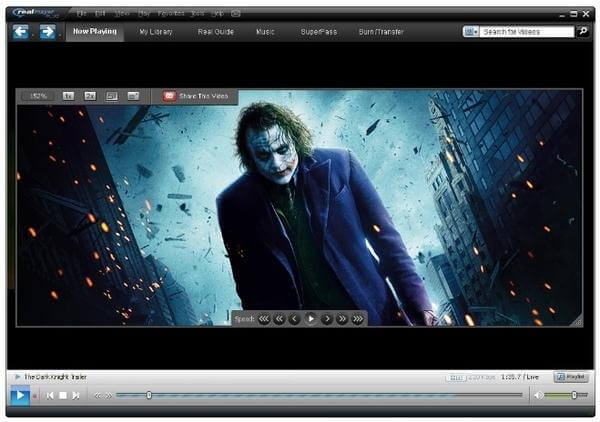
Real Player is a cross-platform media player and converter. You can watch video files in 3GP and many other formats. Well, you can also convert a 3GP video to MP4, MKV and more. The 3GP player for Mac or Windows software offers video controls, graphical animations and other useful features. In addition, you can post 3GP video to Facebook or Twitter in one click. However, it doesn't have a Mac version. If you are using a Mac, there are many Real Player alternatives for your consideration.
3GP player free download link: http://www.real.com/
Also work as the free media player for MOV, 3GP, AVI, MKV, FLAC, FLV, MPG, WMV, etc.
Part 4. Top 4 3GP Players for Android and iOS
If you love using your phones, yet the built-in media players are not the 3GP players you are looking for, then you can rely on the listed apps below.
Lark Player
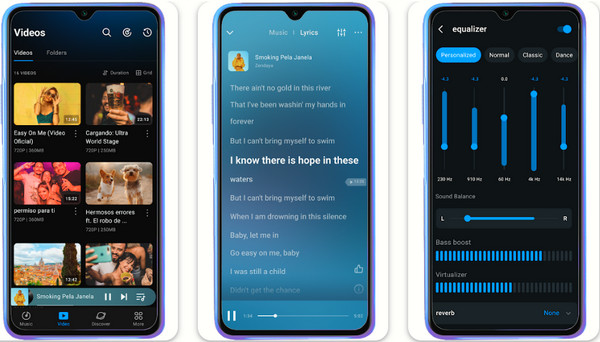
Here is a stylish and free 3GP player for Android that you can have via free download, the Lark Player. It is a media player app that supports all the popular video and audio formats even without the internet. Its best asset is its friendly interface that is infused with a powerful equalizer, lyrics, file management, and more. Moreover, it is a floating video and audio player that enables you to multitask while watching your 3GP videos and other music files. However, with this app, you cannot download any music, just like other apps can.
Supported OS: Android
Pros
- It is easy to install and use.
- You can edit the album section where you store the 3GP videos.
- It is a nice alternative for music players as well.
Cons
- The new update has some problems with offline playback.
- It comes with ads.
MX Player
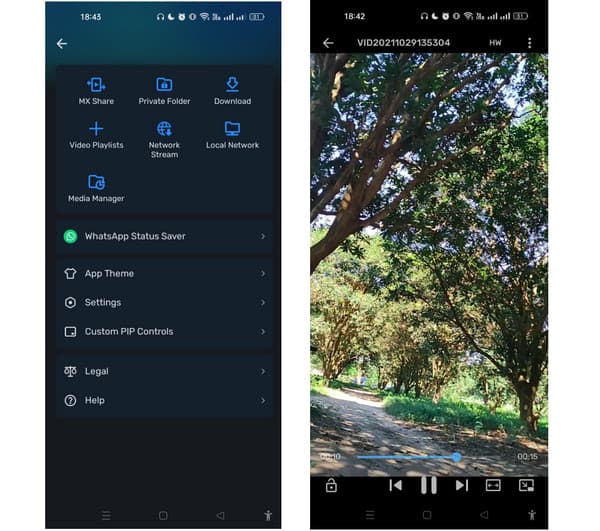
If you want to download a 3GP player that is also, then this MX Player comes your way. It is an amazing free video player app that seamlessly lets you enjoy up to 8K videos. Unlike the previous media player presented, this app allows you to download videos from popular secured sites. It is your one-stop media player for your daily dose of video playback entertainment, with a bunch of editing tools and features to utilize and enjoy.
Supported OS: Android, iOS, Web.
Pros
- Support a wide variety of media formats.
- It lets you share your videos online.
- It enables you to zoom in and out of the screen easily.
Cons
- Ads are popping up on the interface.
- It sometimes freezes while in use.
VLC Media Player
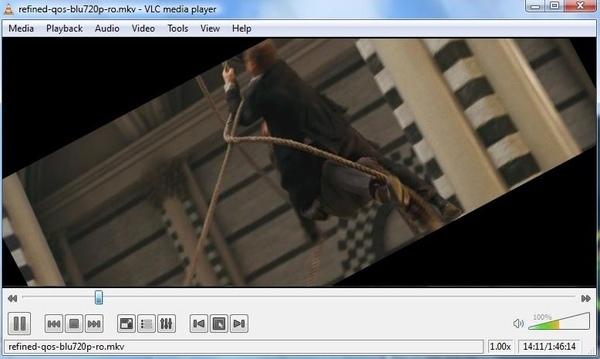
VLC player is a free and open source 3GP player for multiplatform. You can get VLC for Android and VLC for iOS download links from the official site. VLC Media Player offers multi audio or subtitle track selection. The built-in audio equalizer is also powerful. As for the VLC 3GP player for iPhone app, you can sync 3GP files to your iOS device via Wi-Fi uploading, iTunes and other cloud services quickly.
3GP player free download link:
https://www.videolan.org/vlc/download-android.html
https://www.videolan.org/vlc/download-ios.html
Also work as the free media player for 3GP, MPEG, FLV, FLAC, VIVO, AFS, AVI, etc.
Pros
- It is totally free with no ads.
- It can easily play 3GP files without needing extra codecs.
- This 3GP file player allows you to add subtitle files.
Cons
- This 3GP file player allows you to add subtitle files.
- Its interface is simple and dated.
PlayerXtreme Media Player
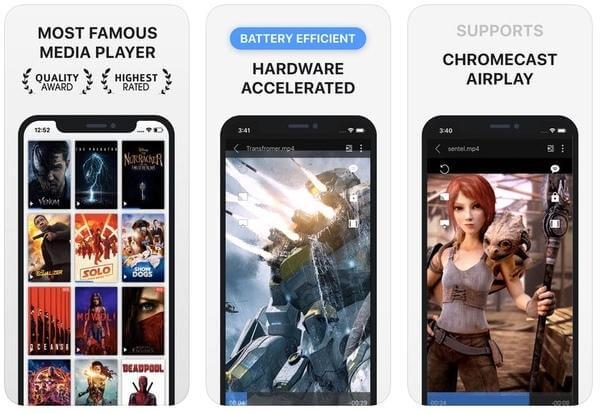
It is also a good 3GP player app for Android and iPhone. You can direct play 3GP video files on your mobile phone. The gesture control allows users to turn the volume up and down in taps. Well, you can also track forward or backward within the 3GP video player app.
3GP player free download link:
https://play.google.com/store/apps/details?id=xmw.app.playerxtreme&hl=en
https://apps.apple.com/us/app/playerxtreme-media-player/id456584471
Also work as the free media player for MP4, 3GP, XMV, WMV, MPEG, WMA, RMVB, etc.
Pros
- Handle AC3 and DTS 5.1 audio tracks, which many mobile players struggle with.
- It supports playback of high-quality videos, like HD and 4K.
- It provides a clear interface for managing video and audio libraries.
Cons
- There are ads in its free version.
- It struggles with DRM-protected content, limiting its use for certain files.
Part 5. FAQs About 3GP and Players
-
Is there a 3GP player online I can use on a PC?
Yes, you can use the web version of the MX Player to play 3GP online.
-
What is the disadvantage of a 3GP file?
There are a bunch of disadvantages of a 3GP file, like low quality and media-compatible issues.
-
Which has more compression, 3GP or MP4?
MP4 has more compression than 3GP files. This is because of the modern video codecs that MP4 files contain, which lack the 3GP.
-
What opens a 3GP file?
Generally, 3GP files are used by 3G mobile phones that support video capture. 3GP files can also be played on some 2G and 4G mobile phones. Also, you can play 3GP files on many 3GP players like QuickTime Media Player, VLC Media Player, Windows Media Player or MPlayer.
-
Can I play 3GP on Windows Media Player?
Yes, you can play 3GP and 3G2 files on Windows Media Player. Windows Media Player is the default 3GP player, but you need to install an extra video codec or convert 3GP to MP4 or other portable formats first.
-
What video player can play FLV files?
There are many media players that can play FLV file (Adobe Flash file), like VLC Media Player, Windows Media Player and MX Player.
Wrapping up
You now have the list of the best free 3GP players to acquire. So far, the tools presented above are the legendary players for your 3GP compilations, as they were designed to support such files. Hence, before you choose which one to use, you must consider the benefits and drawbacks honestly written along them.
More from Blu-ray Master
Best Video Player

Easily play Blu-rays, DVDs, and various video/audio formats with rich playback features.
100% Secure. No virus
