

Nov 28, 2025Posted by Kevin Miller to Play Video
MP4 is the standard format for storing video data. And it is the very reason why watching and opening files with this extension becomes easier for many. However, an excellent MP4 player can give you a better playback experience with huge support for various video and audio codecs. With that said, here are some recommended video players to download on Windows, Mac, and other platforms.

- Part 1. Top 5 MP4 Players Windows and Mac
- Part 2. Top 5 MP4 Player Online
- Part 3. How to Play MP4 Video
- Part 4. FAQs about MP4 Player
| System Compatibility | Ease of Use | Best for | Video Quality | Audio/Subtitle Adjustment | Advanced Playback Control | |
| Blu-ray Master Free Blu-ray Player | Windows and Mac | Play and manage multiple MP4 files. | 4K, HD |  | Speed change, audio track and subtitle selection, and other settings. | |
| Media Player Classic | Windows | Play MP4 files on low-resource PCs. | HD, 4K, and HDR | | Zoom and custom features. | |
| GOM Player | Windows and Mac | VR/360° MP4 video playback. | HD and 4K | | Adjust playback speed and screen capture. | |
| PotPlayer | Windows | Play MP4 files with | HD, 4K, and 8K | | Scene preview and bookmarks. | |
| BSPlayer | Windows | Play MP4 files with subtitle adjustment features. | HD, 4K, and HDR | | Multiple audio streams, and frame capture. | |
| VEED.IO Video Player | Online | Play MP4 files with subtitle adjustment features. | HD and 4K | | Timestamped comments and collaborative playback. | |
| FileProInfo | Online | Quick viewing of MP4 files. | HD |  | | |
| Jumpshare Free Online MP4 Player | Online | Play and share MP4s securely. | HD | | | |
| Video Candy | Online | Quick edits and playback of MP4 videos. | HD | | Speed change and some basic editing features. | |
| MP4 Viewer | Online | General MP4 playback. | HD and 4K | | |
Part 1. Top 5 MP4 Players Windows and Mac
We pick the best MP4 players for Windows 10 and Mac by observing the most excellent performance, ease of use, pricing, supported resolution, and playback efficiency. To help you choose the best one, we also include pros and cons to indicate the potential benefits and drawbacks.
Blu-ray Master Free Blu-ray Player
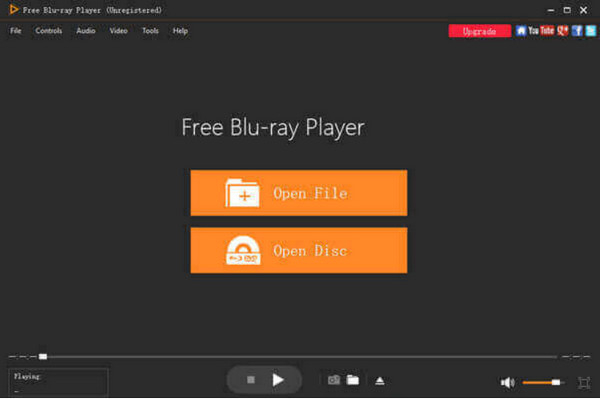
The first recommendation is the Free Blu-ray Player by Blu-ray Master. It is a professional desktop MP4 player that lets you watch 100% original playback quality. As part of modern technology, Blu-ray Player supports various video and audio formats, allowing you to upload MP4, FLV, AVI, HEVC, MKV, MP3, AAC, and more. It also supports excellent Blu-ray and DVD playback, enabling discs, folders, and ISO image streaming without quality loss. Furthermore, you can edit the important parts of the video, such as the subtitles, visual effects, audio level, and more. Blu-ray comes with a free version available to download on Windows and Mac. But for an affordable price, you can enjoy seamless media streaming on your desktop with more features.
Features
• Play Blu-ray, DVD, and common videos in HD.
• Built-in DTS and Dolby audio technology for higher quality.
• Allow users to create a playlist for simultaneous playback.
• Quick to recognize and play video files in a few seconds.
Free Download
For Windows
Secure Download
Free Download
for macOS
Secure Download
Bottom Line
Blu-ray Player is truly a magnificent MP4 player for MP4 format. Not only does it support MP4 files, but it is also suitable for discs and other common video types. Additionally, it is developed with more helpful functions to create the best movie night.
Pros
- Clean interface for easier utilization.
- Minimal system requirements.
- Reasonable pricing than other tools.
- Custom screen size for watching.
Cons
- Some features are unavailable on the free version.
Media Player Classic
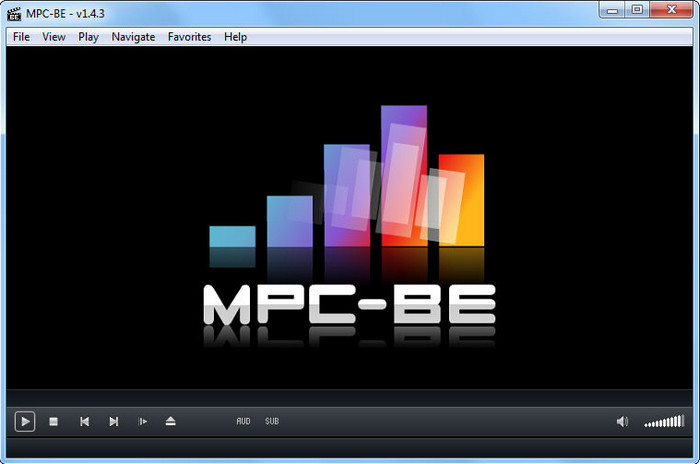
Media Player Classic is a free MP4 player for Windows, known as a lightweight tool for video playback. MPC supports all popular video formats, so streaming MKV, AVI, WMV, and more files is easy. Users find this alternative a great player for longer movie shows, as it is dedicated to smooth and uninterrupted playing.
Features
• It works well for older and outdated OS versions.
• All controls and navigation are easy to understand.
• Accurate adjusting of screen and audio volume.
• It can stream high-res content with AMD cards.
Bottom Line
The .mp4 player gives a decent playback experience for Windows users. The best part is it is one of the most accessible programs on Windows desktops.
Pros
- Decent DVD and common video playback.
- Load subtitles on media files.
Cons
- No further updates from the developers.
- Unsupported on Mac and other platforms.
GOM Player
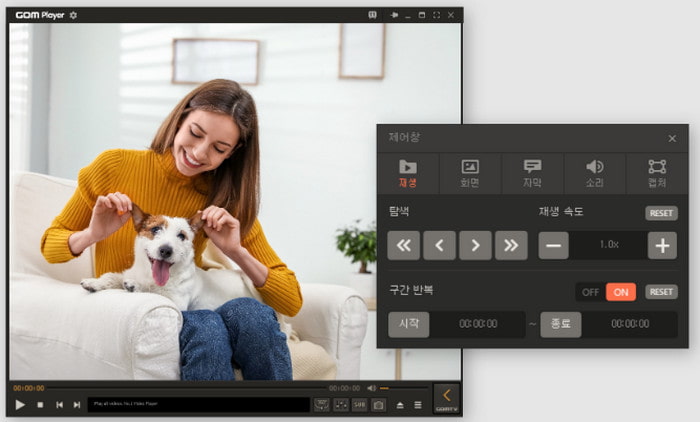
The MP4 video player is confident regarding its video playback. Alongside its support for a wide range of formats, GOM Player is designed with a sleek interface where you can upload MP4, MOV, and other files effortlessly. Of course, it also boasts the mobile app version that you can turn into a remote control to manage binge-watching on a bigger screen.
Check more alternatvies to GOM Player.
Features
• Allows users to manage the playback speed.
• Built-in audio and video effects.
• Customize the interface layout.
• Change the language settings.
Bottom Line
GOM Player is the ideal MP4 player with excellent features and settings. But it also has some advantages and disadvantages to be aware of.
Pros
- The codec finder locates missing content.
- Library for downloaded movies, TV shows, etc.
- Extract audio from video files.
Cons
- Too many ads on the free version.
- Almost all features are locked unless the user subscribes.
PotPlayer
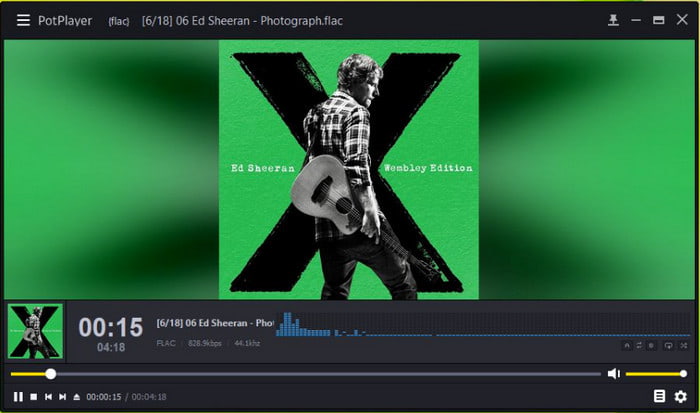
It is a lightweight MP4 player for Windows 11, 10, 8, and others. PotPlayer’s best features include full support for common and 3D videos with a customizable screen on the desktop. It can also bookmark parts of the video so you can resume watching anytime. If you have no digital videos to watch, just insert a disc into the optical drive and use the media player to stream.
Features
• Rewatch bookmarked movies and TV shows.
• Real-time preview of screenshots.
• Automatically synchronize video and audio.
• Work well for all media file formats.
Bottom Line
PotPlayer is a great alternative as an MP4 player on Windows. Unfortunately, it is not available on Mac. Still, it is noteworthy to try for the advanced features and versatility.
Pros
- Allow users to add codecs to the MP4 files.
- Support 4K and 8K playback.
- Accessible on most Windows OS versions.
Cons
- A bit intimidating for first-time users.
BSPlayer
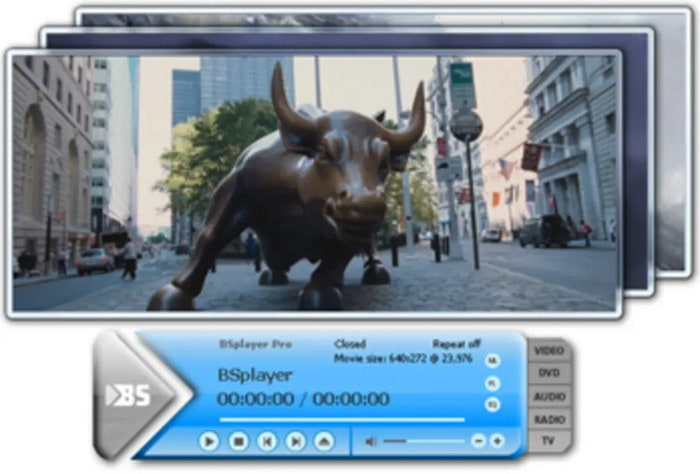
BSPlayer is capable of playing MP4 files on Windows. It is also designed to stream other content types, such as DVD, WMV, MKV, etc. Besides its main purpose, the media player can also create and save a playlist. You can also use it to search and download shows and automatically stream within the app. However, remember that BSPlayer is a freemium program, and you might still need to subscribe to unlock other functions.
Features
• Super lightweight and only uses minimum CPU resources.
• User-friendly and configurable interface.
• Take a screenshot and save images as JPEGs.
• It has a remote controller app available for mobile devices.
Bottom Line
The MP4 player is the newest version of a free media player for Windows. It is more than effective with its search function and wider supported file formats.
Pros
- Offer both free and paid versions at affordable prices.
- Provide skins and color schemes for the interface.
- Support YouTube streaming.
Cons
- Screencasting cannot load the subtitles.
- Looks a bit old-fashioned.
Part 2. Top 5 MP4 Player Online
With the advance of technology, media players are also available now on your browsers. So, instead of downloading an application, you can just visit these recommended websites to play your favorite movies.
VEED
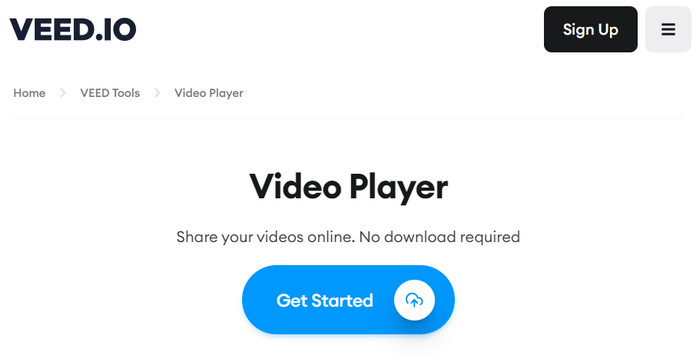
VEED is known mostly as a video editor online. However, its purpose also includes an MP4 Player online. At first glance at the website, you can find a sleek interface with only a few controls to manage the playback. You only need to click the Get Started button to upload the file you want to watch, and that’s it! VEED is free, but you can only upload one file at a time.
Features
• Offer simple editing tools.
• Outstanding timeline preview.
• No software download is required.
• Adjust volume level.
Bottom Line
While a simple video playback tool, VEED provides the necessary functions for most video formats. On the other hand, there are some things you might like or hate about it.
Pros
- Accessible on any popular browser.
- Support most common files.
Cons
- Too slow in uploading video files.
- It looks like you are editing the video instead of watching it.
FileProInfo
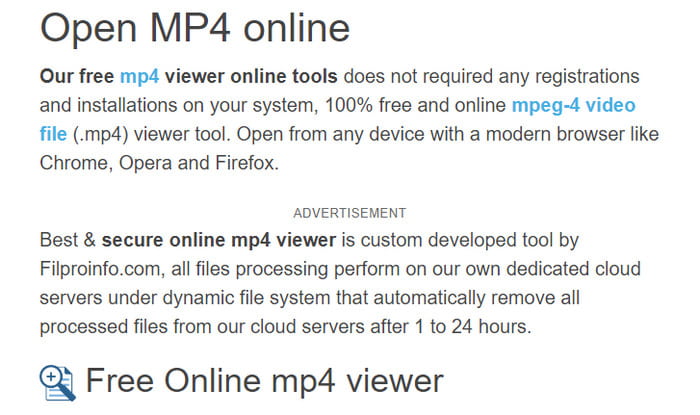
If you only need to play an MP4, FileProInfo is an ideal website to try. It is 100% free for anyone without requiring the user to register or install a launcher to get started. The MP4 player online is also accessible on modern browsers, so you can watch videos freely on Chrome, Firefox, and Opera.
Features
• Secure video streaming online.
• It has its own dedicated cloud server.
• Simple but effective.
• Save the playlist for up to 24 hours.
Bottom Line
Indeed, it is the solution you are looking for to watch MP4 files without delay. But for a free service, there are some cons to look at.
Pros
- Active with updates.
- Delete files after a day.
Cons
- Ad bombardments.
Jumpshare Free Online MP4 Player
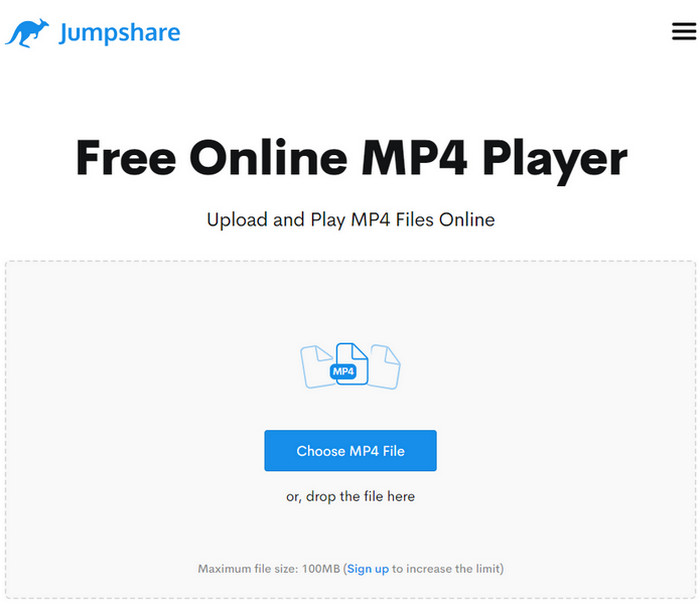
Developed by Jumpshare, the site is a clean and straightforward website that allows you to upload MP4 files, regardless of codecs. You can play MP4 files with the online player with playback controls and settings. Furthermore, it states that the uploads are secured in its domain, preventing hackers from getting information.
Features
• Convenient for Windows, Mac, and Linux browsers.
• Free and no registration is needed.
• Provide basic editing features to trim videos.
• Create a link to directly access files.
Bottom Line
Surprisingly, this alternative offers more than a free tool. And you can always try it by visiting the website.
Pros
- No ads to interrupt.
- Effective video streaming.
Cons
- It can only play MP4 files only on Windows.
Video Candy
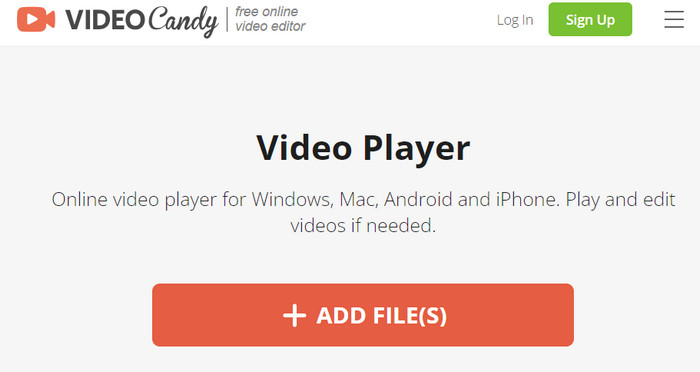
Video Candy serves as both an MP4 player and a video editor. While it prompts you with editing tools, you can also use the website to watch long-hour movies. Additionally, you can add transitions between the clips, fit the size on the screen, and change the video ratio effectively.
Features
• No file size requirements.
• It has the necessary tools for more enjoyable streaming.
• Enable to mute and add new audio tracks.
• Export videos without a watermark.
Bottom Line
The MP4 Player online can be a necessary tool not only for video streaming but also for editing. It even allows you to save the changes by exporting the edited file.
Pros
- It has no ads.
- Unique features added.
Cons
- A watermark is applied to the exported video.
MP4 Viewer
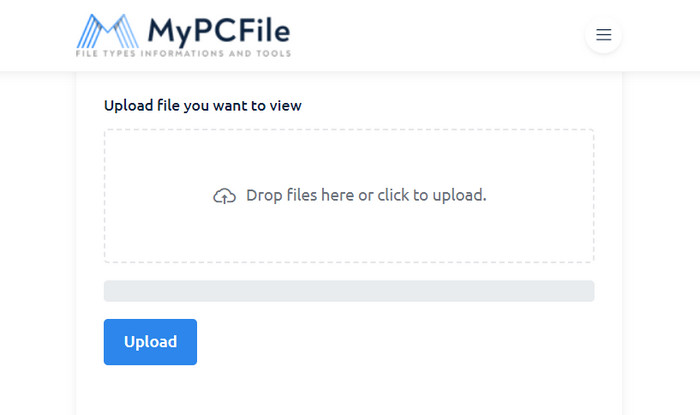
The last recommended MP4 player online is MP4 Viewer. It is developed by MPEG as a free MP4 player to open the MP4 files on the Internet. It is easy to use by only dropping the file into the box and then waiting for the online tool to recognize it.
Features
• No installer is needed to get started.
• Support MP4 with different codecs.
• Other tools are provided.
• Secured and safe to use.
Bottom Line
Although it is stated that it supports MP4 files, we don’t think MP4 Viewer is for long-hour movies. Instead, it is only a tool that you can use to quickly watch a short MP4 clip.
Pros
- Only a few ads on the interface.
- Accessible on any browser.
Cons
- The last update was in 2021.
Part 3. How to Play MP4 Video
To play an MP4 video, you will need an excellent MP4 Player on your Mac or Windows. For this step, we will show you how to play your favorite movie using the Free Blu-ray Player by Blu-ray Master.
Step 1.Visit the Blu-ray Master official website and click the Download button for the Free Blu-ray Player.
Free Download
For Windows
Secure Download
Free Download
for macOS
Secure Download
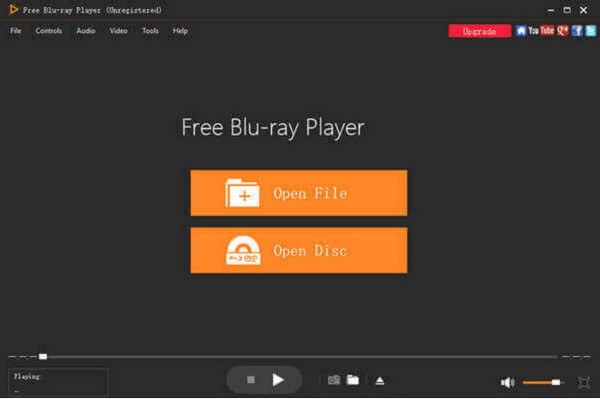
Set it up on your desktop and click to open. You either click the Open File or Open Disc button to upload.
Step 2.Once you have browsed and uploaded the media file, immediately, the program will start playing it. Use the controls to manage the video.
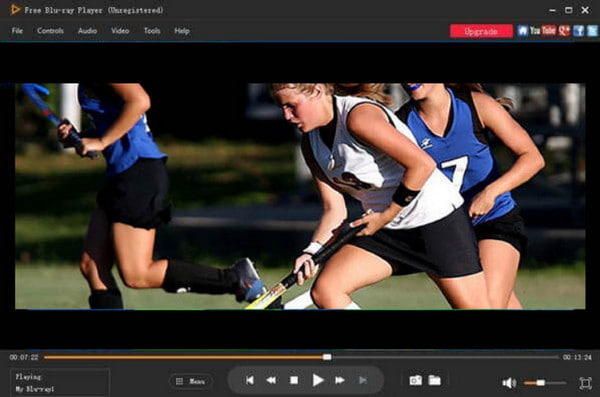
Step 3.All controls and settings are provided on the main menu, so you can change the screen size, video effects, volume level, and other settings as you wish.
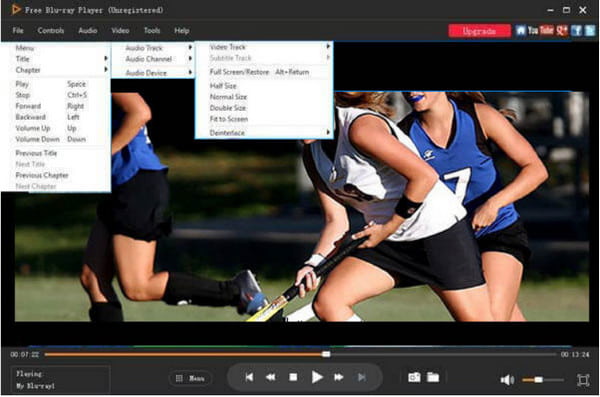
It is super easy to have a great streaming experience with this free MP4 player. To enjoy your various MP4 files, you can import more than one file and manage the files in he playlist. Moreover, it provides different playback orders, including Random, Single, and Order. It also provides high-quality video playback, though belongs to the paid version. Click the Free Download button to get started today.
Part 4. FAQs about MP4 Player
-
Can all computers play MP4?
Yes. However, it depends on the codecs and other settings for a computer to open the MP4 file. Just like QuickTime on Mac, it can only play MP4 with H.264 codec.
-
What is the best MP4 player?
With this article, we choose Blu-ray Player as the top MP4 player for Windows and Mac. It is lightweight yet effective for a smoother playback experience.
-
Is VLC Media Player safe to use?
Of course. VLC is still being updated up to this date. So, the developers fix the bugs and secure the software for safe utilization.
Wrapping up
And there you have it! We hope that you find the best MP4 player for your desktop. All recommended solutions can play high-res content and provides flexible video playback settings. Blu-ray Master Free Blu-ray Player guarantees the best quality and smooth playback on both Windows and Mac. Click the Free Download button to start now!
More from Blu-ray Master
Best Video Player

Easily play Blu-rays, DVDs, and various video/audio formats with rich playback features.
100% Secure. No virus
