

Jun 08, 2026Posted by Kevin Miller to Rip Blu-ray
For physical media enthusiasts, building a local digital library is the ultimate way to safeguard a collection. While streaming services continuously rotate titles and compromise on bitrates, a digitized Blu-ray collection offers uncompromised 1080p and 4K quality right from your home server or Plex ecosystem. However, converting these discs isn't as simple as drag-and-drop. Commercial Blu-ray discs are heavily fortified with evolving copy protections—such as AACS, BD+, and Cinavia—designed to block unauthorized access.
To help you seamlessly digitize your library without sacrificing a single pixel or audio channel, we spent over 40 hours testing the leading tools on the market. Whether you need a 1:1 lossless MKV clone for your high-end home theater, a lightning-fast MP4 conversion for mobile playback, or a 4K UHD LibreDrive solution, this comprehensive review covers the best free and paid Blu-ray rippers available for Windows 11 and macOS.

Table of Contents
Part 1. How We Tested and Rated Best Blu-ray Rippers
How We Test
To deliver a truly objective and practical review, we bypassed marketing claims and put each software through a standardized, real-world benchmarking process in our media lab.
- • Our Test Hardware: All Windows tests were conducted on a custom PC running Windows 11 (Intel Core i7-13700K, 32GB RAM, NVIDIA RTX 4070 Ti). Mac tests were performed on an M3 MacBook Pro (16GB Unified Memory, macOS Sonoma).
- • The Optical Drives: We utilized two hardware setups: an LG WH16NS40 (flashed with LibreDrive clean firmware for 4K UHD discs) and a portable Pioneer BDR-XD07B via USB-C.
- • The Test Discs: We tested each ripper using three distinct types of media:
- 1. A standard 1080p Blu-ray (Inception, BD-50, protected by AACS).
- 2. A newer commercial release with complex playlist obfuscation (John Wick: Chapter 4).
- 3. A 4K Ultra HD Blu-ray (Spider-Man: Into the Spider-Verse, triple-layer BD-100).
- • Our Evaluation Criteria: We rated each tool based on four critical metrics: Decryption Capability (can it bypass modern DRM without external plugins?), Ripping Speed (measured in minutes per disc using GPU acceleration), Output Fidelity (presence of multi-channel audio like Dolby Atmos/DTS-HD and HDR10 maps), and Value for Money (for paid options).
| Software Name | Best For | Decryption Ability (DRM Bypass) | 4K UHD / LibreDrive Support | GPU Acceleration Speed | Primary Output Formats | Price Range (USD) | Our Expert Rating |
| Blu-ray Master Blu-ray Ripper | Beginners seeking fast MP4/MOV conversions | Good (Standard AACS & Region Codes) | No | Fast | MP4, AVI, MKV, MOV + 500 formats | Free Trial / Starts at $18.75 | |
| VLC Media Player | Quick, occasional playback-to-file rips | Poor (Requires manual libaacs setup) | No | Slow | MP4, MKV, TS | Free & Open-Source | |
| DVDFab Blu-ray Ripper | Advanced automated ripping with massive profiles | Excellent (Frequent algorithmic updates) | Yes | Ultra-Fast | MP4, MKV, M2TS, AVI, etc. | $59.99/Year or $99.99 Lifetime | |
| CloneBD Blu-ray Ripper | 1:1 Windows-only unencrypted disc copying | None (Requires external decrypter) | No | Medium | MP4, MKV, AVI | Free Trial / Starts at $49.95 | |
| VideoByte BD-DVD Ripper | Mac users needing reliable DRM removal | Good (APS, CSS, AACS, BD+) | Limited | Fast | MP4, MKV, MOV, MP3 | $39.95/Year or $69.95 Lifetime | |
| Blu-ray Master Free Blu-ray Ripper | Zero-cost basic 1080p profile exports | Poor (Region restrictions only) | No | Medium | MP4, MKV, FLV, M4V | Totally Free (Basic Version) | |
| MakeMKV | 1:1 Lossless Remux & 4K UHD Archiving | Excellent (AACS, BD+, latest MKB) | Yes | Medium | MKV only | Free in Beta / $60.00 Lifetime | |
| HandBrake | Free High-Quality Compression & Encoding | None (Requires unencrypted files) | No | Fast | MP4, MKV, WebM | Totally Free | |
| Leawo Blu-ray Ripper | Basic batch conversions with rich video editing | Good (AACS, BD+ up to specific MKB) | No | Fast | MP4, MKV, WMV, MOV | $44.95/Year or $99.95 Lifetime | |
| EaseFab Blu-ray Ripper | Mid-range Windows/Mac multi-core transcoding | Moderate (Standard AACS, BD-J) | No | Fast | MP4, MKV, HEVC, H.264 | $27.95/Year or $41.95 Lifetime |
Crucial Hardware: LibreDrive-Compatible Optical Drives
Your ripping software is only as good as your hardware. Standard external drives often fail against advanced commercial protections or completely block 4K UHD discs due to locked manufacturer firmware.
For seamless ripping on Windows and macOS, the physical media community recommends LibreDrive-compatible optical drives. This feature allows software to read raw disc data directly, bypassing firmware restrictions and playlist obfuscation.
- • The Gold Standard: LG BU40N The most popular choice for archiving. Natively an internal slim drive, it is widely available pre-housed in portable external USB enclosures. Once flashed with clean firmware, it reads standard Blu-rays flawlessly and unlocks triple-layer 4K UHD discs.
- • The Plug-and-Play Premium: Pioneer BDR-XD07UHD / XD08 An excellent out-of-the-box external option. Pioneer drives offer great laser longevity, reliable LibreDrive support, and stable performance on macOS without requiring external power hubs.
- • The Budget Pick: Verbatim External Slimline (Model 43888) A cost-effective, widely available external drive. It uses highly compatible internal components that are easily flashable for 4K UHD archiving.
Part 2. Best Blu-ray Rippers for Windows
1. Blu-ray Master Blu-ray Ripper
Windows 11/10/8/7
Ultimate Blu-ray ripping tool with strong compatibility, original quality export, and fast converting speed
Starts at $18.75 with a free trial
Quick
AACS, BD+, CSS, Cinavia, and more
MP4, MOV, FLV, MKV, AVI, and more than 500 video and audio formats
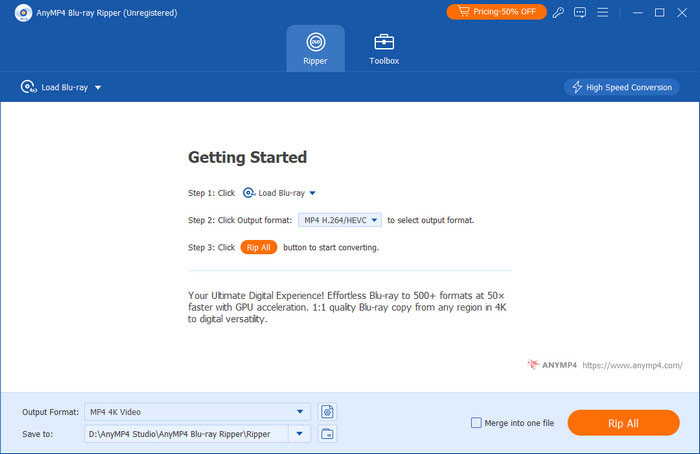
Picked by Blu-ray Master, this user-friendly Blu-ray Ripper is an ultimate ripping tool you can’t miss. It mainly rips Blu-ray movies to any 2D and 3D videos. As for its compatibility, it supports more than 500 formats of Blu-ray output for video (MP4, AVI, WMV, FLV, MKV, etc.), audio (AAC, MP3, ALAC, AIFF, etc.), and media devices (iPhone, iPad, Android devices, etc.). With advanced decryption technologies, it can convert homemade and commercial Blu-rays. You can quickly get any format copy with its GPU-accelerated speed. Meanwhile, the digital copy of Blu-ray Ripper supports 1080p and 4K export without quality loss.
When it comes to its settings for Blu-ray digital copies, there are powerful editing functions on video merging, cropping, cutting, rotating, video effect adjustment, subtitles adding, audio tracks adding, and more.
Free Download
For Windows
Secure Download
Free Download
for macOS
Secure Download
Pros
- It provides highly intuitive layout that requires virtually zero knowledge of codecs or bitrates.
- It has built-in tools for basic video clipping, aspect-ratio cropping, and watermark placement.
- It can load various types of Blu-rays, like BD-25, BD-50, BD-L, BD-R, and more.
- It provides multiple video output profiles to meet your different needs.
Cons
- This Blu-ray disk ripper can only convert 5 minutes of each item with the trial version.
- It can only rip one Blu-ray each time.
2. VLC Media Player
Windows 11/10/8/7.
All-in-one media player does Blu-ray ripping well.
Free.
Medium.
No.
MP4, MOV, AVI, MP3, MKV, WAV, and more.
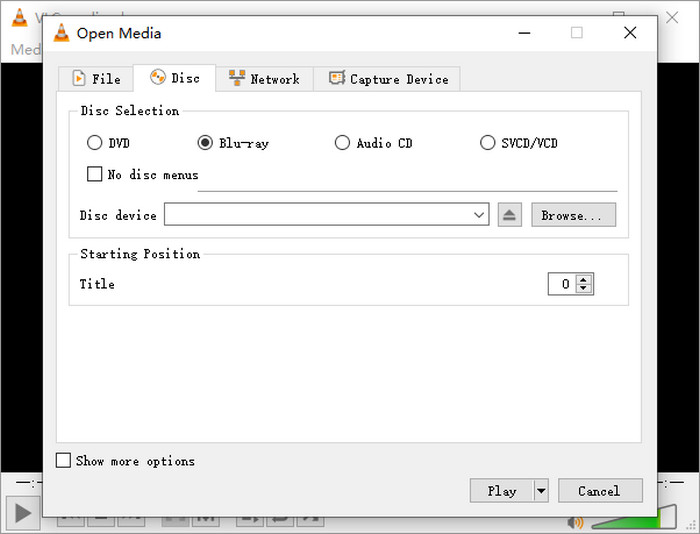
VLC is a globally popular, free, open-source media player, but it can also perform basic conversions between Blu-ray and digital formats. Using its built-in "Convert/Save" feature, you can transcode Blu-ray discs into multiple popular formats like MP4, MKV, and AVI. It offers basic output customization, allowing you to select specific titles, chapters, audio tracks, and subtitles. Once converted, you can even use VLC’s streaming feature to host the ripped files across your local network.
Out of the box, VLC lacks native decryption algorithms to bypass commercial Blu-ray copy protections. However, you can manually integrating the open-source dynamic library (libaacs) and an updated keys database (keydb.cfg) into the VLC installation directory, and then, the player can successfully decrypt and extract a significant portion of AACS-protected commercial Blu-rays without relying on heavy third-party software.
Pros
- 100% free with no commercial tie-ins or feature caps
- Compatible with both PC and Mac
Cons
- Bypassing AACS requires users to manually hunt for and install external libaacs.dll and keydb.cfg files
- Low converting speed
- A little bit quality loss
3. DVDFab Blu-ray Ripper
Windows 11/10/8.1/8/7.
Powerful Blu-ray converting software performs excellently in removing copy protection.
Starts at $59.99 with a free trial.
Quick.
AACS, BD+, BD-J, RC, Country Code, etc.
MP4, MKV, M2TS, AVI, MOV, WMV, FLV, and others.
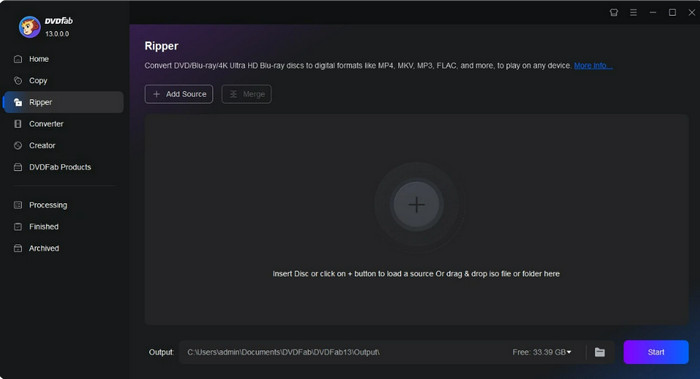
DVDFab Blu-ray Ripper ranks among the most powerful Blu-ray ripping tools in the market, featuring concise and intuitive operation interface. It is fully compatible with homemade and all encrypted commercial Blu-ray sources to satisfy diverse ripping demands. Equipped with complete format library covering more than 1000 video and audio formats, it covers almost all daily usage scenarios. Supported by advanced GPU acceleration technology, it boosts conversion speed up to 50x faster, greatly saving your time on massive Blu-ray digitization work.
Pros
- Cloud-based decryption algorithms update within days of new movie encryption releases
- Tailor-made presets for Encodings, mobile devices, and multi-channel audio pass-through
- Rich custom settings on codec, frame rate, resolution and profile filter
- Support batch Blu-ray ripping for mass processing
Cons
- The software package bundle includes heavy modules and persistent upsells for AI enhancement features.
- Relatively high official pricing
- Function layout is complicated for new users
- Does not support full region-free Blu-ray decoding
4. CloneBD Blu-ray Ripper
Windows 11/10/8/7
Simple Blu-ray converting program with various output formats.
Starts at $49.95 with a free trial.
Low
No.
MP4, MKV, AVI, and others.
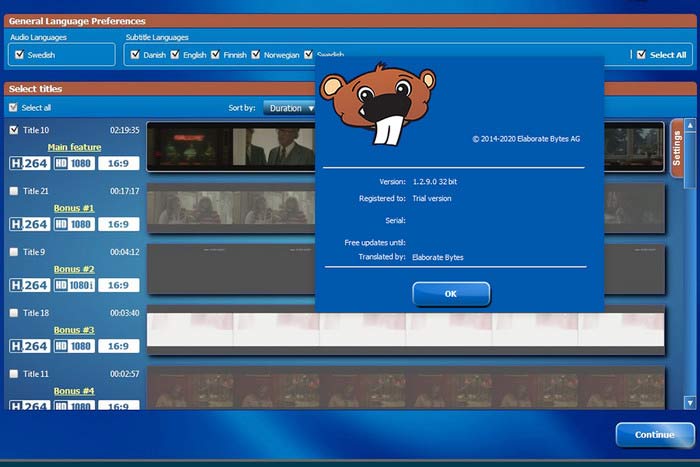
CloneBD is a Windows-only program for turning Blu-ray to digital formats, and it is best for Windows 11/10/8/7/XP. CloneBD features a 1:1 Blu-ray copy to maintain the full information of Blu-ray discs. It can convert Blu-rays to MP4, MKV, and many other popular video formats. Further, it can only convert unprotected Blu-ray discs without encryption or copyrights. This freeware Blu-ray ripper can also convert 3D Blu-ray while well maintaining the 3D effects. With it, you can easily adjust video output settings by trimming video, cropping video size, adjusting video effects, adding image/text/watermark, and more.
Free Download
For Windows
Secure Download
Free Download
for macOS
Secure Download
Pros
- Excellent for archiving an entire unencrypted disc structural backbone, including menus and bonus features
- Snappy performance on low-spec Windows architectures
- Support merging several clips into one file
- Built-in video editor
- Support most popular devices
Cons
- Absolutely requires a third-party background driver (like AnyDVD HD) to run in tandem when processing retail discs
- Completely unavailable for Apple ecosystem users
5. VideoByte BD-DVD Ripper
Windows 11/10/8
Be good at decrypting all types of Blu-ray
Starts at $69.95 with a free trial.
Quick
APS, CSS, ARccOS, CPRM, AACS, BD+, Cinavia, and others.
MP4, MKV, MOV, MP3, AAC, M4A, and others.
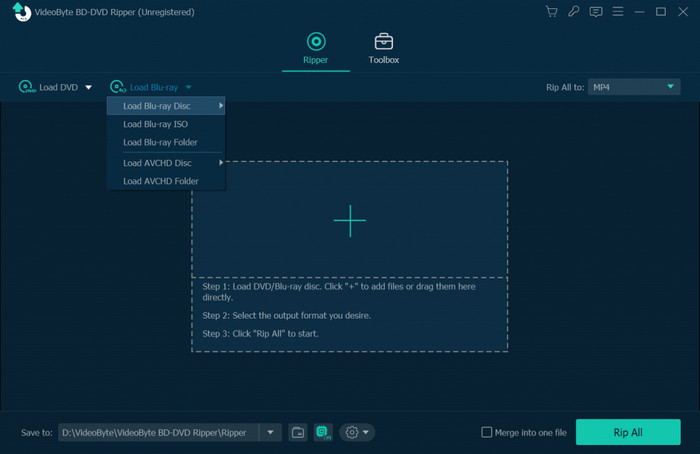
VideoByte BD-DVD Ripper can easily rip Blu-ray discs to more than 300 video/audio output formats, like MP4, MOV, M4A, AAC, etc. This Blu-ray ripping software adopts many decryption technologies, including CSS, CPRM, AACS, BD+, and others, to bypass Blu-ray encryption and region restriction to convert Blu-ray discs freely. Moreover, this best Blu-ray ripper for Mac allows for 1:1 ratio Blu-ray ripping with lossless quality output, maintaining the original BD's quality. When converting a Blu-ray movie to a digital file, this BD rip software automatically allows ripping the Blu-ray with all of the audio tracks and subtitles. For a smaller output file size, you can also choose one or several audio tracks and subtitles you want.
Pros
- Successfully preserves complex multi-channel audio tracks like Dolby Atmos and DTS-HD Master Audio
- High-quality output
- Support removing encryption on Blu-ray discs
Cons
- Occasional hiccups when scanning disc structures for complex multi-playlist titles
- Long time to load Blu-ray discs
- Long processing time
- A little bit of quality loss
Part 3. Best Blu-ray Rippers for Mac
1. Blu-ray Master Free Blu-ray Ripper
MacOS 10.12 or above
Totally free Blu-ray ripping software with an easy-to-use interface
Free
Quick
Region-free
MP4, MKV, MOV, AVI, WMV, FLV, M4V, etc.
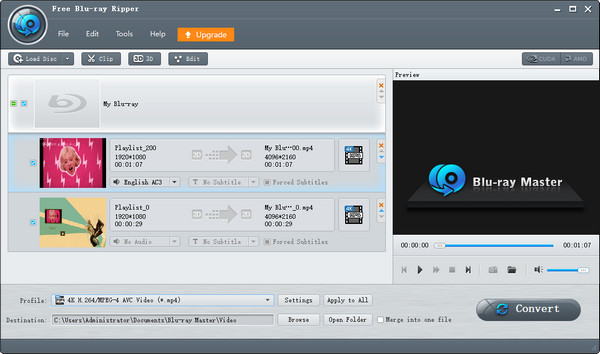
If you just want a free Blu-ray converting program, Blu-ray Master Free Blu-ray Ripper won’t let you down. Capable of macOS 10.12 or above, this fastest Blu-ray ripper can easily rip Blu-ray movies to multiple formats, such as MP4, MKV, FLV, M4V, etc. It can convert any sort of 2D/3D Blu-ray disc, including BD-5, BD-9, BD-25, BD-50, BD-XL, BD-R, and BD-RE. It provides you 3D settings of anaglyph 3D and split screen effects to your 3D Blu-ray movies, which gives you super visual effects. What's more, it supports exporting 4K and 1080p HD video profiles of different video formats, and there must be one that can meet your needs.
The ripping will finish in just a few seconds due to its embedded acceleration. The interface is clear and simple; even if you are a beginner, the operation won’t bother you. You can edit frame rate, resolution, and audio bitrate, then check them in the Preview window. This easy-to-use program can be your first step in Blu-ray digital copy.
Pros
- Zero cost for basic daily file extraction pipelines
Cons
- Limits users to standard, compressed video profiles, rendering it useless for high-fidelity archival
2. MakeMKV
MacOS X 10.7 or later
Professional in exporting MKV format losslessly.
Free in Beta
Medium
AACS, BD+, UHD Blu-ray Decryption, LibMMBD.
MKV.
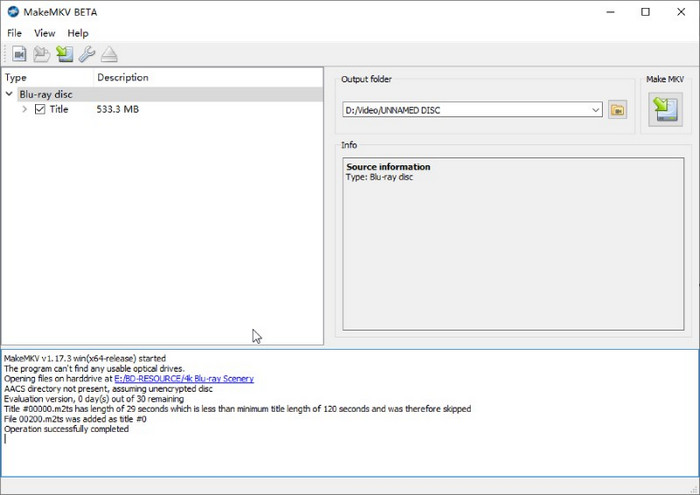
To use on PC, MakeMKV has specialized in converting Blu-ray to lossless digital for a long time. This best Blu-ray ripper has a simple interface for users, and it’s easy to operate even for beginners. From its name, you know that it can only export Blu-rays to MKV. Usually, its output files are large because it is a container format that can store all the information on Blu-ray discs. Besides, it is capable of ripping any Blu-ray disc with different copy protections because it adopts many decryption technologies, like AACS, BD+, UHD Blu-ray Decryption, and LibMMBD.
Pros
- Extracts the exact video and audio bitstream from the disc without any quality loss (Remux)
- Superior bypass of advanced AACS, BD+, and the latest MKB protections via its consistent LibreDrive framework
Cons
- Only MKV output format support
- Paid version is too expensive
3. HandBrake
MacOS 10.13 and later
Free and regular Blu-ray ripper with basic functionalities
Free
Medium
No
MP4, MKV, and WebM
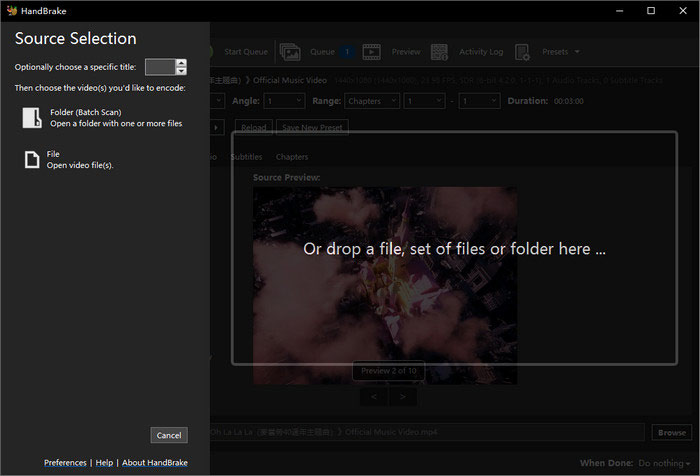
HandBrake is another commonly used Blu-ray converting product in the market. Because it is completely free and open-source, some users prefer converting Blu-ray discs to digital formats with this free transcoder. It offers 3 output formats: MP4, MKV, and WebM. While the output formats may seem limited, it provides a massive matrix of parameter settings for you to manually adjust the output videos. In addition, it contains almost all the regular functions: preview, audio tracks adding, subtitles adding, folder adding, and more.
However, HandBrake can only support regular, unencrypted Blu-ray discs without any copy protections. To bypass this limitation, advanced users in elite tech communities like Reddit and Doom9 widely recommend the ultimate 'Golden Combo' workflow: using MakeMKV first to decrypt and extract a 1:1 lossless MKV remux directly from the disc, and then utilizing HandBrake's powerful encoding presets to compress and convert that massive file into a lightweight, highly compatible MP4 or WebM video.
Pros
- Features advanced x264/x265 encoders to shrink a 40GB raw rip into a crisp, lightweight 5GB MP4 file
- No hidden paywalls, registration keys, or watermarks
Cons
- Cannot read encrypted commercial Blu-ray discs without libdvdcss
- The massive matrix of video bitrates, presets, and frame-rate settings can overwhelm beginners
4. Leawo Blu-ray Ripper
MacOS 10.13 and later
6 times higher speed to finish the converting process
Starts at $44.95 with a free trial
Quick
AACS, BD+, and the latest MKB protection
MP4, MKV, WMV, MOV, MP3, FLAC, etc.
Using Leawo Blu-ray Ripper to turn Blu-ray to digital is another choice. Leawo Blu-ray Ripper is one of the most popular Blu-ray rippers on Mac. It performs with fast converting speed by utilizing the top-notch NVIDIA CUDA, Intel, and AMD graphics acceleration technologies. It can remove Blu-ray disc protection and region restrictions in the background so that your Blu-ray discs can be easily converted to your preferred video formats.
Customizations of Leawo include video merging, trimming, cropping, adding watermarks, adjusting brightness contrast, and more. Moreover, it just can add only one file at a time without folder adding.
Pros
- Leverages regular NVIDIA CUDA and Intel hardware acceleration efficiently
- Keeps side-by-side or anaglyph 3D effects for legacy home-theater systems
Cons
- Frequent in-app prompts encouraging users to upgrade to premium suites
5. EaseFab Blu-ray Ripper
MacOS 10.13 or later
Maintain the original quality with fast speed
Starts at $27.95 for a one-year license with a free trial
Quick
AACS, BD+, BD-J, RC, MKB, and Cinavia
MP4, MKV, HEVC, H.264, AVI, MOV, WMV, FLV, etc.
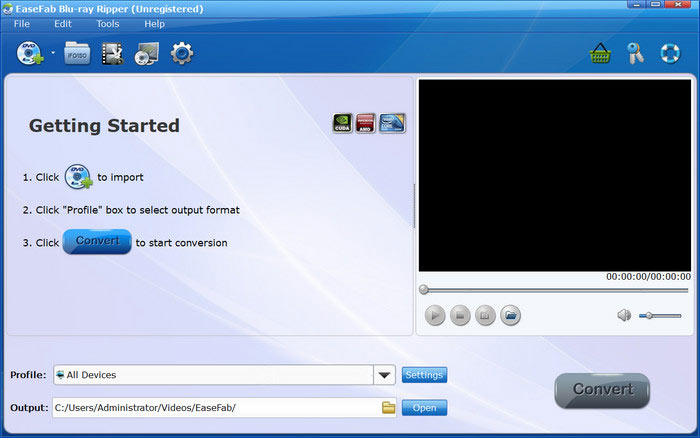
EaseFab Blu-ray Ripper is a converting program that performs well in encrypted Blu-ray discs. It provides more than 500 video, audio, and device formats, which can be used in different ripping situations. This Blu-ray ripper can change Blu-ray movies to original HD, full HD 1080p, and even UHD 4K videos. Meanwhile, you can use the built-in editor to DIY video frames, watermarks, effects, etc. Through the utilization of GPU hardware acceleration, batch conversion, and multi-core CPU processing technology, EaseFab Blu-ray Ripper for Mac can maximize your multicore processor's performance in transcoding, processing, and decoding Blu-ray videos without causing your computer to overheat or stutter.
Pros
- Low system RAM consumption during transcoding, preventing laptop overheating
- More cost-effective compared to larger market conglomerates
Cons
- The UI looks reminiscent of older operating systems and lacks modern design elements
- Modifying distinct output profiles for multiple stacked tasks can be clunky
Part 4. How to Rip Blu-ray on PC and Mac
Now, we want to additionally introduce you to how to rip Blu-ray on PC and Mac. Blu-ray Master Free Blu-ray Ripper is one of the best 4k Blu-ray rippers and we will show you the detailed Blu-ray ripping guide with it.
Step 1. Click the download button below to download and install the software on your Windows or Mac computer.
Free Download
For Windows
Secure Download
Free Download
for macOS
Secure Download
Launch the software and select the Load Disc option to add one Blu-ray file you want to convert.
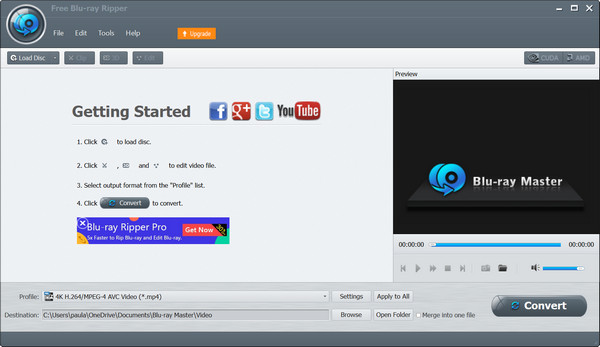
Step 2. After loading the Blu-ray file, move to the Profile at the bottom. Choose the MP4 as the output format. Or, you can manually adjust the output format, resolution, bitrate, and other parameters by clicking the Settings button. To apply, click OK.
Note: There are multiple output formats, and you can choose according to your needs.

Step 3. To proceed, click the Browse button to set the download folder of the converted Blu-ray, and click the Convert option to start ripping the Blu-ray to an MP4 file.
Note: In the right section, it provides a Preview function for you to see the video effects.
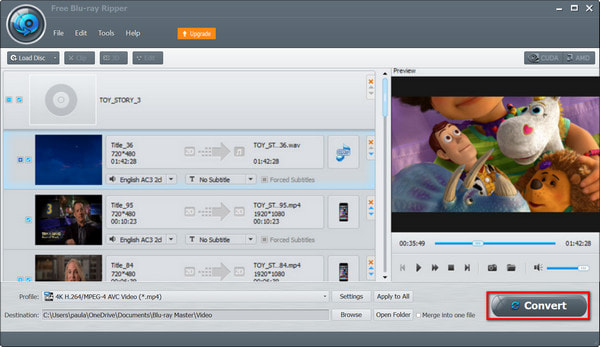
OK, here are all the steps for ripping a Blu-ray to MP4 format. With these clear introductions and intuitive illustrations, you can easily master them to do it by yourself. It is a free Blu-ray ripping software, and download it to try it.
Part 5. FAQs about Blu-ray Ripping Software
-
Is it possible to rip Blu-ray discs?
Absolutely yes. But you need to choose a powerful Blu-ray ripping tool when converting some protected Blu-ray discs. Blu-ray Master Blu-ray Ripper can get a digital copy of Blu-ray discs with original quality and fast speed.
-
How do I rip a Blu-ray without losing quality?
Take Blu-ray Master Blu-ray Ripper as an example. Connect the Blu-ray drive to your computer first. Then, insert your target disc into the drive. The Blu-ray Ripper will load your disc automatically. When loading finishes, you can select the output format and editing tools to customize your video. Last, click "Rip All", and you will get your Blu-ray digital copy soon.
-
Does ripping a Blu-ray damage it?
No. Ripping a Blu-ray means getting a digital copy of your disc. It definitely does not harm your Blu-ray discs.
-
What is the best way to rip a 4K UHD Blu-ray collection to a Plex server lossless?
The gold standard is using MakeMKV paired with a LibreDrive-compatible optical drive. MakeMKV extracts the exact, unaltered video and audio bitstream (including Dolby Atmos and HDR10/Dolby Vision metadata) from the disc into an MKV container. This gives you a 1:1 lossless copy perfect for a Plex direct-play setup.
-
Can I use HandBrake to rip a commercial copy-protected Blu-ray disc, or do I need another tool?
No, HandBrake cannot do this on its own because it doesn't have built-in decryption software to bypass commercial copy protections (like AACS or BD+). You need another tool—usually MakeMKV—to decrypt and rip the disc to your hard drive first. Then, you can feed that unprotected file into HandBrake for compression.
-
Is MakeMKV still free to use? How do I find the latest beta registration keys?
Yes, MakeMKV is still technically free while it remains in its long-running beta phase. The developer regularly updates a free beta key every couple of months. You can always find the latest key pinned directly on the official MakeMKV Forum under the "News and Announcements" section in a thread titled "MakeMKV is free while in beta".
-
What external Blu-ray drive should I buy for my Mac that supports LibreDrive firmware flashing?
Go with the LG BU40N (often sold pre-housed in a portable USB 3.0 external enclosure by third-party sellers on Amazon or eBay) or a premium mobile Pioneer drive (like the BDR-XD07UHD or XD08). Both work beautifully with macOS and natively support LibreDrive flashing, which is required to read 4K UHD discs. Just make sure to use a high-quality USB-C cable or a powered USB hub so the drive gets enough steady power during heavy ripping tasks on your Mac.
Wrapping up
Whether you are a Windows loyal user or Mac enthusiast, the above top 10 Blu-ray ripping software covers free lightweight tools, professional paid full-featured programs and lossless 4K UHD dedicated ripping solutions. Beginners can pick simple and easy-operated free ripping software to finish daily conversion; professional media collectors can choose matched lossless remux tools or high-speed encrypted disc decryption software according to their hardware conditions, to perfectly complete permanent digital preservation of physical Blu-ray collections.
More from Blu-ray Master
Blu-ray Ripper
Rip Blu-rays to any video and audio formats of different parameters for free in minutes.
100% Secure. No virus
