

July 25, 2025 09:04Posted by Brittany Garcia to Copy Blu-ray
With numerous Blu-rays piling up, you may sometimes find one or two of them are missing. Or they are scratched and become unplayable. To solve these problems, you can copy Blu-ray and keep the backup. This post will show you how to copy them as optical discs and save them as ISO files or digital formats on the computer, hard drive, or USB drive. Read through and find a suitable way to back up your Blu-rays.

Part 1. Can I Copy Blu-ray
Have you heard your friend or colleague ask the “Can I copy Blu-ray” question? The answer is yes. You can copy Blu-ray to Blu-ray disc, hard drive, USB Drive, and PC, etc. So now is the perfect time to have the collected preparation in doing this task on your PC.
Your PC Must Have a Blu-ray Drive
Before you even try to use your computer to copy your Blu-ray, you must ensure that your PC has a Blu-ray drive. This drive will work to read your Blu-ray discs. However, if your desktop doesn’t have one, then you can use an external Blu-ray drive and connect it to your PC.
You Must Have a Blu-ray Copying Software
In this mission, you will need specialized software that will make your task succeed.
Part 2. How to Copy Blu-ray to Blu-ray Movies
Copy Blu-ray Movies from Disc to Disc
The Blu-ray Master Free Blu-ray Copy is a software specialized to copy Blu-ray discs and produce a file with great quality like its original status. Furthermore, this software lets you choose between its two copying options, which include the Full Copy and Main Movie. These two options serve different purposes, as their names suggest. What makes you like it more is its intuitive interface that makes you work like an expert, even if it is your first time with it. Thus, you can enjoy your Blu-ray movies as soon as possible. Thus, here’s how to copy a Blu-ray movie to your PC.
Key Features
- Copy Blu-ray to Blu-ray disc/folder/ISO.
- It supports BD-25, BD-50, and others.
- Lossless Blu-ray copying process.
- Fast and easy to process.
Free Download
For Windows
Secure Download
Step 1. Insert your Blu-ray disc into your computer’s Blu-ray drive. Then, launch the software after you install it using the Download buttons above.
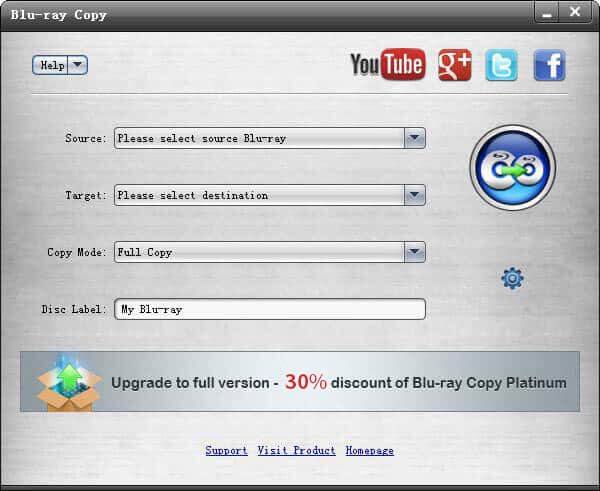
Step 2. Once you reach the interface, navigate to Source to load a DVD disc and click the Target button to set a blank DVD disc as the destination.
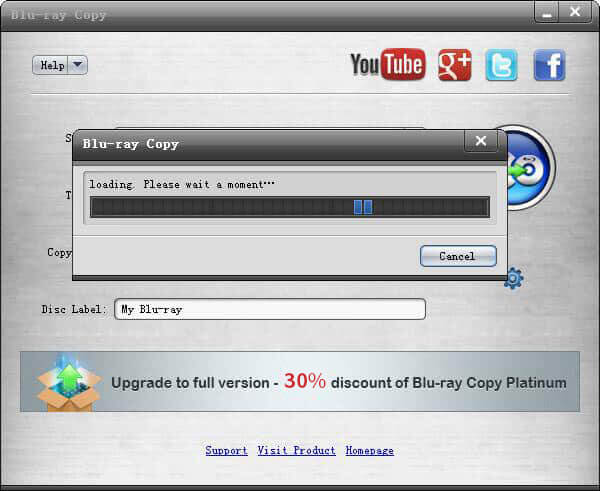
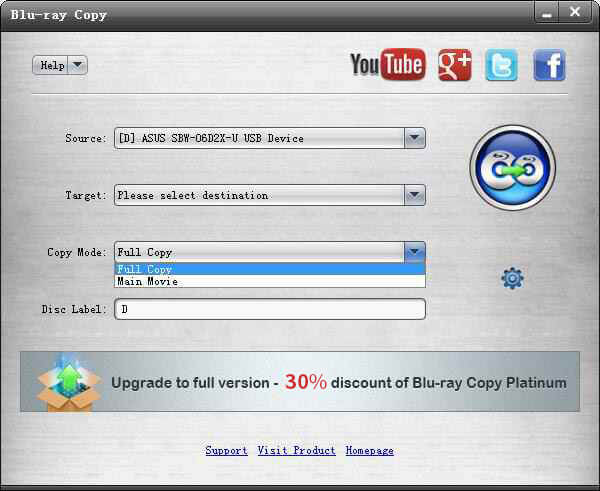
Step 3. Next, choose among the Full Disc and Main Movie options under Copy Mode. Choose the Main Movie option if you want to reserve the main content of the Blu-ray.
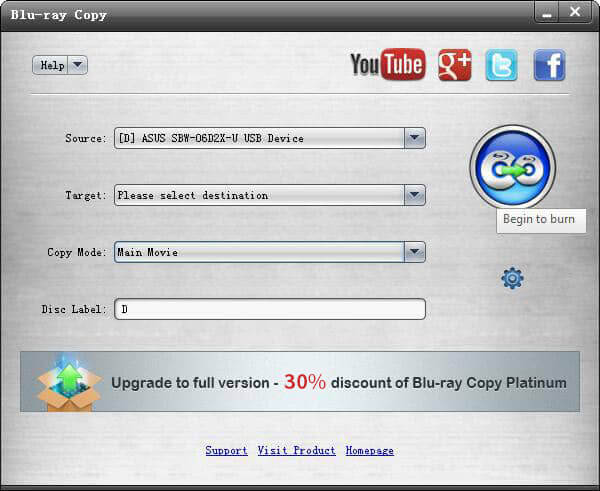
Step 4. As simple as that, you can now hit the Begin to burn button to copy the Blu-ray.
Copy Blu-ray Movies from Disc to ISO File or Folder
To back up the Blu-ray as ISO files or a folder, you can also use the Blu-ray Master Free Blu-ray Copy. Read on to know the detailed steps.
Step 1. Download the Blu-ray Master Free Blu-ray Copy software by clicking the button below. Install and launch it on your computer. Put the Blu-ray disc into the drive on your computer or an external drive.
Free Download
For Windows
Secure Download
Step 2. Choose the Blu-ray disc in the Source section. Next, go to the Copy Mode to choose your mode from Full Copy and Main Movie.
Step 3. Then, in the Target dropdown list, there are Save as ISO and Save as BD Folder options. Select a folder to save the Blu-ray and rename the ISO file.
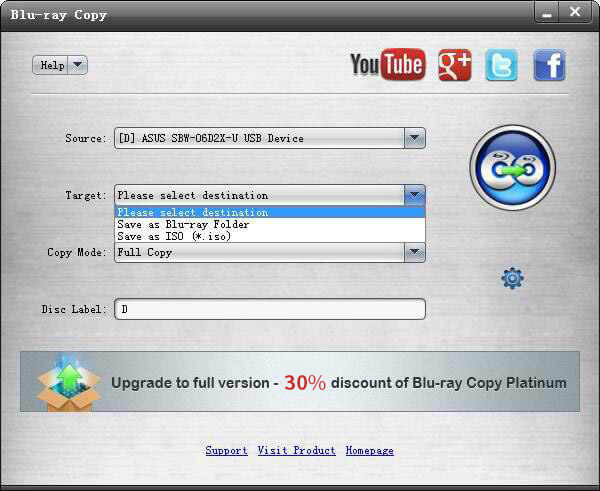
Step 4. Click the Begin to burn button to copy the Blu-ray as an ISO file in a 1:1 ratio.
Part 3. How to Copy Blu-ray as a Digital File
To copy Blu-ray movies to a USB drive or hard drive, you can also convert Blu-ray into digital formats. This method requires a powerful program, the Blu-ray Ripper. It can convert Blu-ray movies into hundreds of digital formats, like MP4, MKV, MPEG, MP3, WAV, etc. After the conversion, you can easily copy the Blu-ray’s content to a USB drive or hard drive. This way, you can play the Blu-ray content on various devices since digital formats are more compatible than disc image files. Check out some other features of the Blu-ray Ripper and learn how to use it.
Key Features
- Rip Blu-ray movies to hundreds of video and audio formats.
- Convert Blu-ray to 2D/3D/HD/4K videos.
- Provide presets for devices like iPhone, Wii, Xbox, LG, etc.
- Support batch conversion with super-fast speed.
Step 1. Download, install, and open the Blu-ray ripper on your computer. Insert the Blu-ray disc into the drive, which should be connected to your computer.
Free Download
For Windows
Secure Download
Free Download
for macOS
Secure Download
Step 2. The Blu-ray ripper will automatically load the inserted Blu-ray. If it doesn’t, click the Load Blu-ray button on the interface.
Step 3. Choose the Main Title or Full Title of the Blu-ray to rip. Next, select the desired output format by clicking the Output Format dropdown list.
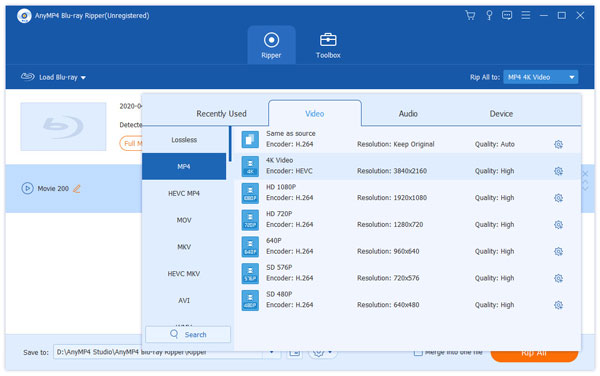
Step 4. Finally, click the Rip All button to convert the Blu-ray to a digital file.
Part 4. FAQs about Copying Blu-rays
-
Can I copy 4K Blu-ray movies?
Yes, you can. However, copying the 4K is more delicate than the regular Blu-rays with 1080p.
-
What is the best digital video format I can use to copy Blu-ray?
When duplicating your Blu-ray movies to digital videos, it is best to use the MP4 format. It is because it is the universal format.
-
Can the Blu-ray have the same quality after I copy it?
More or less, yes, especially if you use powerful software to copy it.
-
Is it legal to copy Blu-rays you own?
In most countries, copying Blu-rays for your use is legal without sharing or selling them for commercial purposes.
-
Are Blu-rays good for backup?
Yes. Blu-rays are an excellent choice to back up essential data, information, and privacy. Blu-ray discs store content on the disc, and it can prevent computer viruses, hackers, or system crashes. With tools like Blu-ray Copy Platinum and Blu-ray Ripper, it’s easy to transfer and back up them as disc/ISO/digital formats.
-
How long does it take to copy a Blu-ray?
Copying a Blu-ray typically takes 30 minutes to 3 hours, which depends on your DVD size, the efficiency of the copying tool, and the hardware condition of your computer.
Wrapping up
There are many ways to copy Blu-rays. The post shares three options to make a Blu-ray backup: Blu-rays, ISO, and digital files. You can clone them as Blu-rays or ISO files/folders with Blu-ray Copy Platinum to keep the original quality. If you want to copy them as digital files to a hard drive or USB, use Blu-ray rippers to convert them to video and audio formats. With these Blu-ray copy and ripping tools mentioned, you can do the task without hassle.
More from Blu-ray Master
How to Copy Blu-rays

Free tool to copy any Blu-ray file to disc, folder, or ISO images losslessly.
100% Secure. No virus
