

Aug 07, 2025Posted by Kevin Miller to Copy DVD
One of the things that still remains even now is the process of backing up DVDs. Many DVD collectors are looking for the best way to preserve their DVD movie collections and the way our technology today leads them to use a DVD cloner. With the capability of a cloner, you will be able to share your collective movies easily with your friends and loved ones, even if they are far. Therefore, the necessity to invest in copying software is evident. On the other hand, if you do not want to spend for one, then you can follow and use the presented programs in the list below.

- Part 1. What Is DVD Copy Software
- Part 2. How to Choose the Best DVD Copier Software
- Part 3. 5 Best DVD Cloners for Windows and Mac
- Part 4. FAQs about DVD Cloning
Part 1. What Is DVD Copy Software
What is a DVD copy software? Fundamentally, DVD copy software reads data from a DVD and makes it possible to reproduce it in several formats. To stop unwanted duplication, most commercial DVDs come with copy-protection features like the Content Scramble System (CSS). Features to decrypt or get around these safeguards are frequently included in DVD copy software, enabling users to create copies of their legally purchased discs.
Why do people need a DVD copy software? There are many compelling reasons.
Backup and Preservation: DVD physical discs are very easily scratched, damaged, or degraded over time. Copying DVDs helps preserve your DVD collection and get a backup.
Space Saving: If you are a DVD enthusiast, you must be frustrated by your large number of DVD discs. One good solution is to copy your DVDs to digital to save space and organize your DVDs.
Flexible DVD Playback: Nowadays, there are many DVD player software programs on the market, providing flexibility in DVD playback. Digitizing your DVDs allows you to watch your DVD collection without the limitation of time and location.
Personal Use and Archiving: For many, having personal copies is important for convenience and archiving, particularly for discs that are difficult to replace or out of print.
Part 2. How to Choose the Best DVD Copier Software
After having a basic understanding of DVD copy software, we will show you the standards to choose a good DVD copier software; each is important to influence your copy experience.
System Compatibility: Verify that the software is fully compatible with your operating system, whether it's Windows, macOS, or Linux.
Ease of Use: The user experience of a software is important. A clear interface and intuitive software operation are essential.
Reliability and Stability: The software should be stable to provide reliable DVD copy progress, without frequent crashes and corrupted situations.
Cost: Consider whether a premium solution with more advanced features and support is needed, or if free tools are sufficient for your purposes.
Bypass DVD Copy Protection: Makes sure the program is capable of decrypting different copy protection schemes, such as region codes, CSS, Disney X-Project, and Sony ARccOS.
Copy Modes: Look for the software that has diverse options such as full disc copy, main movie only, 1:1 clone, etc., which give you the freedom to choose different copy modes.
Output Options: The software should be able to copy DVDs to discs, folders, and ISO files losslessly. Moreover, it would be better if it could compress DVD size while maintaining DVD quality.
Speed and Performance: One of the most important parameters to evaluate a DVD copy software is its DVD copy performance. Prioritize the software that utilizes GPU acceleration.
Customization Features: Besides the basic DVD copying features, some additional customization features would be a plus, such as title selection, menu templates, etc.
Support and Updates: Search for the DVD copy software that updates frequently to fix software problems and update software features.
How We Test
According to the standards above, we pick almost all DVD copy software on the market, and use each of them to copy 10 different DVD discs of different sizes to DVD folders. We record all their performances, like scan speed, copying speed, DVD output quality, etc.
Now, here is a table of the 5 best DVD copy software programs.
| Blu-ray Master DVD Copy | DVD-Cloner | MakeMKV | HandBrake | CloneDVD | |
| System Compatibility | Windows 11/10, Mac OS X 10.9 or later | Windows 7, 8, 10, 11 | Windows 11/10, Mac OS X 10.7 or later | Windows 10/11, macOS 10.14 and later | Windows 11/10/8 |
| Ease of Use | |||||
| Cost | $12.5 | $59.99 | $70 | Free | $69.95 |
| Bypass DVD Copy Protection |  | | |  | |
| Copy Modes | Full Copy, Main Movie, and Customize | Full Copy, Main Movie, Customize, Split Copy, Clone, and Burn from ISO/Folder | | | Entire Disc, Main Movie, Customize, and Split Disc |
| Output Options | Disc, folder, and ISO | Disc, folder, ISO | MKV | MP4, MKV, WebM | Disc, folder, and ISO |
| Speed and Performance | 33 mins | 45 mins | 59 mins | 72 mins | 57 mins |
| Support and Updates | Regular | Regular | Regular | Regular | Regular |
Part 3. 5 Best DVD Cloners for Windows and Mac
1. Blu-ray Master DVD Copy
Free Download
For Windows
Secure Download
Free Download
for macOS
Secure Download
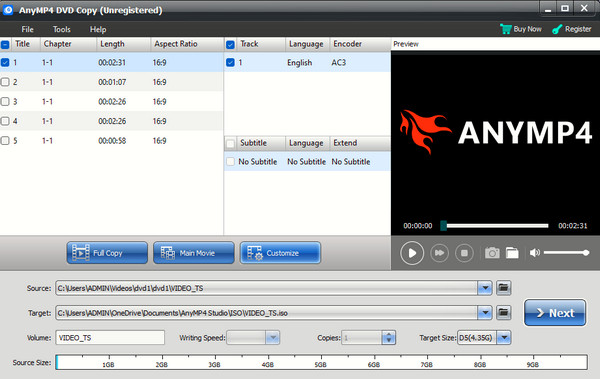
First on the list is this Blu-ray Master DVD Copy. It is the best DVD cloner for beginners that brings a professional process and output. As flexible as it is to support Windows and Mac, it is also flexible to provide you with various functions that include burning aside from cloning or copying DVDs. Furthermore, with this software, you can copy your collective DVD movies in three modes, the Main Movie, where you can clone the movie in the absence of superfluous footage. The Full Copy, where you can copy the entire movie, including the advertisements, credits, etc., and the Custom mode will enable you to personally choose a video to copy. Additionally, it allows you to select a legal mode when you reach its interface for the DVD Copy Program.
In addition, you can acquire this DVD copy software for free as it provides a free trial that lasts for 30 days. What’s more exciting is that it provides you with multiple editing and settings that function to make the best out of the burning and copying process.
Pros
- You can use it for free.
- Easy to operate.
- Copy the DVDs in three modes.
- With editing and additional settings available.
- Copy your DVDs to the DVD folder and ISO forms.
Cons
- The trial period is limited to 2-3 DVD cloning processes.
2. DVD-Cloner
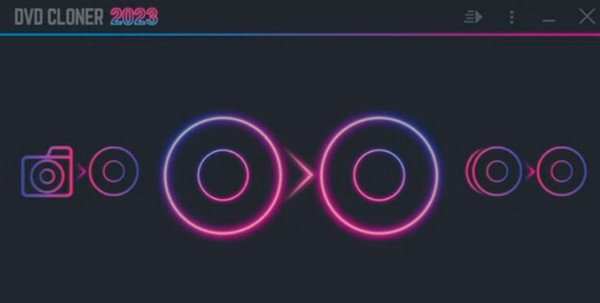
DVD-Cloner is a DVD copying software that provides a claimed user-friendly interface that beginners can take advantage of. Aside from the ease of use, you can also enjoy its Express mode, which enables you to copy your DVDs with just a single click. Furthermore, it supports various DVDs and Blu-rays like DVD5, DVD9, BD25, BD50, and UHD. What makes it extra special is that it also offers an option to make your work like an expert in making you set the movie in a 1:1 ratio and copy the DVD in a complete, split, and customized way.
Pros
- It is easy to use.
- Support various types of DVDs and Blu-rays.
- It comes with optimization settings.
- With advanced options to help you work like an expert.
Cons
- It is available for Windows only.
- It comes with protection limitations.
3. MakeMKV
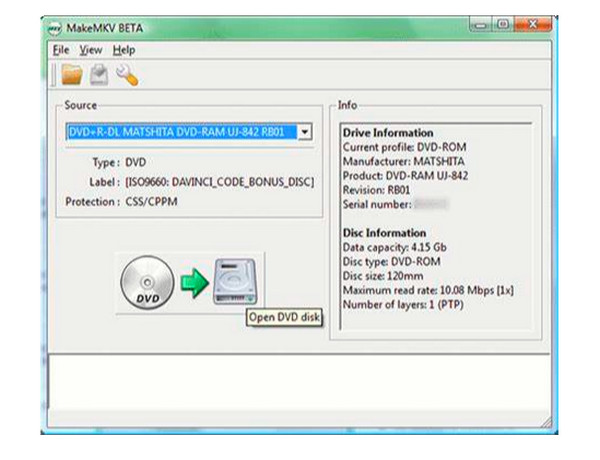
Now if you are looking for a DVD clone software that will allow you to convert your DVDs to MKV videos, then you need this MakeMKV. This comprehensive software enables you to extract the DVD and produce a new transcoded video. However, it doesn’t have a copy option, for it produces a copy in the way of extraction. While it works this way, it claims to give you an output with a preserved original quality.
Pros
- It is free to use.
- It preserves DVD display and audio quality.
- You can use it on Mac, Windows, and Linux.
- It supports multiple tracks.
Cons
- It has limited support for video formats.
- It copies DVDs in terms of conversion.
- It lacks customization tools.
4. HandBrake
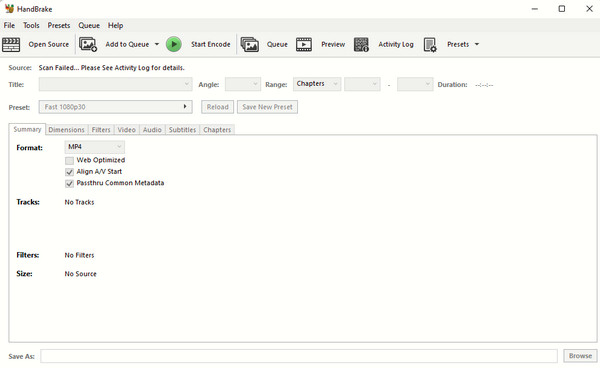
Another light solution that you can use to decrypt DVDs is this HandBrake. It is one of the most well-known video editors today. Thai software also uses a different way of copying DVDs: ripping but only the unprotected ones. But what’s nice is that you can still use your protected DVDs with this software if you use a third-party plugin. Nevertheless, HandBrake is a good substitute to backup DVDs without spending a dime, for it offers a lifetime free service.
Pros
- It supports various video formats.
- The process of ripping DVDs is fast.
- You can use it without purchasing it.
Cons
- It needs a plugin to work on discs.
- It has limited features in DVDs.
5. CloneDVD
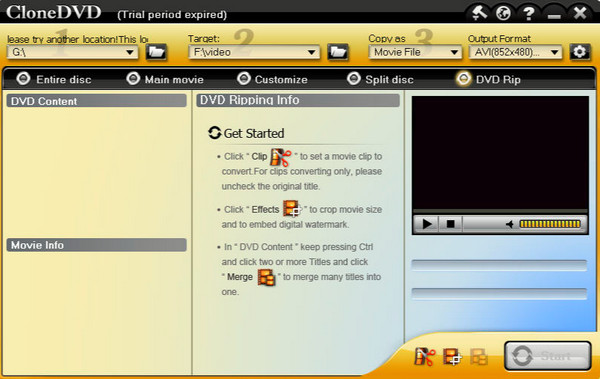
Lastly, here is CloneDVD. As its name suggests, it is a tiny yet powerful software you can use to copy DVDs. With this tool, you can expect an excellent image quality of outputs while easily navigating its interface. It allows you to easily choose to clone, burn, and even copy DVD titles without a hassle. Moreover, it provides you with a preview to see the title number, the number of chapters, and the format of each video you stream with it.
Pros
- It offers multiple options for copying DVDs.
- It is easy to use.
- It lets you customize and compress your DVDs.
Cons
- It doesn’t work on macOS.
- It lacks some updates.
- It has copy protection limitations.
Part 4. FAQs about DVD Cloning
-
Can I use any DVD cloner for Mac?
Yes, but it is not advisable to use any cloner. It is always best to use what is safe, powerful, and reliable, just like the AnyMP4 DVD Copy for Mac.
-
Is cloning the same as copying a DVD?
Yes. Cloning and copying are the same when it comes to the DVD context. They both mean to create a replica or exact duplicate of DVD content.
-
Can I clone a DVD that uses a different region?
Yes. Some cloning programs will enable you to work on DVDs with different region formats. However, note that a DVD with different region formats will require you to have a DVD player that caters to the same region.
-
Is DVD-Cloner legal?
Software like DVD-Cloner that circumvents copy protection on DVDs is generally considered illegal under the Digital Millennium Copyright Act (DMCA). This is because most commercial DVDs have copy protection.
-
Can I copy protected DVDs?
Legally speaking, no, if doing so would mean getting around copy protection. In fact, many people do make personal copies, and unless you intend to distribute those copies, they are rarely enforced.
-
What’s the difference between a DVD copier and a DVD ripper?
A DVD copier creates an identical copy of a DVD, either as a perfect disc image or onto another disk. The music and video on a DVD are taken out and converted into multiple digital file types by a DVD ripper so they may be played on a variety of devices.
Conclusion
You just saw the 5 best DVD cloners or copiers for your computer to use. We cannot disregard the downsides, but we can still cling to their positive sides to potentially help us with our DVD copying task. Do not forget to check the comparison table if you cannot decide which one to get. As for my team and me, we recommend you get the AnyMP4 DVD Copy, for it is already a proven software that handles DVDs in an excellent manner.
