

Jul 24, 2025Posted by Kevin Miller to Create Blu-ray
Today, streaming platforms largely dominate our media consumption, and physical media, such as Blu-ray, seem like a fading technology. However, Blu-ray discs are still a favorite medium for many users. It offers unmatched video quality, long-term archiving, and reliable playback without buffering or internet dependency. If you're keeping your videos, producing home movies, or archiving high-definition content, Blu-ray authoring software remains a vital tool for these purposes. Such software enables you to convert digital files into Blu-ray format, complete with menus and other features. But is Blu-ray being phased out? Though streaming has indeed overtaken disc sales in the mainstream market, Blu-ray is far from obsolete. Many still rely on Blu-ray for its high-resolution playback, physical ownership, and archival stability. This post will review the best Blu-ray authoring software available today. We will cover everything you need to know, from compatibility, features, usability, performance, and more. Our goal is to help you select the ideal tool for your Blu-ray creation projects.

- Top 1. Blu-ray Master DVD Creator
- Top 2. DVDFab Blu-ray Creator
- Top 3. Leawo Blu-ray Creator
- Top 4. CyberLink PowerProducer
- Top 5. ImgBurn
| Compatibility | Input(s) | Output(s) | Built-in Editor | Burning Speed | 4K Blu-ray Burning | 3D Blu-ray Creation | Menu Template | Best For | Overall Ratings | |
| Blu-ray Master DVD Creator | Windows and Mac | MP4, MKV, MOV, AVI, AVC, and 500+ other | Blu-ray discs (BD-25 or BD-50), DVD (DVD-5 or DVD-9), BDMV folder, VIDEO_TS folder, and ISO image file | Rotate, Clip, Crop, Flip, Effects, Watermark, etc. | Up to 20× |  | | 20 disc menu templates of different themes with customization option | High-definition and 4K Blu-ray disc creation. |
|
| DVDFab Blu-ray Creator | Windows and Mac | MP4, AVI, MOV, MKV, WMV, and 200+ other | BD-R, BD-RE, BD-50, BD-25, BD-9, BD-5, and BDMV folder |  | Up to 20× | | | Over 10 disc menu templates | Blu-ray creation at a fast speed with no compromised quality. |
|
| Leawo Blu-ray Creator | Windows and Mac | WMV, AVI, MOV, MKV, MP4, and 180+ other | Blu-ray disc, DVD, BDMV folder, VIDEO_TS folder, and ISO image file | Trim, Crop, Effect, Watermark, etc. | Average speed | | | Over 40 disc menu templates | 3D Blu-ray burning |
|
| CyberLink PowerProducer | Windows only | Standard media stream formats and 4K videos | Blu-ray, BDMV folder, ISO image file, AVCHD, and DVD | Subtitle, screen text, dialog balloons, etc. | Average speed | | | 14 disc menu templates | SBS 3D Blu-ray creation (without menu) |
|
| ImgBurn | Windows only | BDAV and BDMV folders only | Blu-ray disc, CD, DVD, and HD DVD | | Slow | | | | Finalizing BDAV and BDMV folders for burning |
|
Top 1. What Are Blu-ray Subtitles
System Compatibility: Windows 11, 10, 8, 7 | Mac OS X 10.9 or above
Price: Free, with an upgrade for $24.90
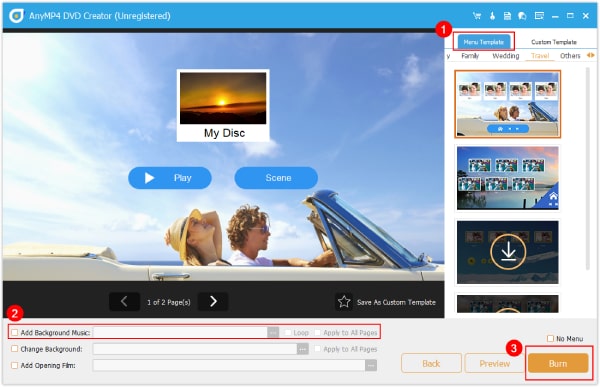
Blu-ray Master DVD Creator is a multifunctional disc authoring software for Windows and Mac systems. Its name may imply DVD-only support, but it also operates as a Blu-ray authoring software. It has a Blu-ray burning mode, allowing you to burn media files to BD-25 or BD-50 discs. It supports numerous input formats, including MP4, MKV, MOV, AVI, AVC, MPG, and AAC.
Free Download
For Windows
Secure Download
Free Download
for macOS
Secure Download
In addition to Blu-ray burning, it includes a built-in editor with essential tools. Options include rotator, clipper, cropper, effects, watermark, audio booster, delay, subtitle editor, and more. Additionally, it offers a library of menu templates featuring various themes with customization options.
Pros
- It supports nearly all media stream formats as input.
- It lets you burn media files to Blu-ray, DVD, ISO, or folder.
- It includes a built-in tool for editing video, audio, and subtitles.
- It delivers the resulting file at a fast speed with no loss of quality.
- It provides DVD menu templates with an option to customize them.
Cons
- Its free version is limited to standard Blu-ray only, with no 4K support.
Top 2. DVDFab Blu-ray Creator
System Compatibility: Windows 11, 10, 8.1, 8, 7 | Mac OS X 10.9 to 15
Price: Paid software with a starting price of $66.99
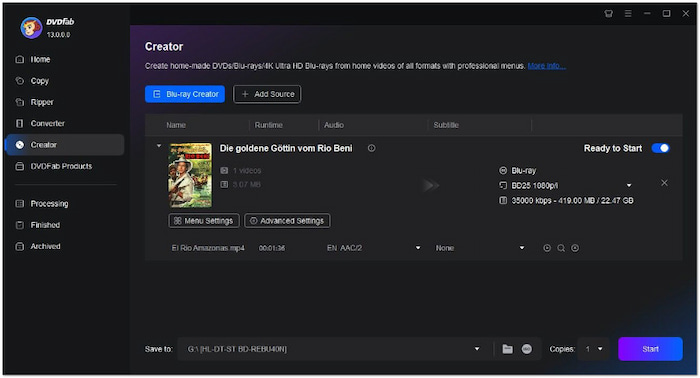
DVDFab Blu-ray Creator, a module of the DVDFab suite, is a premium Blu-ray disk-burning software. It can create a Blu-ray disc, ISO image, or BDMV folder from more than 200 media formats. It accepts inputs such as MP4, AVI, MOV, MKV, WMV, FLV, MPEG, and M4V, among others. It outputs different Blu-ray formats, including BD-R, BD-RE, BD-50, BD-25, BD-9, and BD-5. This program offers multiple menu templates to enhance the style of your Blu-ray. For optimal performance, especially when paired with the best external Blu-ray burners, DVDFab Blu-ray Creator ensures high-quality results and smooth burning processes. Now, a small heads-up: It isn't available as a standalone download. It is bundled as a module within the DVDFab suite.
Pros
- It can create standard Blu-rays of high-definition video (1080p).
- It can output media files as a Blu-ray disc, ISO, or BDMV folder.
- It allows customization of menu template elements and widgets.
Cons
- It freezes low-end operating systems during the burning process.
- It lacks high-level video and audio editing functionalities.
Top 3. Leawo Blu-ray Creator
System Compatibility: Windows 11, 10, 8.1, 8, 7 | Mac OS X 10.13 to 15
Price: Paid software with a starting price of $39.95
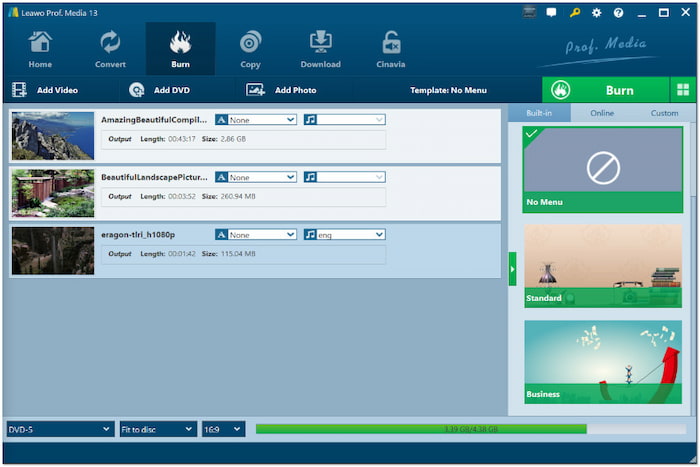
Leawo Blu-ray Creator is a dedicated Blu-ray authoring program that supports 3D Blu-ray makers. This software can convert and burn media to a Blu-ray disc, BDMV folder, or ISO file. It can handle over 180 media stream formats, including WMV, AVI, MOV, MKV, and MP4, among others. Additionally, it can turn 2D videos into 3D Blu-rays in six different 3D movie effects. It comes with over 40 free menu templates and a disc menu creator to edit the templates. However, it does not offer passthrough mode, meaning the audiovisual will be re-encoded, leading to quality loss.
Pros
- It can create Blu-ray discs from videos in over 180 profiles.
- It includes a video editor for customizing media before burning.
- It accepts media from other sources, such as HDDV or SSDV shots.
Cons
- Its maximum resolution for output is limited to 1080p.
- Its burning process is slow despite claims of multi-core CPU support.
Top 4. CyberLink PowerProducer
System Compatibility: Windows 10, 8, 7, XP, and Vista
Price: Paid software with a starting price of $69.99
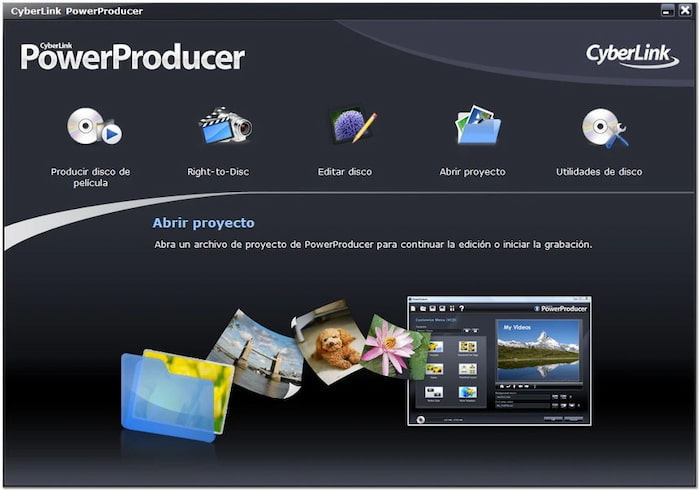
CyberLink PowerProducer is a professional and one of the best Blu-ray authoring software. It can turn homemade and personal videos and photos into Blu-ray discs with menu templates. It allows importing HD and 4K videos and features a smart authoring tool. It can output media to standard Blu-ray, BDMV folder, ISO, AVCHD, and DVD. Though it can handle 4K videos, it cannot directly burn them to a 4K Ultra HD Blu-ray disc. You will need a reliable 4K Blu-ray burner software and a 4K Blu-ray disc drive to make it possible.
Pros
- It offers 14 brand-new disc menu templates.
- It works best on homemade and personal videos.
- It includes a LabelPrint feature to print disc covers & labels.
Cons
- It does not support Mac operating systems.
- Its Deluxe version doesn't support H.264 video and Blu-rays.
Top 5. ImgBurn
System Compatibility: Windows 95, 98, ME, NT4, 2000, XP, 2003, Vista, 2008, 7, 8, and 10
Price: Free
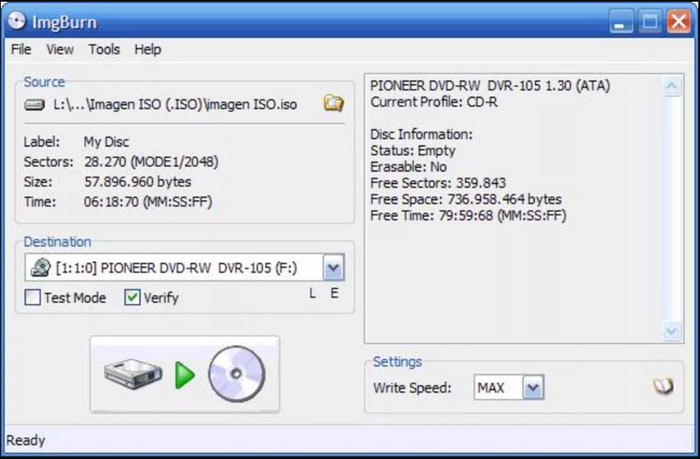
ImgBurn is among the best free Blu-ray authoring software for Windows 10 and earlier versions. It is a lightweight burning application for Blu-rays, CDs, DVDs, and HD DVDs. It offers several modes: Read, Build, Write, Verify, and Discovery, each designed to perform a different task. It can verify written discs to ensure the data is burned correctly. In addition, it allows importing image and audio file formats for disc creation. But here's the deal: The software can only create Blu-ray video discs from BDAV and BDMV folders.
Pros
- It is completely free to download and use.
- It operates well even on older Windows versions.
- It is ideal for finalizing BDAV and BDMV folders for burning to disc.
Cons
- It cannot directly create Blu-ray discs from video files.
- It hasn't received a software update from the developer since 2013.
- You need to use alternatives to ImgBurn for Mac to create Blu-rays on Mac.
Conclusion
Though the popularity of streaming continues to grow, Blu-ray remains a high-quality medium for archiving and enjoying video content. Having the best Blu-ray authoring software makes all the difference in achieving a professional and functional disc. Among the top tools available, each software has its own strengths. But, if you're looking for a full-packed solution that's easy to use and rich in features, Blu-ray Master Blu-ray Creator is the best option. It supports multiple input formats, customizable menu templates, built-in editing tools, and a preview feature to ensure perfection before burning.
More from Blu-ray Master
