

Jun 24, 2026Posted by Kevin Miller to Play Blu-ray
You’ve just unboxed your very first batch of Blu-ray discs, eager to experience that pristine 1080p or 4K visual feast on your computer. You slide the disc into the drive, pop some popcorn, and wait for the magic to happen—only to be met with absolute silence. This situation is so frustrating: neither Microsoft nor Apple includes native Blu-ray playback support out of the box anymore. So, how do you unlock your physical media investment without dropping a fortune on premium apps? In this comprehensive review, we’ve thoroughly tested and narrowed down the best free Blu-ray player software for Windows and Mac to help you bring the movie theater experience straight to your desktop.

- Part 1. How We Tested These Free Blu-ray Players
- Part 2. Top 4 Free Blu-ray Player Software for Windows and Mac
- Part 3. 4 Premium Alternatives: When Free Software Isn't Enough
- Part 4. FAQs of Free Blu-ray Player Software
| Product Name | Pricing | Supported OS | 4K UHD Support | Decryption Ability (AACS / BD+) | Audio Pass-through (Dolby/DTS) | Best For |
| Blu-ray Master Free Player | Free | Windows, macOS |  |  | Yes (DTS-HD / TrueHD) | Balanced simplicity & smooth playback |
| Leawo Blu-ray Player | Free (With Ads) | Windows, macOS | | | Yes (Dolby Digital / DTS) | Bypassing strict international region locks |
| VLC Media Player | Free & Open Source | Windows, macOS, Linux | | | Yes (Highly Customizable) | Tech-savvy users & open-source fans |
| PotPlayer | 100% Free | Windows Only | | | Yes (Advanced Configuration) | Performance optimization on low-end PCs |
| AnyMP4 Blu-ray Player | Premium (From $15.6) | Windows, macOS | | | Yes (Dolby Atmos / DTS:X) | Ultimate 4K home theater experience |
| Macgo Blu-ray Player | Premium (From $39.95) | Windows, macOS | | | Yes (DTS-HD Master Audio) | macOS users looking for a native UI |
| CyberLink PowerDVD | Premium (From $59.99) | Windows Only | | | Yes (Cinematic Master Grade) | Hardcore PC home theater setups (VR/HDR10) |
| Aiseesoft Blu-ray Player | Premium (From $15.6) | Windows, macOS | | | Yes (Lossless High-Definition) | Fast, reliable multi-format media playback |
Part 1. How We Tested These Free Blu-ray Players
To give reliable test results, we subjected each player to a rigorous, hands-on testing protocol in our dedicated AV lab. We don't just read spec sheets—we test these programs in real-world scenarios to see how they perform under pressure.
- Hardware & Setup: Our testing rig consists of two main environments: a custom Windows 11 desktop (Intel i7-13700K, RTX 4070) and an M3 MacBook Pro (16GB RAM). Physical discs were read using industry-standard external drives: the high-speed ASUS BW-16D1X-U (via USB 3.0) and the portable Pioneer BDR-XD07UHD to ensure both desktop and laptop edge cases were covered.
- Disc Compatibility & Decryption Test: We used a collection of retail Blu-ray discs with varying geographical encoding and encryption layers. This included Region A (Oppenheimer), Region B (Anatomy of a Fall), and Region C imported titles, as well as complex multi-layer BDXL and 4K Ultra HD test discs. We specifically monitored how seamlessly each software bypassed AACS, BD+, and structural copy protections without freezing.
- Audio Codec Verification: True high-definition video demands lossless audio. We connected our testing systems to a Denon AV Receiver capable of full decoding to verify whether the software natively supports or passes through high-bitrate audio formats, and explicitly monitored for DTS-HD Master Audio and Dolby TrueHD/Atmos synchronization.
- System Resource Monitoring: To ensure these players won't turn your computer into a lagging furnace, we kept Windows Task Manager and macOS Activity Monitor open during a continuous 45-minute playback loop. We meticulously tracked and logged average CPU utilization, RAM consumption, and GPU hardware acceleration efficiency (DXVA2/VideoToolbox) to identify which players are genuinely lightweight and which are resource hogs.
Part 2. Top 4 Free Blu-ray Player Software for Windows and Mac
1.1 Blu-ray Master Free Blu-ray Player
Windows 11/10/8, Mac OS X 10.9 or above.
Blu-rays, DVDs, and many digital formats.
Yes
Region codes, AACS, and BD+.
Blu-ray Master Free Blu-ray Player is a free, easy-to-use Blu-ray player. It is compatible with Windows 11/10 and macOS 10.9 or later. With advanced decryption technologies, it can handle most Blu-ray copy protections, such as AACS, BD+, and others. It lets you play Blu-ray discs, folders, and ISO image files while maintaining HD image quality. When the Blu-ray movie loads, it will display the menu so you can control playback. Moreover, it includes a screenshot feature to capture highlights from the movies. If you need, you can even add external audio files and subtitle tracks to the software. However, you should note that the free version does not support playback of 4K/5K/8K videos.
Key Features:
- Play the most popular 4K Blu-ray movie on Windows 11/10/8/7 and Mac
- It is a multi-region Blu-ray player to play region A, B, and C Blu-rays.
- Play any Blu ray disc/folder/ISO image file with perfect quality
- Enjoy great sound quality during the playback
Free Download
For Windows
Secure Download
Free Download
for macOS
Secure Download
How to play Blu-ray on PC/Mac/MacBook with BD Master Free Blu-ray Player
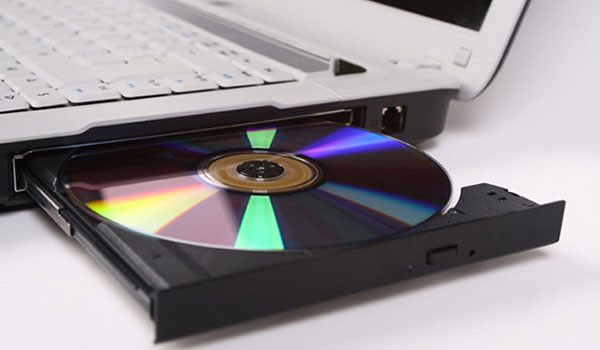
Step 1. Insert the Blu-ray disc into Blu-ray drive
First of all, you need to insert the Blu-ray disc into the internal or external Blu-ray drive on Windows/Mac PC. If you want to play Blu-ray ISO image file, you should download and install a Virtual Drive at first.
Step 2. Free download and install the program
You should download this wonderful Blu-ray Player software from above download link and install it on your computer, and then you can launch the program to open the main interface as below.
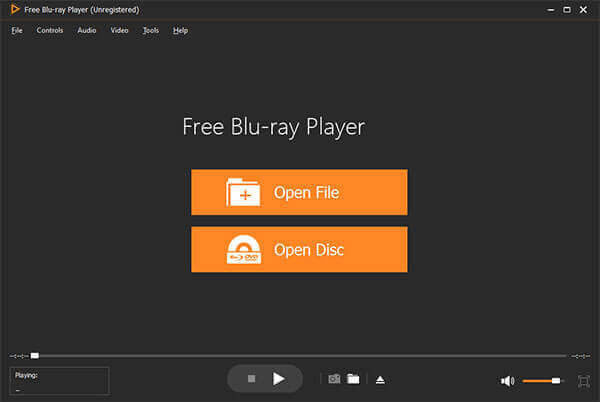
Step 3. Load Blu-ray disc/folder/ISO image file to the program
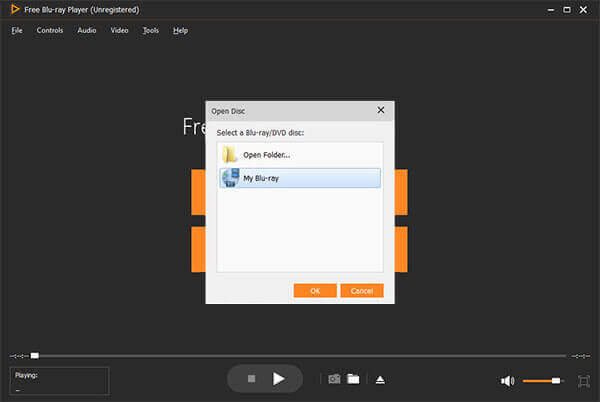
You can click Open Disc to load Blu-ray to the program, or you can click File item at top of the toolbar and then press "Open Disc…" option to load Blu-ray disc. After loading the Blu-ray, it would open the Blu-ray menu window, here you can choose to play the main movie by pressing Play Movie button, and select other chapter/title to play, also select the audio track and subtitle for the main movie.
Step 4. Start to play Blu-ray movie
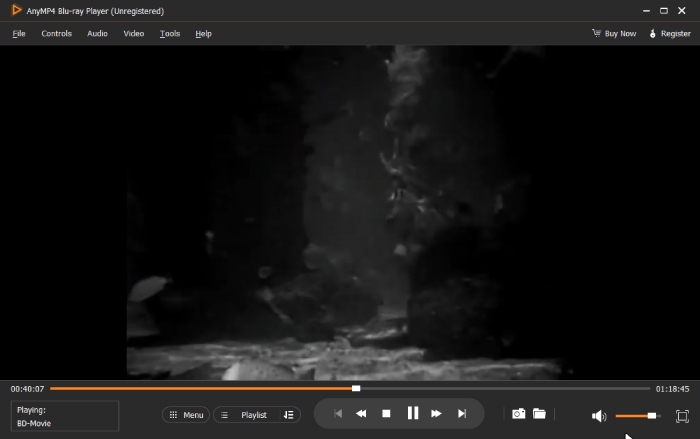
After loading Blu-ray disc, it begins to play the Blu ray movie automatically. The Fast forward and Fast backward button allows you to omit the unwanted part in the movie, and the "Display Menu list" button allows you to come back to the Blu-ray menu window.
Step 5.Switch the screen size and adjust video effect
If you want to display in full screen, you can click Full screen button, or you can click Video item to choose the screen size you want to switch like Full screen size, Half size, Normal size, Double size, and "Fit to screen size". Besides, you are allowed to adjust the video effect like hue, brightness, contrast, saturation, and gamma to customize the movie.
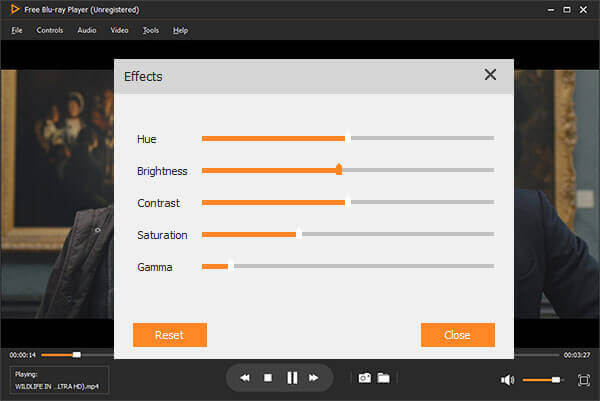
Expert Review: In our cross-platform testing, Blu-ray Master stands out for its remarkable balance between simplicity and decoding power. Unlike many free tools that struggle with disc encryption, this player handled AACS and BD+ protections seamlessly on both Windows 11 and macOS. We’ve included it as our top pick because it offers a clutter-free interface that doesn't sacrifice the high-bitrate audio quality (DTS-HD/Dolby TrueHD) that audiophiles crave.
1.2 Leawo Blu-ray Player (Windows/Mac)
Windows 11/10/8, macOS 10.13 and later versions
Blu-ray discs (including 4K Blu-ray), DVDs, MP4, MKV, WMV, etc.
Yes
Region code, AACS, BD+.
Leawo Blu-ray Player software allows you to play Blu-ray disc/movie, and video/music on PC and Mac. Can it play Blu-ray movie on Windows or MacBook? The answer is yes due to it has two version for you. The Windows version is to play Blu-ray on Windows Vista, XP, 7, 8, 8.1, and 10, and Mac version is to play BD movie on the latest macOS.
With advanced image and audio processing technology, Leawo Free Blu-ray Player software delivers superb movie experience, offering you cinema-like enjoyment with your home theatre system. How to play BD disc on Windows and Mac? Here is the step guide provided to you.
Key Features:
- It is an all-in-one media player to play Blu-rays, DVDs, and digital videos.
- It can play any Blu-ray movie losslessly.
- It adopts Dolby, DTS, AAC, TrueHD, DTS-HD, and more to provide beautiful audio effects.
- This free Blu-ray software allows you to select audio tracks and subtitles.
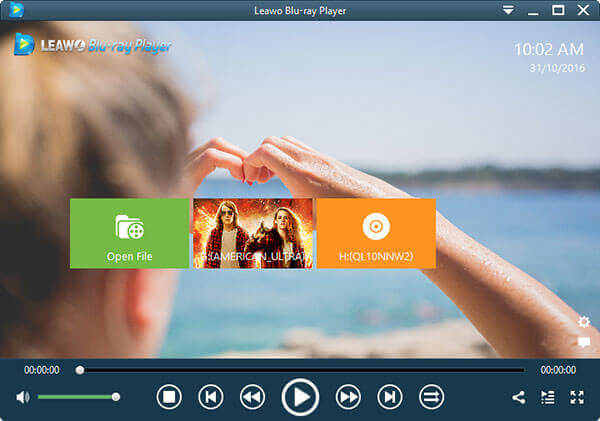
Expert Review: Leawo remains a staple in the home theater community for one specific reason: its unparalleled support for region-locked discs. During our lab sessions, it was the most consistent 'all-region' player, bypassing geographic restrictions that often halt other freeware. While the interface feels a bit dated, its ability to act as a hardware-accelerated media hub for 4K content makes it an essential download for collectors with international disc libraries.
1.3 VLC Media Player (Windows/Mac)
Windows 11/10/8/7, macOS 10.7.5 and later.
Blu-rays, DVDs, and others.
Yes
AACS and BD+ copy protection.
VLC Media Player is also Free Blu-ray Player Software besides playing media file. It is an open-source application that gives you the ability to play Blu-ray disk or media file from computer, or to stream it from the Web. Have your favorite videos playing in a snap through this app's intuitive interface. It has the most complete feature-set over the video, subtitle synchronization, video and audio filters.
VLC Media Player is the most stable, flexible and lightweight Blu-ray Player, and also play unusual formats after downloading a codec, or simply refuse to play things. You can download the Free BD Player software to play Blu-ray movie on PC/Mac.
Key Features:
- It has the feature to create a playlist.
- It allows you to select audio tracks and subtitles.
- It has the functions to adjust video and audio quality.
- It has a conversion function to convert video files.
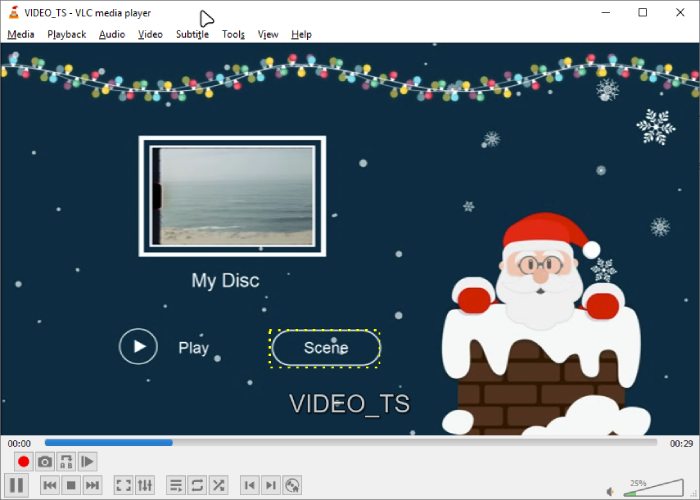
Expert Review: VLC is the 'Swiss Army Knife' of media playback, but it’s an expert’s choice for Blu-ray. It earned its spot here not just because it’s open-source and ad-free, but because of its deep customization options. While it requires a bit of manual setup (downloading specific library files) to handle encrypted discs, the level of control it offers over video synchronization and subtitle rendering is professional-grade and unmatched by any other zero-cost software.
1.4 PotPlayer (Windows)
Windows 11/10/8.
Blu-rays and multiple video formats.
Yes
AACS.
PotPlayer is Blu-ray Player software for Windows, which lets you play Blu-ray, DVD, video and audio files with great quality. It has some cool features like the ability to take snapshots of the media you are viewing and save them as a JPEG file, and Blu-ray subtitle support. If you are looking for a new media player that has stacks of format support, excellent codec support and is relatively lightweight, then maybe PotPlayer is just what you are looking for.
This Free Blu-ray Player for PC software can also play audio files. It includes default visualizations or you can download more online. The program provides a lot of information about the audio file like bitrate, file type, and the number of channels. So, how do you play Blu-ray with PotPlayer?
Key Features:
- This free Blu-ray player for Windows 10 adopts acceleration technology for an improved watching experience.
- It provides 3D Blu-ray playback capability.
- It offers advanced settings for video and audio playback, like subtitles.
- It has a unique video recording feature.

Expert Review: For Windows power users, PotPlayer is the gold standard for performance optimization. What impressed us most during testing was its minimal footprint on system resources; even on entry-level laptops, 4K Blu-ray playback remained buttery smooth. We recommend it for users who want to squeeze every bit of visual fidelity out of their hardware, thanks to its advanced DXVA hardware acceleration and rich filter management system.
Part 3. 4 Premium Alternatives: When Free Software Isn't Enough
While free Blu-ray players are excellent for casual viewing and basic playback, they often come with unavoidable compromises, such as aggressive pop-up ads, complex manual setup for encrypted discs, or a lack of support for advanced audiovisual formats. If your budget is sufficient and you want to enjoy the best viewing experience limitlessly, sometimes freeware just won't cut it. To experience cinematic immersion with native 4K Ultra HD resolution, HDR10+ or Dolby Vision color accuracy, and uncompressed Dolby Atmos/DTS:X surround sound, investing in a commercial-grade player is a game-changer. Below, we’ve rounded up the top 4 premium Blu-ray player software that offer flawless performance, robust decryption capabilities, and a polished, ad-free user experience.
2.1 AnyMP4 Blu-ray Player (Windows/Mac)
Windows 11/10, macOS X 10.9 or later.
Starts from $15.6.
Blu-rays, DVDs, and various formats.
Yes
Region codes, AACS, and BD+.
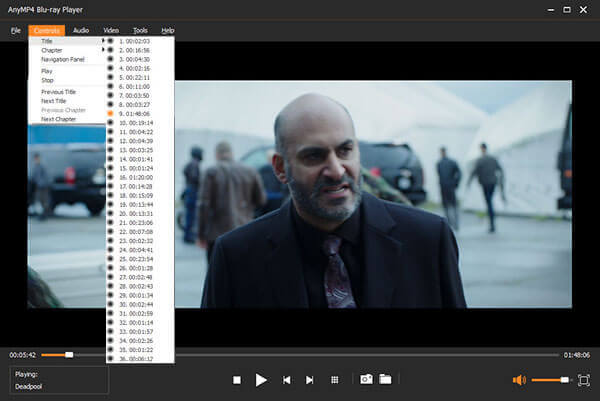
AnyMP4 Blu-ray Player, the outstanding and professional Blu-ray Player software, enables you to play Blu-ray discs, Blu-ray folders and Blu-ray ISO image files in several clicks. It adopts the GPU acceleration technologies to promote the Blu-ray decryption and playback process. With its unique menu feature, you can easily choose the titles you want to watch.
Besides, this Blu-ray player has the ability to play any DVD and various digital formats that are up to 8K, such as MP4, MOV, MKV, etc. What’s more, this Blu-ray DVD Player for computer enables you to choose your needed audio track and subtitle track as you like.
Key Features:
- Play the newest Blu-ray disc and movie on Windows/Mac
- Support any Blu-ray disc/folder/ISO image file with high quality
- Watch 4K and 1080p HD videos without stutters or lags
- Fully enjoy the DTS-HD Master Audio or Dolby TrueHD
Free Download
For Windows
Secure Download
Free Download
for macOS
Secure Download
2.2 Macgo Blu-ray Player (Windows/Mac)
Windows 10/8/7, Mac OS X 10.6 to macOS 12.1.
Starts from $39.95
Blu-rays, DVDs, and digital formats.
Yes
AACS, BD+.
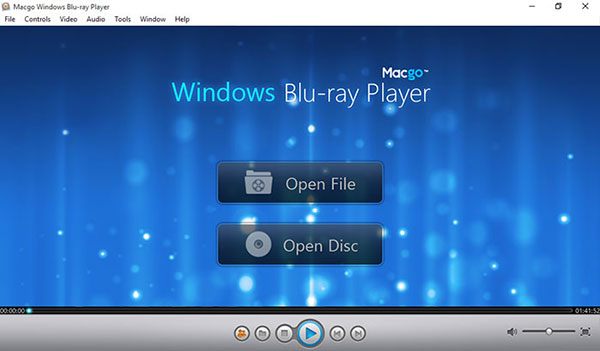
Macgo Blu-ray Player is versatile and easy to use Blu-ray Player software that has Windows and Mac version. It can play Blu-ray Disc, Blu-ray ISO file, and BDMV folder. Besides Blu-ray media formats, it can also support DVD playback and any videos or audios like MP4, MOV and RMVB, etc. The advantage of this BD Player software is that it can play a lot of file types, whether physical or digital. But it requires super high CPU usage.
Key Features:
- Play Blu-ray disc, Blu-ray ISO file, and BDMV folder with ease
- Full featured Blu-ray menu like scenes, set up subtitles, audio tracks
- Play 4K and HD videos with bright colors and sharp subtitles
- Customize the player skin and share comments on videos directly to your social media pages
2.3 CyberLink PowerDVD (Windows)
Windows 11/10/8.
Starts from $59.99
Blu-rays, DVDs, videos, and audios.
Yes
Yes
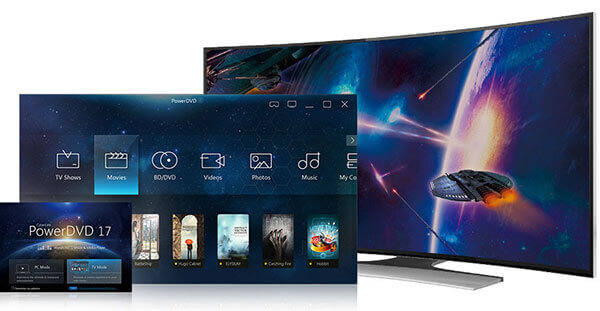
Cyberlink PowerDVD is a Windows-only Blu-ray Player application and there is no Cyberlink PowerDVD for Mac version actually. PowerDVD is available for Windows 10, 8.1, and 7. It runs on 32-bit application as well as 64-bit PCs. There are three levels available for purchase. This professional Blu-ray Player software allows you to play ultra HD Blu-ray, Blu-ray 3D, DVD and 4K videos. As it is a litter difficult to use and expensive, it isn't suitable for beginners.
Key Features:
- Play ultra HD Blu-ray, 3D Blu-ray with high-definition quality
- Cinematic audio with master-quality Dolby and DTS support sound technology plus lossless audio formats such as FLAC and DSD
- Experience the next big leap in picture quality. Apply HDR enhancement to all your movies
- See more in VR – New 3D-360 video support makes the whole experience feel even more real
2.4 Aiseesoft Blu-ray Player (Windows/Mac)
Windows 11/10/8, macOS X 10.9 or higher.
Starts from $15.6
Blu-rays, DVDs, and video files.
Yes
Yes
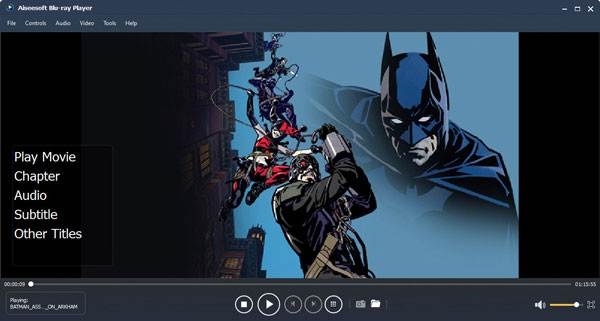
Aiseesoft Blu-ray Player for Windows and Mac is the wonderful BD Playing application. It can bring you amazing Blu-ray/DVD movie, all popular videos and HD videos watching experience. It can play most popular 2D &3D Blu-ray disc, Blu-ray folder and Blu-ray ISO image files with wonderful image and sound quality. It also allows you to choose the specific Blu-ray title/chapter to play. This magic Blu-ray Player software is fully compatible with Windows 11/10/8/7 and macOS Sonoma.
Key Features:
- Play any Blu-ray disc/folder/ISO image file with high video quality
- Capable of Playing DVD disc and multiple popular video formats
- Play 4K videos in MP4, H.264/MPEG-4 AVC, H.265/HEVC
- Lossless sound effect as well as HD image quality
Part 4. FAQs of Free Blu-ray Player Software
-
How do I watch Blu-ray on my PC and Mac?
You may find it is unavailable to play Blu-ray files on PC or Mac after purchasing the Blu-ray disc. Perhaps, there is no supported Blu-ray player on your computer. For that reason, you can use Blu-ray Master Free Blu-ray Player to play Blu-ray on PC and Mac.
-
Does Windows 10 have a Blu-ray Player?
Windows 10 doesn’t have a built-in Blu-ray player because Microsoft doesn’t support that feature. If you still want to play Blu-ray files on Windows 10, you can use BD Master Free Blu-ray Player instead.
-
Can Windows Media Player play Blu-ray?
Windows Media Player can’t play Blu-ray disc if there is no additional codec plug-in.
-
How to play Blu-rays on VLC?
VLC Media Player is a multimedia player for Windows, Mac, Android and iOS devices. First, you need to install VLC Medial Player on your computer. Then, open VLC and go to Media > Open Disc, and select Blu-ray option, title and other settings. After that, click Play to play Blu-rays with VLC.
-
Can Windows 10 or Windows 11 play Blu-ray natively?
No. Windows 10/11 do not include native Blu-ray playback. You need third-party Blu-ray player software.
-
What is the best free Blu-ray player for Windows?
Blu-ray Master and Leawo Blu-ray Player are the most reliable free options with 4K and region-free support.
-
Can VLC play Blu-ray discs?
VLC can play some Blu-ray discs, but it requires additional libraries and does not fully support AACS/BD+ protection.
-
How do I play Blu-ray ISO files on my PC?
Use software that supports ISO playback, such as Blu-ray Master, Leawo, or VLC.
-
Is there a free Blu-ray player for Mac?
Yes. Blu-ray Master and Leawo both offer free Mac versions.
-
Does playing Blu-ray discs on free software ruin the video quality or compress the audio compared to a standalone hardware player?
Absolutely not. If you choose the right, powerful Blu-ray player, you can enjoy high-quality Blu-ray playback. You can try PotPlayer, VLC, etc. to watch Blu-rays losslessly.
Wrapping up
After reading this guide, you have a basic understanding of these powerful Blu-ray player software. Choosing which tool depends on your viewing requirements. If you want an easy and intuitive player, Blu-ray Master Free Blu-ray Player can meet your needs. If you are a tech-savvy user who loves customization and doesn't mind a bit of manual configuration, the open-source VLC Media Player is your ultimate playground. If you are looking to unlock the absolute limit of your hardware with seamless 4K HDR10+ playback, cinematic audio pass-through, and zero lag, upgrading to a premium powerhouse like AnyMP4 Blu-ray Player is well worth the investment.
More from Blu-ray Master
Top Blu-ray Player

Easily play Blu-rays, DVDs, and various video/audio formats with rich playback features.
100% Secure. No virus
