

Dec 05, 2025Posted by Kevin Miller to Play Video
Cisco WebEx is a very popular online video conferencing platform which allows you to create online meetings and cooperate with WebEx recorder remotely. You can save a WebEx meeting, session or event for viewing or sharing later. However, after the WebEx recording, you may get an ARF file that can't be played by your default media player on computer.
Are you looking for a WebEx ARF player?

- Part 1. What is ARF
- Part 2. Default WebEx ARF Player - WebEx Network Recording Player
- Part 3. Free WebEx ARF Player - Blu-ray Master Free Blu-ray Player
- Part 4. Free WebEx ARF Converter and Player - File Viewer Plus
- Part 5. How to Play ARF Files
- Part 6. FAQs of WebEx ARF Player
Part 1. What is ARF
WebEx ARF files are special recording files made by Cisco WebEx to save online meetings. They’re created through WebEx’s recording system and include not just the video and sound, but also extra details like who attended, chat messages, shared screens, and other meeting content.
Since ARF files don’t work with normal video players, you need the WebEx player to watch them or a converter to change them into common formats like MP4 or WMV. This makes them great for keeping all meeting information together, but less handy if you want to share or edit the recording without converting it first.
Read on to learn 3 feasible ARF players.
Part 2. Default WebEx ARF Player – WebEx Network Recording Player
When you want to open a WebEx recording, you have to rely on some professional WebEx ARF player. If you just download an ARF recording from your WebEx site, you will be asked to download and install the WebEx Network Recording Player for the ARF file playback.
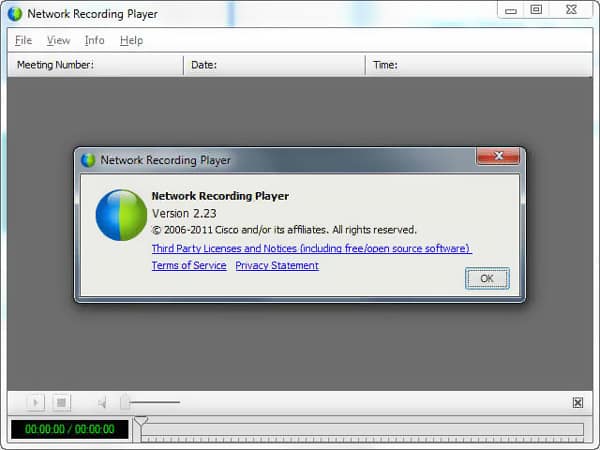
Cisco WebEx Network Recording Player is the official ARF and WRF playing software which allows you to watch, share and edit your WebEx recordings. What's more, this WebEx ARF player also has the capability to convert ARF to WMV for better playback or editing.
To download WebEx ARF Player, you can sign in to your WebEx web site and go to the WebEx Meetings. Choose Support, Downloads and then the Recorder and Players. Choose the Recording and Playback option. After that, just choose the Download link under ARF. Now you can follow the instructions to install this default WebEx ARF player on your computer.
Pros
- This ARF video player is free to download and works on both Windows and Mac systems.
- The design of the tool is simple, even for non-technical users.
- It supports video, audio, chat logs, etc.
Cons
- Playback is tied to WebEx’s ecosystem, reducing flexibility compared to universal formats.
- The playback can be slower on older systems.
Part 3. Free WebEx ARF Player – Blu-ray Master Free Blu-ray Player
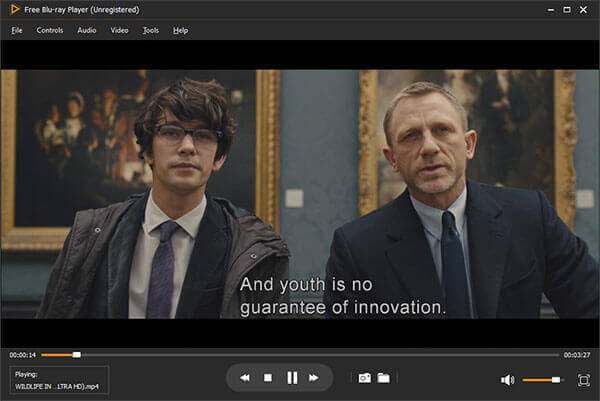
To play a WebEx recording file, you can rely on the popular video and audio playing software, Free Blu-ray Player. It is able to play any frequently-used video formats including MP4, AVI, MKV, FLV, MOV, and more. Moreover, it can free play 1080p HD videos and 4K files (subscription support) on PC and Mac.
- Free Blu-ray Player is a free and powerful media files player which can help you play various media files with great visual and sound effects.
- Support any popular video formats including MP4, MKV, MOV, AVI, FLV, and more.
- Play any Blu-ray/DVD disc on Mac and Windows PC smoothly.
Free Download
For Windows
Secure Download
Free Download
for macOS
Secure Download
Pros
- It has a simple interface for you to quickly play ARF files without needing Cisco’s proprietary player.
- This ARF file player also supports a wide range of playback formats, including Blu-rays, DVDs, MP4, MKV, and many other digital formats.
- It has many advanced features for you to improve your viewing experience, like subtitle adjustments, audio track selection, etc.
Cons
- It does not fully support all ARF features, like attendee lists, chat logs, or shared applications.
- Some ARF files may not play correctly, especially if they contain complex data.
Part 4. Free WebEx ARF Converter and Player – File Viewer Plus
File Viewer Plus is a free WebEx recording file converter and player. It highly supports more than 300 file formats, including the WebEx ARF and WRF formats. It enables you to convert ARF to Windows Media or Flash files based on your need.
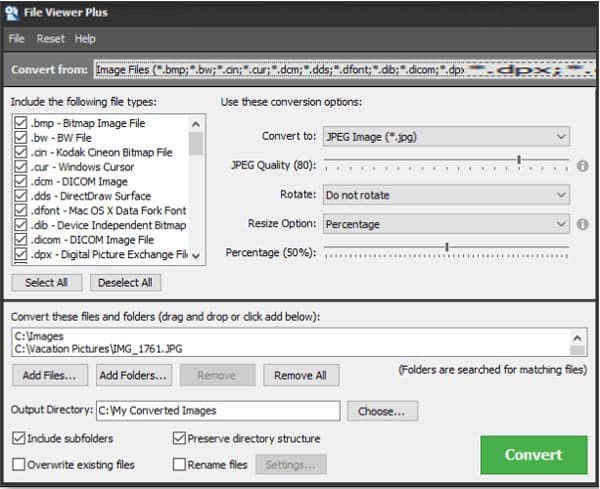
Besides the WebEx ARF file playing and converting, it also carries some basic editing features for you to edit your WebEx recordings. It enables you to convert images, documents, and media files with ease.
Pros
- Allows ARF files to be converted to more common formats (such as MP4), making them easier to share and edit.
- It supports many other file types, including ARF, making it a flexible all-in-one viewer.
- It can also handle documents, images, and other media.
Cons
- It lacks playback adjustment features.
- File Viewer Plus may not display all WebEx ARF metadata.
Part 5. How to Play ARF Files
Now, let's see how to play ARF files. We want to take Blu-ray Master Free Blu-ray Player as an example to show you how to do it in detail.
Step 1.Click the download button to download the software on your computer. Install and open it on your computer.
Free Download
For Windows
Secure Download
Free Download
for macOS
Secure Download

Step 2.You can see the Open File and Open Disc two options in the interface. Click Open File to open the folder to pick the ARF file you want to watch. Then the file will be played.
Step 3.If you need, navigate to the top menu to adjust the playback settings for better viewing experience.
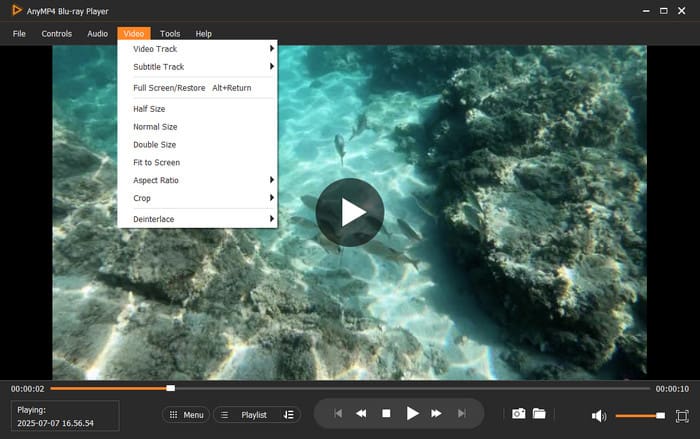
Blu-ray Master Free Blu-ray Player is a convenient, free alternative for casual playback of WebEx ARF files, especially if you only need to watch the video/audio portion. However, for full meeting detail access and reliable conversion, the WebEx Network Recording Player remains the better choice.
Part 6. FAQs of WebEx ARF Player
-
How to save a WebEx recording in MP4 format?
WebEx allows you to save the recording file in cloud or local hard drive. In fact, the WebEx recordings in the cloud are saved in MP4 format. But you are only allowed to save your recording as a WRF file if you choose to save it on computer.
-
How to convert WebEx ARF to MP4?
As it mentioned above, the WebEx Network Recording Player we recommended above has the capability to convert ARF to MP4. Also, you can also rely on some professional converting software like the popular Video Converter Ultimate to make the ARF converting.
-
Can VLC play ARF files?
No. You can't directly open an ARF file with VLC player. You have to convert the ARF file to MP4 or another frequency-used video format for the playing.
Wrapping up
How to open and play an ARF file? After reading this post, you can get 3 best free ARF video players to help you play your WebEx recordings. We have mainly talked about the features, pros, and cons of these tools in this post. If you still have any questions about the ARF player or WebEx recording, you can leave us a message.
More from Blu-ray Master
Best Video Player

Easily play Blu-rays, DVDs, and various video/audio formats with rich playback features.
100% Secure. No virus
