

Aug 19, 2025Posted by Selena Thomas to Play Video
In digital video, effective compression technology is essential for transmitting and storing high-quality content so that we may enjoy crisp images without taking up a lot of storage space. Two of the most well-known codec types are DivX and XviD, which can both produce high-quality videos with reduced file sizes. Not all media players, nevertheless, can support these formats flawlessly. Some might have few advanced settings options, lack decoders, or stutter while playing. Thus, selecting the appropriate video player is especially important to get the most out of your viewing experience.
This article will conduct an in-depth review of the five best free DivX XviD video players, providing a comprehensive analysis of format compatibility, video quality performance, and feature settings. And we will take one of the top players as an example to demonstrate the playback steps of DivX and XviD videos. Let's start exploring right now!

- Part 1. DivX and XviD Introduction
- Part 2. 5 Best Free DivX and XviD Video Players
- Part 3. How to Play DivX and XviD Videos
Part 1. DivX and XviD Introduction
Before discussing specific DivX and XviD players, let's first understand what DivX and XviD are. DivX and XviD are both video codecs based on the MPEG-4 standard, primarily used for compressing video files to smaller sizes without sacrificing quality. DivX is a brand name associated with commercial software and hardware products, while XviD is an open-source alternative for DivX. Both codecs offer high compression ratios, allowing for efficient storage and distribution of video content, especially over the internet.
Although both are based on the MPEG-4 standard, there are differences in their specific implementations.
- DivX is proprietary and developed by DivX, Inc.
- XviD is open-source and community-developed.
- DivX is more compatible with hardware players and offers DRM copyright protection.
- XviD has a higher compression efficiency in some scenarios.
Ordinary players could encounter a lot of problems when handling these formats:
- Incomplete decoding: Improper handling of some B-frames and dynamic quantization parameters.
- High resource consumption: Software decoding leads to excessive CPU load.
- Missing function: Unable to display the subtitle track or chapter information correctly.
Part 2. 5 Best Free DivX and XviD Video Players
After understanding the core technical features of DivX and XviD, we face a practical problem: how to pick the best program to play DivX and XviD videos? We have chosen the top five free DivX and XviD players for you based on a thorough testing and comparing process. Every one of these programs has advantages, and you'll find one that works for you. Let's examine their performances in more detail.
Top 1. Blu-ray Master Free Blu-ray Player
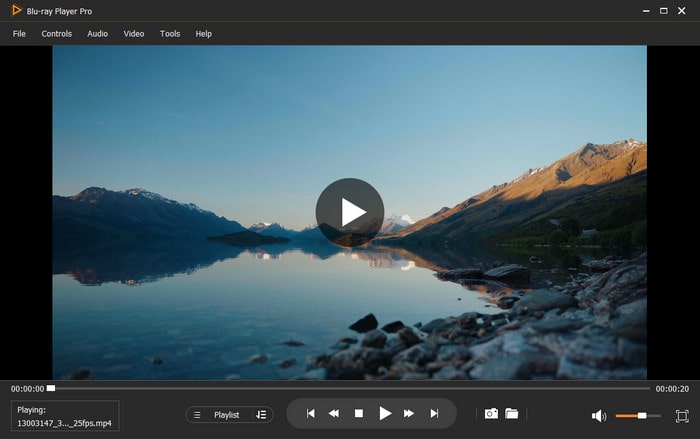
As a standard for professional multimedia playing solutions, Blu-ray Master Free Blu-ray Player is well-known for its remarkable hardware acceleration capabilities and extensive format compatibility. This player not only can smoothly play various DivX/XviD videos, but also offers a Blu-ray playback experience, which makes it the preferred tool for audio and video enthusiasts.
Free Download
For Windows
Secure Download
Free Download
for macOS
Secure Download
Windows 11, 10, 8, 7 and Mac OS X 10.9 or above.
4K UHD with HDR support, excellent frame rate stability.
- Almost all popular video formats such as MP4, M4V, MOV, MPG, MPEG, MPEG2, MPEG4, MJPG, MJPEG, AVI, FLV, RM, WMV, and MKV.
- Popular audio files like WAV, MP3, MP2, AAC, AC3, and M4A.
- 2D and 3D Blu-ray/DVD movies.
Free trial version.
- It allows you to choose audio tracks, video tracks, subtitle tracks, and audio channels.
- You can manage your watching history more effectively with the playlist feature.
- You can either remove the subtitles to watch your videos directly or add external subtitles to synchronize your movie.
- It is capable of capturing the moments of videos to save in image format.
Pros
- Hardware acceleration technology (NVIDIA/AMD/Intel).
- Support almost any video and audio file format.
- Simple to operate, even for beginners.
- Easy shortcuts to control the playback.
Cons
- The free trial version has limited functions.
Top 2. DivX Player
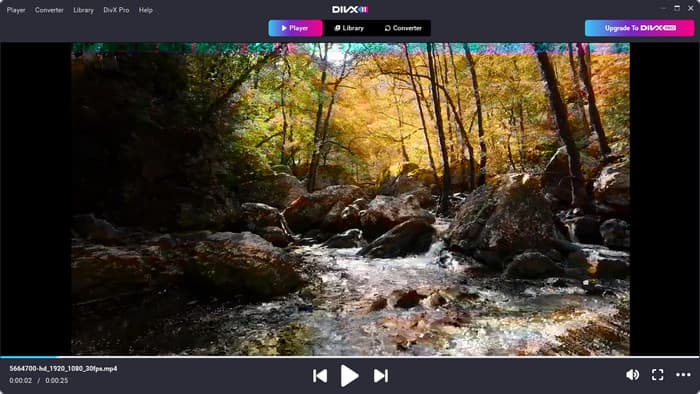
As the native player officially launched by DivX, DivX Player offers the purest format support experience. It is particularly suitable for users who need perfect compatibility with DivX-certified content, and its simple and intuitive interface design makes video playback easy and enjoyable. So, how does it perform specifically? Let’s dive in together.
Windows 11/10/8/7 and Mac OS X 10.7 or above.
Up to 4K.
A variety of video formats such as AVI, DIVX, MKV and MP4.
Free trial version for 15 days and $13.99 for the pro version.
- This software allows you to import and view films from Google Drive with its special cloud connection capability.
- Users have the option to choose between many audio tracks and multilingual subtitles during playback.
- It is capable of playing copyright-protected DivX VOD (Video on Demand) video.
Pros
- Support converting video and audio formats.
- Video can be transferred to portable devices like PS4.
- Built-in editing tools, such as adding subtitles.
Cons
- Free trial version with limited features.
- The XviD video codec player is a large and space-consuming.
Top 3. VLC Media Player
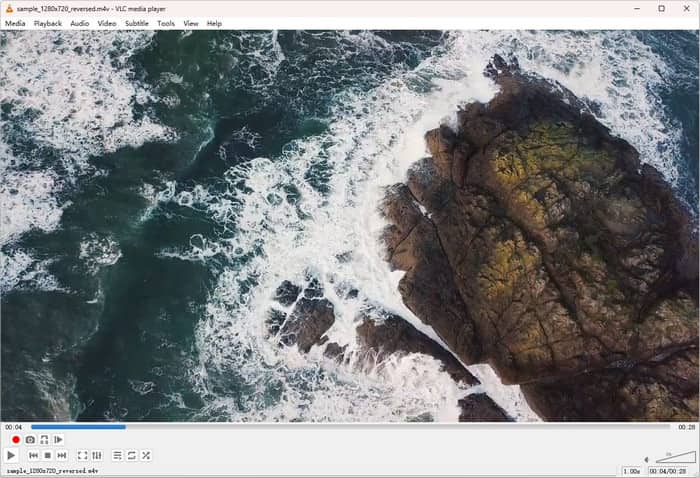
VLC Media Player is a free XviD player and video converter, and it is also suitable for mobile devices. With its strong community support and continuous updates, VLC Media Player always maintains the best compatibility with various video formats, including various non-standard encoded DivX/XviD files.
Windows, Linux, Mac OS X, Unix, iOS, and Android.
Up to 4K.
Most media formats, such as DivX, XviD, MP4, MOV, AVI, WMV, M4V, MKV, etc.
Completely free.
- It allows you to add subtitles for DivX videos in the program.
- It offers a built-in DivX converter for converting DivX videos to other video formats.
- It also has complex settings like synchronization, video effects, and audio effects.
Pros
- Free without a premium version.
- Supports most video codecs, including MPEG-1, DivX, etc.
- Full platform compatibility.
Cons
- No hardware acceleration on macOS.
- The interface navigation is complex.
Top 4. KMPlayer
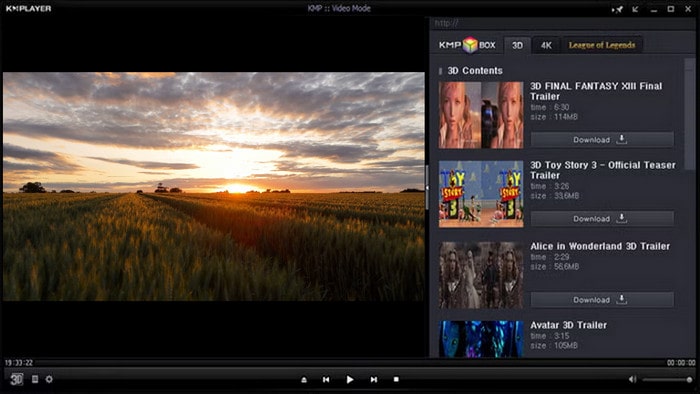
KMPlayer is renowned for its extensive codec support, allowing it to play DivX and XviD video files easily. It can play many video formats like MP4, MKV, AVI, and WMV in addition to DivX and XviD. It offers sophisticated subtitle capabilities, such as loading and modifying subtitles
Windows 10, Android and iPhone.
Up to 4K and 8K.
Almost all video and audio formats, such as AMV, ASF, AVI, and MP4.
Free version.
- It can sync and transfer DivX content from the computer to the smartphone.
- It provides DXVA acceleration to ensure smooth playback of DivX videos.
- It allows you to create different playlists for music and movies.
Pros
- Many audio and video formats are supported.
- Automatically read the playlist of DivX videos.
- Offer dozens of video playback options.
Cons
- It ia una to delete ads.
Top 5. MXPlayer
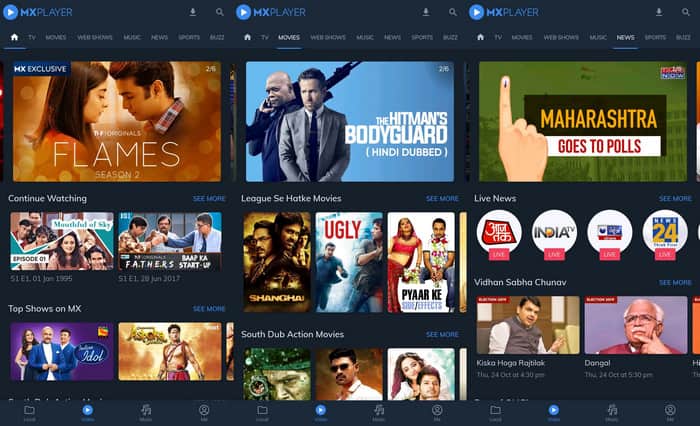
MXPlayer is a DivX codec player specifically designed for Android and iPhone devices. As one of the most popular XviD codec players, MXPlayer also supports multiple codecs and can play various types of videos, including DivX, XviD, AVI, MP4, and MKV.
Android and iPhone.
Up to 4K.
DivX, XviD, AVI, MKV, MP4, etc.
Free.
- It supports multi-core decoding, which performs better than single-core devices.
- Its user-friendly gesture control feature can easily change playback progress, brightness, and volume.
- It is equipped with a child lock function to prevent children from accidentally changing settings.
Pros
- Apply hardware acceleration technology.
- Convenient gesture to adjust subtitles and zoom.
- Provide a kid lock feature for kids.
Cons
- You must watch ads to use free features.
- This XviD player for Android has very few custom options.
Part 3. How to Play DivX and XviD Videos
After understanding the features of various players, let's take the fully-featured Blu-ray Master Free Blu-ray Player as an example to detail how to use the DivX Player software to play DivX/XviD videos perfectly. This player is especially well-suited for handling DivX/XviD files with a variety of encoding options because of its outstanding compatibility and consistent performance.
Step 1.Download and install Blu-ray Master Free Blu-ray Player on your computer. Then launch it.
Free Download
For Windows
Secure Download
Free Download
for macOS
Secure Download
Step 2.Click the Open File button in the main interface to upload the DivX or XviD video file you want to play.
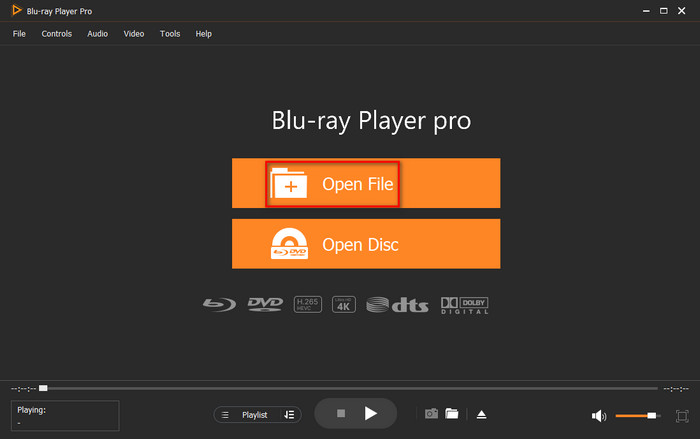
Step 3.Choose the relevant audio track and subtitles when the player window opens, then click the triangular play button (or use the spacebar) to begin playing the video. Also, you can use the quick access buttons at the bottom to pause, fast forward and rewind the video.
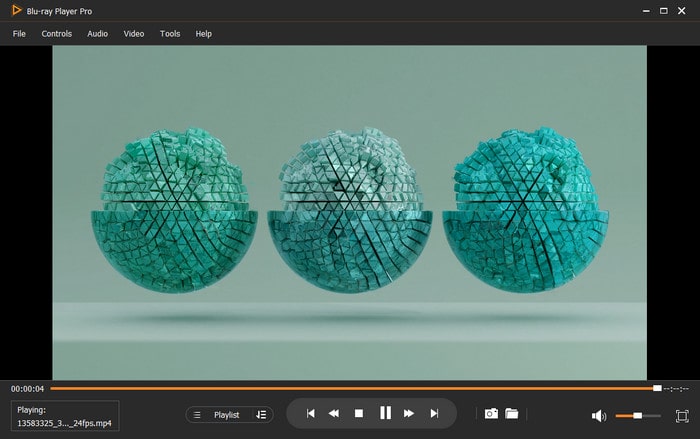
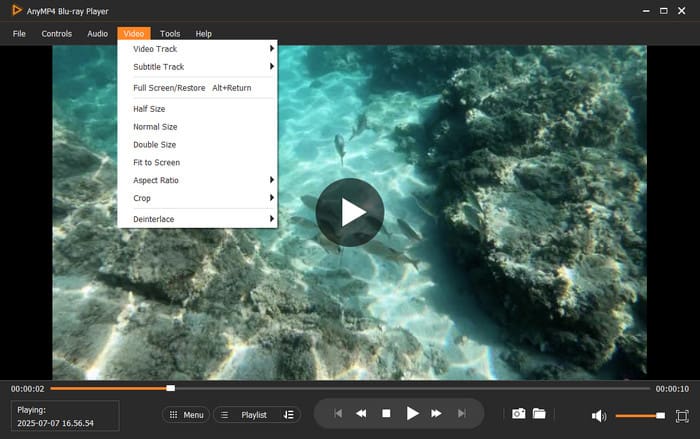
Step 4.If needed, you can click the Video tab at the top menu to create a personalized playback, such as changing the aspect ratio and video size.
Conclusion
Through the systematic introduction of this guide, you have mastered the complete solution for DivX/XviD video playback. Whether you demand flawless compatibility, high-quality visuals, or a mobile playback experience, the five best free DivX XviD video players we suggest can accommodate various needs. I recommend Blu-ray Master as a complete playback solution. Its exceptional hardware acceleration and compatibility can revitalize your DivX/XviD videos. Start your journey to high-quality video playback by downloading from the official website right now!
More from Blu-ray Master
Best Video Player

Easily play Blu-rays, DVDs, and various video/audio formats with rich playback features.
100% Secure. No virus
