

Aug 19, 2025Posted by Selena Thomas to Play Video
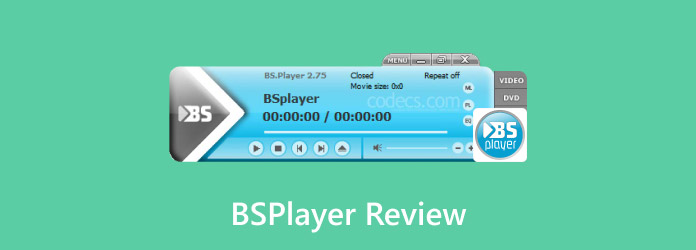
With streaming, HDR, and 4K ultra-high definition becoming popular, a good video player needs to be able to decode a wide range of codecs with ease and provide an intelligent viewing experience. And users' needs for players are growing more varied, ranging from Blu-ray discs to Web streaming, from local video playback to traditional formats. With its two decades of technological accumulation, BSPlayer has consistently maintained a distinct competitive edge among the numerous established players. What distinguishes this playback software marvel? What are the advantages and disadvantages compared with similar products?
This BSPlayer review will take you through an in-depth analysis of the core advantages, disadvantages, and usage tips of BSPlayer. Whether you are an audio-visual enthusiast who pursues ultimate video quality or an ordinary user who values practical functions, this comprehensive review will provide you with valuable references. Let’s get started.
- Part 1. Overview of BSPlayer
- Part 2. Pros and Cons of BSPlayer
- Part 3. How to Use BDPlayer
- Part 4. Best BSPlayer Alternative
- Part 5. FAQs
Part 1. Overview of BSPlayer
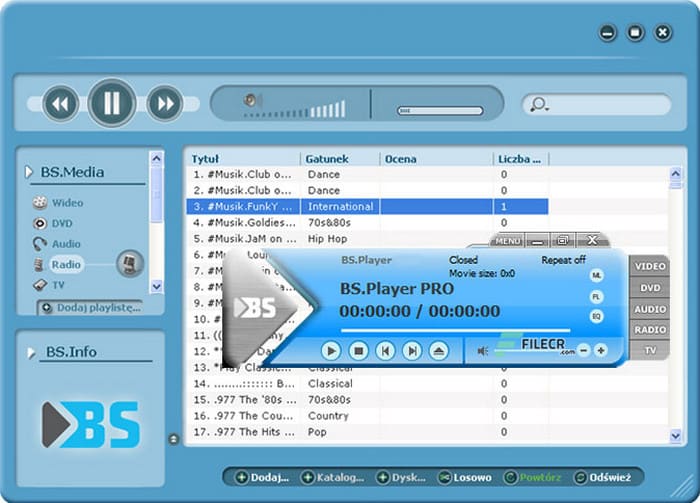
BSPlayer is a robust multimedia player. Many users believe it to be the best free 4K UHD video player. It is well known for its exceptional decoding skills and incredibly minimal system resource consumption, making it one of the first local players on the Windows platform. In contrast to other heavy media players, BSPlayer has consistently followed the principles of efficiency and light weight, which keeps its size small (the installation package is only 10.6 MB) and offers a level of capability on par with professional players. Here are its features.
Hardware Acceleration
One of the main technical features of BSPlayer is the hardware acceleration capability. BSPlayer leverages hardware acceleration to enhance video playback performance on Android devices by utilising the device's built-in video decoder. This offloads processing from the CPU to the GPU, leading to faster playback speeds and reduced battery consumption.
Audio&Video Enhancement Tech
Regarding the improvement of audio and video quality, BSPlayer provides a suite of powerful processing capabilities.
- 3D Surround Sound: Provides a more immersive audio experience by simulating surround sound, which brings an extreme audio experience.
- Multiple Audio Stream Switching: Supports switching between different audio streams within a video file.
- Aspect Ratio Adjustment: Enables users to modify the aspect ratio of the video to fit different screen sizes.
- Rotation Options: Provides the ability to rotate videos, useful for producing creative video content.
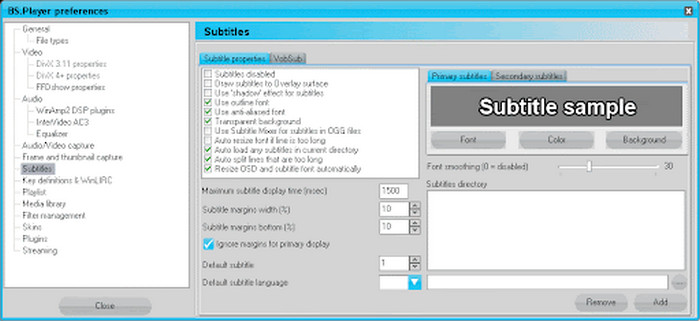
- Subtitle Support: BSPlayer can automatically detect and load subtitles, and supports various subtitle formats.
Decoding Capabilities
BSPlayer's decoding capabilities include a self-developed intelligent decoding engine that allows it to play more than 200 media formats with ease, such as AVI, MKV, MP4, WEBM, XVID, MPG, etc. Unlike other players that rely on external decoding packages, BSPlayer's built-in proprietary decoding algorithms are specifically optimised for the efficiency of handling HEVC/H.265 encoding. This optimised decoding solution not only ensures smooth playback but also significantly reduces system resource occupation.
Smart Viewing Function
The design of intelligent functions reflects BSPlayer's in-depth consideration of user experience. The subtitle system can not only automatically match online resources but also intelligently adjust the timeline to ensure synchronisation. And the playback memory function has achieved seamless switching among multiple devices through cloud services. In addition, the innovative gesture control feature has brought a more convenient operation method to smart devices.
Part 2. Pros and Cons of BSPlayer
After a detailed analysis of BSPlayer's main features, we must objectively evaluate its performance in actual applications. Like any software, BSPlayer inevitably has its strengths and limitations. The following will systematically analyse the practical advantages and disadvantages of this player from a professional perspective, combining test data and user feedback.
What We Like
- Compatible with Android devices: BSPlayer is one of the few tools that can keep desktop-level functionality on the Android platform. BSPlayer for Android incorporates power consumption control and touch features that are tailored for mobile devices.
- Hardware acceleration technology: The player uses advanced hardware acceleration to lower battery consumption while delivering smooth 4K playback, ensuring high-quality video.
- Wide format support: According to some users, it is the best free video player for all formats. BSPlayer is compatible with almost all media formats without the need for extra codecs, including high-efficiency HEVC files and standard MP4. This saves the trouble of finding compatible players or converting files.
- Supports DVD playback: Unlike many modern media players, BSPlayer retains the player employs advanced hardware acceleration to reduce battery use while providing smooth 4K video playback, guaranteeing high-quality visuals.DVD playback functionality, complete with menu navigation. This makes it ideal for users with traditional DVD collections.
What We Don’t Like
- Doesn’t support the Mac system: BSPlayer does not have a Mac version, which has brought a lot of inconvenience for Mac users.
- Free version with limited features: The free version has ads, while the pro version does not. And compared to the pro version, the free version lacks Chromecast support, enhanced video playback, and advanced audio options.
- There are playback issues: Many users have complained that they encountered some playback problems, such as skipping, freezing, and crashes, especially on the free version.
Part 3. How to Use BDPlayer
Then, how to use BSPlayer to play media files? Here is the detailed guide.
Step 1.Download and Installation
Download BSPlayer from the official website and install it on your computer.
Step 2.Open a Media File
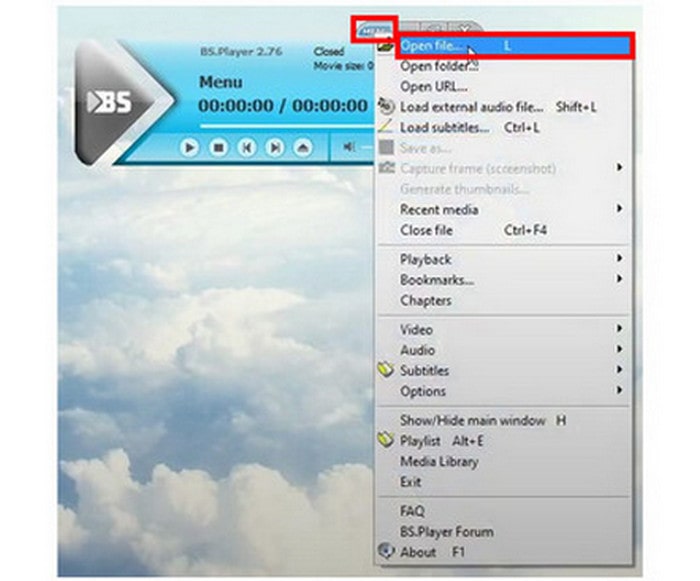
Click the MENU button and select Open file to upload your desired media file. Also, you can drag and drop the media file directly to open the file you want to play.
Step 3.Control Playback
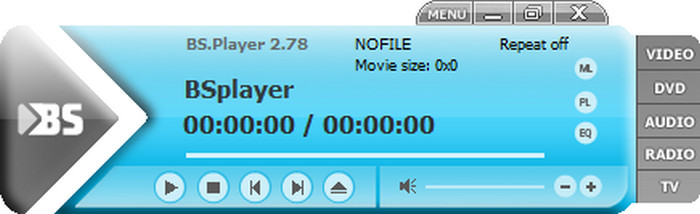
- Play/Pause: For easy control, click the screen’s triangular button or the spacebar.
- Stop: Click the stop icon.
- Fast Forward/Rewind: Use the arrow keys for fine-tuning or the seek bar to move through the media.
- Volume: Use the volume slider or the up/down arrow keys to change the volume.
Part 4. Best BSPlayer Alternative
For those users who use Macs or seek a free playback software, BSPlayer can not meet their demands. Therefore, we recommend a more reliable player, Blu-ray Master Free Blu-ray Player.

Blu-ray Master Free Blu-ray Player is a free software that is capable of playing media files, Blu-rays, and DVDs. Like BSPlayer, it also supports a variety of media formats with hardware acceleration technology. In addition, it is compatible with both Windows and Mac. Moreover, in addition to video and audio files, it allows users to play Blu-rays and DVDs of all regions. Furthermore, it enables users to select the video track, subtitle track, audio track, and audio channels while playing media files. Therefore, it iscapable of making up for the shortcomings of BSPlayer, and you can download and try it.
Free Download
For Windows
Secure Download
Free Download
for macOS
Secure Download
Part 5. FAQs
-
Is BSPlayer completely free?
No, BSPlayer is not completely free. While there is a free version, it also has a paid version called BSPlayer PRO. The free version offers basic media playback features, while the pro version includes additional features like automatic online subtitle search and download, and the ability to play full-HD videos and heavy audio files.
-
Does BSPlayer support 4K UHD video playback?
Yes, 4K UHD video can be played using BSPlayer. Among the many video formats it supports are MP4, MKV, and others that are frequently used for 4K material.
-
Can BSPlayer play incomplete or damaged video files?
Video files that are completely or partially damaged may cause problems for BSPlayer. Files with minor problems or missing codecs can occasionally be played, but significant corruption can stop playback.
Conclusion
Throughout this BSPlayer review, we have found that BSPlayer still maintains a strong competitive advantage in the video playback field with its outstanding decoding performance, intelligent subtitle system and ultra-low space consumption. While Blu-ray Master Free Blu-ray Player perfectly makes up for the deficiency of BSPlayer’s disc playback and compatibility with Macs. Each of these two tools has advantages; thus, it is advised that users base their decision on their true requirements. Now visit the official website to download it, and embark on an audio-visual enjoyment journey!
More from Blu-ray Master
Media Player Review

Easily play Blu-rays, DVDs, and various video/audio formats with rich playback features.
100% Secure. No virus
