

Dec 05, 2025Posted by Kevin Miller to Play Video
Nowadays, many people use their mobile phones to watch movies and TV series. And most of the videos are in MP4 format with a high definition like 1080p and 4K. To play high-quality MP4 video on your Android phone, you need a powerful MP4 player. If you are an Android phone user, there are 8 best MP4 players on Android you can use.
- Top 1. MX Player
- Top 2. VLC for Android
- Top 3. Xtreme Media Player
- Top 4. FX Player
- Top 5. KMPlayer
- Top 6. BSPlayer
- Top 7. XPlayer
- Top 8. Video Player HD
- Part 9. FAQs about Android MP4 Player
| Ease of Use | Video Quality | Hardware Acceleration | Gesture Control | Playlist | Subtitle Support | |
| MX Player | HD/4K | Strong HW acceleration |  | | (various subtitle types and manual sync) | |
| VLC for Android | HD | Hardware decoding available | | | (different subtitle types and customization settings) | |
| Xtreme Media Player | HD | Limited | | | | |
| FX Player | HD/4K | HW acceleration | | | (multiple formats and sync adjustment) | |
| KMPlayer | HD/4K | HW acceleration | | | | |
| BSPlayer | HD/4K | HW acceleration | | | (subtitle of different languages) | |
| XPlayer | HD/4K | HW acceleration | | | | |
| Video Player HD | HD | HW acceleration | | | |
Top 1. MX Player
MX Player is a powerful MP4 media player on Android. It allows you to play HD videos without any lag or crash issues with the hardware acceleration. You can also adjust the screen of the video and play videos on a floating screen while using other apps with the playback feature.
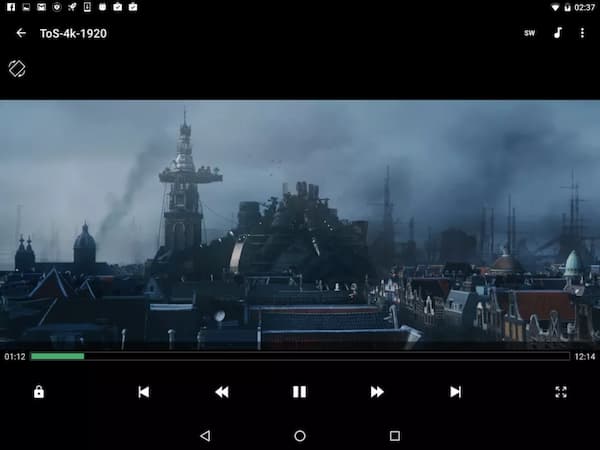
Pros
- It's free to use.
- Supports various subtitles formats including SSA, SRT, SUB, IDX, etc.
- Multi-core decoding to improve performance.
- Kids lock allows you to keep your kids away from some content.
Cons
- It has ads.
- It doesn't support DTS and AC3 audio because of a license issue.
Users Review
• Many people appreciate its wide video format support, besides the MP4 files.
• Its subtitle features are commended for rich options for sync, font size/color, and online subtitle downloads.
• Many users find the ads intrusive and disruptive to playback.
Top 2. VLC for Android
It's a free and open-source multimedia player for you to play HD MP4 videos on Android. It can also play discs, devices, and streaming content. And the Android version of the VLC media player supports all kinds of video and audio formats.
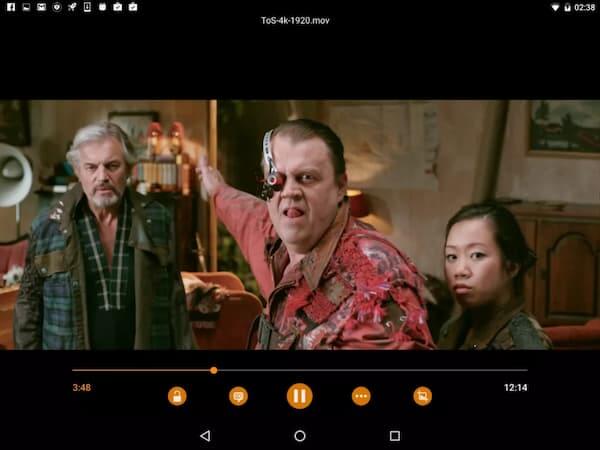
Pros
- It's free to use all the features.
- No ads.
- Provides a media library for audio and video files to access all the files on Android phones.
- Offers various customize options.
Cons
- The beta version of it is not stable.
Besides the Android version, VLC offers many other versions for different platforms, such as Windows PC, Mac, iPhone, etc. It is free to use as well. But the interface might not be that easy to understand. If you want to know about MP4 media players on desktop devices, you can try Blu-ray Master Free Blu-ray Player. It allows you to enjoy any Blu-Ray, DVD movies, and video files on your computer.
Free Download
For Windows
Secure Download
Free Download
for macOS
Secure Download
Users Review
• Many people like it because it has no ads and no hidden costs.
• Its built-in equalizer and audio filters are praised for a good MP4 playback experience.
• Some people would think its interface is a little complex.
Top 3. Xtreme Media Player
It provides you lots of functions to play high-quality MP4 videos on an Android phone. Functions like multi-track support, subtitle gestures, and audio boost up to 200% can improve the experience.
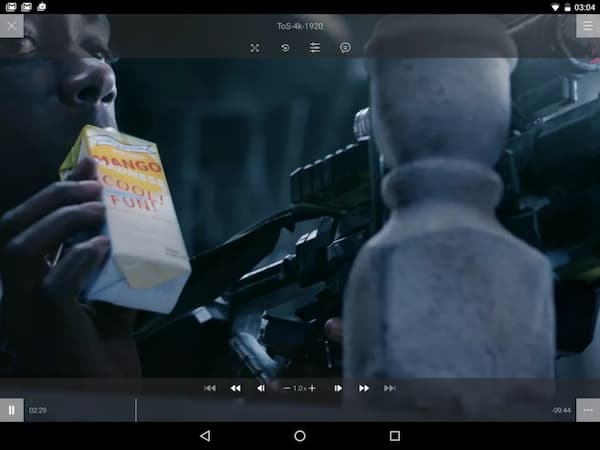
Pros
- Well-organized interface is friendly to any user.
- Support subtitles from local files and online searching with different formats.
- Video playback function allows you to play MP4 video at a quicker speed to save your time.
- You can crop a clip from a movie with the editing feature.
Cons
- It has some crash issues when playing streaming video.
Users Review
• It was commended for delivering smooth playback of HD MP4 files.
• This MP4 Android player also has an equalizer and filters for better playback.
• There are ads in the free version, which users think are annoying.
Top 4. FX Player
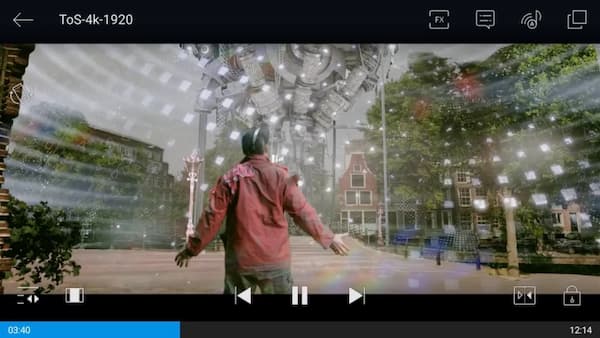
FX Player is a versatile Android MP4 player which allows you to play 4K videos. It supports network streaming with built-in SMB, FTP, HTTP, CIFS, and WebDAV so you can play your MP4 videos online.
Pros
- Supports all kinds of audio Codecs including AC3, AAC, MP3, MP2, AMRNB, FLAC, WMA, AV and EAC3, DTS, TrueHD external Codecs, etc.
- Provides video previews and pop-ups to save your time.
- Allow you to set gestures to control playing.
Cons
- Some errors may occur when connecting to Chromecast.
- There are unremovable ads in the app.
Users Review
• People applaud its good MP4 playback quality, which is up to 4K.
• It also offers many extra tools, like MP3 extraction, video trimming, and GIF creation.
• This Android MP4 player includes ads in the free version.
Top 5. KMPlayer
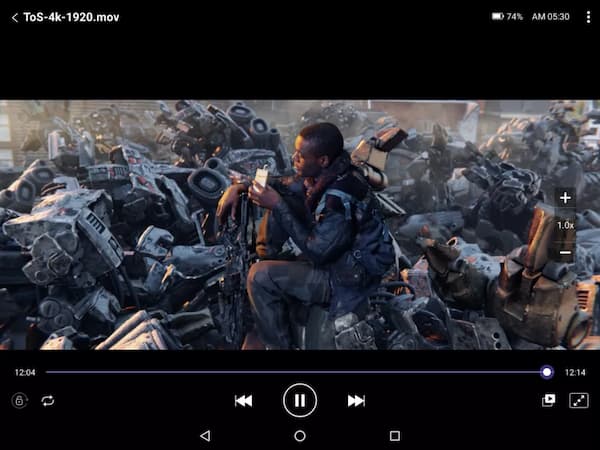
KMPlayer provides you advanced function for playing MP4 videos. It also has extra features like library viewer and cloud storage support to save space on your Android phone. Besides, you can watch MP4 videos in windowed mode or Google Drive.
Pros
- Playback speed control can speed up or slow down the playing.
- Provide online subtitles in more than 30 languages.
- KMP Connect allows you to watch movies on your computer from your Android phone.
Cons
- The advanced functions are too complex to learn.
Users Review
• Many people note that issues introduced in updates were resolved quickly, showing responsive support.
• It is praised for HD and 4K MP4 playback quality.
• Some updates temporarily broke playback panels or introduced instability.
Top 6. BSPlayer
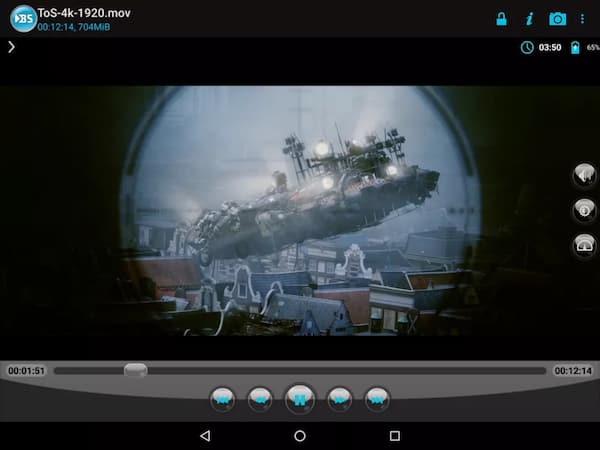
BSPlayer is an Android MP4 video player that can play high-quality video and audio. The well-organized interface offers you a simple operation process. Software and hardware decoding allows you to play MP4 video in high performance.
Pros
- Powerful online subtitle finder provides you all kinds of subtitles.
- Pop-out viewer allows you to play MP4 video above other apps.
- Hardware-accelerated video playback can reduce battery consumption during playing.
Cons
- It has ads.
Users Review
• People compliment its strong support for external subtitles, with auto-download and multi-language options.
• It also offers playback speed control and audio track switching, which many people praise.
• Some people reflect that the interface design is dated.
Top 7. XPlayer
XPlayer is one of the best Android MP4 players you can find in the Google Play Store. You can download subtitles with various adjustment selections. It can also protect your video from being deleted or seen by others with a private folder.
Pros
- It supports playing HEVC X265 without lag or crash.
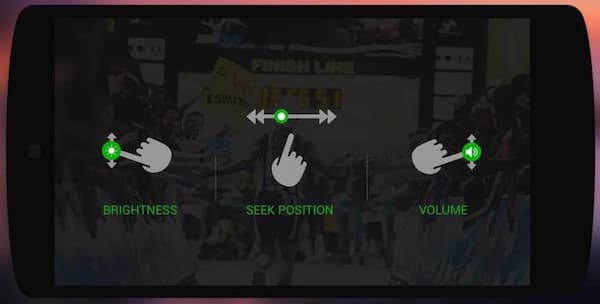
- Well-designed interface allows you to manage volume, brightness and playing progress easily.
- Play videos on TV with Chromecast.
- It has no in-app purchases.
Cons
- Sometimes video and audio can't sync.
Users Review
• Many people express their love for quick and easy gestures for brightness, volume, and playback navigation.
• ChromeCast supports to stream videos directly to TV.
• Some people report the problems of lag or crashes.
Top 8. Video Player HD
Video Player HD offers you professional functions to manage and play MP4 videos. You can add multiple subtitles easily with its feature. And extra functions like configure playback speed controller and night mode provide you a better experience.
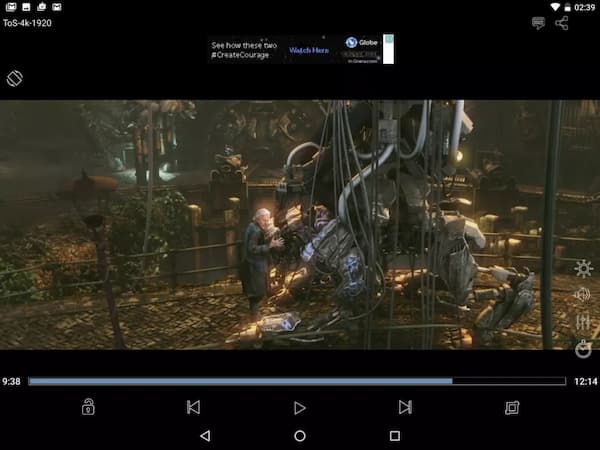
Pros
- List to manage all the video files.
- Gesture controls enable you to adjust brightness, volume, and time seeking.
- It has video streaming support to allow you to watch streaming on an Android phone.
Cons
- There are some errors when playing a video and the player may shut down your phone.
Users Review
• People like its features of subtitle support and hardware acceleration.
• Some people think that the feature of creating and managing playlists for local files is helpful.
• Some people reflect the low update frequency of this tool.
Part 9. FAQs about Android MP4 Player
-
Can Android phones play MP4 files?
Yes, it can. You only need a professional MP4 video player on Android to play the MP4 files.
-
Where can I download a free Android MP4 player?
There are lots of versatile free MP4 players for Android like VLC Media Player and MX Player. You can find them in the Google Play Store app on your Android phone and you can download them easily.
-
Why my Android phone won't play MP4 files?
One of the reasons might be that the codec of your MP4 files is not compatible with the media player. And another reason might be that the audio codec in that MP4 file is not supported by the player.
Wrapping up
In this article, you can learn the 10 best MP4 media players on Android. They have powerful features that allow you to play high-quality MP4 files with many options. You can download and try them on your phone. If you have any questions or want to know more about the Android MP4 media player, you can leave your comment below.
More from Blu-ray Master
Best Video Player

Easily play Blu-rays, DVDs, and various video/audio formats with rich playback features.
100% Secure. No virus
