

Jul 10, 2025Posted by Kevin Miller to Copy DVD
VideoByte DVD Copy is a dedicated software designed for copying and backing up DVDs. DVD copying remains crucial for several reasons. It ensures the preservation of aging discs, enhances accessibility, and improves device compatibility. The goal of this VideoByte DVD Copy review is to provide an unbiased and comprehensive evaluation of the software. We'll walk through everything you need to know to help you determine if it's the right tool for your DVD duplication needs.
VideoByte offers a user-friendly interface and strong format support for reliable DVD backups. However, the price might be a consideration for those seeking a long-term solution. Read on for a detailed breakdown!
Table of Contents
Part 1. What is VideoByte DVD Copy
VideoByte DVD Copy is a DVD copy software for Windows and Mac systems. It allows decrypting, copying, and burning DVDs for physical or digital backup. It can copy the entire DVD structure, including menus and subtitles, directly to a blank disc. It also allows saving duplicated DVD content as an ISO image file or a VIDEO_TS folder. VideoByte can handle data DVDs, personal videos, home movies, and even commercial discs. Not to mention, it can bypass various copy protections, such as CSS and AACS.
Part 2. Key Features and Functionality
DVD Copy Modes
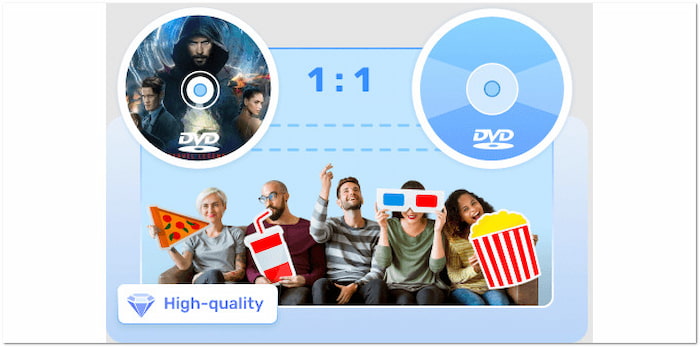
VideoByte offers three copy modes to copy DVDs: Full Movie, Main Movie, and Customize. The Full Copy mode duplicates the entire DVD to create a complete backup. The Main Movie mode extracts only the main title, excluding other extras. Meanwhile, Customize mode allows you to choose specific titles and chapters to clone.
Output Formats and Quality
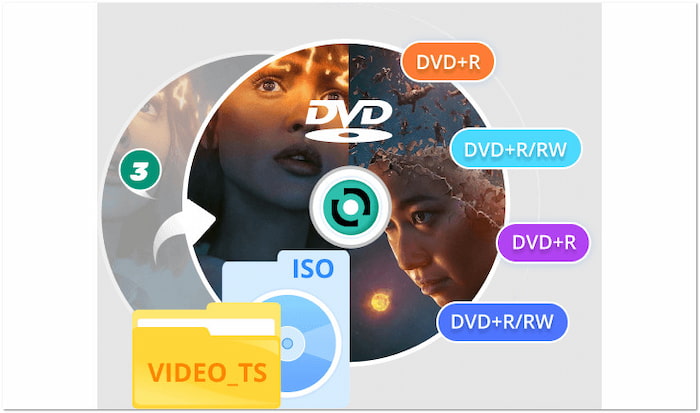
The software allows DVD content to be copied to various output formats. Options include blank discs in formats such as DVD-5, DVD-9, DVD-R/RW, and DVD+R/RW. In addition to physical media, it allows saving copied DVD content as an ISO image file or VIDEO_TS folder.
Copy Protection Removal
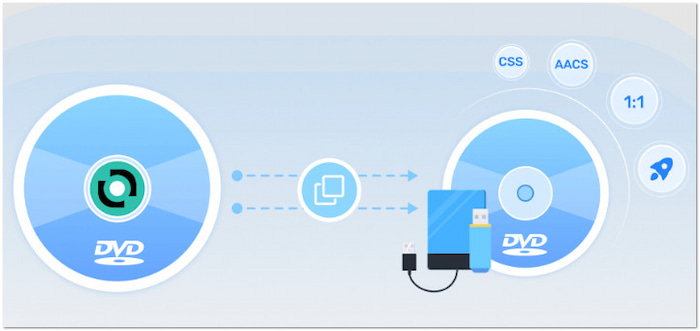
VideoByte can efficiently bypass common DVD copy protections like CSS, AACS, and region codes. These protections prevent duplication or restrict playback in different regions. Fortunately, it can remove these restrictions automatically during the copying process.
Speed and Performance

The software is optimized to copy discs to discs, ISO image files, or VIDEO_TS folders in a flash. It offers a Fast Speed option that can clone DVDs twice the original speed. It ensures quick DVD duplication processing, allowing for a shorter time to achieve the final result.
User Interface and Ease of Use
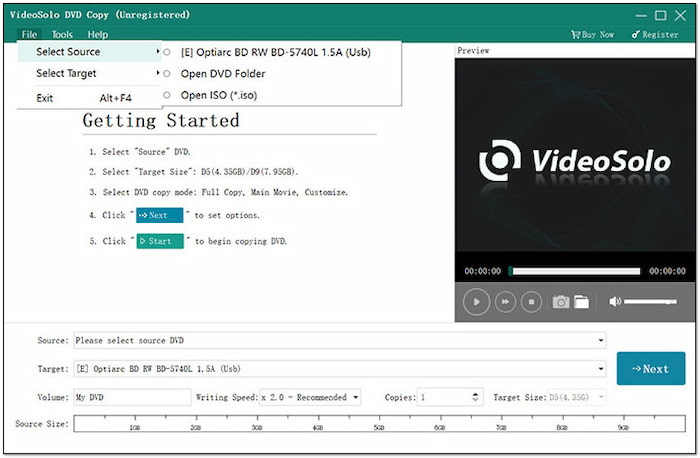
VideoByte features a straightforward layout that makes DVD copying accessible to even beginners. The source selection, output destination, and copy mode are all placed in the main interface. It also provides clearly labeled buttons and real-time preview features.
Additional Tools and Settings
The software goes beyond DVD cloning, offering additional tools and customizable settings. It can automatically detect and display detailed info on the disc, including subtitles and audio tracks. It also allows for the manual selection of video portions to be copied.
Part 3. Pros and Cons
Before deciding to use or invest in VideoByte DVD Copy, it's important to understand the pros and cons. It will help you appreciate what the tool excels at while being aware of its limitations. It ensures that expectations are managed in a realistic manner.
Pros
- It offers multiple copy modes for duplicating DVDs.
- It can decode standard copy protections and region codes.
- It can compress DVD-9 to DVD-5 with minimal loss in quality.
- It doubles the copying speed, reducing time without compromising quality.
- It can copy DVDs to a blank disc, ISO image file, or VIDEO_TS folder.
Cons
- It slightly affects the original quality after copying.
- It can only output DVD formats, not media stream profiles.
- It cannot handle strong copy protection and encryption.
Part 4. Pricing and Licensing Options

| Pricing and Licensing Options | ||
| 1 Month Subscription | Single License | Hot Sale Bundle (DVD Copy + Blu-ray Copy)s |
| $24.95 | $44.95 | Expensive |
| Great | Quality | $109.9 |
| 1 PC per Month | License for 1 PC | License for 1 PC |
| 1-month access to all features | Lifetime access to all features | Lifetime access to all features |
| One-time purchase | One-time purchase | |
Important Note: All pricing and licensing options of VideoByte are tax-excluded.
Part 5. How to Use VideoByte DVD Copy: A Quick Guide
VideoByte is a subscription-based desktop application built to copy DVDs to another DVD format. It can duplicate DVD content directly to a blank disc, save it as an ISO image file, or save it as a VIDEO_TS folder. Below is a quick guide on how you use the DVD Copy software.
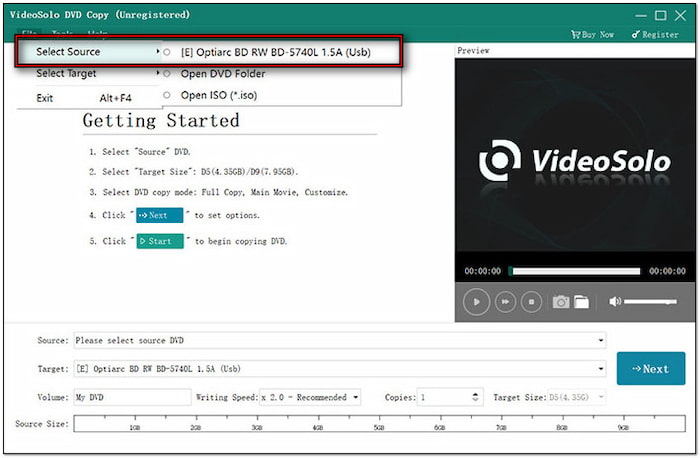
Step 1.In the VideoByte interface, click File and choose Select Source to load your source DVD. You can choose to load from a physical disc, VIDEO_TS folder, or ISO image file. Alternatively, click the Source field to add the DVD input you want to copy.
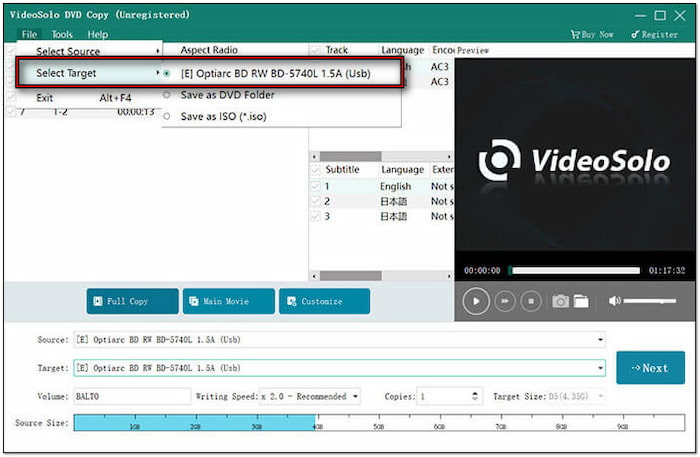
Step 2.Move to the Target field to specify your output option. If you're copying to another physical disc, select your DVD drive containing the blank disc. Meanwhile, if you only have a single disc drive, copy the DVD to an ISO image file first. Then, select a Copy mode according to your need and click Next to proceed.
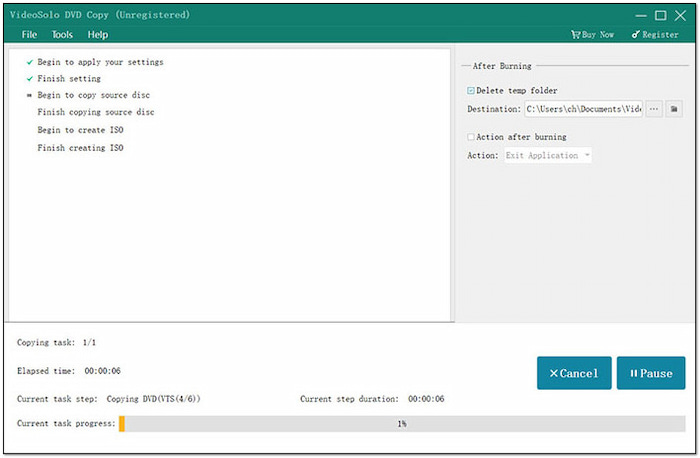
Step 3.In the Settings window, configure how your copy behaves. You can remove the menu, skip the menu, loop titles, remove multi-angle, etc. After confirming all settings, click the Start button to begin the DVD cloning. Once complete, your DVD will be backed up to your chosen format.
VideoByte offers a straightforward solution for duplicating and backing up DVD content safely and efficiently. In addition to physical discs and other DVD formats, it allows you to copy DVDs to a hard drive or computer as an ISO image file or a VIDEO_TS folder.
Part 6. VideoByte DVD Copy vs. Alternative
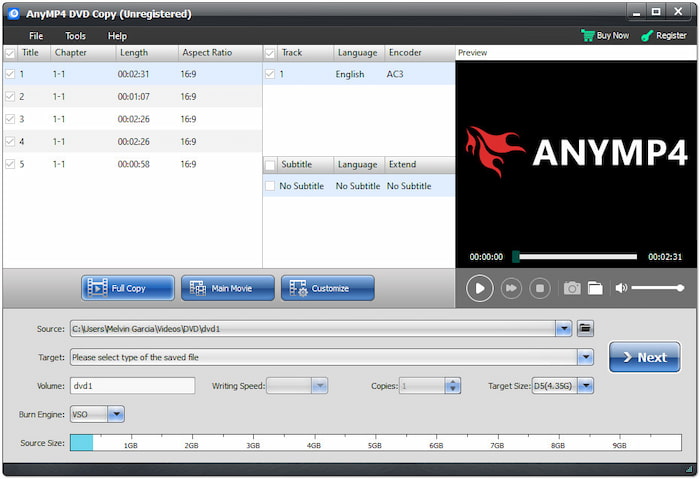
The DVD Copy, a preferred choice of Blu-ray Master, is an alternative to VideoByte DVD Copy. It can make exact 1:1 clones or compressed copies of DVDs to another DVD format. It can output blank discs in various formats, including DVD-R, DVD+R, DVD-RW, and DVD+RW. Additionally, it supports saving DVD content as an ISO image file or a VIDEO_TS folder.
Free Download
For Windows
Secure Download
Free Download
for macOS
Secure Download
For good measure, DVD Copy supports both full DVD duplication and selective copying. It offers three main copy modes: Full Copy, Main Movie, and Custom Mode. In terms of copying speed, it utilizes advanced GPU acceleration to expedite the process up to 50 times. However, its significant edge is its ability to produce a file that is very close to the original disc in quality, with no loss of quality.
| VideoByte DVD Copy | Versus | DVD Copy, preferred by Blu-ray Master |
| Windows and Mac | System Requirement | Windows and Mac |
| Full Copy, Main Movie, and Customize | Copy Mode | Full Copy, Main Movie, and Custom |
| Physical discs, ISO image file, and VIDEO_TS folder | DVD Output | Physical discs, ISO image file, and VIDEO_TS folder |
| Yes | Copy Protection and Region Code Handling | Yes |
| Up to 2× | Processing Speed | Up to 50× |
| Minimal quality loss | Output Quality | No quality loss |
Part 7. Who is VideoByte DVD Copy Best For?
VideoByte is ideal for those who require a straightforward solution for duplicating and backing up DVDs. Its intuitive design and multiple copy modes make it ideal even for users with limited technical experience. Those who value high-quality DVD backups will find it a practical choice.
• A parent wants to duplicate children's DVD videos for backup.
• A teacher needs to copy educational DVDs for classroom use.
• A small business archiving marketing materials or training videos.
Wrapping up
That's all we have for our VideoByte DVD Copy review! VideoByte is a capable and user-friendly tool for anyone looking to duplicate and backup DVDs. Its flexible copy modes, reliable performance, and support for common DVD formats make it a solid choice. However, if you're looking for a more feature-rich alternative, use DVD Copy, the preferred choice of Blu-ray Master. It supports various output options, provides high-quality 1:1 copies, and effortlessly removes DVD protections.
More from Blu-ray Master
