

Jul 16, 2025Posted by Kevin Miller to Copy DVD
In our present day, media consumption is now dominated by digital streaming. However, DVD copying remains a relevant need for many. Some individuals do this to preserve personal videos and create backups, while others aim to prevent damage to their discs. That's where DVDFab DVD Copy steps in. It is a leading and highly trusted software for duplicating and backing up DVDs. This DVDFab DVD Copy review will explore what it exactly does, its features, possibilities, limitations, and more. We will also introduce an alternative to compare if it's the right tool for you. Together, let us explore further and determine if the featured software remains relevant.
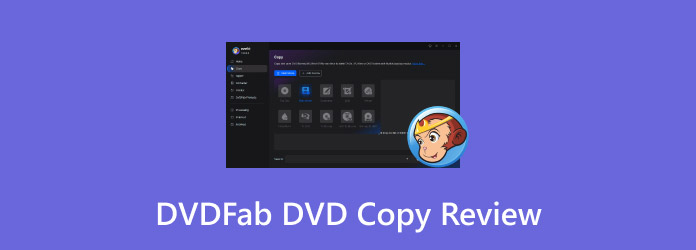
Table of Contents
Part 1. What Exactly Does DVDFab DVD Copy Do?
DVDFab is one of the top-performing multimedia software for Windows and Mac systems. Among its numerous available tools, its DVD Copy software gained the attention of many DVD keepers. But what does DVDFab DVD Copy do?
• Removes any copy protection effortlessly before cloning the DVD.
• Creates a lossless backup from a DVD-5 to DVD-5 or DVD-9 to DVD-9.
• Duplicates DVD content across various modes, specifically six modes.
• Compresses DVD-9 to a DVD-5 to reduce storage without quality loss.
• Copy the DVD to a blank disc, save it as an ISO file, or save it as a VIDEO_TS folder.
Part 2. DVDFab DVD Copy Review:
Bypassing Copy Protections
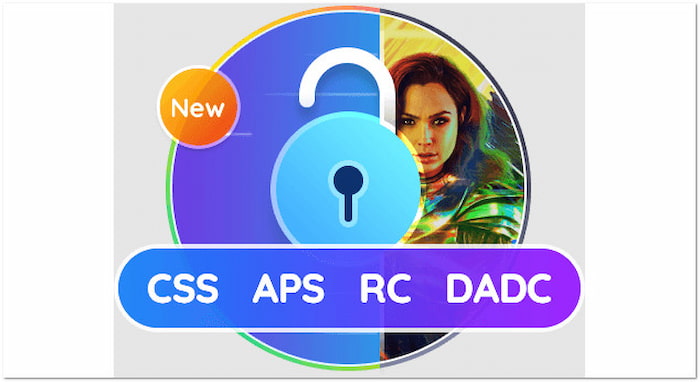
The software is optimized for efficient DVD copying, as it can bypass copy protections. It automatically detects and removes any copy protections, such as region codes, CCS, APS, etc. Additionally, its Cloud Decryption Technology can decrypt newly purchased encrypted DVDs.
Multiple Copy Modes Explained
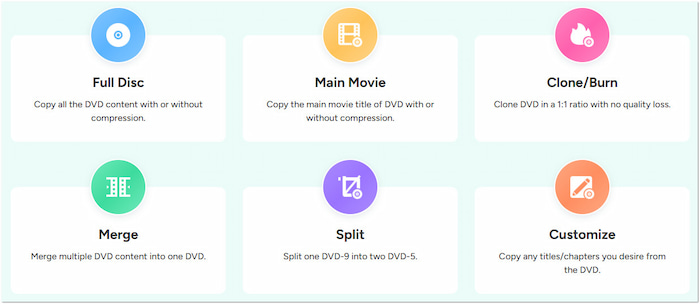
DVDFab offers six copy modes for cloning DVDs, catering to the needs of every user. Options are Full Disc, Main Movie, Clone/Burn, Split, Merge, and Customize. Here's how they differ:
• Full Disc: Copies everything on the disc with or without compression.
• Main Movie: Extracts and saves only the main title, skipping extras.
• Clone/Burn: Creates an exact 1:1 copy of the DVD with no quality loss.
• Merge: Combines multiple DVD titles into a single disc or file.
• Split: Splits a dual-layer (DVD-9) into two single-layer (DVD-5) DVDs.
• Customize: Duplicates specific titles or chapters from the DVD content.
Output Quality and Speed
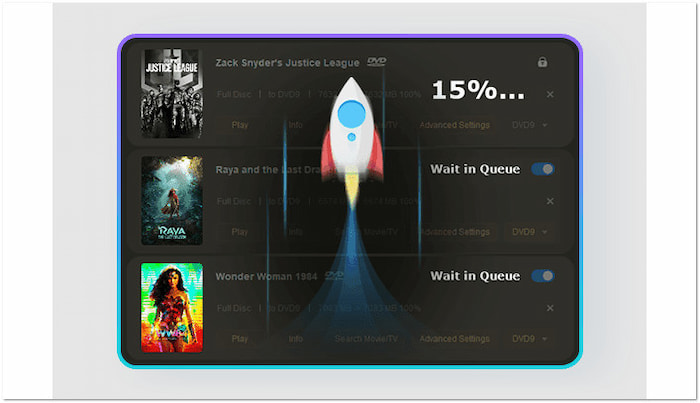
The software delivers outstanding output quality through advanced compression technology. It allows DVD-9 content to be reduced to DVD-5 with minimal quality loss. In terms of performance speed, it can copy multiple DVDs simultaneously, taking only 3-5 minutes.
User Interface and Ease of Use

DVDFab boasts a modern and neatly organized user interface with clear labels. Each copy mode is visually represented and clearly labeled, making it easy for users to find what they need. Settings are tucked away under expandable menus to ensure UI stays uncluttered.
Platform Compatibility
Does DVDFab DVD Copy for Mac remove copy protection? Yes, it can duplicate DVDs to Mac and remove copy protection. DVDFab is fully compatible with Mac OS running 10.10 to 15.x version. In addition to Mac, it is also available for download on Windows 7 to 11. Please note that both versions have the same features and functionalities.
Part 3. DVDFab 10 Copy Blu-ray to DVD: Possibilities and Limitations
Before committing to any software, it's important to understand both possibilities and limitations. Knowing the possibilities helps you appreciate what the tool can do best. Meanwhile, the limitations expose potential restrictions that may affect usability and legal implications.
POSSIBILITIES:
• It supports six flexible copy modes to clone DVDs.
• It delivers fast processing speed using GPU acceleration.
• It offers a 1:1 lossless DVD duplication for high-quality backups.
• It removes standard DVD protections, like CSS, APS, and DADC.
• It allows you to create DVDs on a blank disc or save them as ISO or folder files.
LIMITATIONS:
• There is a slight degradation in quality during the DVD copying process.
• The DVDFab 10 copy Blu-ray to DVD requires a separate tool.
• The Cinavia protection removal is only available in the paid version.
Part 4. Is There a DVDFab DVD Copy Free Option?
In response to the question, Is there a DVDFab DVD Copy free option, the answer is yes. After installing the software, you have a 30-day trial period, which expires after that. It has limited functionality, allowing DVD copies to be created using only the Full Disc and Main Movie modes. The software's free option cannot remove both old and new copy protections. Additionally, it lacks DVD-9 to DVD-5 compression, so larger discs can't be shrunk to fit smaller blank DVDs.
Part 5. DVDFab DVD Copy Alternative
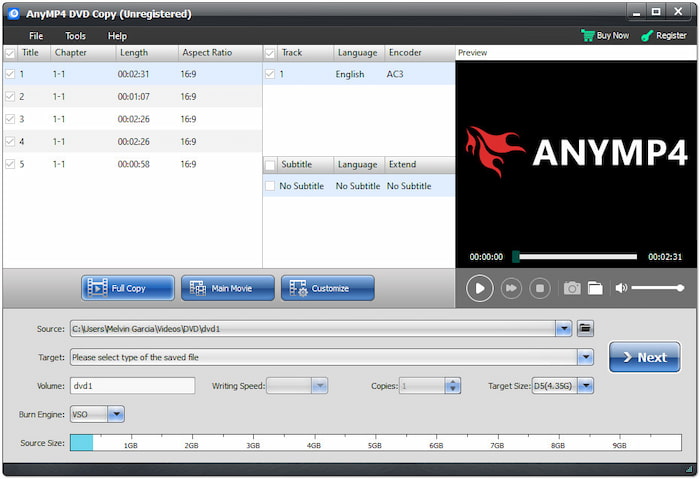
If you're looking for a zero-cost alternative to DVDFab DVD Copy, DVD Copy, a recommended tool of Blu-ray Master, is a solid option. This software can create exact or compressed copies of DVDs in another DVD format. It can output DVDs directly to blank discs, as ISO files, or as VIDEO_TS folders. It supports nearly all DVD types and can efficiently handle strong encryption and region codes.
Free Download
For Windows
Secure Download
Free Download
for macOS
Secure Download
Moreover, DVD Copy offers three main copy modes: Full Copy, Main Movie, and Custom Mode. It utilizes advanced GPU acceleration technology to accelerate the copying process by up to 50 times. This software takes pride in its ability to produce an exact copy of a DVD. It can output the file with a quality very close to the original disc, with no loss of quality.
| DVDFab DVD Copy | Versus | DVD Copy, preferred by Blu-ray Master |
| Windows and Mac | System Requirement | Windows and Mac |
| Full Disc, Main Movie, Clone/Burn, Merge, Split, and Customize | Copy Mode | Full Copy, Main Movie, and Custom |
| Great | Quality | Great |
| DVD, ISO image file, and VIDEO_TS folder | DVD Output | DVD, ISO image file, and VIDEO_TS folder |
| Yes | Copy Protection and Region Code Handling | Yes | Fast | Processing Speed | Up to 50× | Slight loss in quality | Output Quality | No quality loss |
Part 6. FAQs about DVDFab DVD Copy
-
Can DVDFab 10 Copy and Burn MP4 to DVD?
Yes, DVDFab 10 can copy and burn MP4 to DVD, but not in the DVD Copy module. To make this possible, you need to use the DVD Creator module to perform the task.
-
Is DVDFab a Chinese company?
Yes, DVDFab is a company based in China. It is owned and run by Fengtao Software, which is registered in Beijing. They also have an office in Hong Kong, as stated in their terms of use.
-
Is DVDFab legal?
The DVDFab is legal in some countries. Notably, it has faced legal action in the U.S. for distributing software that bypasses digital rights management (DRM) protections, specifically those used on Blu-ray discs.
-
Is DVDFab malware?
No, DVDFab is not malware. It is a legitimate and safe software developed by a well-established company. However, because it includes copy protection removal features, some antivirus programs might flag it as unwanted software or riskware.
Wrapping up
We've reached the end of our DVDFab DVD Copy review! Our featured software provides a powerful solution for copying DVDs to a blank disc or saving them as an ISO or VIDEO_TS folder. However, DVDFab isn't a free tool and is not legal to use in certain countries. That said, having reliable DVD copy software is essential. DVD Copy by Blu-ray Master ensures that your DVDs are copied, backed up, and protected. It provides all the essential tools you need to copy DVDs and efficiently handles protections, all with excellent output quality.
More from Blu-ray Master
