

Jul 16, 2025Posted by Kevin Miller to Copy Blu-ray
With the help of Blu-ray copy technology, people can back up and store their collections of movies and TV shows, preventing harm to the discs and allowing for convenient playing across several devices. Aurora Blu-ray Copy offers robust disc copy and compression features while preserving the original quality.
This Aurora Blu-ray Copy review will objectively evaluate the core functions, ease of use, output quality, and copying performance of the software.

- Part 1. What is Aurora Blu-ray Copy
- Part 2. Key Features and Functionality of Aurora Blu-ray Copy
- Part 3. Aurora Blu-ray Copy Review - Our In-Depth Analysis
- Part 4. How to Use Aurora Blu-ray Copy - A Step-by-Step Guide
- Part 5. Alternatives to Aurora Blu-ray Copy
Part 1. What is Aurora Blu-ray Copy
Aurora Blu-ray Copy is a free one-click Blu-ray copy software that allows users to burn ISO files to Blu-ray or DVD discs. And it can copy and backup Blu-ray discs to their hard drive with the same quality, no matter which Blu-ray region code your Blu-ray disc comes from. It can also be used to convert Blu-ray or DVD discs into ISO images. And it can handle DVD discs, folders, and ISO files, along with HD media, Video CDs, CDs, and various video and audio files.
Part 2. Key Features and Functionality of Aurora Blu-ray Copy
Aurora Blu-ray Copy offers consumers extensive Blu-ray management features and incorporates a number of advanced technologies. A thorough examination of its main features is provided below:
Burn Blu-ray ISO Image Files into Discs
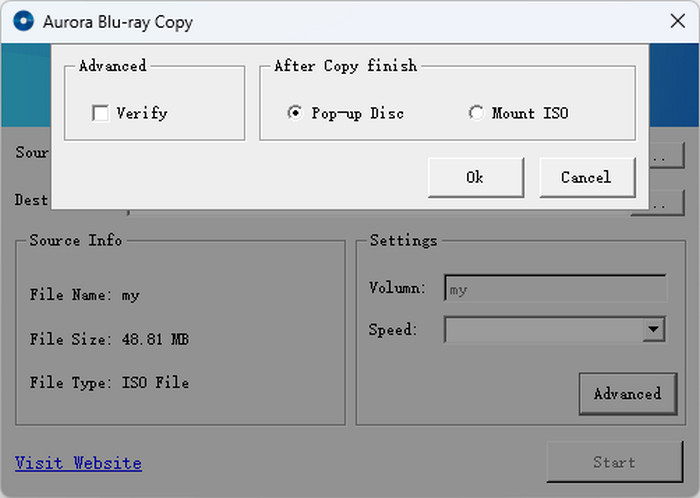
Aurora Blu-ray Copy can assist you if you have movie ISO files on your hard drive and would like to transfer them to a Blu-ray disc. This implies that you can create your own Blu-ray CDs using the tool as a basic Blu-ray ISO burning program. All users can burn their Blu-ray ISO files to a disc and then play them on their Blu-ray players with this Blu-ray copy software.
Convert Blu-ray to ISO File
Aurora Blu-ray Copy can indeed copy Blu-ray discs and save the content as an ISO file, effectively creating a digital replica of the disc. This process essentially creates a digital backup of your Blu-ray disc, which can be easily stored, shared, or burned to another disc using various burning software.
Blu-ray Copy Protection Bypass
Aurora Blu-ray Copy's sophisticated Blu-ray decryption technology can eliminate all known Blu-ray copy protections, such as AACS or BD+, as well as the most recent MKB v26 and bus encryption, BD-Live, and UOPs. Therefore, it supports various Blu-ray disc types, and the backup process is capable of proceeding smoothly.
Part 3. How to Backup Blu-ray to ISO
With such impressive features, how does Aurora Blu-ray Copy actually perform in practical usage? In the detailed review section below, we will analyze the software’s ease of use, compatibility, and output quality to help you determine if it’s the right choice for you.
Ease of Use
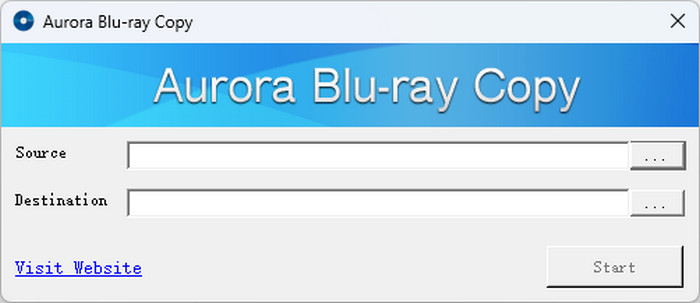
The simplicity of Aurora Blu-ray Copy is well-known. It has a simple and intuitive interface that is appropriate for both beginners and expert users. The software is a fantastic option for people who don't require sophisticated functionality because it concentrates on fundamental aspects.
In addition, the operating process is also easy and simple. Users only need to set the source and destination where the ISO file was and will be saved.
Compatibility
Aurora Blu-ray Copy is compatible with Windows and Mac, such as Windows XP (SP2 or later), Windows Vista, Windows 7, Windows 8, and Mac OS 10.9, but no higher than Windows 8 and Mac OS 10.9. Therefore, those users with modern PCs and Macs may encounter several potential issues, such as security vulnerabilities and performance degradation.
Copy Performance
Aurora Blu-ray Copy can perfectly maintain the original quality when copying a Blu-ray movie. Even with a 70% compression, there is only a slight loss in quality, while fully preserving the original audio format. Moreover, with the latest GPU acceleration technology (including NVIDIA and ATI video cards), Aurora Blu-ray Copy can quickly handle copying tasks. However, for the new system versions like Windows 11, its copying performance might be compromised.
Output Quality
Aurora Blu-ray Copy can copy a Blu-ray disc to another disc or an ISO. However, it cannot copy Blu-ray discs to a folder, and the ISO file cannot be directly converted into a digital video with this program.
Pros
- Free for Windows and Mac users.
- User-friendly interface and operation.
- Good copy performance and acceleration tech.
Cons
- Only supporting lower Windows and Mac versions.
- Limited input and output formats.
Part 4. How to Use Aurora Blu-ray Copy - A Step-by-Step Guide
After fully understanding the performance of Aurora Blu-ray Copy, you might be wondering how to use Aurora Blu-ray Copy to complete a Blu-ray backup. Next, we will provide you with a detailed step-by-step guide.
Step 1. Software Installation: Download and install Aurora Blu-ray Copy on your computer.
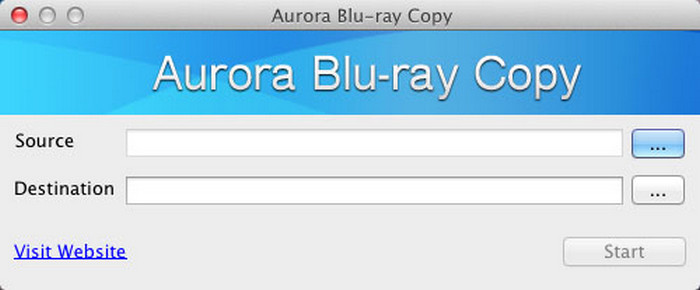
Step 2. Setup Preparation: Open the software, and insert a Blu-ray disc into the Blu-ray drive. Make sure your network is in good condition, and then we can start.
Step 3. Source & Destination Configuration: Choose the source of your Blu-ray disc and the destination area. You can also rename your files.
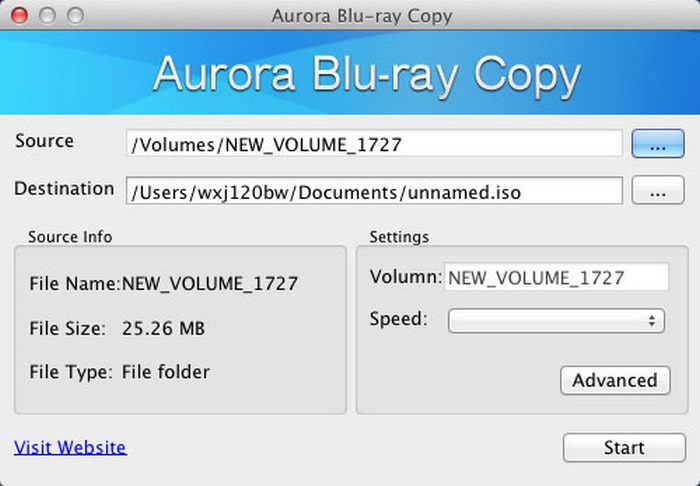
Step 4. Copy Process Initiation: Click the Start button, and wait for a little while, the copy process will be finished.
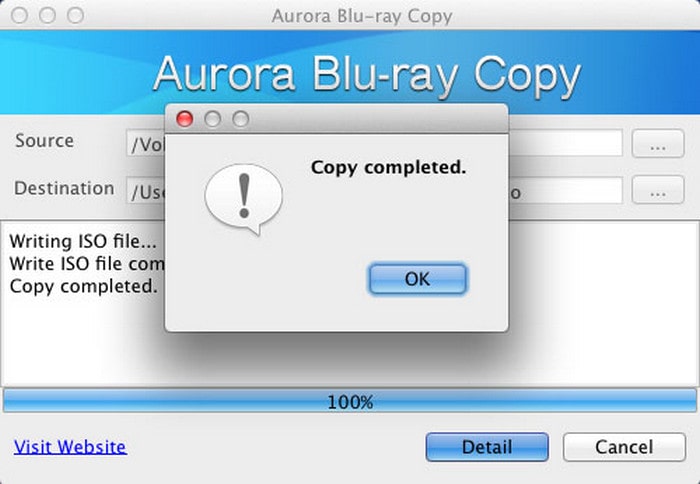
Note: It is advised that you update the software as soon as possible and routinely remove temporary files to free up storage space for the optimal user experience.
After completing the above steps, you have successfully copied the Blu-ray disc by using Aurora Blu-ray Copy.
Part 5. Alternatives to Aurora Blu-ray Copy
As mentioned above, Aurora Blu-ray Copy does not support higher system versions, such as Windows 10 and Windows 11, and it offers limited input and output formats. Therefore, if you are searching for a better Blu-ray copy tool with higher compatibility and more input and output formats, Blu-ray Master Free Blu-ray Copy is an excellent choice for Windows 11/10/8/7.
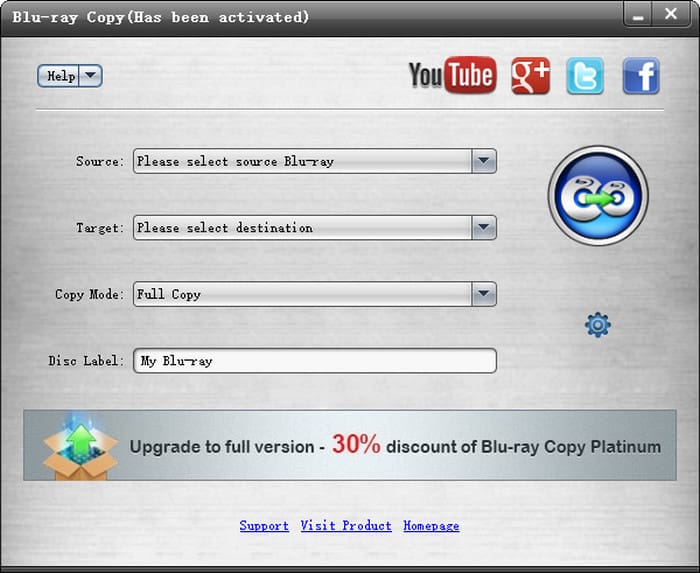
Blu-ray Master Free Blu-ray Copy is also a free Blu-ray copy software, which is capable of copying any Blu-ray file to disc or hard drive losslessly. Similar to Aurora Blu-ray Copy, its interface is simple and straightforward. Also, it leverages GPU acceleration to speed up the process of copying.
More importantly, Blu-ray Master Free Blu-ray Copy offers more input and output formats, including Blu-ray disc, Blu-ray Folder, and Blu-ray ISO. In addition, you can choose the full disc or the main movie to copy according to your demands. Download and try it now.
Free Download
For Windows
Secure Download
Wrapping up
In this Aurora Blu-ray Copy review, we have analyzed its key features, practical performance, and how to use it. At the same time, we have understood that although Aurora Blu-ray Copy possesses a user-friendly interface and good performance, it doesn’t support the latest system versions, and it only supports two output formats (Blu-ray disc and ISO). Therefore, it is suitable for those beginners who don’t have higher demands. Blu-ray Master Free Blu-ray Copy is a reliable option if you are looking for a more professional tool. Hope you’ll share your experience in the comments section below.
More from Blu-ray Master
Top Blu-ray Copy Software

Free tool to copy any Blu-ray file to disc, folder, or ISO images losslessly.
100% Secure. No virus
