

Sep 23, 2026Posted by Kevin Miller to Copy Blu-ray
Quick Summary
To choose the right Blu-ray copy tool, it’s important to be clear about your requirements.
- Best Overall for Windows: Blu-ray Master Free Blu-ray Copy
- Best for Advanced Decryption: DVDFab Blu-ray Copy
- Best Free Alternative for Remuxing: MakeMKV
Let’s be real - nobody wants to hunt through physical cases or worry about optical disc rot anymore. With studio copy protection getting tighter and high-capacity hard drives cheaper than ever, archiving your physical Blu-ray collection to a home NAS or media server is a no-brainer.
Whether you want to store 1:1 copied ISO image files, preserve the original DTS-HD MA surround sound, or build a seamless local media library for Plex, bypassing AACS and BD+ encryption is essential.
Below, we tested and listed the 5 best Blu-ray copy software that actually work on modern Windows and Mac setups—so you can safely back up your discs and keep your original media mint in storage.

- Part 1. Quick Clarification: Blu-ray Copying vs. Blu-ray Ripping
- Part 2. How We Test the Best Blu-ray Copy Tools
- Part 3. The 5 Best Blu-ray Copy Software (2026 In-Depth Review)
- Part 4. FAQs About Blu-ray Copying
Part 1. Quick Clarification: Blu-ray Copying vs. Blu-ray Ripping
Before diving into the tools, being clear about the concepts of Blu-ray copying and ripping helps to clear up common sources of confusion:
- Blu-ray Copying: Creates a 1:1 identical bit-for-bit backup (saved as an ISO image or BDMV folder) on your local storage or a blank disc. It preserves the entire disc structure, including interactive menus, chapters, and multi-channel audio tracks.
- Blu-ray Ripping: Transcodes and converts the video data into standard digital video files like MP4 or MKV. This compresses the file size for smooth playback on phones, tablets, or media streaming hardware, but drops original disc navigation menus.
Why do people want to copy Blu-rays? Here are some common reasons.
- Protect Against Disc Rot & Scratches: Physical optical media wears down over time. Physical handling, accidental scratches, or layer rot can render a disc unreadable. Archiving your collection keeps your original discs safe in storage.
- Seamless NAS & Plex Integration: Digitizing your media allows you to stream your physical movie collection instantly across home media servers like Plex, Jellyfin, or local NAS storage without swapping discs manually.
- Bypass Region Lockouts: Commercial releases often enforce strict region codes. Creating a digital copy removes these regional restrictions, allowing smooth playback on any device.
Part 2. How We Test the Best Blu-ray Copy Tools
To deliver accurate assessment results about the various Blu-ray copy software, we evaluated each software option under a standardized physical testing environment:
- Test System: Windows 11 64-bit | Intel Core i7-13700K | 32GB RAM | LG WH16NS40 Optical Drive.
- Decryption Capability: Evaluated using commercial BD-50 media encrypted with AACS and BD+ restrictions.
- Real-World Copy Speed: Measured the precise duration required to read, decrypt, and save a full 1:1 45GB BD-50 disc directly to an NVMe SSD as an ISO file.
| Software | Best For | Key Strength | Rating |
| Blu-ray Master Free Blu-ray Copy | 1:1 Disc-to-Disc & ISO Backups | Clean UI & lossless 1:1 BD-50 cloning | 4.8 / 5 |
| DVDFab Blu-ray Copy | Heavy Collectors & Fast Processing | Removes tough DRM & Cinavia watermarks | 4.7 / 5 |
| Blue-Cloner | Flexible Disc Burning & Custom Backups | Multiple copy modes with BD-50 to BD-25 compression | 4.5 / 5 |
| MakeMKV | Lossless Video/Audio Extraction | Retains 100% original streams into MKV containers | 4.6 / 5 |
| Leawo Blu-ray Copy | Everyday Backup Tasks | Straightforward interface for basic disc cloning | 4.2 / 5 |
Part 3. The 5 Best Blu-ray Copy Software (2026 In-Depth Review)
1. Blu-ray Master Free Blu-ray Copy – Best Free ISO Cloner for Windows
Strong (Handles standard AACS and region codes).
Full Disc, Main Movie, Clone, and Write Data.
Blu-ray Disc, ISO Image File, BDMV Folder.
No (Limited to standard 1080p Blu-rays).
Moderate (Relies primarily on system CPU and optical drive read speed).
Free (Paid Upgrade available for Pro features).
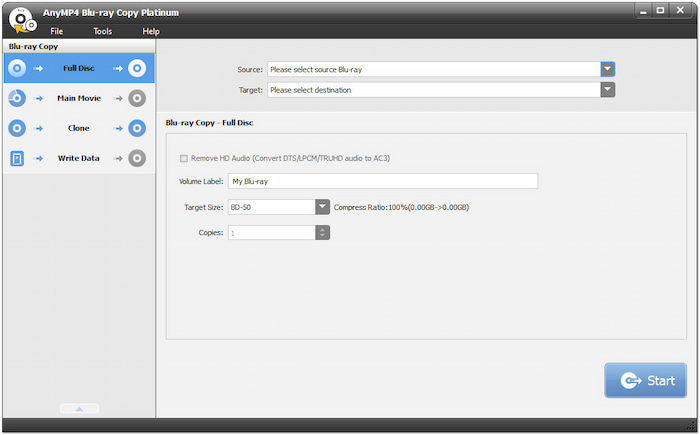
Blu-ray Master Free Blu-ray Copy is a Windows-specific Blu-ray copying tool. It allows you to input Blu-ray discs and BDMV folders and copy them to Blu-ray discs, folders, and ISO image files. With its clear interface, you can create 1:1 bit-for-bit ISO images or folder backups directly to your local hard drive. It offers 4 copy modes to meet different needs. If you want a fast, reliable Blu-ray copy tool to process standard Blu-ray movies, choose it.
Free Download
For Windows
Secure Download
Pros
- It can process AACS, BD+, region codes, and other common Blu-ray copy protections.
- It supports 1:1 ISO copying and disc cloning.
- It has a clear and intuitive inferface that you can use with almost zero learning cloning.
- It can preserve the original video quality, audio tracks, and interactive menus.
Cons
- It cannot handle the 4K Blu-rays in the free version.
- It lacks advanced settings to configure Blu-ray copying.
2. DVDFab Blu-ray Copy – Best Powerhouse for Heavy Movie Collectors
Advanced & Frequently Updated (Cloud Decryption Service handles the latest AACS, BD+, Cinavia, BD-J, and region codes).
Full Disc, Main Movie, Customize, Merge, and Clone/Burn.
Blu-ray Disc (BD-50, BD-25, DVD-9, DVD-5), ISO File, BDMV Folder.
Yes (Via DVDFab UHD Copy module / bundled options).
Ultra-Fast (Multi-core CPU support & full GPU acceleration via NVIDIA CUDA, AMD, and Intel Quick Sync).
Paid ($44.99/year or $69.99 for Lifetime License; Free Trial available).
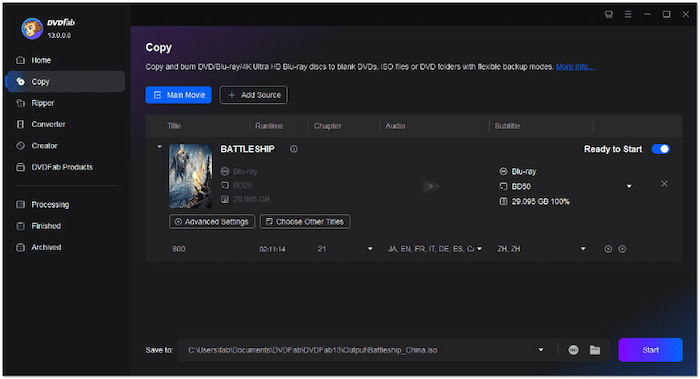
DVDFab Blu-ray Copy is widely recognized as the industry benchmark for optical media backup. It is specifically designed for serious movie collectors with extensive physical libraries. With the uniquecloud-based decryption engine, it can effortlessly bypass the latest AACS, BD+, BD-J, and regional protections. It provides 5 copy modes, so you can flexibly choose the desired mode and copy your Blu-rays, including 1:1 copy, compressing dual-layer BD-50 discs onto affordable single-layer BD-25 media, or customizing exact audio and subtitle tracks.
Pros
- It has powerful decryption ability to handle the latest commercial Blu-ray movies.
- It can compress BD-50 to BD-25 without losing much video quality.
- This Blu-ray cloner can copy Blu-rays at a fast speed with GPU acceleration.
Cons
- Its price is high for many people.
- Its functions are rich and the interface is complex, which would be not friendly to beginners.
3. Blue-Cloner – Best for Flexible Disc Burning & Custom Backups
Strong (Removes standard AACS, BD+, and region codes automatically).
Express Mode (1-Click), Expert Mode (Full Movie Copy, Main Movie Copy, Split Copy, Customized Copy).
Blu-ray Disc (BD-50, BD-25), ISO File, BDMV Folder.
Yes (Supports 4K UHD copying via UHD friendly drives).
Fast (Supports HST hardware acceleration).
Paid ($59.99 for Lifetime License; Free Trial available).
Blue-Cloner is a well-established tool in the Blu-ray backup space, favored by people who need a balance between automated simplicity and granular control. It features two distinct user interfaces: Express Mode for quick, one-click 1:1 cloning, and Expert Mode for fine-tuning compressed burns and custom audio/subtitle selection. Blue-Cloner shines when burning physical media, allowing you to combine multiple Blu-rays onto a single disc or split a single BD-50 onto two BD-25 discs without sacrificing playback fidelity.
Pros
- Its dual-interface design makes it equally suitable for novices and power users.
- It has excellent disc-splitting and multi-disc merging capabilities.
- It allows you to select the titles you want to retain to trim the unwanted trailers and extras.
Cons
- It updates the decryption engine once in a while.
- Its interface design is outdated.
4. MakeMKV – Best Free Tool for Lossless Remuxing
Exceptional (Continuously updated by an active community to bypass the latest AACS and BD+ protections).
Full Disc Backup (BDMV structure) or Individual Title/Track Extraction (Remux).
MKV File, BDMV Folder (Direct Disc Backup).
Yes (Full support for 4K UHD Blu-rays with UHD-friendly drives).
Optical Drive Bound (Fast, limited only by your drive’s maximum read speed since no re-encoding occurs).
Free (Free while in public Beta; optional $50 lifetime key to support development).

MakeMKV is the industry-standard tool for creating clean, uncompressed copies of Blu-ray collection sets. Although it is technically classified as a 'Remuxer' rather than traditional disc burning software, MakeMKV can read encrypted Blu-ray and 4K UHD discs and directly extract the original video and audio streams into an open-source MKV container without requiring re-encoding. Most importantly, the software includes a 'Backup' feature – a raw-mode utility that decrypts the entire BDMV folder structure and exports it to your storage device, making it an indispensable, free foundational tool for Plex and media server enthusiasts.
Pros
- You can use its beta version to free back up Blu-rays.
- It has robust decryption ability to handle Blu-ray copy protections.
- It can flawlessly preserve HD audio tracks (Dolby Atmos, DTS:X), subtitles, and chapter markers.
- It is available for Windows, Mac, and Linux.
Cons
- It can only output MKV and the file size is large.
5. Leawo Blu-ray Copy – Reliable Option for Legacy Discs
Moderate (Removes AACS, BD+, and region codes A/B/C).
Full Movie, Main Movie, Custom Mode.
Blu-ray Disc (BD-50, BD-25), ISO Image File, BDMV Folder.
No.
Good (Supports NVIDIA CUDA, Intel Quick Sync, and AMD acceleration).
Paid ($44.95/year or $99.95 for Lifetime License; Free Trial available).
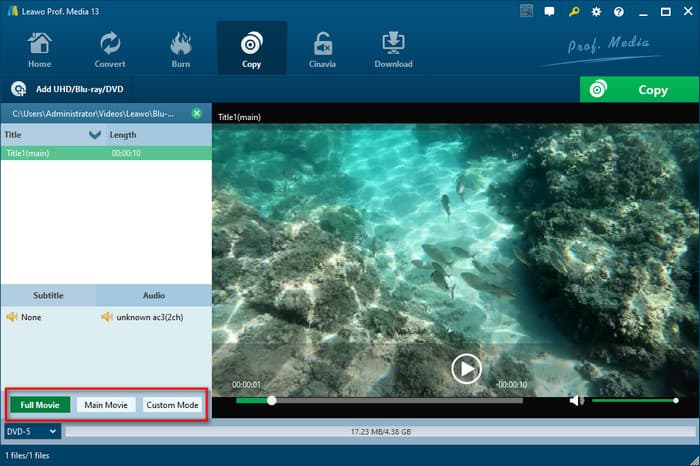
If you're looking for a simple and hassle-free way to back up your collection of older Blu-ray discs, Leawo Blu-ray Copy is the ideal choice. This software is highly popular among users who have accumulated a large number of older Blu-ray discs – it creates accurate 1:1 original copies without compromising image quality; if you enjoy 3D visual effects, it preserves these effects in full. Its user interface is clean and intuitive – it even comes with a built-in player, making it easy for you to review the copied content at any time. In general, the software can automatically handle all pesky regional restrictions and copy protection mechanisms, so you don't need advanced technical expertise to burn movie content onto blank discs or save it to your hard drive.
Pros
- It can clone 3D Blu-rays with fidelity.
- You can choose the titles and audio tracks before copying.
- It is easy to use with a clear interface.
Cons
- Its speed may slow on mid-range hardware.
- You need to buy the extra software module to copy 4K Blu-ray.
Part 4. FAQs About Blu-ray Copying
-
What is the absolute best software to clone a 3D Blu-ray disc to ISO without losing quality?
DVDFab Blu-ray Copy is ideal for 1:1 ISO cloning. It can greatly maintain the MVC 3D video stream, interactive menus, and original audio.
-
Can I use HandBrake to copy protected commercial Blu-ray movies to my hard drive?
No. HandBrake cannot process the copy-protected Blu-ray movies.
-
Do I need a special Blu-ray drive to copy 4K Ultra HD Blu-ray discs, or will a standard drive work?
Yes. You need a specific UHD-friendly drive to read the 4K Blu-ray discs.
-
Why does my Leawo Blu-ray Copy fail to read newer movie releases, and what's the best alternative?
Leawo often lags behind in updating its internal decryption keys for new DRM schemes (AACS v70+ or BD+ variants). DVDFab Blu-ray Copy updates frequently to handle the latest Blu-ray copy protections
-
How to preserve full Blu-ray interactive menus when backing up discs to a local PC?
Select Full Disc or Clone mode in a 1:1 backup tool (such as Blu-ray Master or DVDFab) and export as a BDMV Folder or ISO Image.
-
What hard drive format or optical drive do I need to copy encrypted Blu-ray discs smoothly?
For a hard drive, choose NTFS or APFS, and avoid FAT32. For the optical drive, choose an internal or USB 3.0 BD-RE drive.
Conclusion
Now, you have gotten the 5 best Blu-ray copy software to back up your Blu-ray collection. Whether your priority is 1:1 bit-perfect disc cloning to preserve full interactive menus, or simply converting your movies into lossless MKV files for a home NAS setup, choosing the right tool comes down to your specific storage goals and hardware setup. Choose one proper tool from them and start your copying process.
