

Dec 05, 2025Posted by Kevin Miller to Play Video
You may find it difficult to search for the best MP4 video players due to the vast number of players available on the internet. We have gathered and tested the popular video players for Windows and Mac. This post will share the top list of free MP4 player software that meets your need. Read our reviews carefully and then you will get the most appropriate video player for your HD videos saved in MP4.

- Part 1. How to Choose the Best MP4 Player
- Part 2. Top 10 Free MP4 Players for Windows
- Part 3. Top 10 Free MP4 Players for Mac
- Part 4. How to Play MP4 Files
- Part 5. FAQs of Free MP4 Video Player
Part 1. How to Choose the Best MP4 Player
MP4 is a commonly used file format for video playback, almost all player software in the market can handle MP4 playing. However, choosing the best MP4 player from hundreds of products is not an easy task, especially for free. When choosing an MP4 player, you can consider the following factors:
- Interface: easy-to-use.
- Stability: software running without breakdown, system lag, or delays.
- CPU usage: low stress put on CPU and RAM.
- Codec: support H.265/HEVC, H.264 and other popular codecs.
- Video and audio quality presentation: keep the original quality or support video playing to 1080p HD quality.
- Encryption: support MP4 encrypted files or from any region.
- Strong format compatibility: MP4, WMV, MOV, M4V, AVI, etc.
- Playlist: library or playlist management.
- Playback option: select subtitles or audio tracks.
- Customizations: support customizing MP4 playback in video enhancement, bookmark adding, movie clipping, etc.
Hence, there are a lot of for you to compare and consider. Luckily, you have Blu-ray Master to test all these factors for you. Check up the comparison table we concluded of free MP4 players on both Windows and macOS below!
| 10 Free MP4 Players for Windows | Easy-to-use Interface | Supported Codec | Supported Windows OS | Multiple Formats | Support HD/4K/8K |
| Blu-ray Master Free Blu-ray Player | ✔ | H.265/HEVC, H.264, AV1, VP9, H.266, MPEG-4, DivX, Theora, etc. | Windows 10/8/7/XP | ✔ | HD/4K/8K |
| KMPlayer | ✘ | HEVC/H.265, H.264, VP9 | Windows 10 | ✔ | HD/4K |
| BS Player | ✔ | / | Windows 10/8/7 | ✔ | HD |
| SMPlayer | ✔ | H.264, H.263(+) | Windows 10 | ✔ | HD |
| Media Player Classic – Home Classic | ✔ | No development since 2017 | Windows 7/Vista/XP/8/10 | ✘ | / |
| AVS Media Player | ✘ | / | Windows 10/8/8.1/7/XP/2003/Vista | ✔ | / |
| ACG Player | ✘ | No codec add-ons are available for this media player. | Windows 10 | ✔ | / |
| Final Media Player | ✔ | HEVC, H.265, H.264, VP9, AV1, Theora | Windows XP/VISTA/7/8/10 | ✘ | / |
| Pot Player | ✔ | HEVC, H.265, H.264, VP9 | Windows 8/8.1/7/XP/Vista | ✔ | HD/4K |
| FLVPlayer4Free | ✔ | H.265/HEVC, H.264, AV1, VP9, H.266, MPEG-4, DivX | Windows 10/11 | ✔ | HD/4K |
| 10 Free MP4 Players for macOS | Easy-to-use Interface | Supported Codec | Supported macOS | Multiple Formats | Support HD/4K/8K |
| VLC Media Player | ✘ | MPEG-2, MPEG-4, H.264, VP9, AV1 | mac OS X 10.7.5 or later | ✔ | HD/4K/8K |
| MPlayer OSX | ✘ | MPEG-1, MPEG-2, MPEG-4, DivX, H.265/HEVC, H.264, etc. | macOS 10.7 or later | ✔ | HD |
| DivX Player | ✔ | H.265/HEVC, H.264, MPEG-2, MPEG-4, DivX | macOS 10.8.9 | ✘ | HD/4K/8K |
| 5KPlayer | ✘ | HEVC, H.265, H.264, VP9, AV1, Theora | macOS Catalina, Mojave, High Sierra, Sierra, mac OS X El Capitan, Yosemite, Mavericks, MountainLion, Lion, Snow Leopard | ✔ | HD/4K |
| UMPlayer | ✔ | MPEG-1, MPEG-2, MPEG-4, DivX, H.265/HEVC, H.264, etc. | macOS 10.7 or later | ✘ | / |
| GOM Player for Mac | ✘ | HEVC, H.265, H.264, VP9, AV1 | Mac OS X 10.13(High Sierra) or later | ✔ | HD/4K |
| SPlayer for Mac | ✘ | HEVC, H.265, H.264, VP9, AV1 | macOS 10.10.0 or later | ✔ | HD/4K |
| Elmedia Player for Mac | ✘ | HEVC, H.265, H.264, VP9, AV1 | macOS 10.12 or later | ✔ | HD/4K/8K |
| Macgo Free Mac Media Player | ✔ | HEVC, H.265, H.264, VP9, AV1 | Mac OS X 10.6 – 10.12 Sierra | ✘ | HD/4K |
| RealPlayer for Mac | ✔ | HEVC, H.265, H.264, VP9 | macOS 10.5.8 or later | ✔ | / |
Part 2. Top 10 Free MP4 Players for Windows
Blu-ray Master Free Blu-ray Player: Best for users who want a simple, free solution to play high-quality MP4 files seamlessly.
KMPlayer: Best for advanced viewers who need customizable playback speed and wide codec support.
BS Player: Best for efficient playback with hardware acceleration and automatic subtitle downloads, especially on older PCs.
SMPlayer: Best for users who want built‑in codecs and YouTube streaming without needing extra installations.
Media Player Classic – Home Classic: Best for lightweight, ad-free playback with a familiar Windows-style interface.
AVS Media Player: Best for those seeking a straightforward MP4 player with audio, video, and image viewing in one package.
ACG Player: Best for Windows 10 users who prefer a modern player with gesture controls and a minimalist design.
Final Media Player: Best for beginners who want a no-frills player that supports the most common formats out of the box.
Pot Player: Best for power users who need extensive customization, advanced playback controls, and high-performance 4K/3D support.
FLVPlayer4Free: Best for users focused on playing FLV and MP4 files with basic editing and playlist features.
Top 1: Blu-ray Master Free Blu-ray Player
Blu-ray Master Free Blu-ray Player is a free MP4 player that can play MP4 and other 1080p HD videos smoothly. You can open MP4 files with perfect video and audio experience for free. The free MP4 video player is 100% free and safe to use.
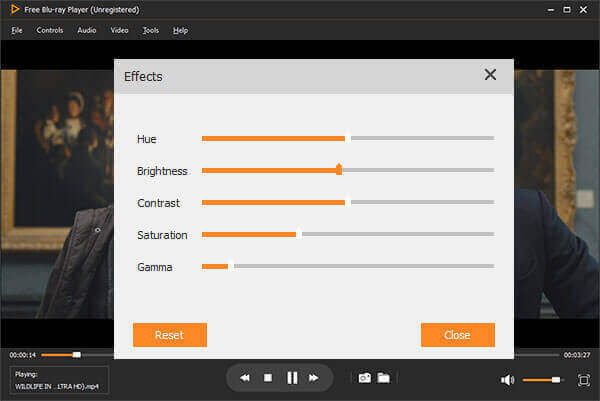
You can adjust video effects while playing MP4. Moreover, you can watch videos in MP4 format on your widescreen computer with selectable screen modes. It is also supported to take a snapshot while watching MP4 on PC.
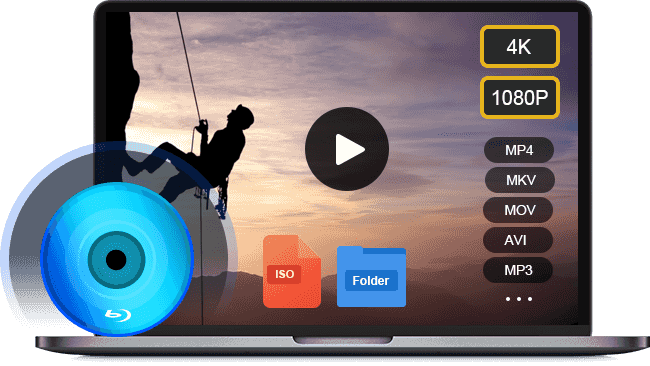
- 100% free to use on Windows 10/8/7/XP and Mac OS X/11.
- Play MP4 and other video formats, such as AVI, MKV, MOV, GIF, etc.
- Decode commercial and Blu-ray discs regardless of protection.
- Keep the original video and audio quality with zero quality loss.
Free Download
For Windows
Secure Download
Free Download
for macOS
Secure Download
How to Play MP4 Videos on Windows 10/Mac
Step 1.Get the best free MP4 player
BD Master Free Blu-ray Player offers two versions, one for Windows and the other for macOS. Download and install the right version to your machine, and launch it when you want to view MP4 movies.
Step 2.Import a MP4 movie
There are three ways to import a MP4 video:
Click the Open File button to trigger the open file dialog, find the video on your hard drive and hit Open button.
”Go
Drag and drop a MP4 video into the home interface.
Tips
If the MP4 video is on an optical disc, click Open Disc instead.
Step 3.Control the MP4 playback
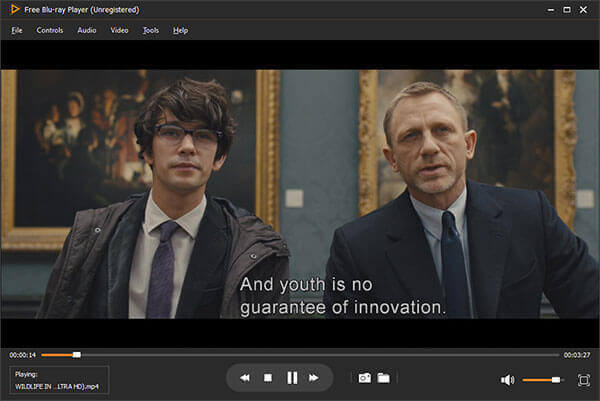
After loading, it begins playing the MP4 movie immediately. The quick controls are located on the bottom, such as Fast forward, Fast backward, Stop, Pause, and more. Plus, you can find the custom options in the top menu bar.
Top 2: KMPlayer
KM Player is one of the most popular multimedia players that player that has been exclusively developed for Windows and it supports almost any format and high-definition services such as 1080p HD and 4K, and you can fully enjoy images with vivid image quality.

Key features:
• Support extensive file formats covering audio, video, subtitle, and more.
• Include a long list of configuration options for MP4 playback.
• Expandable with external codecs and third-party plugins.
• Turn your 2D MP4 videos into interlaced 3D mode.
Pros
- This MP4 player for Windows 10 is an open source project.
- It is compatible with a wide range of video files including Blu-ray.
Cons
- Less experienced users are prone to get lost due to its extensive set of advanced settings.
Top 3: BS Player
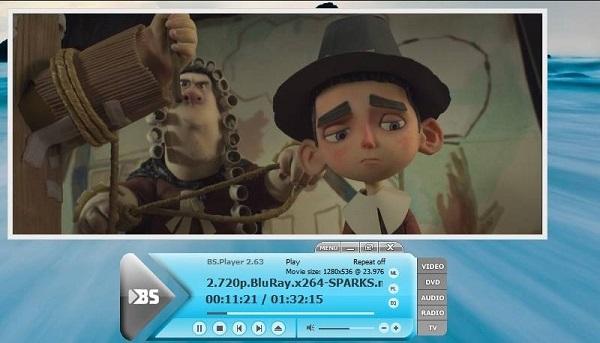
BS Player is a world-renowned media player for Windows, and it is one of the best free media players in the world. BS Player is capable of playing various types of multimedia files (including MPEG, OGG, AVI. ASF, QuickTime, WAV, MP4, and so on). Additionally, BS player is an AVCHD player that allows users to watch movies in AVCHD format. You can also stream videos from the internet on this video video player for Windows.
Key features:
• Integrate a media library for managing video and audio files.
• Compatible with a wide range of media formats.
• Make playlists for watching MP4 movies one by one.
• Pack some custom options for making personalized experiences.
Pros
- This MP4 player for Windows 7/8/10 offers both a free and a pro version.
- It has the built-in option to hardware accelerate MP4 playback.
Cons
- The Chromecast support is only available to the paid version.
Top 4: SMPlayer
SMPlayer is the ultimate free media player that offers all the features you could need for playing videos and music. It supports for many popular video and audio formats, including MP4, AVI, FLV, MOV, etc. Apart from supporting for different formats, it supports CD and DVD so that you can enjoy music and movies using the program.
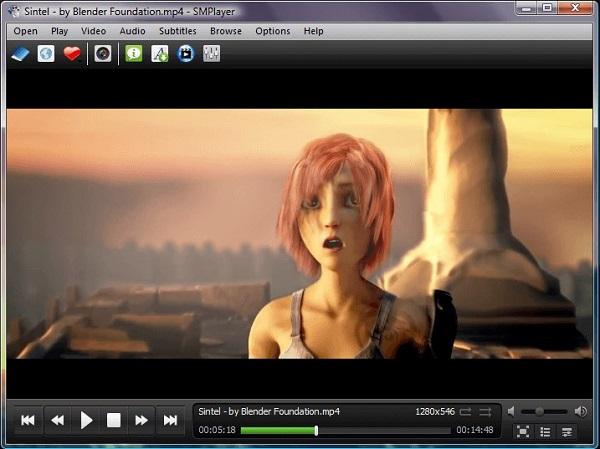
Key features:
• Play videos, music and other audio tracks on Windows and Linux.
• Remember where you are in a video when closing it down.
• Stream online videos from YouTube without downloading.
• Support for subtitles, a graphic equalizer.
Pros
- This free MP4 player is available to Windows 10 and Linux.
- It will remember the playback position and customizations on close.
Cons
- The MP4 video player for Windows 10 download extra software when installing.
- There are not playback controls on Windows 7.
Top 5: Media Player Classic - Home Classic
Media Player Classic - Home Classic media player is also an open-source player that is used for playing a video. This software supports numerous file formats, including MKV, MPG, FLV, and AVI.
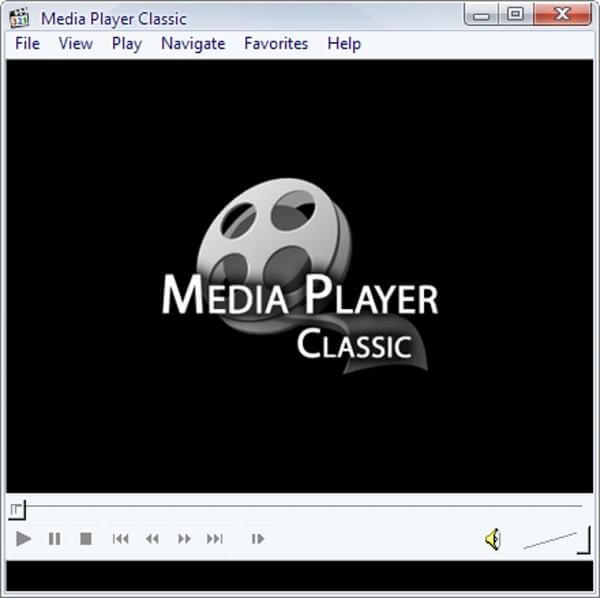
Key features:
• Lightweight and open-source media player for Windows 7/Vista/XP/8/10.
• Support all common video and audio file formats including MP4.
• Offer several custom options in the custom toolbar to fit various needs.
• Can be used as DVB player.
Pros
- This MP4 and music player responds very fast.
- It is portable and no installation required.
Cons
- The custom options are limited, especially for tech savvy.
- There are no video quality controls.
Top 6: AVS Media Player
AVS Media Player is the universal media player solution for Windows. It enables you to play high-quality MP4, 3GP, MKV or other videos without a problem. Apart from the video support, it also supports a wide range of audio formats.
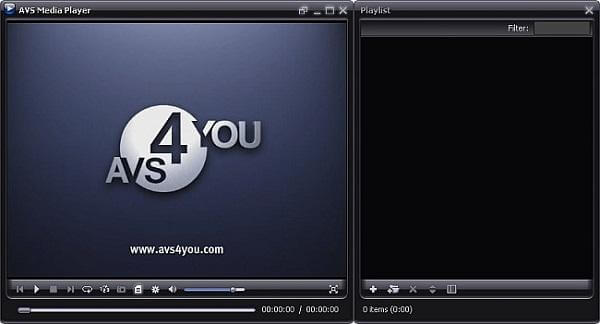
Key features:
• Let you play music and movies in various formats, such as MP4.
• Support 3.1, 5.1 and 7.1 speaker configurations and allow you to switch on the Sound Effect.
• Available in English, French, German, Spanish, and more.
• Compatible with Windows 10/8/8.1/7/XP/2003/Vista.
Pros
- The free MP4 player is very easy on the eyes.
- It supports a wide range of file formats covering video, audio and picture.
Cons
- The interface is not customizable.
- You have to view annoying ads when playing MP4 videos.
Top 7: ACG Player
ACG Player is the go-to free video player if you're looking for a tool that can handle whatever videos you throw at it. ACG Player supports most media codecs out-of-the-box and follows no-nonsense policy.
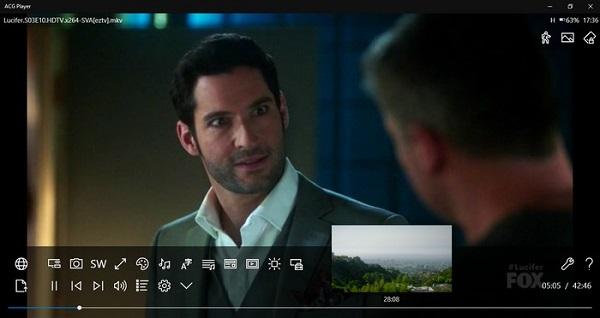
Key features:
• Integrate a simple and gesture-based interface for playback controls.
• Support most media codecs from MP4 to AVI, from MP3 to FLAC.
• Adjust basic playback controls, like speed, aspect, and rotation.
• Play videos from playlists, hard drive, or optical discs.
Pros
- This best MP4 player is free to download from Microsoft Store.
- It works on desktop, laptop and tablets.
Cons
- It is supported by ads, though you can remove it by in-app purchase.
- Some of the options are a little hidden.
Top 8: Final Media Player
Final Media Player is one of the more comprehensive free options that allows you to play 40+ types of video files like 3G2, 3GP, 4XM, ANM, ASF, AVI, etc. Additionally, it supports audio formats such as MP3, AAC, AC3, FLAC, and more.
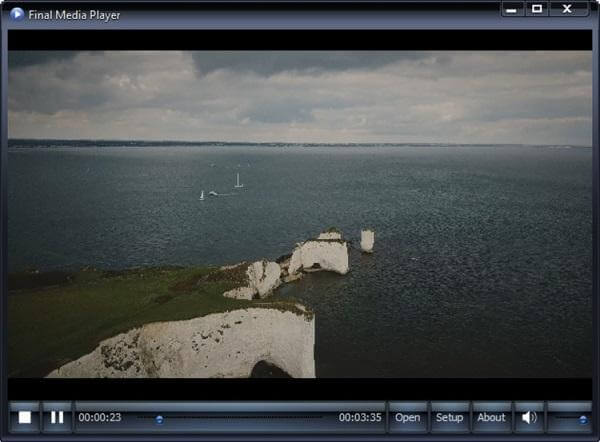
Key features:
• Let you enjoy favorite songs and videos in MP4, AVI, and more.
• Available to Windows XP/VISTA/7/8/10.
• Include extensive codecs natively.
• Equip a clean interface for video playback.
Pros
- The playback quality is pretty good.
- It works with various home cinema systems and devices.
Cons
- The video playback controls are limited.
- It lacks advanced custom options.
Top 9: Pot Player
PotPlayer is a feature-rich DVD player program that can virtually play any files. You can use this software to play 360 degrees, and 3D video.
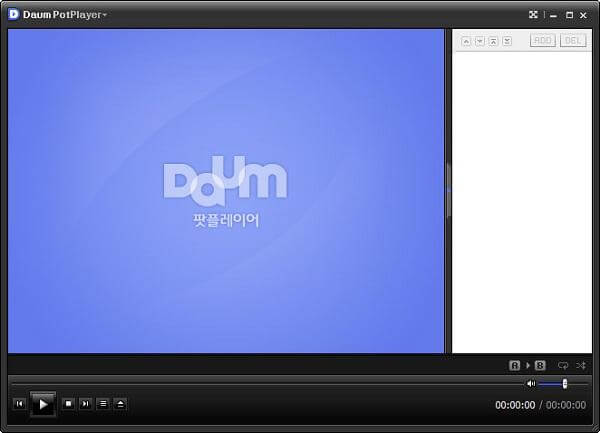
Key features:
• Play most of the video and audio file formats including MP4.
• Supports AVI playback even the video file is broken or incomplete.
• Search for subtitles and audio tracks on the internet automatically.
• Built in an audio equalizer to offer rich sound quality.
Pros
- This MP4 player can be downloaded online for free.
- It allows you to control playback with shortcuts.
Cons
- It is larger than most MP4 players on market.
- The extensive custom options may make beginners confused.
Top 10: FLVPlayer4Free
Among the best free MP4 video players for Windows, FLVPlayer4Free is a powerful program that offers support for FLV, MPEG4, WEBM, DIVX, XVID, MP4, AVI, MPEG, and other popular media files. And it allows you to save frame as an image in JPG, PNG, or BMP.
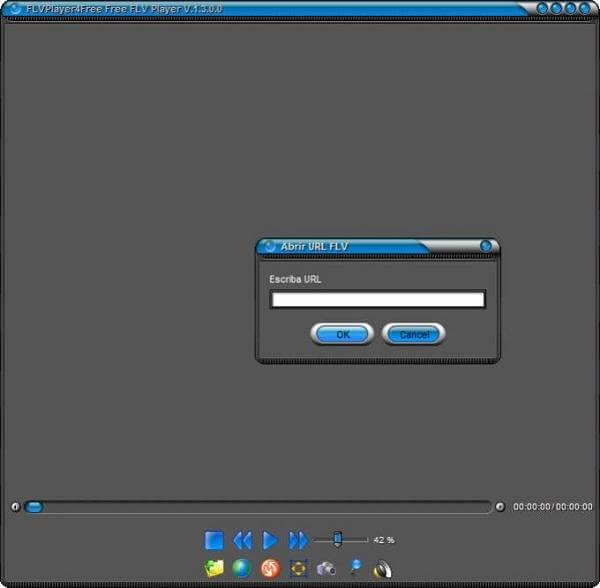
Key features:
• Drag-and-drop to play MP4 and other video formats.
• Make snapshots and save them as images.
• Play videos in various modes, such as full screen or wide screen.
• Always keep on top while perform multiple tasks.
Pros
- Easy to navigate interface.
- Use a low amount of system resources.
Cons
- No available help file.
- Automatically play files background sometimes.
Part 3. Top 10 Free MP4 Players for Mac
VLC Media Player: Best for users who want a free, open-source player with universal format support and no ads.
MPlayer OSX: Best for lightweight playback with strong codec support and minimal system resource usage.
DivX Player: Best for streaming and playing DivX and MP4 files with high-quality compression.
5KPlayer: Best for those seeking HD/4K playback plus AirPlay, DLNA streaming, and YouTube download integration.
UMPlayer: Best for users who want a simple, cross-platform player with built‑in codecs and subtitle support.
GOM Player for Mac: Best for customizable playback with advanced subtitle features and codec finder integration.
SPlayer for Mac: Best for minimal design and smooth playback with automatic subtitle matching.
Elmedia Player for Mac: Best for Mac users who want a polished interface, streaming to Apple TV, and advanced playlist management.
Macgo Free Mac Media Player: Best for Blu-ray and DVD playback alongside MP4 support in a free package.
RealPlayer for Mac: Best for managing, playing and converting videos with integrated cloud storage and sharing features.
Top 1: VLC Media Player
VLC Media Player is a feature-packed free video player that lets you play 360-degree videos, movies up to 8K resolution, and videos in most popular file formats. It also offers many useful tools and controls. You can configure your video settings to improve the playback or audio quality, as well as apply filters to change the look of individual clips.
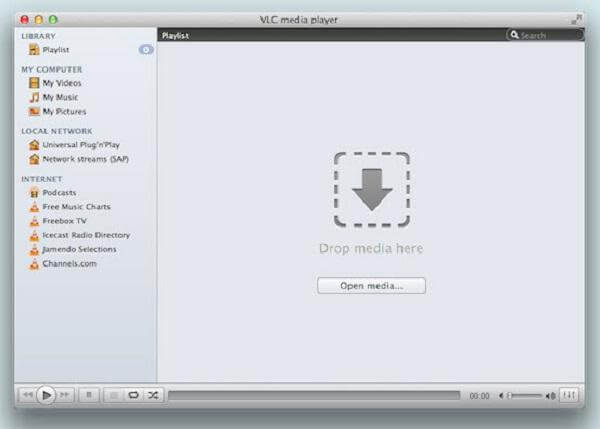
Key features:
• Support plentiful video and audio formats, such as MP4.
• Play online streams via URL directly.
• Integrate extensive functionalities, like video conversion, online video download and more.
Pros
- This MP4 player for Mac is completely free without any limitation.
- It is compatible with Mac, Windows and Linux.
Cons
- It lacks a media library to manage your videos.
- The features are hidden in menus and hard to use.
Top 2: MPlayer OSX
MPlayer is a powerful program that allows you to play most MPEG, VOB, AVI, MP4, MOV, RealMedia, Matroska, NUT, NuppelVideo, FLI, YUV4MPEG, FILM, RoQ, PVA files, and more. You can watch VideoCD, SVCD, DVD, 3ivx, DivX 3/4/5 and even WMV movies with it.
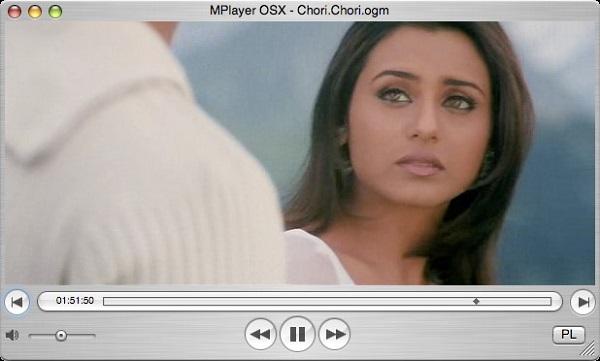
Key features:
• Play almost any format of file or stream including MP4.
• Detect the encoding of the subtitles without conversion.
• Support Apple Remote and let you watch your movies more comfortable.
• Find the next episode automatically.
Pros
- This free MP4 player for Mac works with other Apple devices.
- It is designed for Mac, so it fits in OSX environment perfectly.
Cons
- The CPU usage is high.
- It lacks the playlist feature.
Top 3: DivX Player
DivX Player is a full-featured media player that can play DivX, AVI, MKV, MP4, MOV, and more with ease. It can automatically prepare your videos to play beyond your computer, and ensure your videos are formatted properly to play on DivX devices.
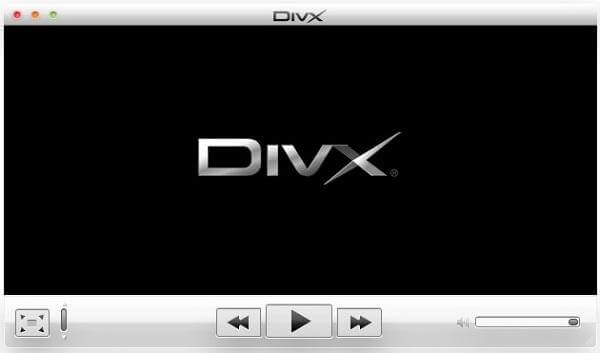
Key features:
• Play high quality videos in MP4, AVI and more on MacBook.
• Manage multimedia contents with the playlist functionality.
• Support 4K and full HD video playback.
• Compatible with Mac OS X 10.9 and above.
Pros
- The free MP4 video player for Mac contains the video conversion.
- It is available in various languages.
Cons
- The video conversion is only unlimited for pro version.
- It does not support as much formats as other MP4 players.
Top 4: 5KPlayer
5KPlayer offers a lot of advanced functionality for playing videos. The software allows you to manage and add your entire video collection. In addition, you can stream videos right from YouTube without much effort.
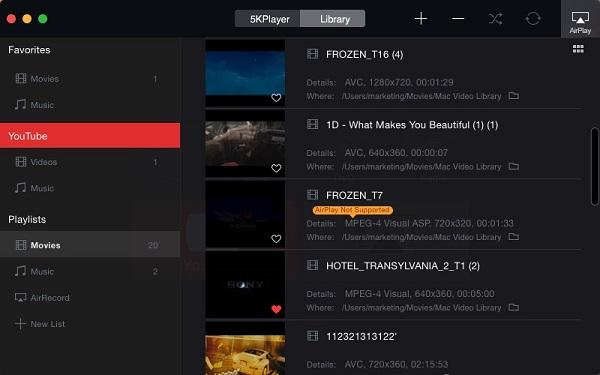
Key features:
• Let you enjoy various video files up to 5K, 4K and full HD.
• Stream your movies to large screen via AirPlay or DLNA.
• Use hardware accelerator to improve the performance.
Pros
- This MP4 player on Mac equips a media library.
- It integrates extensive features, such as video download and stream.
Cons
- Some features require to purchase the pro version.
- You have to register the MP4 player with your personal information.
Top 5: UMPlayer
UMPlayer is a multimedia player supporting many audio and video codecs and file formats as well as DVDs, VCDs, and various streaming protocols. It also owns many advanced features such as built-in subtitle search and YouTube player.
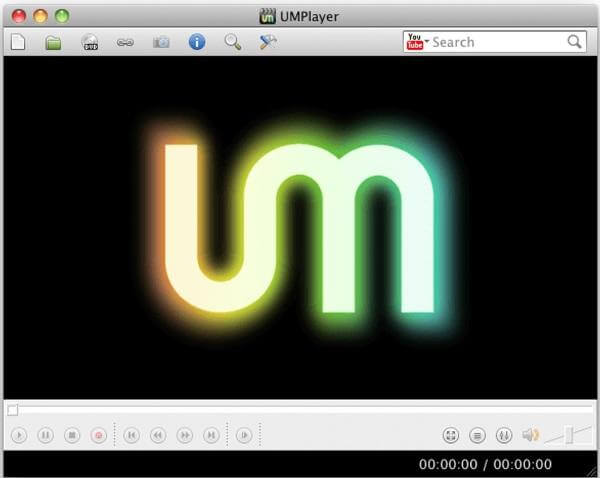
Key features:
• Have a comfortable and easy-to-use interface.
• Handles digital video files with the greatest of ease.
• Play optical discs and YouTube videos without download.
• Support video playback even though the file is damaged.
Pros
- The interface is clearly designed for playing digital video and audio files.
- It contains a gigantic library of codecs.
Cons
- The playlist functionality is pretty basic.
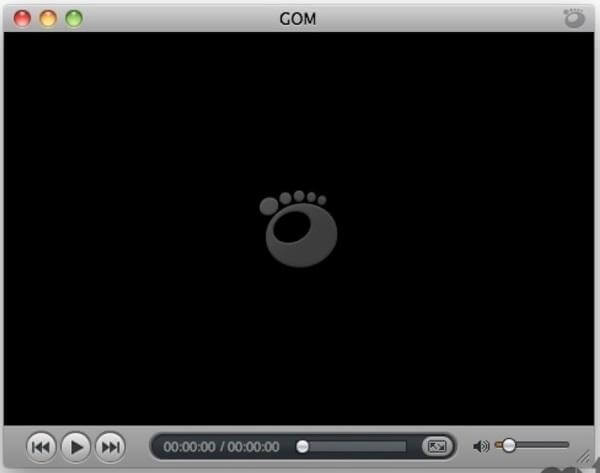
Top 6: GOM Player for Mac
GOM Player for Mac is another widely-used media player with support for any format you could name, and 360-degree videos. It supports subtitles On top of that, it also lets you play online videos.
Key features:
• Support most of the codecs including MP4, AVI, DivX, etc.
• Play incomplete or damaged AVI files.
• Customize the skin and layout based on your preferences.
• Optimize buffer for streaming and online video playback.
Pros
- This MP4 video player for Mac contains the subtitle finder.
- It will search for codecs if your video is not supported.
Cons
- The installer includes extra software.
- The interface is not quite intuitive.
Top 7: SPlayer for Mac
SPlayer for Mac is a fully-functional media player that can play almost every kind of video files. The supported formats include mpg, mpeg, mpeg 2, vob, dat, mp4, m4v, ts, rm, rmvb, wmv, asf, mkv, avi, 3gp, 3g2, flv, mov, h264/x264, h265/x265/HEVC 1080p/720p HD video etc.

Key features:
• Decode any video files such as MP4, VOB, M4V, DAT, WMV, 3GP, etc.
• Have a built-in translation system for adding captions and subtitles in real-time.
• Hide key controls while playing video files.
• Manage your media files with the playlists.
Pros
- This MP4 player for Mac is open source and free of charge.
- It offers many options to enhance video playback.
Cons
- It installs Open Candy while getting it to your desktop.
- It lacks some important features, such as the audio equalizer.
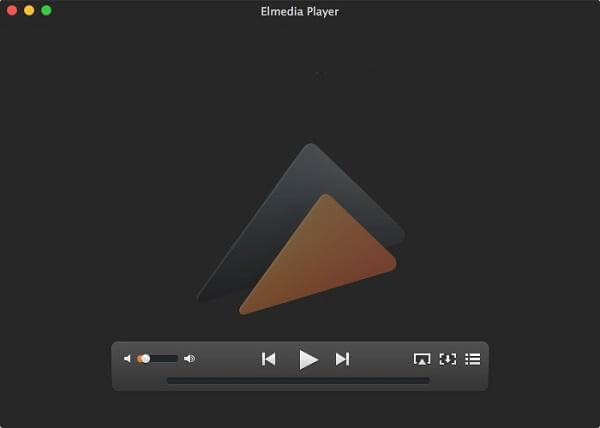
Top 8: Elmedia Player for Mac
Elmedia Player for Mac is a convenient and powerful application. It can handle almost every video or audio format such as MP4, AVI, FLV, VOB, MKV, and more. Also, it provides a ton of features like fully customizable appearance for video brightness and contrast, audio equalizer, a-b loop, extensive support for subtitles, and more.
Key features:
• Play a broad range of media formats including MP4, AVI, MKV, etc.
• Stream media files from YouTube or via AirPlay.
• Create still images with the built-in screenshot functionality.
• Make and manage playlists simply.
Pros
- The free MP4 player for Mac also offers 3 versions for different uses.
- It can play nearly every file format.
Cons
- Advanced features are only available in the paid version.
- It is large and eat up CPU when working.
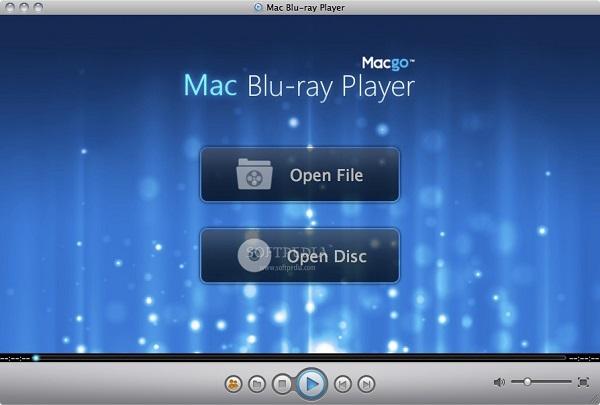
Top 9: Macgo Free Mac Media Player
Macgo Free Mac Media Player is a totally free media player for Mac OS X/11 with the support for high-definition videos up to 1080p/4K. Apart from video files, it can play audio and DVD without any hassle.
Key features:
• Support a large number of videos, audio and image formats.
• Adjust subtitles, video and audio settings and themes.
• Let you enjoy HD videos up to 1080p with the original quality.
• Share your videos to Facebook or other social networks.
Pros
- The free MP4 player for Mac is easy to use.
- It is able to stream videos between Mac and iOS device via the Airx function.
Cons
- It does not support Blu-ray movies playback.
- It cannot play 4K videos on Mac OS X/11.
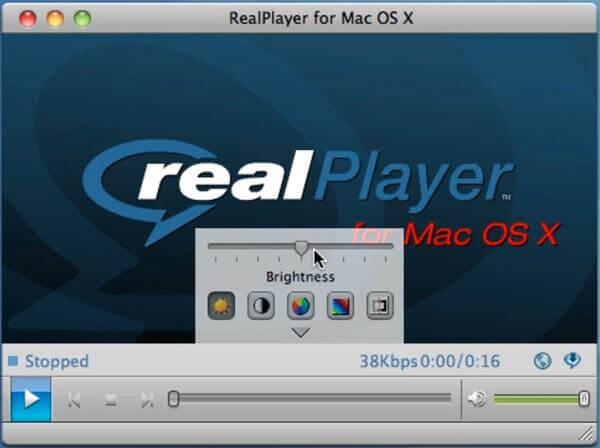
Top 10: RealPlayer for Mac
RealPlayer for Mac is one of the most popular video players on the market. You can use it download videos from the Internet and watch those videos easily. It supports all popular formats like FLV, WMV, MKV, DIVX, XVID, MOV, AVI, and MP4.
Key features:
• Stream videos wirelessly between computer and mobile device.
• Play all of the most popular formats of videos including MP4.
• Share videos privately to family or friends directly.
• Integrate a cloud functionality to store and access videos anywhere.
Pros
- The MP4 player for Mac allows you to create a video library on the cloud.
- With it, you can upload, share and download MP4 quickly.
Cons
- The advanced features are limited.
- It does not support the latest visual innovations, such as 360-degree videos.
Part 4. How to Play MP4 Files
After having a clear understanding of these powerful tools, we will take Blu-ray Master Free Blu-ray Player to show you how to play MP4 files.
Step 1.Download and install the software on your computer. Launch the software.
Free Download
For Windows
Secure Download
Free Download
for macOS
Secure Download

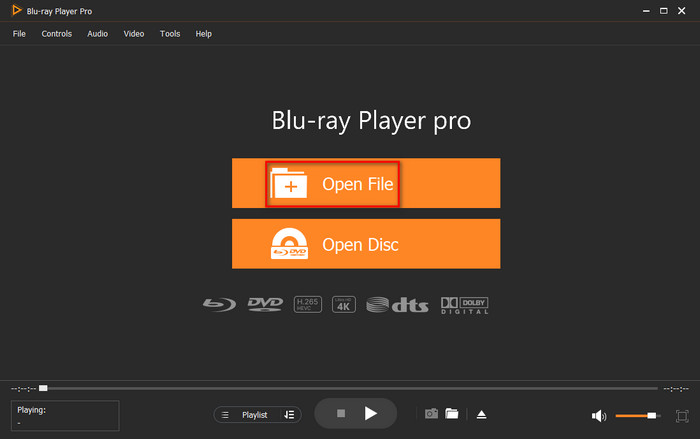
Step 2.Choose the Open File option to import the MP4 file you want to watch. The file will be played properly.
Note: To load multiple MP4 files, you can use the Playlist feature.
Step 3.To enjoy a better viewing experience, you can use the various settings to adjust, like adding external subtitles, adjusting brightness, etc.
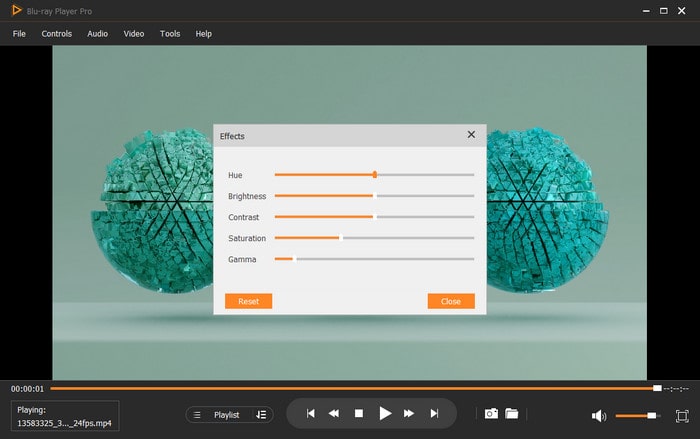
This tool is easy to use, right? The settings are intuitive. Even without the guide, we believe you can figure out how to use it. Generally, the operation methods of these players are similar.
Part 5. FAQs of Free MP4 Video Player
-
Is VLC still the best media player?
VLC is one of the best media players with its free and multimedia solutions for all platforms. It supports playing almost all video and audio files, DVDs, VCDs, audio CDs, and more. This trustworthy tool makes video and audio playback simple, also provides users customization options.
-
Can I play MP4 video on DVD player?
No, you can't play MP4 video on DVD player due to the following reasons.
First, a majority of DVD players support MPEG-2 in a standard VOB format, but very few of them support MPEG-4 videos.
Second, all standard DVD support videos with a certain resolution and BVOP settings. For example, most DVD players accept videos limited to a resolution of 720 by 756 or 720 by 480. If the MP4 file is larger than this, the DVD player can't play MP4.
Third, New models of DVD players can play AVI files, since some AVI files are encoded with Xvid, Divx, WMV and MPEG-1. But MP4 format is not supported. -
Windows Media Player won't play MP4?
When you play MP4 with the default Windows Media Player, you may find problems that MP4 can't be played. To play MP4 on Windows Media Player, you can install MP4 code or convert the MP4 file to Windows Media Player supported formats.
Wrapping up
Although both Windows and macOS have native video players, they are not omnipotent. This article shares you with the 20 best free MP4 players on Windows and Mac, accompanying with their unique features, pros, and cons. Pick one from them according to your needs. You are welcome to share your user experience with us!
More from Blu-ray Master
Best Video Player

Easily play Blu-rays, DVDs, and various video/audio formats with rich playback features.
100% Secure. No virus
