

Sep 03, 2026Posted by Kevin Miller to Create DVD
Quick Pick
When selecting DVD authoring software for Windows or macOS computers, you have to determine what you prioritize for writing DVDs. In this case, we have provided the best program for users who prefer balance and open-source freeware. For a balance of performance and quality, we highly suggest Blu-ray Master DVD Creator. On the other hand, open-source users should consider DVDStyler.
Streaming media is developing rapidly, but for some people who want to save or back up video and audio files for a long time or want to give someone a gift that preserves important moments and holds commemorative significance, burning a DVD is a good choice. There are numerous DVD maker software options available on the market nowadays, which can make it difficult for people to choose. This article lists the 7 best free DVD authoring software options for both Windows and Mac and introduces their advantages, disadvantages, and other relevant parameters. Read the article below to select the best option for you.

- Part 1. How We Tested the Featured DVD Authoring Software
- Part 2. Best DVD Authoring Software for Windows and Mac
- Part 3. 3 Best Free DVD Authoring Software for Windows
- Part 4. 3 Best Free DVD Authoring Software for Mac
- Part 5. FAQs of Best Free DVD Authoring Software
| DVD Authoring Software | Supported OS | Input Formats | Menu Creation Features | Watermark | Receives Consistent Updates |
| Blu-ray Master DVD Creator | Windows, macOS | MP4, MKV, MOV, AVI, WMV, 500+ formats. | ● Templates ● Custom Background ● Music ● Title ● Chapter Menus | No Watermark | Yes |
| WinX DVD Author | Windows | MP4, MKV, AVI, VOB, FLV, MOV, WMV, MPEG, MOD, and more. | ● Title Menus ● Chapter Menus ● Custom Backgrounds | No Watermark | Yes |
| BurnAware Free | Windows | AVI, MOV, MPG, VOB, MP4, WMV, MKV, VIDEO_TS. | None | No Watermark | Yes |
| AVStoDVD | Windows | AVI, MP4, MKV, FLV, WMV, MOV, and MPG | ● DVD Menu Templates | No Watermark | No |
| DVDStyler | Windows, macOS, Linux | AVI, MOV, MP4, MPEG, OGG, WMV, MPEG-2/4, DivX, Xvid, VOB, and more. | ● Menu Templates ● Customizable Menus ● Text, images, and button editing | No Watermark | Limited |
| HandBrake | Windows, macOS, Linux | MP4, MKV, AVI, WMV, MOV, WebM, FLV, and more. | None | No Watermark | Yes |
| Burn | macOS | MPG, AVI, MP4 | ● DVD Menu ● Theme templates ● Custom themes | No Watermark | Yes |
Part 1. How We Tested the Featured DVD Authoring Softwares
To provide an objective testing environment for the DVD authoring tools we have featured and reviewed in this article, we have set specific terms and setups when testing their DVD writing performance. To learn these testing parameters, make sure to read our testing environment below.
• The DVD authoring testing was conducted on Windows 11 and macOS Sonoma desktops running on Intel Core i7 and M2 chips.
• When testing, we used three different DVD types to assess how the tools perform when writing on DVD-R, DVD+R, and DVD-RW.
• To maximize the performance of each DVD burning tool, we made sure that only the software being tested was open during the DVD writing process.
• We used a 1.12GB digital copy of a 2-hour movie to test the authoring performance for the tools we have featured.
• The total duration of the DVD writing process was timed externally from the moment the Burn button was selected until the authoring process was done.
Part 2. Best DVD Authoring Software for Windows and Mac
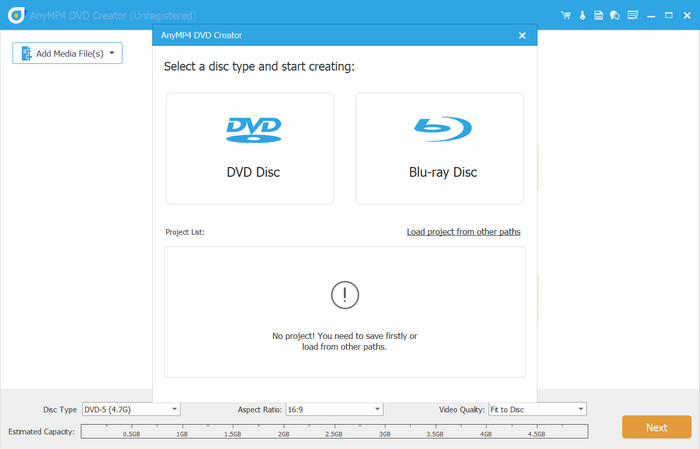
Before introducing free DVD authoring tools, one of the top DVD creator software options that is not completely free but offers a free trial is highly recommended: Blu-ray Master DVD Creator. The best program to create DVDs for both Windows and Mac can convert videos in almost all popular formats to DVD/Blu-ray discs, ISO files, or folders. Additionally, it offers multiple menu template styles, along with custom editing features such as trimming, merging, and audio and subtitle editing, to help you create DVDs and Blu-rays.
Free Download
For Windows
Secure Download
Free Download
for macOS
Secure Download
Main Features:
- Burn video to DVDs, folders, or ISO image files.
- Create DVDs with MP4, MKV, MOV, and other media formats.
- Select and customize menu templates to suit your specific needs.
- Easily edit DVD videos with a built-in editor before burning them to disc.
- 1:1 output DVDs, keeping all the original video, audio, subtitle, and menu settings.
Pros
- Simple and intuitive user interface.
- Compatible with Windows and Mac.
- Support for over 500 popular video formats.
- Provides powerful editing tools to customize DVDs.
- Offers a variety of menu template styles to create DVDs.
Cons
- The free trial version has limited features.
Part 3. 3 Best Free DVD Authoring Software for Windows
WinX DVD Author
Windows 11, 10, 8.1, 8, 7
DVD±R/±RW, DVD DL+R, DVD DL±RW, MP4, MKV, WMV, AVI, VOB, FLV, MOV, MPEG, MOD, 3GP, OGG, RM, Xivd, DviX, and others.
1:1 MKV (MakeMKV), dozens of video/audio presets via HandBrake
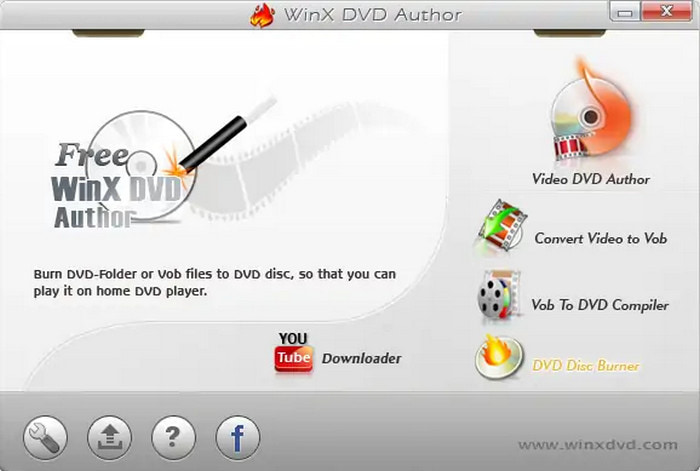
WinX DVD Author is a free DVD authoring and burning software designed for Windows operating systems. It enables users to create DVDs from a range of video formats and URLs, complete with custom menus, subtitles, and chapters, without any watermarks. Its strong points are extensive format support and ease of use. Besides burning DVDs quickly and easily, it also offers some basic customization features, such as trimming, cropping, adjusting resolution, and changing parameters. Therefore, it is especially suitable for users who don't require advanced features or extensive customization, but its limitations may render it unsuitable for more demanding users.
Pros
- Completely free to use with no hidden costs.
- Does not add watermarks to the burned DVDs.
- Built-in YouTube downloader to download and burn videos.
Cons
- No updates for a long time.
- Available for Windows OS only.
- Outdated user interface and limited menu templates.
BurnAware Free
Windows Vista, 7, 8, 10, 11 (32-bit or 64-bit)
DVD±R, DVD±R DL, DVD±RW, DVD-RAM, M-Disc, MP4, MOV, MKV, MPG, VOB, FLV, FLAC, WMV, WAV, OGG, M4A, AAC, FLAC, and other file types.
1:1 MKV (MakeMKV), dozens of video/audio presets via HandBrake
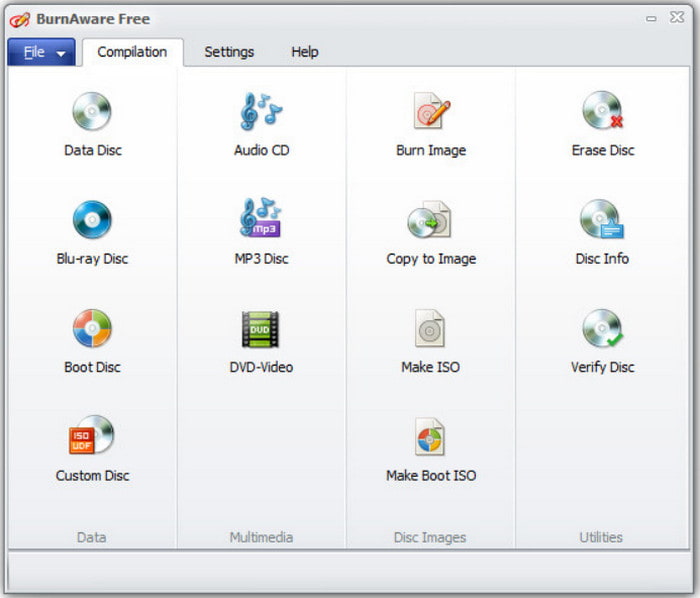
BurnAware Free is a free CD, DVD, and Blu-ray disc-burning software for Windows, known for its intuitive interface and ability to handle common burning tasks efficiently. It comes in three versions: Free, Premium, and Professional. The free version we present here is a good choice for users who need a free, user-friendly tool for basic CD, DVD, and Blu-ray burning tasks. However, users who need more advanced features may want to consider a paid version of BurnAware or other software.
Pros
- Multiple DVD type support.
- Does not include any bundled spyware or adware. Supports a wide range of audio, video, and data formats.
Cons
- No Mac and Linux Version Availability.
- No video-editing options, such as a DVD menu.
- Lack of some advanced features, such as disc-to-disc copy.
AVStoDVD

Windows 7, 8, 8.1, 10, 11
DVD±R, DVD±RW, DVD±R DL, AVI, MOV, MP4, MPEG, OGG, WMV, MKV, FLV, MP2, MP3, AC-3, WAV, and many more.
1:1 MKV (MakeMKV), dozens of video/audio presets via HandBrake
AVStoDVD is an open-source DVD authoring program for Windows. Supporting a wide range of file formats and audio/video codecs, it allows you to burn multiple video files stored on your computer to a DVD and then play them on a DVD player, media center, or home theater device. In addition, it can be used to add custom audio tracks, subtitles, and menus for easy navigation during playback. AVStoDVD is a great tool for users who need to convert and burn videos to DVD but don't require a modern interface or advanced features. However, its lack of updates and limited advanced features may make it unsuitable for users with higher requirements.
Pros
- Easy-to-use and user-friendly interface.
- Designed specifically for DVD video authoring and burning media files.
- It can be used to create a digital ISO copy before DVD burning.
Cons
- No longer actively developed, with updates slowing and becoming infrequent.
- Potential compatibility issues with newer video codecs.
- Encoding is slower compared to modern DVD authoring tools.
Part 4. 3 Best Free DVD Authoring Software for Mac
DVDStyler
Mac OS X 10.15 or later, Windows, and Linux
DVD±R, DVD±RW, DVD±R DL, AVI, MOV, MP4, MPEG, OGG, WMV, MKV, FLV, MPEG-2, MPEG-4, DivX, Xvid, MP2, MP3, AC-3, and other file formats.
1:1 MKV (MakeMKV), dozens of video/audio presets via HandBrake
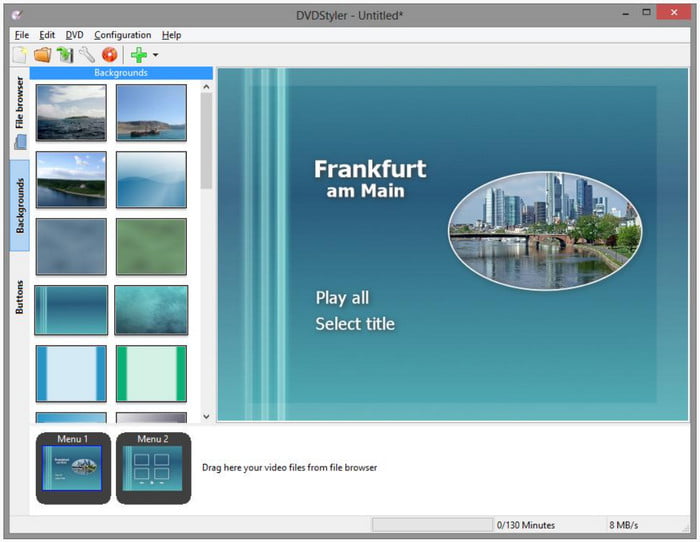
DVDStyler is a free, open-source, cross-platform DVD authoring software for Windows, macOS, and Linux, enabling users to create standard-definition DVDs with customizable menus and a professional look from video files. It allows you to burn video files to DVDs that can be played on almost any standalone DVD player and also to create individually designed DVD menus, striking a good balance between functionality and customizability. However, those who desire more advanced features or Blu-ray support will need to select an alternative.
Pros
- No watermarks or other limitations on DVDs.
- Cross-platform compatibility on multiple OS.
- Lightweight and do not take up many system resources.
Cons
- Limited selection of pre-made templates.
- Lack of official documentation guidance.
- Supports output in standard definition only.
HandBrake

MacOS 10.5 or earlier
DVD±R, DVD±RW, DVD±R DL, AVI, MOV, MP4, MPEG, MP3, AAC, WAV, AIFF, and others.
1:1 MKV (MakeMKV), dozens of video/audio presets via HandBrake
HandBrake is a free open-source video encoding tool that offers basic DVD and CD-burning features for both macOS and Windows desktops. It supports creating basic video DVDs by burning ISO copies of DVD data into a loaded DVD on your desktop, as well as various disc image formats and any type of data file. However, it lacks a feature to add and create DVD menus when writing DVD programs. Aside from the lack of DVD menu templates, it lacks advanced DVD authoring features available in more specialized software, such as chapter support. Overall, it is a viable option for basic CD and DVD ISO burning on older macOS versions, but consider its limitations since it can only write ISO data.
Pros
- Handles basic writing of ISO images via DVD burning tasks.
- Hardware accelerated for Intel, AMD, NVIDIA, and Apple systems.
- Developed as an open-source program for anyone to use as freeware.
Cons
- Does not support burning direct digital files into DVDs.
- It cannot create DVD menus and chapters.
- Complex interface design is not optimal for beginners.
Burn
Mac OS X 10.9 or later
DVD±R, DVD±RW, DVD±R DL
1:1 MKV (MakeMKV), dozens of video/audio presets via HandBrake
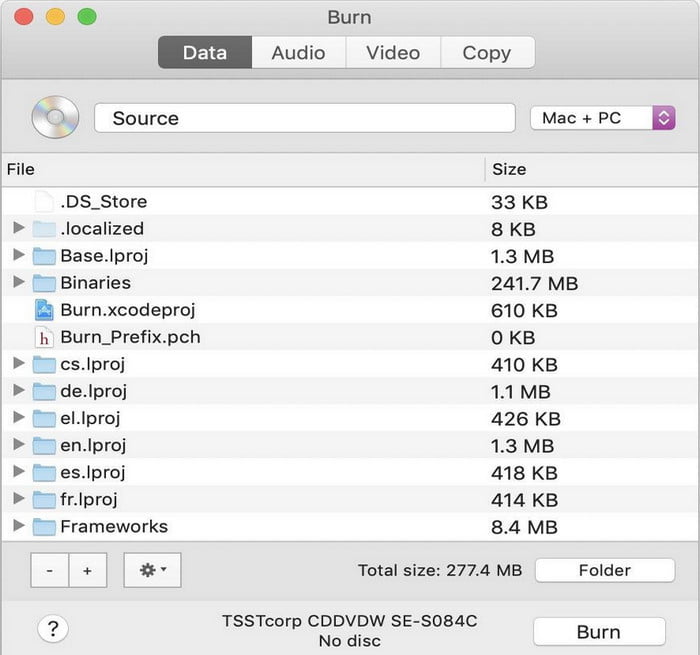
Burn is a simple but advanced free DVD disc-burning software for macOS, designed to provide an easy-to-use yet option-rich DVD creation experience for users who need to burn all types of discs. Burn also lets you create interactive menus, choose a theme, or create your own to personalize your DVD video discs. Additionally, it is open-source and utilizes several excellent free, open-source utilities to function effectively. For macOS users seeking a straightforward and efficient tool for burning DVDs, Burn is a suitable free option that meets basic burning needs. But it may not have the advanced features of some paid DVD authoring software.
As one of the most reliable third-party burning software for Mac, Burn has superb modern format compatibility for iPhone recorded media files saved in either MOV or HEVC formats. If you want to write media files captured by your iPhone to a physical DVD, Burn is a good option.
Pros
- Intuitive tab-based layout for different burning tasks.
- Supports various disc types and formats for creating DVDs.
- Lightweight but offers some simple customization options.
Cons
- Only available for macOS.
- Does not offer any video editing capabilities.
- Difficult to handle some of the latest video codecs.
Now that we have reviewed and discussed the best DVD authoring software for Windows and Mac, we will provide basic troubleshooting tips to fix common problems you may face when writing media files on DVDs.
Unsupported Files: When you encounter issues with unsupported digital video formats for authoring, we suggest using media converter tools to convert advanced video formats such as MKV or AVI into a more universally supported file such as MP4.
Special Characters: To avoid unexpected errors when writing on DVDs, avoid adding special characters to your video file before burning it to the DVDs. Avoid adding question marks, dashes, exclamation marks, and other characters in the file name.
External Driver Connection: If your computer is not detecting your DVD, make sure to double-check if your connection is properly set up. Check your driver’s manual if an installer is required to make it function normally.
Part 5. FAQs of Best Free DVD Authoring Software
-
What is DVD authoring software?
DVD creator software is a tool for converting video, audio, or other data files to DVD format and burning them to optical disks. Some also feature video editing, menu creation, chapters, and more.
-
Do Windows and Mac have their own DVD creation software?
Yes, Windows and Mac have software that allows users to burn data to DVDs. For example, Windows DVD Maker for Windows and iDVD for Mac, but they are not compatible with the latest versions of operating systems.
-
What is the best DVD authoring software for Windows and Mac?
The best DVD authoring software, compatible with both Windows and Mac, is Blu-ray Master Recommended DVD Creator. This DVD creation program can create DVDs, Blu-rays, and ISO from any video and audio files. Additionally, it features customizable menu templates, a built-in video editor, etc. Additionally, if you’re specifically looking for alternatives to Windows DVD Maker, this guide provides a full breakdown of the top 5 tools compatible with Windows 10/8/7.
-
What is the best free DVD authoring software for Windows 11 in 2026?
It depends on what you will write on your DVD. For balanced performance and DVD menu writing, Blu-ray Master DVD Creator is a good option. However, if you prefer using a freeware tool, DVDStyler is another good choice.
-
Is there any free DVD maker that doesn’t add a watermark?
Yes, there are. Most DVD authoring freeware does not add watermarks to their videos, such as DVDStyler. For a premium solution, another good option is the free version of Blu-ray Master DVD Creator.
-
Is DVDStyler safe to download and still working in 2026?
Yes, it is. DVDStyler is a reliable freeware that you can use in 2026. On top of that, it is also open-source software widely supported by independent developers.
-
Can I use DVD Flick on Windows 10, or is it outdated?
Yes, DVD Flick can still be used on Windows 10. However, the program itself is outdated, and consistent updates have stopped. Despite that, it can still get the job done for basic DVD video writing.
Conclusion
With the 7 best free DVD authoring software now discussed, we hope that this article has provided our readers with important information to make DVD burning more accessible and easier to do on modern computers. Among these programs, we highly suggest using Blu-ray Master DVD Creator to ensure that your DVD burning experience will be smooth, easy, and highly efficient.
