

Oct 13, 2026Posted by Kevin Miller to Rip DVD
Quick Summary
The WinX DVD Ripper software remains a serviceable option for DVD ripping in 2026. In terms of performance, it offers good decryption capabilities for standard encryption and serviceable conversion speed with hardware acceleration. However, the program bypasses advanced copy protections and lacks 1:1 DVD cloning, a staple feature in ripping tools.
Based on the program’s strengths and limitations, WinX DVD Ripper is best suited for ripping DVDs with basic encryption, making it a good choice for general use.
The use of DVD ripping to create digital backups has gained traction in recent years, as it is a direct solution to the threat of disc rot and physical degradation, which are the main issues with physical media. Simply put, digital archiving not only offers convenience, but it is also a viable solution for preserving classic movie collections. In this article, we will provide a detailed WinX DVD Ripper review to explain why it remains an industry standard for digital archiving in 2026. We will review the program based on its performance, strengths, limitations, and feature the best alternative for the software.
Table of Contents
- Part 1. What is WinX DVD Ripper? Core Positioning & Overview
- Part 2. How We Test: Our Rigorous Evaluation Methodology
- Part 3. WinX DVD Ripper Test Results & Performance Metrics
- Part 4. Key Strengths: Where WinX Excels
- Part 5. Critical Limitations & Drawbacks (Unbiased Evaluation)
- Part 6. Top Alternative Recommendation: Blu-ray Master Free DVD Ripper
- Part 7. FAQs About WinX DVD Ripper
Part 1. What is WinX DVD Ripper? Core Positioning & Overview
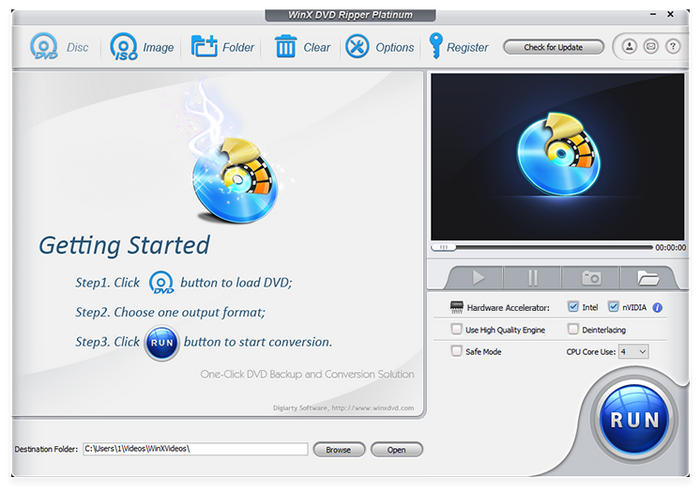
WinX DVD Ripper is safe, dedicated DVD conversion software designed to convert DVD media into more accessible digital videos or ISO images. As such, the software makes for a great option for users who want to improve the accessibility of their DVD collections by making them playable on modern devices.
Beyond the program’s performance, its key features make the tool an excellent choice for modern users. This is exactly what makes the software a solid choice for both casual users and dedicated enthusiasts looking to digitize their collections.
WinX DVD Ripper Main Features:
- Wide output format support for 350+ digital file types.
- Equipped with a stable hardware acceleration system.
- Offers basic editing tools for simple video adjustments.
- Bypasses common copy-protection systems.
- Rips DVD media to ISO copy, digital video, or DVD folder.
Part 2. How We Test: Our Rigorous Evaluation Methodology
For an objective test of the program, we ensured that the DVDs being ripped were encrypted with a standard commercial system, such as CSS and 99-title protection. We also tested how even the free version of WinX DVD Ripper handles scratched DVDs burned by home-brew enthusiasts.
During testing, thesoftware’ss decryption success rate was evaluated for the standard CSS and 99-title media. The speed at which the DVD media was ripped was also assessed, as was the output’s visual fidelity. Finally, the tool’s usage of CPU and GPU resources was assessed.
With the WinX DVD Ripper testing overview now disclosed, let us move on to the hardware testing specs.
Testing Environment Specs:
- Windows 11 Pro (64-bit) / macOS Sonoma
- Intel Core i7-13700K, NVIDIA RTX 4070, 32GB RAM
- External USB 3.0 Blu-ray/DVD Drive
Part 3. WinX DVD Ripper Test Results & Performance Metrics
Decryption Capability
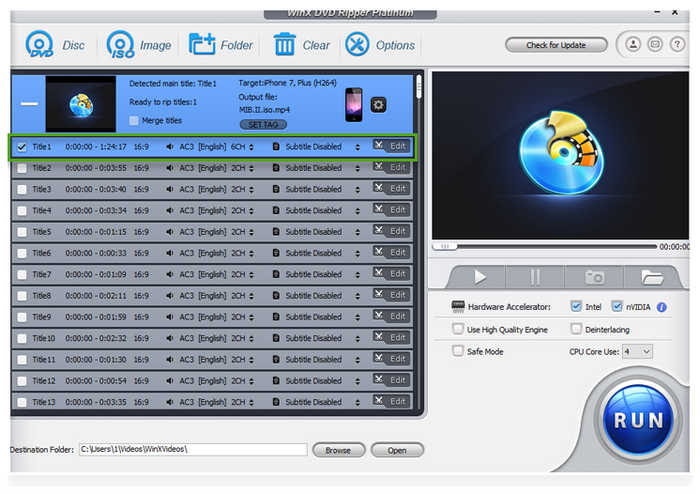
During testing, the decryption performance of WinX DVD Ripper was good. When handling DVDs with Content Scramble System (CSS), 99-title, region code, and other standard encryption methods, the decryption success rate is 90%, making it a good tool for ripping protected DVDs. Unfortunately, it performs poorly with more advanced protections; it is also limited to DVDs, as WinX DVD Ripper cannot rip Blu-ray.
Average Conversion Speed
In terms of speed, WinX DVD Ripper offers 47X the standard speed of most DVD rippers. This was made possible by the program’s standard hardware acceleration system. This can make it easier to rip standard movies into acceptable timeframes.
Resource Utilization
Since the program’s hardware acceleration offers balanced performance, its CPU usage and GPU consumption are lighter than those of other DVD rippers. However, this is at the expense of subpar ripping speed. Simply put, WinX prioritizes stability by ensuring lower resource utilization.
Output Quality
Finally, the software's output quality is sufficient for casual viewing. DVD media ripped by the software are also saved in widely supported formats such as MP4 and MPEG, both solid options that strike a balance between reasonable compression and video quality. This makes the program a good choice for ripping DVDs to MP4, MKV, MOV, and other commonly used video formats.
Part 4. Key Strengths: Where WinX Excels
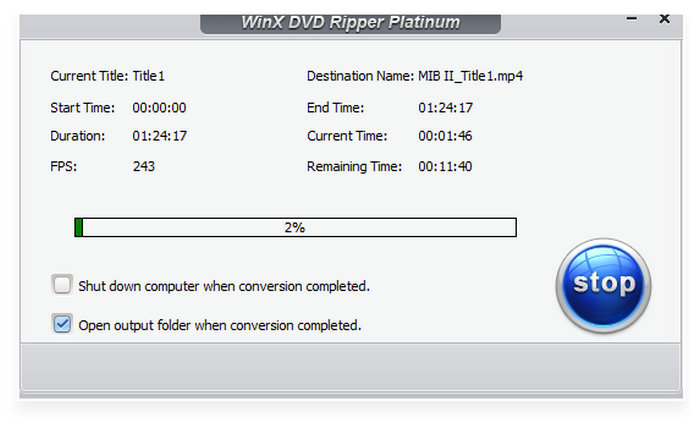
Based on the performance assessment and testing of WinX DVD Ripper, we have identified its key strengths. To start, the free version of the software is accessible to casual users who don’t mind the free trial limitations. Its design and interface are also notable, as the software’s user interface is very easy to digest. Finally, the tool's ability to handle unprotected discs and serve as a reliable format converter is its most notable feature.
WinX DVD Ripper’s most notable strengths are:
- Accessible core features even when using the free version of the software.
- Well-designed interface for beginner-friendly setup.
- High-performance, reliable format conversion for both encrypted and unprotected discs.
Part 5. Critical Limitations & Drawbacks (Unbiased Evaluation)
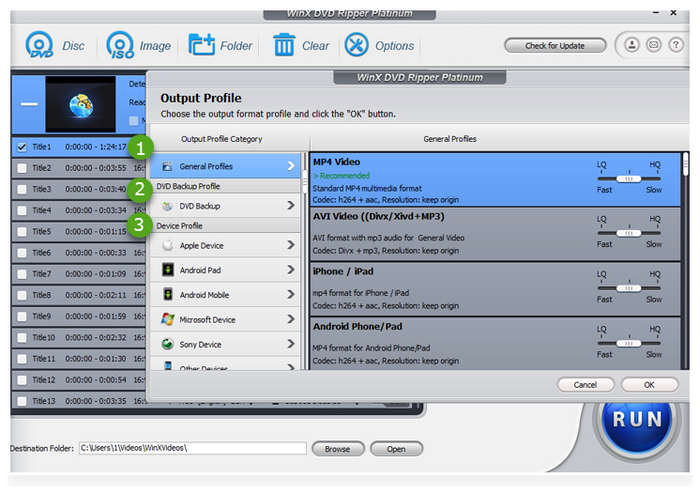
Moving forward on the limits and drawbacks of using WinX DVD Ripper, the most notable downside of the program is its subpar encryption-bypass performance against more advanced copy protection systems, especially in its free version. The tool also performs more slowly when handling movie and TV show DVDs with multiple titles. For free users, the absence of 1:1 ripping may also discourage them from using the program.
WinX DVD Ripper’s limitations for DVD ripping:
- Does not handle advanced copy protection systems.
- Poor DVD-ripping performance when processing physical media containing multiple titles.
- Technical interface design and advanced settings.
Part 6. Top Alternative Recommendation: Blu-ray Master Free DVD Ripper
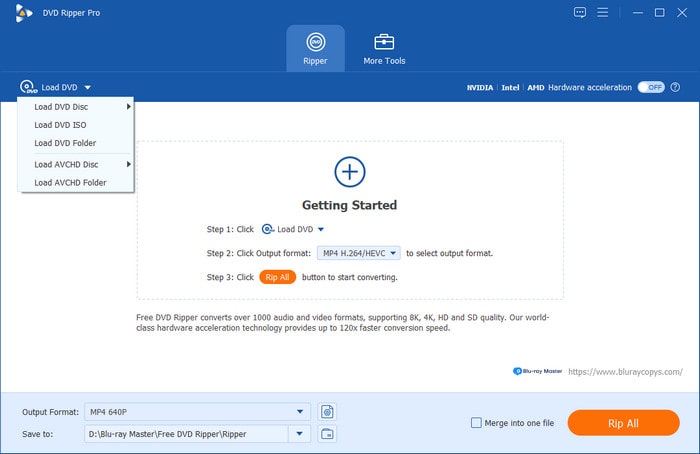
With the full review of the software now complete, we can highlight one of the best WinX DVD Ripper alternatives on the market: Blu-ray Master Free DVD Ripper. As its name suggests, the software is a free version substitute that can handle most of the features available in WinX’s program. However, it offers better features, notably the ability to bypass copy protections, even in its free version.
On top of its superior encryption bypass and better freeware status, it also offers significant advances in interface design, optimized for streamlined, easy-to-use operation, even for beginners. When looking for a DVD ripper to convert videos to legacy formats, Blu-ray Master’s software performs better because it can export to MP4, MKV, MOV, and 500+ other file types.
Finally, the most notable advantage of the alternative program is that Blu-ray Master Free DVD Ripper is lighter, offers better hardware acceleration, and is optimized for very easy use. Given these factors, we strongly recommend using the program for users of all skill levels.
To learn more about the program's main features, don't forget to download it using the link below.
Free Download
For Windows
Secure Download
Free Download
for macOS
Secure Download
Main Features:
- Hardware-accelerated for 20x faster DVD ripping.
- Built-in subtitle settings for extracting and adding subs to DVD media.
- Well-designed interface for both amateurs and experienced editors.
- Lightweight and compact installation size.
- Cross-platform availability for Windows and macOS.
For a quick overview of how WinX and Blu-ray Master’s DVD ripper tools compare, we have added a table below for each tool.
| WinX DVD Ripper | VS | Blu-ray Master Free DVD Ripper |
| Windows, macOS | Compatibility | Windows, macOS |
| Intermediate | Ease of Use | Very Easy |
| CSS, Region Code, 99-titles | Copy Protection Bypass | CSS, Region Code, 99-titles, Sony ARCcoS |
| 47x Standard Speed | Hardware Acceleration Speed | 50x Standard Speed |
| $39.95 – $79.95 | Pricing | Free |
Part 7. FAQs About WinX DVD Ripper
-
Is WinX DVD Ripper completely safe to download and use?
Yes, it is. WinX is free to use and is also safe. Just make sure to download it from their official website.
-
How does WinX handle copy-protected Disney and 99-title DVDs?
To learn how to use WinX DVD Ripper to bypass copy-protected DVDs, fear not, since it is operated automatically. WinX is a good DVD decoder for Disney and 99-title protections. However, it is available only in the paid version of the tool.
-
How much does WinX DVD Ripper cost?
WinX DVD Ripper has multiple pricing plans. It starts at $39.95 for a basic 1-year subscription. For a lifetime license, you may avail their $59.95 plan or get the $79.95 WinX bundle.
-
Can WinX DVD Ripper output files directly to MP4 without quality loss?
Yes, WinX DVD Ripper can save DVDs to MP4. However, they will not be lossless. Fortunately, the quality reduction will not be as drastic or noticeable.
-
What is Level-3 Hardware Acceleration and how does it speed up ripping?
Level-3 hardware acceleration works by giving the processing performance directly to the GPU. This ensures that the entire GPU resource will be used for the ripping process. It is extremely fast because DVD ripping heavily uses the GPU.
-
Are there completely free alternatives if I only need occasional rips?
Yes. There are. There are numerous freeware DVD rippers. Good examples are Blu-ray Master Free DVD Ripper and MakeMKV.
-
Is WinX DVD Ripper free, good, and legal to use?
Yes, WinX DVD Ripper is a good option. However, it is not free to use. However, you can use it effectively, and it is also legal as long as you don’t share ripped DVDs online to avoid piracy.
Conclusion
Now that we have reviewed how WinX DVD Ripper works to create digital DVD backups in 2026, we hope this article has helped you decide whether the program suits your media backup needs. If you think the program’s high price might be too much, consider using Blu-ray Master Free DVD Ripper.
