

Oct 10, 2025Posted by Kevin Miller to Create DVD
Freemake Video Converter is one of the versatile offline converters you can use for transcoding various files. You can effortlessly convert video and audio files to another digital format and various discs, like DVDs. So, if you plan to create a DVD using this program, you can do so. If you want more insight into Freemake, we highly recommend reading this guidepost. You will discover its full description, functionalities, pros, cons, pricing, and more. You will also discover another helpful tool to achieve your main objective. Without anything else, come here and be knowledgeable about the detailed review of Freemake.

Table of Contents
Part 1. Quick Verdict to Freemake
Freemake Video Converter is a free-to-download offline software designed to offer a wide range of multimedia features. It supports conversion of various digital video formats such as MP4, MOV, AVI, TS, MTS, FLV, 3GP, and more, as well as audio formats including MP3, AAC, AC3, FLAC, OGG, and WMA. The program also enables users to burn or create DVDs and Blu-rays from video and audio files, making it useful for backup purposes. Additionally, it allows DVD ripping, converting physical discs into digital formats. With its simple and user-friendly interface, Freemake is accessible to users of all skill levels.
However, there are some limitations to consider. Freemake Video Converter is only available for Windows, and its payment system for the premium version can be confusing. Moreover, the software appears outdated and could benefit from updates to enhance performance. Despite these drawbacks, Freemake remains a reliable tool for converting, ripping, and creating media files. If you're interested, download the program to get started.
Part 2. Freemake Features and Benefits
If you want to dig deeper into the features and benefits of Freemake, you can discover everything from this section. So, to begin your exploration, proceed to the information below.
Burn or Create DVD
Rating:
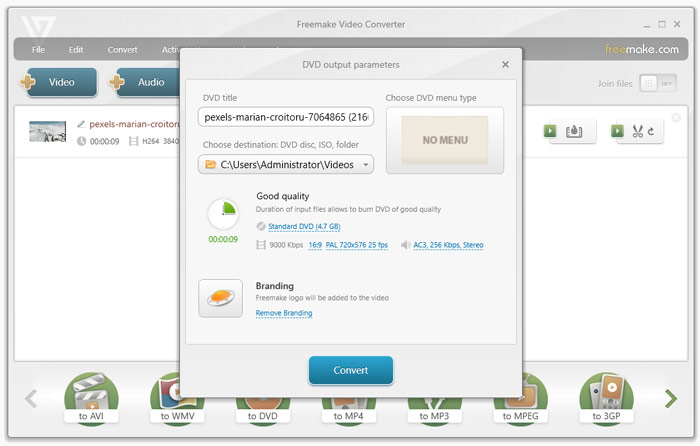
While I am exploring when using the Freemake Video Converter, I am amused with its DVD-creation capability. The program has a fast creation process so that you can get your DVD in just a short period. Plus, this feature allows you to collect and store disc files without hassle. Moreover, the program won’t affect the original video and audio quality when burning. With this, you can input video with a resolution of up to 1080p.
Convert Digital Files
Rating:
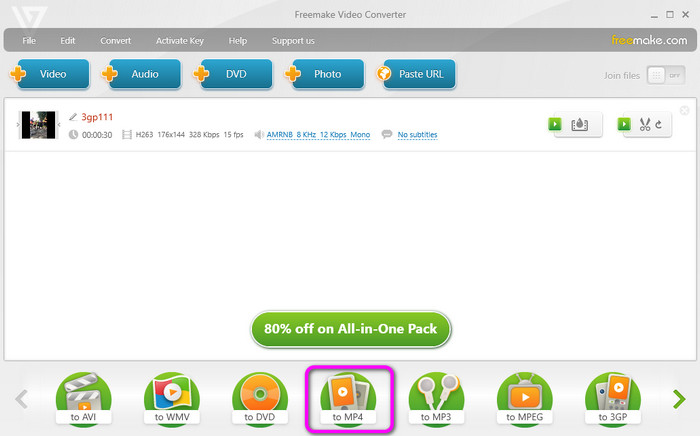
Another helpful feature I discovered is its capability to convert digital files. Freemake Video Converter can convert audio and video to different audio files easily and effectively. Plus, the conversion process is quicker compared with other converters. Also, like the burning process, the tool won’t reduce the quality of the file. So you can still enjoy amazing video and audio playback.
Basic Editing Tools
Rating:
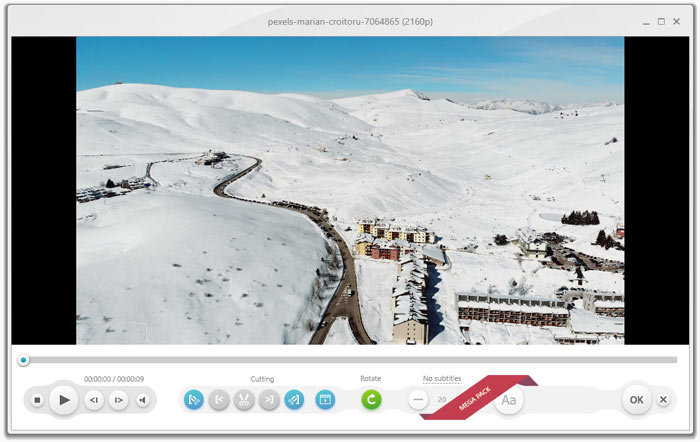
Besides burning and converting, I learned you can use the program's basic editing tools. With this, you can join files if you want. Plus, if you want to cut videos based on your preference, you can do so. Lastly, the tool can also rotate your video so that you can watch the video from your preferred angle.
Paste URL Feature
Rating:
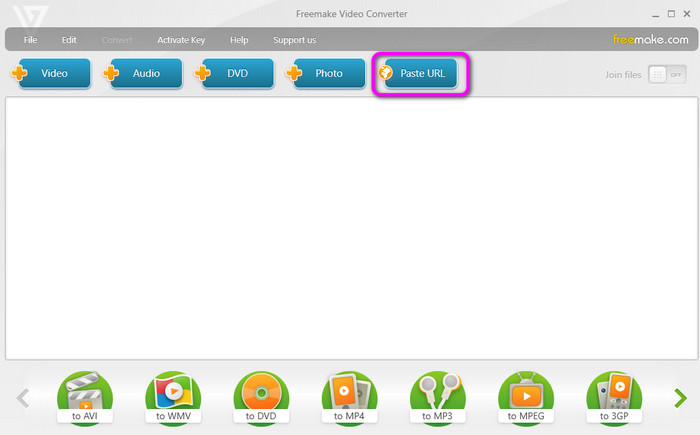
I discovered that you can also input the video URL using the Paste URL button. You can use this function to add the video without downloading. After you paste the URL, the software will let you choose your preferred formats and audio quality before saving them on your computer.
Part 3. Freemake Pros and Cons
After discovering the features and benefits of the software above, this section will give you enough insights about the program’s pros and cons. To learn their capability, you can see the information below.
Pros
- The DVD-creation process is simple and fast.
- The user interface is simple to navigate and perfect for beginners.
- It can convert various digital file formats.
- The free version is available to test its functionalities.
Cons
- The menu creation is limited.
- It doesn’t have disc optimization.
- When burning, the quality might be affected.
- It is expensive to purchase.
- The software needs an update since it is looking outdated.
Part 4. Freemake Pricing and User Experience
During the review process, we think Freemake is a user-friendly and feature-rich software for DVD and Blu-ray creation. It supports inputting MP4, MOV, AVI, FLV, MP3, AAC, and more to the software and burning them to DVDs and Blu-rays, making it a solid choice for people to preserve media files.
While many people praise the ease of use of Freemake, some feedbacks expose the drawbacks of the tool, including limited accessibility for Mac users, unclear payment structure, and outdated functionalities.
In all, Freemake Video Converter is a capable DVD creation tool for casual users who value simplicity and broad format support. Just be prepared for some quirks and limitations if you're aiming for professional-grade results.
Part 5. How to Get Started on Freemake
This section will teach you how to create DVDs using the Freemake Video Converter. So, follow the steps below to get your desired outcome.
Step 1.Go to the Freemake.com main website and hit the download button to access the program on your Windows. Then, proceed to install and open the downloaded software.
Step 2.Click the Video option from the top interface. Then, when the file folder shows up, choose the file you want to add. After that, you will see that the file will be on the program’s interface.
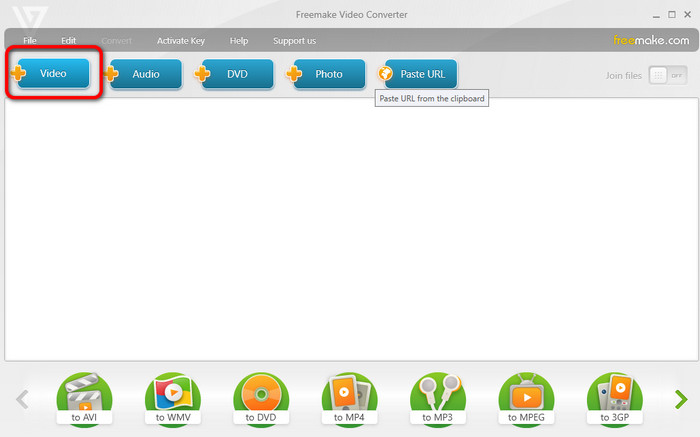
Note: Ensure that the DVD has already been inserted into your computer.
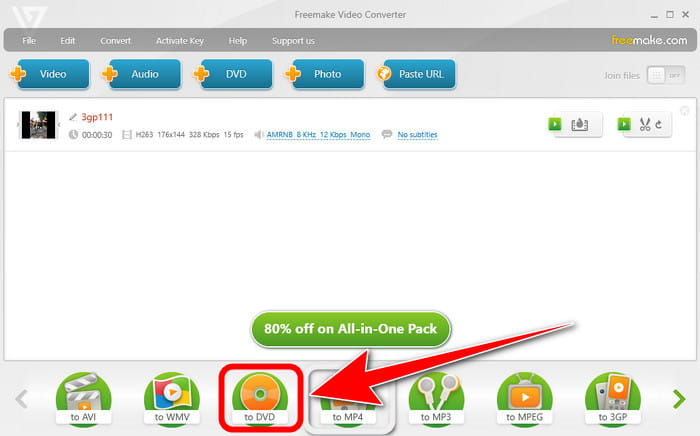
Step 3.After that, click the DVD option from the lower interface. With that, the DVD-creation process will begin. Wait for a few seconds to get the outcome. Once done, you can already have your DVD.
Part 6. Best Alternative to Freemake
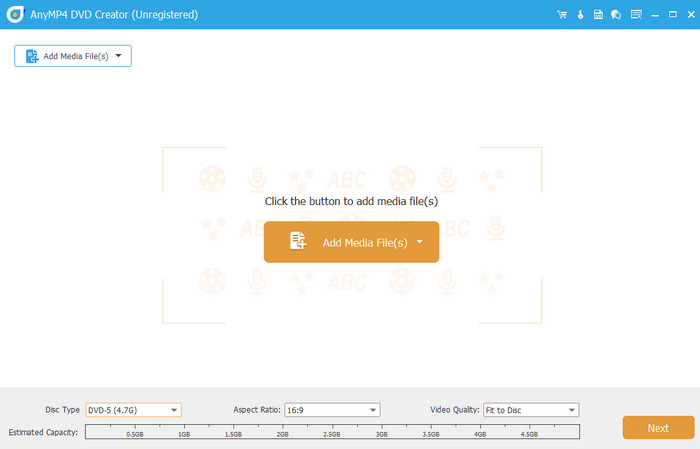
Well, there are times when you need to look for an alternative software for Freemake. It may happen, especially if you are a Mac user. With that, you create a DVD using Blu-ray Master DVD Creator. Compared with Freemake, I can say that the program is more accessible and reliable. It can create DVDs faster and offer various editing functions to improve your files. Aside from that, it can even retain the video quality that may bring satisfaction to all users. The software lets you choose your desired output quality when burning DVDs. These are Fit to Disc, Low, Medium, and High. With this, you can balance the quality and burning storage. Moreover, It can also support various digital file formats, including MP4, VOB, AVI, MTS, MOV, and more, making it a powerful program at all times. So, if you are searching for an exceptional DVD creator, it is best to use this program.
Free Download
For Windows
Secure Download
Free Download
for macOS
Secure Download
Features
• Multiple video editing tools to adjust chapters, subtitles, and audio tracks.
• Menu templates of different topics to make your DVD unique.
• Customization settings to personalize your DVD/Blu-ray menus.
• PAL and NTSC TV standards for you to choose from.
| Blu-ray Master DVD Creator | VS | Freemake Video Converter |
| Create/Burn DVD Video Conversion Basic Editing | Primary Function | Burning DVD Video Conversion Basic Editing |
| DVD, Blu-ray, ISO, MP4, MKV, MOV, AVI, FLV, and more. | Supported Formats | DVD, Blu-ray, MP4, M4V, MTS, and more. |
| 1080p (HD) 4K | Resolution | 1080p (HD) |
| Extensive DVD-burning options Menu creation Chapter editing | Burning Feature | Burn DVDs Rip DVD |
| Rotate Crop Add Filters and Effect Watermarks Trim | Basic Editing Tools | Rotate Join files Cut Video Basic Color Correction Adding Text and Image |
| Monthly − $39.95 Lifetime − $59.95 | Pricing | Monthly − $12.45 Lifetime − $39.96 |
| Simple | User Interface | Simple |
| Windows Mac | Platform | Windows |
| Video Enhancement Watermarking Sharing Create Video and Photo Collection | Additional Function | Slideshow Creation Download Online Videos |
| Ideal for advanced DVD creation and menu customization. | Overall Suitability | Ideal for basic DVD creation, video burning, and conversion. |
Part 7. FAQs about Freemake Review
-
Is freemake safe?
Definitely, yes. You can enjoy utilizing the software without worrying. The Freemake program ensures your privacy and security. It won’t leak all of your data and files without your consent.
-
Is freemake free?
The Freemake Video Converter is not 100% free. It only offers a free version that lets you experience its functions. Also, if you want more features, you must purchase its plan. The Freemake costs $39.95 monthly and $59.95 for lifetime access.
-
Is freemake legit?
Based on hands-on experience, we can tell that Freemake Video Converter is legit. It can create DVDs and convert videos effectively and efficiently. It can also provide basic editing functions, like rotating, cutting, and joining files, making it more remarkable.
Wrapping up
Freemake Video Converter is a reliable software for creating DVDs and converting video files. However, it has limitations in terms of accessibility since it is only downloadable on Windows OS. With that, if you use a Mac, the best alternative is the Blu-ray Master DVD Creator. With the program's assistance, you can create DVDs, convert videos, and use basic editing tools on your Windows and Mac platforms.
Best DVD Creator Review
