

Aug 14, 2025Posted by Kevin Miller to Create DVD
iDVD was once a go-to DVD authoring tool for Mac users. It simplified burning DVDs, allowing users to add videos, customize menus, and create discs with minimal effort. You likely won't find it on modern Mac systems, which might lead you to wonder: Does iDVD still work? Unfortunately, iDVD no longer works on modern Mac versions. Apple has officially discontinued iDVD, and it is no longer compatible with macOS versions after High Sierra. As a result, many users are now searching for reliable iDVD alternatives. This post aims to help you find the best iDVD replacements available right now. Our top picks go far beyond what iDVD could offer, whether you're on Mac or Windows.

- Part 1. How to Choose a Good iDVD Alternative
- Part 2. Best 5 Free DVD Burners Software
- Part 3. Best 4 Paid DVD Burners Software
- Part 4. Which DVD Burning Utility Is the Best one
Part 1. How to Choose a Good iDVD Alternative
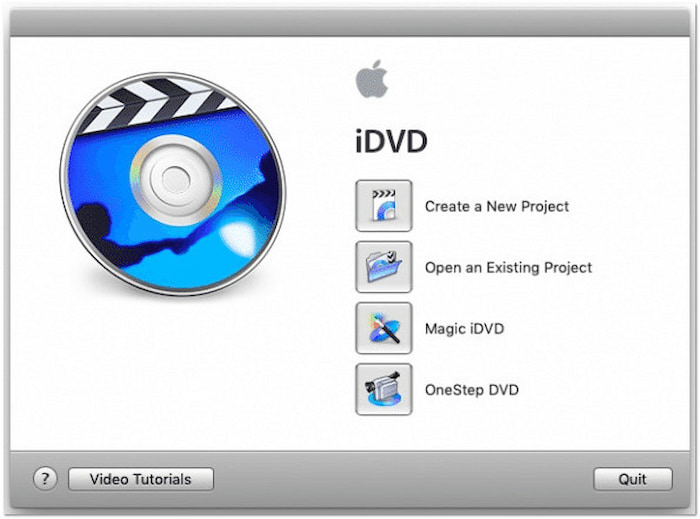
iDVD, once bundled with Apple's iLife suite, was a popular DVD authoring tool for Mac users. Many Mac users turn to it to create family DVDs, wedding videos, or presentation discs. However, Apple discontinued iDVD after the release of macOS High Sierra. It leaves users without a DVD burning solution on newer Mac systems. As a result, many users now seek alternative software to iDVD that offers similar features. When selecting a suitable alternative, it's essential to consider your specific needs. Below are some of the essential standards to guide you in selecting the best software:
• Ease of Use: iDVD was popular largely because of its simplicity: users could create a DVD without any technical expertise. A good alternative should replicate this experience, offering a clean layout.
• Menu Creation Options: iDVD's strong point was its elegant, animated menu templates. Your iDVD replacement should offer DVD menu templates with support for customization.
• Video Format Compatibility: Your DVD authoring software should support most media stream input formats. Modern tools should be able to handle formats from various sources.
• Built-in Video Editing Tools: Though iDVD offered basic editing, professional users expect more built-in editing functionality. Your alternative should include features for editing videos, audio, subtitles, and chapters.
• Output Quality and Format Support: DVDs are available in various capacities and standards. A good alternative should allow you to choose between different disc types, aspect ratios, and video qualities.
Part 2. Best Two iDVD Alternatives for Mac
2.1 Blu-ray Master DVD Creator
System Requirements: Windows 7, 8, 10, and 11 | Mac OS X 10.9 or later.
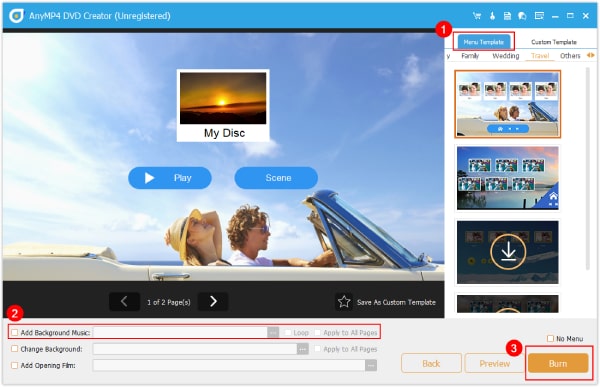
Blu-ray Master DVD Creator ranks as the best alternative to iDVD for Mac. It is a one-stop disc authoring software that offers DVD and Blu-ray burning modes. It can create DVDs, a VIDEO_TS folder, and an ISO image file from various media stream profiles. It accepts inputs in formats such as MPG, MP4, M4V, WMV, M2TS, MOV, and over 500 others. With it, you can load more than one file and burn them to a DVD or Blu-ray disc simultaneously.
Free Download
For Windows
Secure Download
Free Download
for macOS
Secure Download
Moreover, Blu-ray DVD Creator provides several menu templates of different themes. Some of the themes available include Family, Holiday, Travel, Wedding, and other styles. In addition to pre-designed templates, you can customize your design by adding background music, uploading a custom image, and inserting an introductory film. Additionally, it features a built-in editor that provides further enhancements to video, audio, subtitles, and chapters.
2.2 DVDStyler
System Requirements: Mac OS, Windows, and Linux.
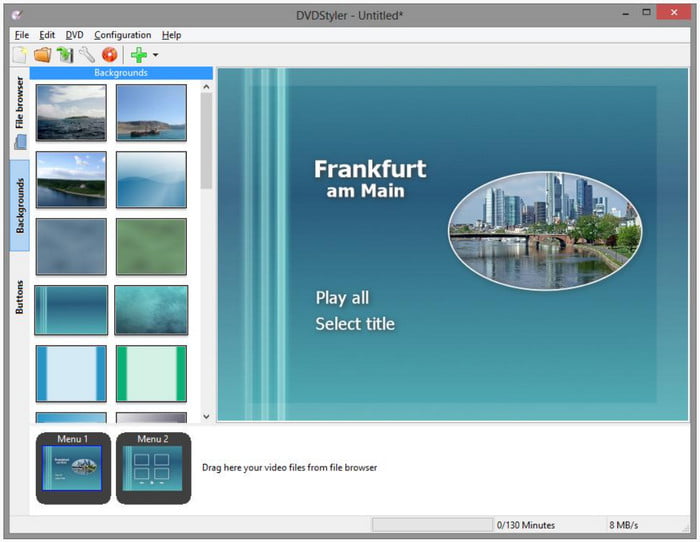
DVDStyler is a free DVD authoring application that serves as a strong iDVD alternative for Mac. It can make and burn a playable DVD with interactive disc menu navigation. It offers ready-to-use disc menu templates with options to customize buttons, text, images, and other graphic objects. It allows importing various media profiles, including AVI, MOV, WMV, OGG, and MP4, among others. You can also use MPEG and VOB formats without reencoding.
Part 3. Best Two iDVD Alternatives for Windows
3.1 WinX DVD Author
System Requirements: Windows 10 and 11.
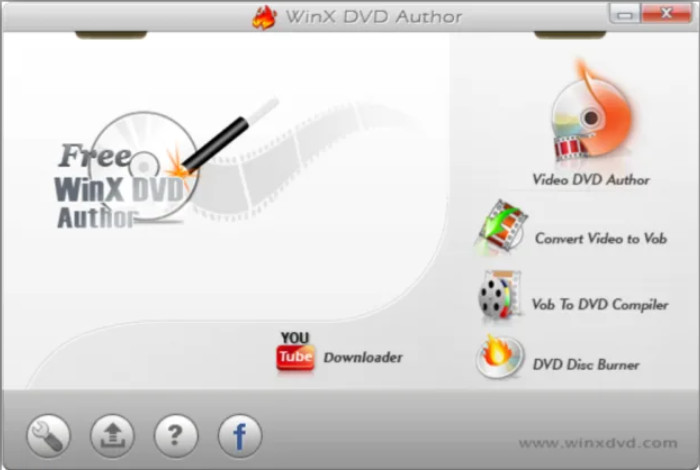
WinX DVD Author is a free iDVD alternative for the Windows operating system. It can burn MP4, MKV, MOV, FLV, AVI, VOB, and other media profiles to DVDs. With this iDVD replacement tool, you can create home video DVDs with personalized menu navigation, subtitles, and other elements. It supports PAL and NTSC standards, ensuring error-free playback regardless of your region. Beyond video to media stream profiles, you can convert URLs to DVD with it.
3.2 ImgBurn
System Requirements: Windows 95, 98, Me, NT4, 2000, XP, 2003, Vista, 2008, 7, 8, and 10.
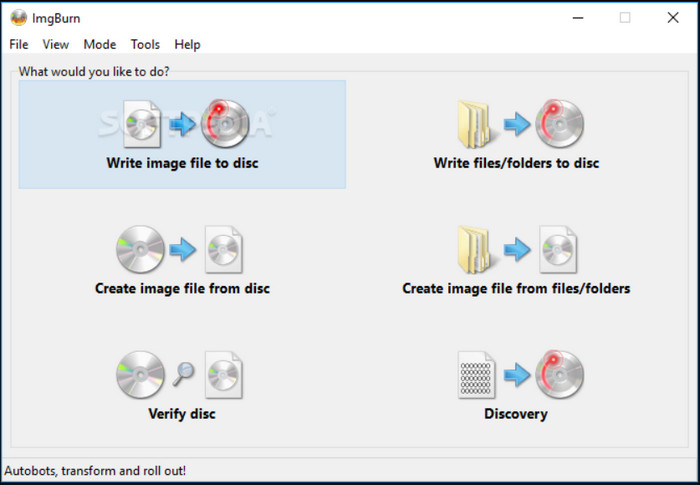
ImgBurn is a lightweight one-stop disc burning application alternative to iDVD. It can create DVDs, HD DVDs, CDs, and even Blu-rays from various media sources. You can use it to burn DVD video discs from a VIDEO_TS folder. It offers several unique modes: Read, Build, Write, Verify, and Discovery. Each mode is designed to perform a different task based on your burning needs. However, you cannot burn video directly to DVD as it only supports the VIDEO_TS folder input.
Part 4. Which is the Best DVD Burn
With so many DVD authoring tools available today, finding the best replacement for iDVD can be overwhelming. To help you easily determine the best iDVD alternative, we'll provide a quick comparison table. The table breaks down essential measures so you can quickly see which software best suits your project:
| Price | Input | Output | Processing Speed | Menu Templates | 1:1 Content Copy | Video Editor | Quality | Best For | |
| iDVD | Paid | MP4, MOV, M4V, etc. | DVDs | 15-20 minutes for single-layer DVDs | 150+ menu templates available |  | | Degraded video and audio quality | DVD burning, slideshow creation, and music backup |
| Blu-ray Master DVD Creator | Free, with an option to upgrade | MPG, MP4, M4V, WMV, M2TS, and 500+ others | DVD, Blu-ray, VIDEO_TS folder, BDMV folder, and ISO image file | 5-8 minutes for single-layer DVDs | 20 disc menu templates available |  | Rotate, Clip, Crop, Effect, Filter, Watermark, Audio Editor, Subtitle Editor, and Chapter Tools | High video and audio quality | DVD and Blu-ray disc creation with customizable menu navigation |
| DVDStyler | Free | MP4, MKV, MOV, FLV, AVI, etc. | CD, DVD, Blu-ray, and ISO | 50-60 minutes for single-layer DVDs | 10+ disc menu templates available | | | Standard video and audio quality | DVD creation with interactive menus |
| WinX DVD Author | Freemium | MP4, WMV, MOV, 3GP, AVI, and 500+ more | DVD | 35-45 minutes for single-layer DVDs | 10+ disc menu templates available, including customized menu template | | Trim, Crop, Cut, etc. | Standard video and audio quality | Burning online videos to DVD through URLs |
| ImgBurn | Free | VIDEO_TS folder | DVD, HD DVD, CD, and Blu-ray | 55-65 minutes for single-layer DVDs | | | | Retained video and audio quality | Burning music to CD and DVD creation |
CONCLUSION
As iDVD fades into the past, it's clear that users need modern, compatible, and feature-rich iDVD alternatives. Today's top alternatives offer more flexibility and power than ever before. If you're looking for an all-in-one DVD and Blu-ray creation tool, Blu-ray Master DVD Creator is our top recommendation. It is easy to use and packed with advanced features you need to create DVDs. It supports nearly all video formats, offers rich menu templates, includes built-in video editing, and burns high-quality DVDs.
More from Blu-ray Master
Best DVD Creator Review
