

Jul 11, 2025Posted by Brittany Garcia to Copy Blu Ray
As a carrier of high-quality movies and music, Blu-ray discs are prone to damage, such as scratches and aging, due to their physical properties. Therefore, Blu-ray replication technology has emerged as the best solution for protecting precious audio or video collections. Through Blu-ray copying, not only can the risk of damage be effectively avoided, but regional restrictions can also be bypassed, allowing for cross-device playback and significantly enhancing the accessibility of the content. VideoByte, as a professional Blu-ray copy software for Windows, provides users with a powerful backup Blu-ray function.
In this VideoByte Blu-ray Copy review, we will fully explore its features, performance, price, etc. Let’s start.
- Part 1. Key Features and Functionality of VideoByte Blu-ray Copy
- Part 2. VideoByte Blu-ray Copy Review
- Part 3. VideoByte Blu-ray Copy Pricing and Licensing
- Part 4. VideoByte Blu-ray Copy Pros and Cons
- Part 5. VideoByte Blu-ray Copy Alternative
- Part 6. FAQs
Part 1. Key Features and Functionality of VideoByte Blu-ray Copy
VideoByte Blu-ray Copy integrates multiple advanced technologies and provides users with comprehensive Blu-ray management functions. The following is a detailed analysis of its core features:
Blu-ray Cloning
One of the most important features of VideoByte Blu-ray Copy is 1:1 Blu-ray disc copying, which can generate a clone version exactly the same as the original Blu-ray disc without sacrificing quality. Unlike other tools that compress or modify the original video, VideoByte Blu-ray Copy retains subtitles, audio tracks, chapter markers, and 3D effects, no matter which Blu-ray region code your Blu-ray movie comes from. This tool is highly suitable for users who wish to preserve their Blu-ray collections while maintaining quality.
Compress BD-50 to BD-25
VideoByte Blu-ray Copy can intelligently compress the content from BD-50 to BD-25. In contrast to simple quality compromise, it intelligently analyzes video information using a dynamic bitrate allocation algorithm, reserving higher bit rates for complex scenes and compressing simple scenes appropriately. It strikes the most excellent possible balance between maintaining quality and saving space.
Four Copy Modes
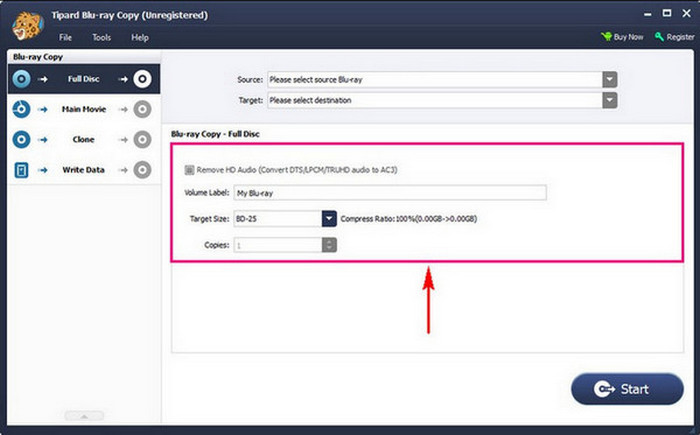
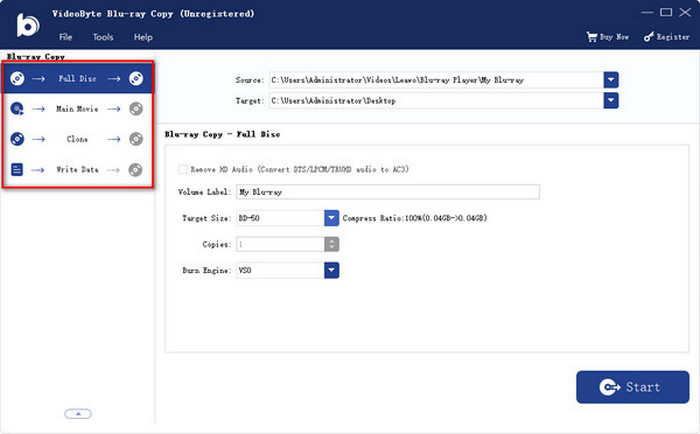
VideoByte Blu-ray Copy offers users four copy modes to choose from: Full Disc, Main Movie, Clone, and Write Data.
• Full Disc: precisely replicate the entire Blu-ray, including all menus and contents.
• Main Movie: only extract the main content, which can save space.
• Clone: generate identical content to the original disc, and achieve the maximum degree of restoration.
• Write Data: allows for burning the Blu-ray folder or ISO image file onto a blank Blu-ray disc.
Part 2. VideoByte Blu-ray Copy Review
After learning about the powerful features of VideoByte Blu-ray Copy, you may be more concerned about how the software performs in actual use. In the detailed review section below, we will explore the software’s ease of use, efficiency, quality performance, etc.
Ease of Use
VideoByte Blu-ray copy performs well in terms of ease of use, and its installation process fully demonstrates this feature. The entire installation process is straightforward. You only need to download a 29.7MB installation package and complete the installation within 90 seconds. And the installation process is completely pure, without any bundled adware or components.
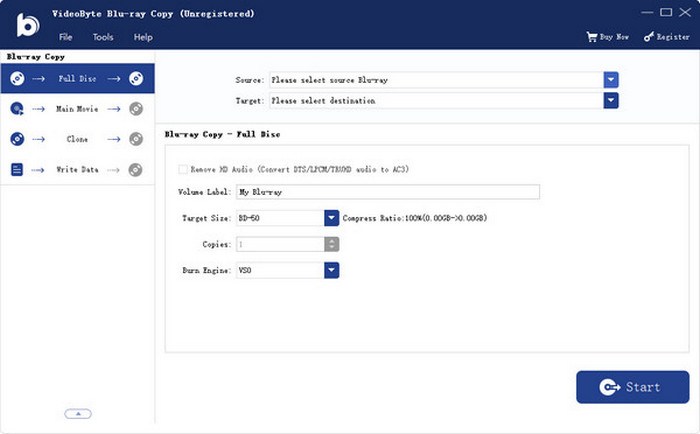
In addition, VideoByte Blu-ray Copy strikes a perfect balance between ease of use and functionality. The interface is clear and intuitive. Even beginners can get started easily.
Output Formats and Copying Speed
The supported input and output media formats of VideoByte Blu-ray Copy are Blu-ray disc, Blu-ray folder, and Blu-ray ISO image file. According to your needs, you can choose different output formats. Additionally, it exhibits a respectable copying speed when it copies Blu-ray movies.
Compatibility
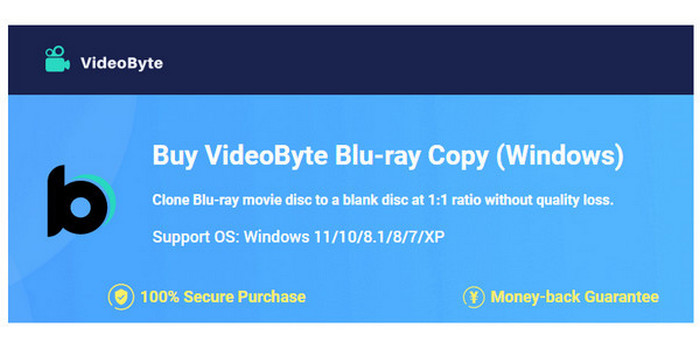
VideoByte Blu-ray Copy only supports the Windows system, including Windows 11, 10, 8, and 7. Unfortunately, this software does not support the Mac system, which has caused inconvenience for many Mac users.
Output Quality
The VideoByte Blu-ray Copy is made to replicate Blu-ray discs in lossless quality, maintaining a 1:1 ratio while preserving all original audio tracks, subtitles, and chapter information. Whether it is a full disc, the main movie, or a custom selection, this Blu-ray copy tool supports various Blu-ray disc types, and ensures the copied content will have the same visual and aural quality as the original. It is suitable for those users who require high output quality of Blu-ray copying.
Stability and Error Handling
According to our testing, this product is stable and secure. However, it performs mediocrely when it comes to handling errors. Many people complain that issues like software crashes and refund requests take a long time to resolve.
Part 3. VideoByte Blu-ray Copy Pricing and Licensing
After the comprehensive and practical review, we believe that you have a clear understanding of the performance of VideoByte Blu-ray Copy. Then, does the price of the software match the value it provides? Therefore, we will conduct a detailed analysis of the cost of VideoByte Blu-ray Copy to help you find the option that best suits your needs and budget.
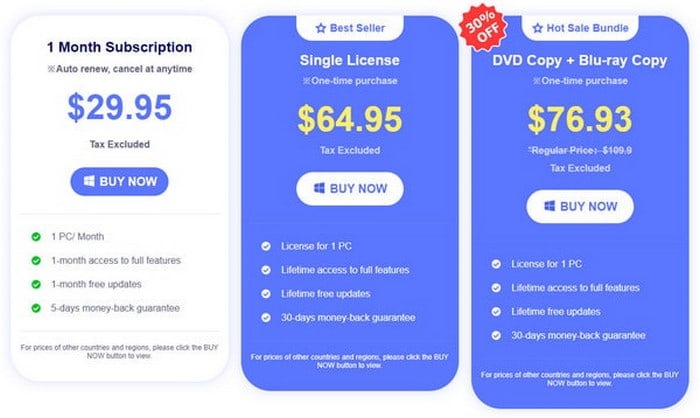
• $ 29.95: 1 month for one PC.
• $ 64.95: lifetime access for one PC.
• $ 76.93: lifetime access plus VideoByte DVD Copy for one PC.
Although VideoByte Blu-ray Copy has a free trial version for 24 hours, it has limitations on some features.
In general, its prices are a little high. You can try it out before purchasing.
Part 4. VideoByte Blu-ray Copy Pros and Cons
Pros
- High Blu-ray output quality.
- User-friendly interface.
- Quick copying speed.
Cons
- Only available for Windows devices.
- The price is a little bit high.
- Limited editing features.
Part 5. VideoByte Blu-ray Copy Alternative
Although VideoByte Blu-ray Copy is easy for users to operate and supports high Blu-ray output quality, it has many drawbacks, for example, it lacks advanced editing features, and its price is high. If you’re searching for a free alternative with more editing features, Blu-ray Master Free Blu-ray Copy is a dependable option.
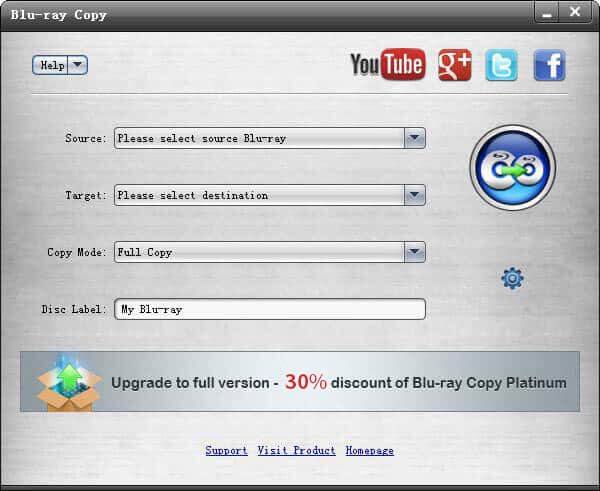
Blu-ray Master Free Blu-ray Copy is a free Blu-ray copy tool that is able to copy any Blu-ray file to disc or hard drive losslessly. Similar to VideoByte Blu-ray Copy, it also has a 1:1 Blu-ray disc copying feature, and supports you to copy Blu-ray movies to Blu-ray Disc and iSO image files. In addition, it is even easier to back up Blu-ray than VideoByte Blu-ray Copy. And it is compatible with both Windows and Mac. Moreover, its copying speed is fast, and its performance is stable. More importantly, you can try Blu-ray copy freely by using Blu-ray Master Free Blu-ray Copy.
Free Download
For Windows
Secure Download
Part 6. FAQs
-
Does VideoByte Blu-ray Copy have a free trial version?
Yes. The VideoByte Blu-ray copy software offers a free version, through which you can experience some of the features. However, the free trial version is valid for only 24 hours.
-
How does Blu-ray copy protection work?
The Advanced Encryption Standard (AES), a robust 128-bit key encryption scheme developed by the US government, forms its foundation. AACS has a mechanism that allows the keys linked to a certain player to be revoked for upcoming Blu-ray disc releases in the event that it is found that those keys have been hacked.
-
Is Blu-ray copy protected?
Commercial Blu-rays are secured from unauthorized backups by copy protection. The following are typical copy protections for Blu-rays: RC, BD+, BD-J (Blu-ray Disc Java), AACS (Advanced Access Content System), etc. Eliminating these safeguards should be your top goal if you intend to rip Blu-rays to a digital format.
Conclusion
Throughout this VideoByte Blu-ray Copy review, we can see that although VideoByte Blu-ray Copy is a bit expensive and lacks advanced editing features, it is a reliable and user-friendly software, suitable for Windows users who require multiple copying modes and high copying speeds. While Blu-ray Master Free Blu-ray Copy is also a good choice, you can download and try it freely. And we hope you’ll share your experience in the comments section below.
More from Blu-ray Master
Top Blu-ray Copy Software

Free tool to copy any Blu-ray file to disc, folder, or ISO images losslessly.
100% Secure. No virus
