

Aug 08, 2025Posted by Selena Thomas to Copy DVD
We cannot deny the fact of how sensitive discs are when it comes to getting dirty. Dirty in the sense of having scratches, fingerprints, assorted smudges, and specks of dust. Unfortunately, these elements can hinder the disc’s ability to be played smoothly. Fortunately, these hindrances can be easily fixed by cleansing, which can be done by using your supplies at your house. So, are you ready to get the things you need to clean a DVD disc? Then, sort out the ideas listed below, and start your cleaning after.

- Part 1. Why Cleaning DVD Disc Matters
- Part 2. Preparations Before Cleaning a DVD Disc
- Part 3. How to Clean DVD Disc (Step-by-Step Guide)
- Part 4. Common Mistakes to Avoid
- Part 5. How to Keep a DVD Disc
- Part 6. FAQs about Cleaning a DVD Disc
Part 1. Why Cleaning DVD Disc Matters
Cleaning DVD discs regularly is an essential way to protect them. Here is why it matters:
Prevents Playback Errors: Lasers are used to read data from optical disks. Smudges, dust, fingerprints, and small scratches on the disc's surface can all make it difficult for the laser to read the tiny pits and lands where the data is stored. Playback problems, including stuttering, skipping, freezing, or the disc not being detected at all, are caused by this interference.
Maintains Data Integrity: Even though discs have error-correction mechanisms, too much dirt or damage can overwhelm them, resulting in errors that cannot be fixed and possibly data loss.
Protects Your Drive: A filthy disc may cause foreign objects to enter your DVD drive and even build up on the laser lens. This can eventually result in read mistakes, deteriorate the drive's performance, and even prematurely wear out the internal parts of the drive.
Part 2. Preparations Before Cleaning a DVD Disc
Before you even do the cleaning, you must prepare the things to use first, just like preparing the ingredients before cooking. Doing this will save more time in doing the procedure, for you already have the things on hand. That said, here are the things you will need to clean the DVD disc.
1. DVD Disc
Gather all the DVD discs that you need to clean. It would be better if you already sorted the discs with scratches, from the ones with dirt only.

2. Cleaning Materials
For the cleaning materials, you will need warm water, soap, toothpaste, alcohol, and an item of furniture polish. These materials are enough to clean both the discs with scratches and dirt.
3. Soft Towels
You will need soft towels to wipe the cleaning residue on the discs. It is advisable to prepare more than 2 soft towels for this procedure. Please be specific in choosing a towel, for it is important that it is soft to prevent more scratches.
4. Back-Up DVD
Backing up the DVD is necessary before cleaning the discs because they might get damaged during the cleaning procedure.
With that said, we recommend this Blu-ray Master DVD Copy, a copy program that lets you backup your DVDs to blank discs, folders, and ISO files. Furthermore, it is a software you can grab for your Mac or desktop, which can help you create copies you can store on your device, blank discs, and USB. It is a better choice than others due to its ultra-fast conversion speed, making the copying procedure fast without losing quality. In addition, you will find its offered copy modes, which include the Main Movie mode, Full Copy mode, and Customize mode. This DVD copy tool is indeed the best DVD copying tool for you since it is designed to cater to beginners like you, and its simple interface proves it so.
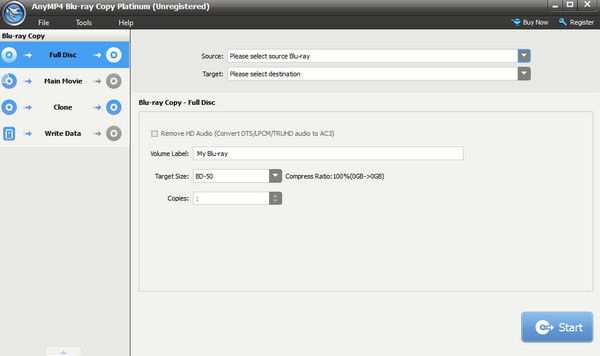
Main Features:
• Easy to use.
• Support for high-quality movies to copy losslessly.
• It provides you with Full Copy, Main Movie, and Customize copy modes.
Free Download
For Windows
Secure Download
Free Download
for macOS
Secure Download
Part 3. How to Clean DVD Disc (Step-by-Step Guide)
Now that you have prepared everything needed for cleaning the DVDs, it is time to do the job. Please rely on the steps below.
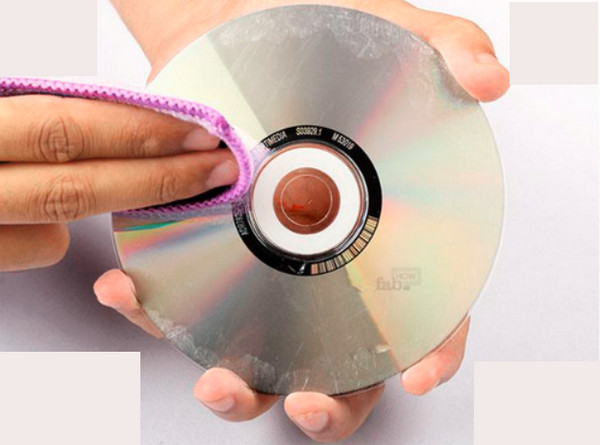
Step 1Wipe the Dust Out of the Disc
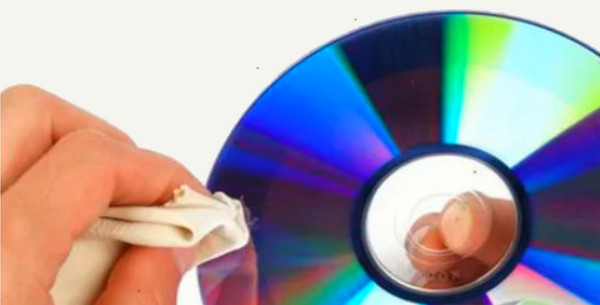
The first thing to do is to initially wipe each disc with a clean towel. Please note that this wiping procedure needs to be done with extra care because wiping the disc with negligence will add scratches to the discs.
Step 2Soak the Disc in Water with Soap
After wiping each disc, you can put it directly into a clean basin with warm water and soap. Give your DVD discs time to be soaked for a minute. Also, note that the water must have enough soap to make it feel slippery. Then, your disc should be put carefully, and make sure that the reflective layer part is facing up.
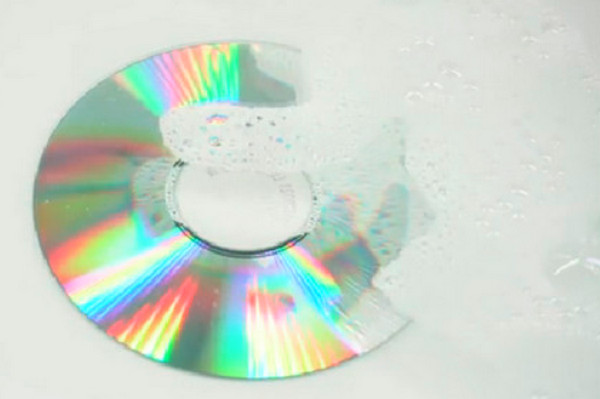
Note: You can also replace the warm soapy water with toothpaste or alcohol to clean the DVD disk.
Step 3Rinse and Pat Dry the Discs
When you think the disc got enough time to soak, ascend it and rinse it with running water. Make sure to rinse it well without a residue of soap. Then, using a new soft towel, pat dry the disc.
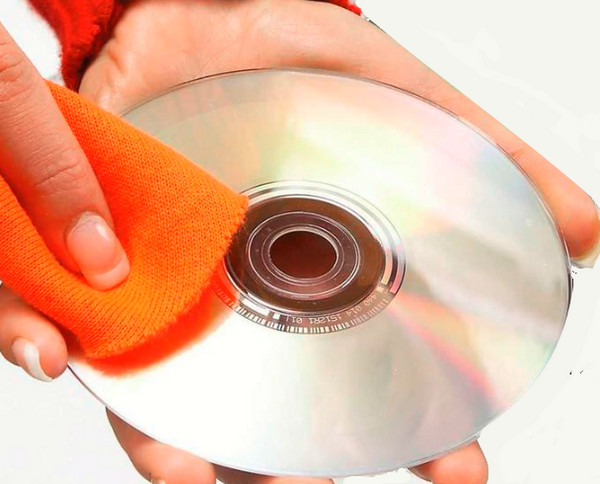
Step 4Furnish the Disc with Scratches
For the discs that have scratches on them, if you want to fix scratched DVDs, use furniture polish. Rub the polish on the parts where there are scratches, then wipe the polish with a soft towel after.
Part 4. Common Mistakes to Avoid
Avoiding typical errors is just as crucial when cleaning DVD discs as understanding the right technique, because incorrect cleaning can do more harm than good. Here are some typical errors to avoid:
Using Abrasive Substances
Error: Using rough cloths, tissue paper, paper towels, or your shirt to wipe the disc.
Why it's bad: Because these materials are overly rough, they can cause new read mistakes by scratching the disc's sensitive surface.
Correct: Always use a gentle, lint-free microfiber cloth made especially for electronics or optics.
Cleaning in Round Motions
Mistake: Wiping the disc in circular motions around its perimeter.
Why it's bad: It may seem obvious, but circular scratches are more likely to cross over into more than one data track, which makes it more difficult for the laser to read the disc and for the error correction to adjust.
Correct: Always wipe the disc from the center all the way out to the edge. There will only be one data track if there is a scratch, which the disc's error-correcting mechanism can handle more effectively.
Directly Applying Liquid to the Disc
Mistake: Directly misting the disc with cleaning solution.
Why it's bad: Excess moisture may damage the data layer or interfere with the disc's balance if it seeps into the layers of the disc, particularly around the center hole or the edges of discs that are poorly made.
Correct: Lightly wipe the disc after applying a tiny bit of the cleaning solution to your microfiber cloth.
Applying Excessive Pressure
Mistake: Excessively cleaning the disc to get rid of tough dirt.
Why it's bad: In addition to physically bending or warping the disc, excessive pressure can also grind abrasive particles into the surface, resulting in deeper scratches.
Correct: Apply steady, mild pressure. Try lightly rewetting the area and giving the solution a moment to work before wiping again if a smudge is difficult to remove.
Part 5. How to Keep a DVD Disc
Cleaning the DVD disc is a complex task though it may look easy. You need to take extra care in cleaning them. Therefore, what you will do after the cleansing procedure should be things to keep them clean. Thus, here are some of the precautions for keeping the disc from scratches.
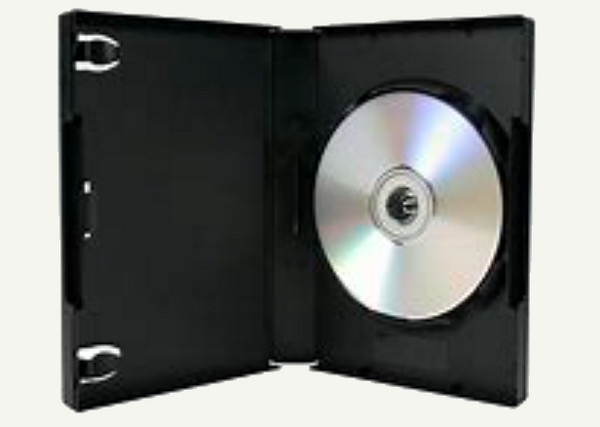
1. Place the Disc in a Case
This is the safest method to keep the DVD and to avoid scratches. Put each DVD disc in its respective case and let it be protected all the time. However, you must be sure that the case you use is durable.
2. Keep Them Vertically Stored
Keeping the DVD in storage where they are positioned vertically is a good method to make them safe. As much as possible, do not store them overlaying on each other.

3. Keep Them Away From Direct Sunlight
Direct heat from the sun will only let the disc hamper or damage. Hence, make sure to place your DVDs in a location with a cooler environment.
4. Take Extra Care in Handling the Discs
Hold the DVD discs with extra care. Holding it on the edges will make the disc bend, especially when removing it from the case. Therefore, we recommend you hold the center instead.
Part 6. FAQs about Cleaning a DVD Disc
-
Why do my DVDs get scratched when I clean them?
You must assess yourself on how you clean a DVD disc. Do you use a cotton type of towel? Because this is a crucial thing to use.
-
How can I use toothpaste to clean the disc?
You just need to rub the toothpaste on the disc using your hand, then rinse it. Toothpaste is a good material to fix scratches on the disc.
-
Do fingerprints cause damage to the disc?
Yes, wiping the fingerprints using a piece of cotton fabric is important to reduce the damage.
Wrapping up
Those are the ways and preparations to keep and clean a DVD disc at home. Hope you learn something that you will use. You can keep and store DVDs for years if you follow the above mentioned ways and tips. Additionally, you can extend your preservation by copying the disc contents using Blu-ray Mastser DVD Copy. You can trust this software to maintain the high quality of your DVDs even after copying them.
More from Blu-ray Master
