

Apr 02, 2026Posted by Kevin Miller to Play DVD
Although not as popular as its prime in the early 2000s, physical media, such as DVDs and Blu-rays, still has its niche when it comes to superb video quality for home-released versions of movies and TV shows. With that in mind, learning how to access these media is a crucial step you should learn, especially when using a modern laptop or computer. In this article, we will provide exactly this information as we highlight some of the best DVD players for laptop computers. We will provide a detailed review of five of the best external drivers for modern laptops, as well as five of the most reliable software programs for playing DVD videos digitally.
Part 1. How We Test and Pick DVD Players
Can I Play DVDs on Laptop
Yes, you can. However, you need to use two different tools, with one being the external DVD driver as well as the Blu-ray and DVD player for the laptop to play the loaded physical media. With that in mind, this article will help our readers choose the right tool when it comes to loading their DVDs, as well as the paid and free media players required to watch them.
How We Test
To provide a comprehensive test of the following DVD drivers and digital DVD players, we have tested each program based on key features that must be considered when selecting the tools you need to use for playing physical DVD media.
For a quick overview of the tools we will review, make sure to read our provided table below:
| DVD Player Hardware | Connectivity | Interface Type | Reading Speed | Acoustic Noise | Physical Footprint |
| Asus ZenDrive | Plug-and-play connection. | USB Type-C interface. | DVD-ROM up to ~8× standard speed. CD-ROM up to ~24× standard speed. | Moderate and slightly noticeable noise during playback and data writing. | Very slim and portable, while weighing approximately 255g. |
| Asus BW‑16D1X‑U Blu‑ray Drive | Requires an external power adapter. | USB 3.2 Gen 1 (USB-A) interface for laptop/PC. | DVD up to ~16× standard speed. CD up to ~40× standard speed. BD-R/BD-ROM up to ~12× standard speed. | Noticeable acoustic noise due to the larger chassis and hardware. | Large hardware is not portable. Approximately 1.16kg. |
| Pioneer BDR-XD08S | Requires a USB-A to USB-C adapter for newer laptops. | USB 3.2 Gen 1. | DVD up to ~8× standard speed. CD up to ~24× standard speed. Blu-ray up to ~6× standard speed. | Generally quieter than other hardware with full-size drives. | Compact hardware at approximately 230g. Very portable. |
| LG WP50NB40 | Require a USB-C adapter for modern computers. | USB 2.0 interface only. | DVD up to ~8× standard speed. CD up to ~24× standard speed. Blu-ray up to ~6× standard speed. | Equipped with Silent Play technology for controlled noise. | Slim and portable, only weighing 272g. Easy to carry but slightly bulkier than other portable options. |
| Gotega USB 3.0 & Type-C Drive | Plug-and-play. | USB 3.0 with USB-C and USB-A. Backward compatibility with USB 2.0. | DVD up to ~8× standard speed. CD up to ~24× standard speed. No Blu-ray support. | Standard DVD reading noise. | Average design is portable enough but larger than other compact options. Weighs around ~350 g. |
| DVD Player Software | Ease of Use | System Resource Usage | Region-Free Playback | Video Enhancement | Audio Quality |
| Blu-ray Master Free Blu-ray Player | Beginner-friendly | Lightweight | Supports region-free DVD and Blu-ray media. | High-definition playback up to 4K resolution. | Standard audio quality. |
| VLC Media Player | Intermediate | Intermediate resource consumption | Plays region-free media. Struggles with encrypted Blu-rays. | Basic video filters and quality equalizers. | Standard audio quality. |
| PotPlayer | Advanced | Lightweight | Require additional plug-ins for region-free playback. | Video filters, smoothing, sharpening, color correction, and extensive render settings. | Standard audio quality. |
| PowerDVD | Advanced | Heavy resource consumption | Require additional plug-ins for region-free playback. | Strong HDR enhancement. | Dolby and DTS high-res audio quality. |
| Leawo Blu-ray Player | Intermediate | Intermediate resource consumption | Supports region-free DVD and Blu-ray media. | High-definition playback up to 4K resolution. | Dolby, DTS, TrueHD, and multichannel audio. |
Part 2. Top 5 External DVD Players for Laptop
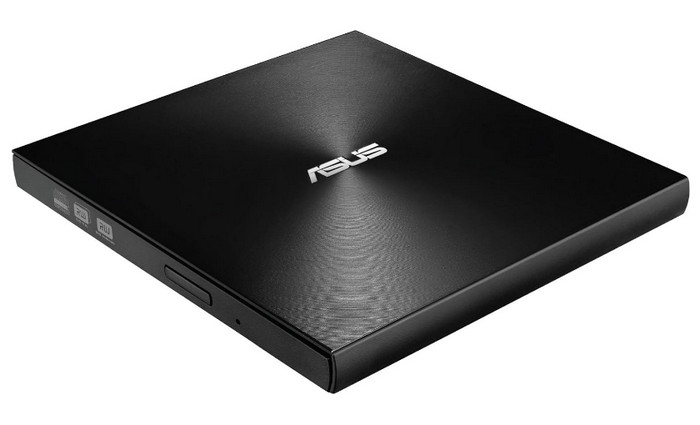
Top 1. Asus ZenDrive
Price: $37.99
Able to work on Windows, macOS, and Linux, Asus ZenDrive performs at a decent speed when writing and reading discs. This lightweight drive is plug-and-play. What’s more, ZenDrive adopts the M-DISC technology to help you save data for a long time under harsh conditions.
Pros
- Slim and light to carry: 228 grams.
- It can work with almost all operating systems.
- Affordable alternative to Apple USB SuperDrive on Mac.
- Convenient and direct play after connecting the USB 2.0.
Cons
- It takes up two USB ports, which means it can work with single-port devices.
- No support for DVD-R RL, DVD+R RL, and Blu-ray discs.
User Reviews
Most of the users of Asus ZenDrive are happy with the decent performance of the product. It is also reliable enough, which is an even more compelling reason to use it aside from its portability.
Top 2. Asus BW‑16D1X‑U Blu‑ray Drive
Price: $168.00
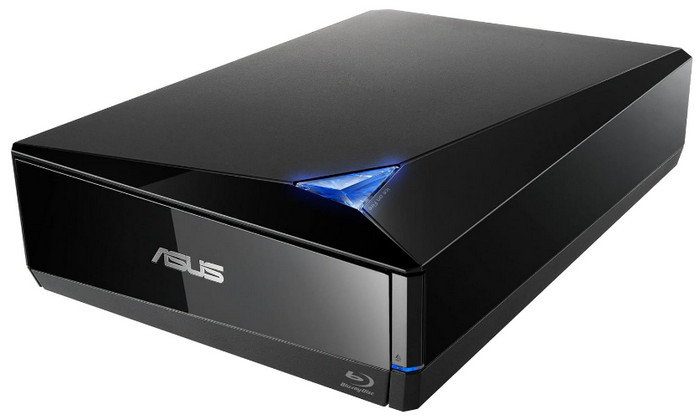
Asus’s other great optical drive product, Asus BW-16D1X-U Blu-ray Drive, supports both DVD and Blu-ray discs. It offers fast reading and ripping, though with minor image quality loss.
Pros
- Modern and futuristic appearance.
- Compatible with various disc types.
- Built-in software to back up an Android device to Blu-ray.
- Fast reading speed.
Cons
- Costly price.
- Unpredictable problems of ejecting discs.
- Partial software can’t work on Macs.
User Reviews
If you want to prioritize faster reading and ripping performance, most of the users of the Asus BW-16D1X-U Blu-ray Drive highly recommend it. However, it comes at the cost of noticeable image quality decline.
Top 3. Pioneer BDR-XD08S
Price: $120.00
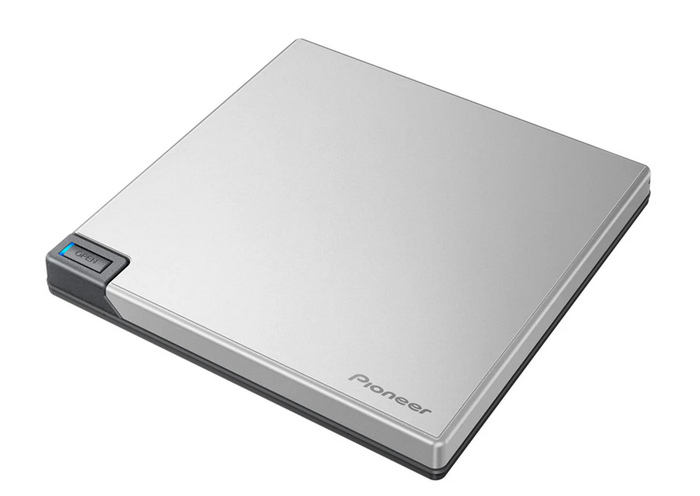
If you are looking for a DVD driver for improved compatibility, the Pioneer BDR-XD08S is one of the best options on the market. Equipped with both USB-A and USB-C options, this makes the software functional for older laptop hardware as well as modern releases that only support USB-C.
Pros
- Supports playing and writing data on Blu-ray, DVD, and CD physical media.
- Very compact and lightweight, which makes it a highly portable DVD player.
- Equipped with both USB-A and USB-C cables for improved compatibility.
Cons
- Require third-party apps to allow Blu-ray playback.
- Users' reviews include software incompatibility issues and complex setup requirements.
- It is primarily built with plastic materials, providing a less premium experience.
User Reviews
Pioneer BDR-XD08S is the best option if you want maximum compatibility. Since it is compatible with modern computers equipped with the much faster USB-C port. However, it can also be used to connect to standard USB-A computers.
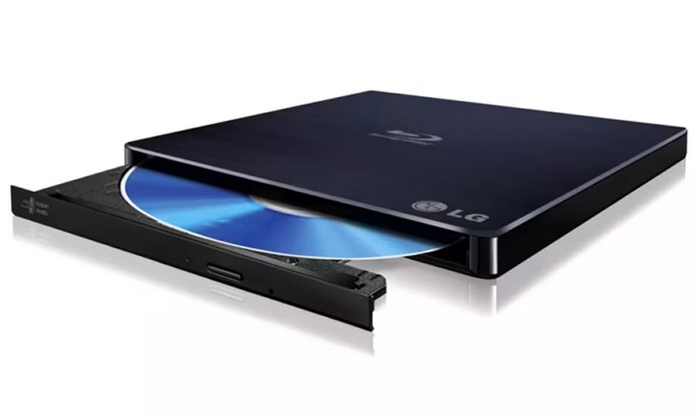
Top 4. LG WP50NB40
Price: $112.00 – $130.00
LG WP50NB40 should be your top choice if you want to maximize portability. This program is the best in the market since it functions as a plug-and-play program, as it does not need any drivers to work well. As such, it is best used together with laptops.
Pros
- Portable and slim hardware makes it work well with laptops.
- Easy plug-and-play design with no drivers needed.
- Supports playing DVD, Blu-ray, and CD media.
Cons
- Limited to USB 2.0, making it slower than modern options.
- Its data reading and writing speed may only be considered standard.
- Its lightweight chassis may make it feel fragile.
User Reviews
For users who are on-the-go, LG WP50NB40 may be the best value pick. Among its users, its portability is its most complimented feature. It may be limited to USB 2.0, but it is the best for laptop users.
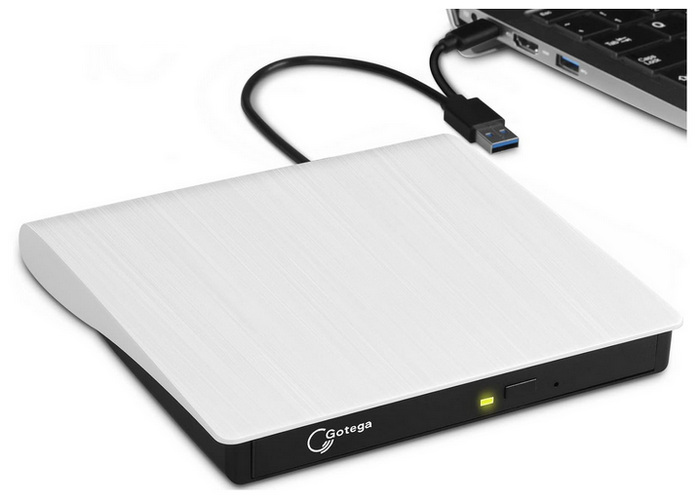
Top 5. Gotega USB 3.0 & Type-C Drive
Price: $18.99
Finally, the final program we will highlight in this article is the most affordable option among its peers: the Gotega USB 3.0 & Type-C Driver. As its name suggests, it is primarily designed for versatility and for users with a tight budget. Unfortunately, it struggles with subpar quality control, as user reviews are very mixed, indicating inconsistent unit performance.
Pros
- Very affordable compared to other branded options.
- Its modern USB 3.0 and Type-C connections make it way faster than standard USB 2.0.
- Plug-and-play setup without a need for additional drivers.
Cons
- Quality and reliability vary significantly by each unit. Subpar quality control.
- Very mixed user feedback is reflected by its inconsistent performance.
- No Blu-ray media support.
User Reviews
When choosing Gotega, its users are concerned with the inconsistent quality control of the product. However, its cheap price tag is hard to ignore. Thus, most users of the program half-heartedly recommend it if you want to potentially get good value for money while risking the potential of getting a subpar product.
Part 3. Top 5 DVD Player Software for Laptop
Top 1. Blu-ray Master Free Blu-ray Player
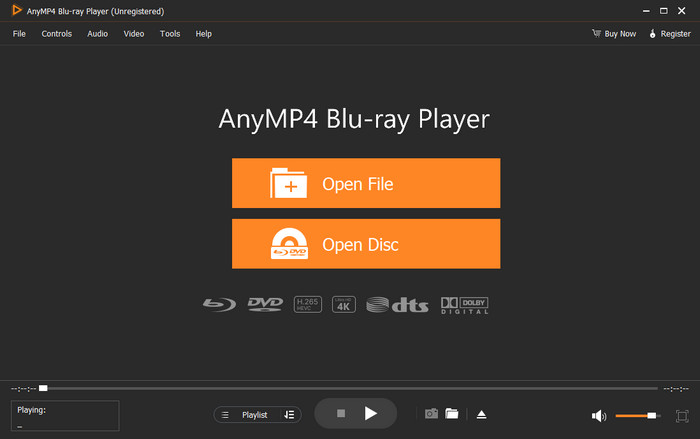
When looking for a DVD player software to go along with your DVD driver, Blu-ray Master Free Blu-ray Player should be one of your top picks. To start, this program offers the most compatibility since it supports both Windows 11/10/8 and Mac OS X 10.9 or above.
For maximum practicality, the software can play DVDs, DVD folders, and ripped ISO file data accessed on your computer, whether played using an external drive or via your device’s file manager. It can also play DVDs regardless of their regions, which makes the program a better option than other tools in this article. This feature is commendable since it allows the software to play any DVD media.
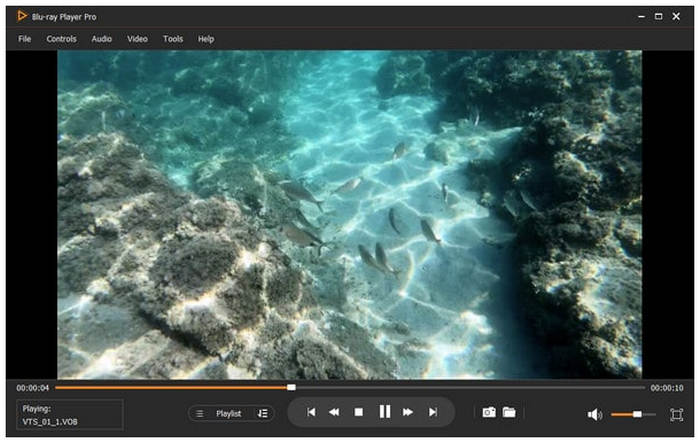
For a more authentic viewer experience, the software offers practical playback controls. You can take screenshots from the playback itself; adjust the volume and playback speed; and access other basic control settings, such as subtitles, to customize your viewer experience.
To learn all the best features, strengths, and limitations of the program, make sure to read our details below:
Free Download
For Windows
Secure Download
Free Download
for macOS
Secure Download
Main Features:
- • Support DVD types of DVD-ROM, DVD-R, DVD+R, DVD-RW, DVD+RW, DVD-RAM, DVD-DL, etc. from all regions
- • Support Blu-ray playback
- • Support playback of discs, folders, ISO image files, and IFO files
- • Support almost all video and audio formats
- • Support various playback settings to select subtitles, forward/backward, adjust movie effects, select audio tracks, manage playlists, and take screenshots.
Pros
- Region-free DVD player software.
- Support both DVD and Blu-ray playback.
- Support the video resolution of 1080p HD, 4K, and 8K.
- Support almost all video formats.
- Reasonable subscription plan.
- Easy-to-use interface design.
- Comprehensive playback settings.
Cons
- Free trial offers limited functions.
Bottom Line
Blu-ray Master Blu-ray Master Free Blu-ray Player is one of the best physical media players for laptops. This excellent DVD player supports almost all DVD types and video formats. No matter whether you are a beginner or a professional, you can easily get into it and navigate to the DVD title you want to watch. To enjoy a cinema-like DVD-watching experience on your laptop, Blu-ray Player provides support of resolution in 1080p HD, 4K, and 8K, as well as lossless sound quality. What’s more, the Blu-ray player supports all DVD regional codes, so you can play DVDs from anywhere you bought them.
Top 2. VLC Media Player
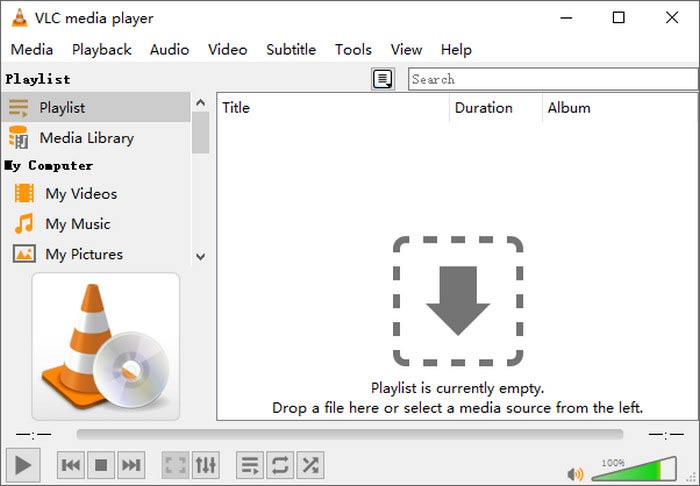
When it comes to multimedia player popularity, VLC Media Player takes the top spot. Thanks to its superb compatibility across different operating systems, this open-source software is one of the most used options on Windows, Mac, Linux, and even on Android and iOS. Unfortunately, it has a slight limitation in terms of physical media that it can play, since it cannot support Blu-ray discs.
Main Features:
- • Support DVD, folder, and ISO file playback.
- • Support video format conversions.
- • Support screen recording.
- • Support MPEG and DivX streaming.
Pros
- Completely free player software.
- Compatible with all platforms.
- Support almost all popular formats like MPEG, AVI, ASF, WMV, WMA, MP4, MOV, 3GP, OGG, etc.
- Support video format conversions.
- No ads.
- Lacks multiple video editing functions.
- Not beginner-friendly.
Cons
- No support for Blu-ray discs.
Bottom Line
VLC Media Player is an open-source program that is compatible with both PC and Mac. It’s widely used because this free DVD player software supports a variety of media forms’ playback. However, the operation may be tough for new users. Moreover, it seems that there’s nothing VLC can’t do, but it isn’t the best at everything.
Top 3. PotPlayer
If you are concerned with your viewing experience due to the lackluster performance of your computer, PotPlayer may be the option for you. Equipped with a hardware acceleration system, it can reliably play DVD media even on slightly dated hardware since it can consume the resources of your device to ensure that the viewing experience will be smooth.

Main Features:
- • Plays physical DVDs, DVD folders, and DVD rips saved in ISO format.
- • Wide support for virtually all audio and video formats.
- • Hardware accelerated with GPU acceleration technology.
- • Versatile subtitle format support.
- • Multi-track audio compatibility.
Pros
- Free-to-use program.
- Hardware acceleration to support advanced DVD physical media.
- Wide format and playback support for both digital and physical media.
Cons
- Complex interface design for both playback and menus.
- Only available for Windows computers.
- Most of its advanced settings are overwhelming for new users.
Bottom Line
If you want a reliable free-to-use program, PotPlayer is a good option thanks to its GPU-accelerated system that allows playing advanced DVDs and other physical media. This made the program an advisable option if you want to watch DVDs for free without overthinking about the playback smoothness.
Top 4. PowerDVD
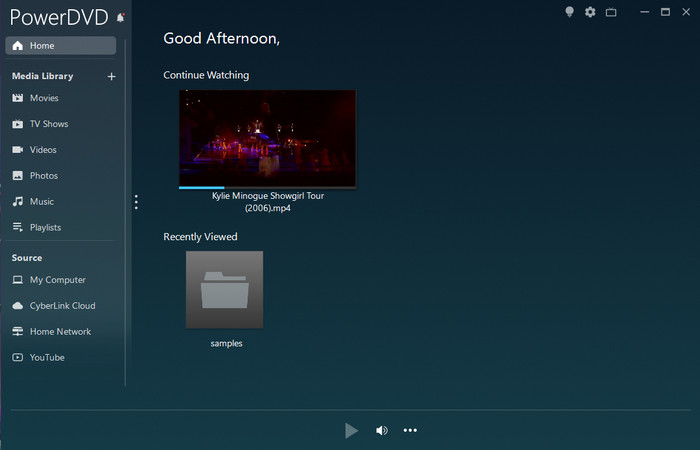
As its name suggests, PowerDVD is a multimedia player tool designed especially to handle DVD videos. This was supported by its superb sound system with Dolby Studio and Hi-Res 7.1 audio. Unfortunately, it is even more resource-heavy since it was designed to handle physical media. It also suffers from too much ad presence.
Main Features:
- • Support high-quality playback of DVD, Blu-ray, and 4K Ultra HD.
- • Support major video formats like MP4, MKV, MOV, AVI, APNG, WebP, WebM, etc.
- • Support enhancing video and audio quality.
- • Support 100GB of free cloud storage to share on PC, TV, and phones.
Pros
- Support DTS-HD, Dolby Audio, and Hi-Res 7.1 surround sound
- User-friendly interface
- Support 3D playback
Cons
- No Mac version
- Resource-intensive
- Expensive subscription plan
- Too many ads
Bottom Line
PowerDVD is a Windows-only media player. It supports playing all regular DVD and Blu-ray discs. At the same time, PowerDVD developed other special features to improve the overall viewing experience, like 3D playback. Yet, these functions slow down the system’s performance.
Top 5. Leawo Blu-ray Player
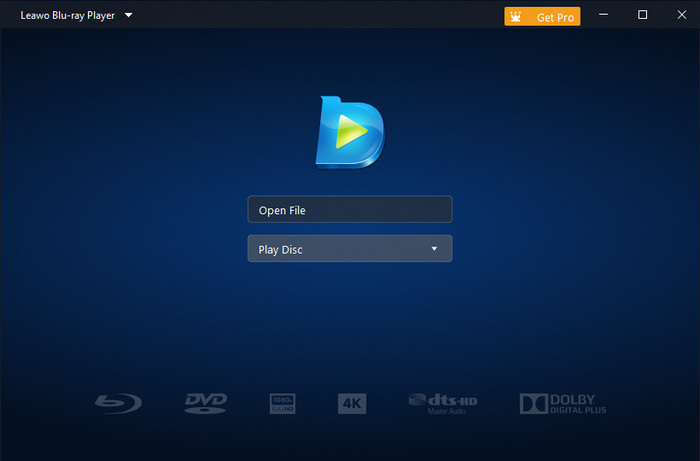
Finally, the last option in this list is another free-to-use multimedia player tool with Leawo Blu-ray Player. Among the options on this list, this program offers a built-in user guide to make learning how to use it easier. Unfortunately, there are reports that it crashes when handling Blu-ray discs.
Main Features:
- • Support DVD/Blu-ray discs, files, and ISO files for playback.
- • Support virtual remote control of the Blu-ray/DVD menu.
- • Support video files in AVI, MPEG, WMV, MP4, FLV, RMVB, MOV, Xvid, 3GP, etc.
- • The multi-angle feature allows users to enjoy multi-camera movies and switch viewing angles.
Pros
- Free and safe to use
- Support change software skin color to dark and light.
- A built-in user guide in the software
Cons
- Crashed too often when playing Blu-ray discs
- Loads DVD/Blu-ray discs too long
- Mainly supports playing 1080p HD videos
Bottom Line
Leawo Blu-ray Player is a suitable program for those who try to play DVDs on laptops. Its interface doesn’t have many figures or menus to bother you. You can control the disc playback well with this player. But the Leawo Blu-ray Player really needs stability improvements.
Part 4. How to Connect a DVD Player to a Laptop
When you get an ideal external DVD player for a laptop computer, you can follow the steps below to connect it:
Step 1. Turn on your laptop.
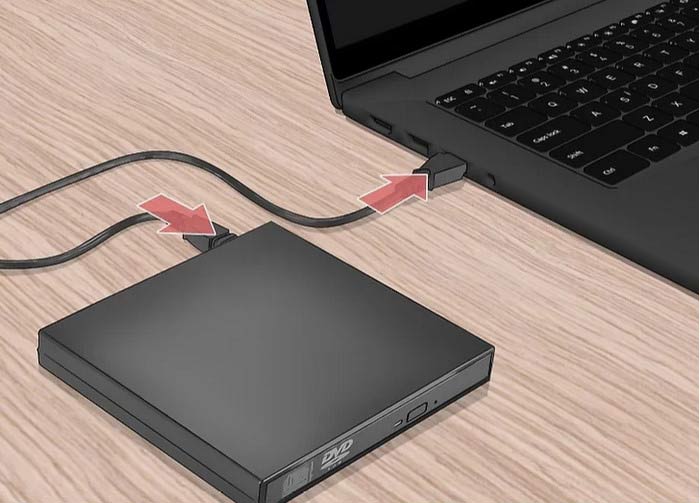
Step 2. Plug one end of the USB cable into the external DVD drive. Then, plug the other end into your laptop.
Step 3. When the physical connections are secure, follow the instructions to download the related software for playback.
Step 4. Click the buttons below to download and install Blu-ray Master Free Blu-ray Player on your laptop. Launch the best DVD player for a laptop.
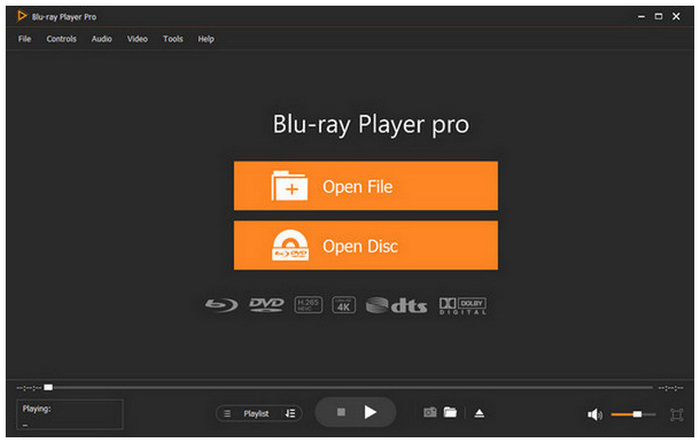
Step 5. Click Load Disc to automatically add the DVD you want to watch to the software. You can use the provided settings to adjust volume, edit subtitles, and take screenshots.
Part 5. DVD Player Is Not Working on the Laptop
Corrupted DVD Disc (Damaged or Dirty)
When facing DVD corruption while playing your physical media, the first step you should check is whether your disc is damaged or dirty. Since these are two of the most common causes of DVD corruption. Fortunately, this can be fixed by simply cleaning your physical media, depending on the severity of the damage or dirt.
DVD Region Restriction
When facing DVD regional restrictions, you may also be unable to play your program since most legally released DVD media have strict regional restrictions. This means that these releases may only be played on DVD players with the same region code as them. An incompatible DVD and player will cause region restriction.
Digital DVD Players are Outdated
Outdated media player software often fails to recognize new discs or drives. Update your player or reinstall it to fix compatibility issues.
Digital DVD Players are Outdated
If the DVD player for your Windows 11/10 laptop is not working well but your drivers and connection are perfectly set up, you may need to check for an update on the media player software you are using. This is because outdated tools are infamous for not functioning well.
Part 6. FAQs of DVD Player for Laptop
-
My laptop doesn't have a disc drive. How can I watch my old DVDs?
You need to buy an external DVD drive. Then, connect the device to your computer. You then need to download a multimedia player that supports reading DVD media.
-
What's the best cheap external DVD drive for Windows 11?
When it comes to cheap DVD drives, the Gotega USB 3.0 & Type-C Drive is by far the most accessible. It is the cheapest at only $18.99. However, the quality control of the driver is subpar at best.
-
Does VLC media player support playing DVDs from different regions?
No, it cannot. VLC Media Player can only play region-free DVDs. It also cannot handle encrypted Blu-ray media.
-
Is it better to buy a $20 external DVD player or a $100 Blu-ray drive?
Although more expensive, a $100 Blu-ray drive is the better choice. This is because most of these tools also support DVD as well. This option offers more value.
-
Are digital DVD players reliable for watching physical media?
Yes, they are. However, you need to ensure that your external driver is reliable as well. Both the DVD player and the external drive should have good quality and performance.
Conclusion
Now that we have provided the best DVD player for laptop devices from external drivers and media player software, we hope that this article has provided our readers with the most reliable options for watching physical media on modern computers. To learn more about the best digital DVD player you can use, be sure to check out Blu-ray Master’s Blu-ray Player you can download using the link below.
More from Blu-ray Master
Best DVD Player

Easily play Blu-rays, DVDs, and various video/audio formats with rich playback features.
100% Secure. No virus
