

Jul 02, 2026Posted by Kevin Miller to Play DVD
Best Picks:
Casual User: Leawo Free DVD Player
Movie Buff: KMPlayer
International User: Blu-ray Master Free DVD Player
Budget-Conscious User: VLC Media Player
Tech-Savvy User: PotPlayer
When you want to relax and watch a DVD movie on your PC, you probably prefer an application that supports DVD playback. Different from hardware DVD Players, the software DVD player just needs you to download and install it on your computer and then launch it. Of course, you don't want to use much money to buy the DVD Player. In order to meet your needs, we have tested and collected the 9 best free DVD player software for an immersive DVD playback experience. You can find the perfect one to help you enjoy your DVD collection.

Table of Contents
- How We Tested and Selected These DVD Players
- 1. VLC Media Player: The Best 100% Free, Open-Source Option for All Platforms
- 2. Blu-ray Master Free DVD Player: Best for Hassle-Free, Region-Free Playback
- 3. 5KPlayer: Best for Multimedia Streaming and High-Definition AirPlay
- 4. MPV Player: Best Minimalist and Scriptable Player for Performance Purists
- 5. Leawo Free DVD Player: Best User-Friendly Interface for Casual Viewers
- 6. KMPlayer: Best for Cinematic Movie Buffs Seeking Enhanced Video Controls
- 7. PotPlayer: Best for Tech-Savvy Windows Users Demanding Advanced
- 8. IINA for Mac: The Ultimate Modern Media Player Tailored for macOS
- 9. MPC-BE: Best Lightweight, Snappy Player for Legacy Systems and ISO Files
- FAQs of Best Free DVD Player Software
| Supported OS | Support Formats | Subtitle Support | Region Code Support | Audio Quality | Advanced Playback Controls | Ease of Use | Price | |
| VLC Media Player | Windows 11/10/8.1/8/7/Vista/XP, macOS | DVDs, Blu-rays, and common video files. | Yes | Region 1-6 | Good | Speed, frame-by-frame, etc. | Free | |
| Blu-ray Master Free DVD Player | Windows 11/10/8/7, macOS | DVDs, Blu-rays, and various digital formats. | Yes | Region 1-6 | Excellent | Speed adjustment, playlist, etc. | Free | |
| 5KPlayer | Windows 10, macOS | DVDs, and common digital formats. | Yes | Region 1-6 | Good | Speed adjustment, etc. | Free | |
| MPV Player | Windows and Mac | DVDs, and common digital formats. | Highly advanced; scriptable | Limited | Audiophile-grade | Keyboard-centric / Scripted | Free | |
| Leawo Free DVD Player | Windows 11/8.1/8/7, macOS | DVDs, and common digital formats. | Yes | Region 1-6 | Good | Speed adjustment, etc. | Free | |
| KMPlayer | Windows 10, macOS | DVDs, and common digital formats. | Yes | Region 1-6 | Good | Speed, frame-by-frame, etc. | Free | |
| PotPlayer | Windows 11/10/8.1/8/7/Vista/XP | DVDs and common digital formats. | Yes | Region 1-6 | Excellent | Speed adjustment. | Free | |
| IINA | macOS (10.11+) | DVDs, and common digital formats. | Built-in online search | Limited | Excellent | Modern UI / Gestures | Free | |
| MPC-BE | Windows | DVDs, and common digital formats. | Solid; supports internal/external | Strong | High | Classic Windows GUI / Hotkeys | Free |
How We Tested and Selected These DVD Players
At Blu-ray Master, we don’t just list software; we put every player through a series of real-world stress tests to ensure they meet the demands of modern PC and Mac users. Our goal is to provide unbiased, data-driven recommendations.
1. Hardware Diversity Testing
We test each software across multiple hardware configurations to ensure compatibility:
- Mac: We use the latest Apple Silicon (M1/M2/M3) MacBook Pros and legacy Intel-based iMacs.
- Windows: We test on Windows 11 and 10 across various CPU generations, specifically checking for Intel SGX compatibility issues for 4K playback.
- Drives: We use a mix of native USB-C external drives and older USB-A drives connected via high-quality adapters.
2. Disc Type Compatibility
Blu-rays aren't all the same. We test software against:
- Standard BD-25/BD-50: Testing load times and menu navigation.
- Encrypted Commercial Discs: Checking if the player can bypass AACS, BD+, and region codes without lag.
- 4K Ultra HD Blu-rays: Measuring frame drops and HDR10/Dolby Vision color accuracy.
- Homemade/Burned Discs (BD-R/RE): Ensuring file-system readability.
3. Performance & Resource Impact
A movie shouldn't freeze your computer. We monitor system performance during playback:
- CPU/GPU Load: We measure how much 'Hardware Acceleration' (like NVIDIA NVENC or Intel Quick Sync) reduces the strain on your processor.
- Battery Drain: For laptop users, we track how many hours of playback a single charge provides compared to native media players.
4. User Experience (UX) Analysis
Finally, we evaluate the 'friction' of the software. We look for:
- Ease of Setup: How many clicks from 'Insert Disc' to 'Movie Start'?
- Ad-Free Experience: We flag software that interrupts the user with pop-ups or hidden bloatware.
1. VLC Media Player: The Best 100% Free, Open-Source Option for All Platforms
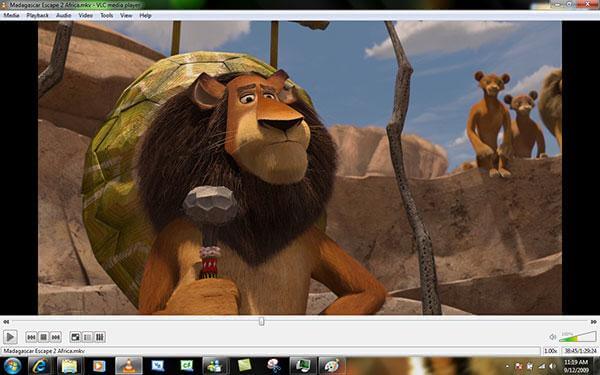
The multimedia player, VLC Media Player can be a free DVD watching software, which has different versions to be compatible with Windows, Mac, Android and iOS operating system, you can download corresponding version to use. As you know, it is most popular open source Free Media Player to play DVDs, VCDs as well as video/audio files.
How to play DVD movie with VLC DVD Player app on Windows or Maccomputer? You can set it to automatically play DVDs when a DVD is inserted by choosing the “Play DVD movie VideoLAN VLC Media Player” option, it is easy to use.
- Fully compatible with all operating systems especially Windows 11/10/8.1/8/7, and Mac including macOS Sonoma.
- Easily play DVD disc, DVD folder, and DVD ISO image file.
- Play most codecs with no codec packs needed – MPEG-2, MPEG-4, H.264, MKV, WebM, WMV and MP3.
- Provide most complete feature-set over the video, subtitle synchronization, video and audio filters.
Pros
- Simple and clear interface
- Create or connect to a video stream
- Support a wide range of file formats
Cons
- No video editing functions
- No folder adding
User Reviews
• Many people applaud VLC as an open-source, free media player that works with various audio and video formats, including DVDs.
• The playback controls, which include play, pause, volume, and chapter navigation, are easy for users to understand.
• Many customers complain that they have trouble playing professionally made, copy-protected DVDs wth this free DVD player.
2. Blu-ray Master Free DVD Player: Best for Hassle-Free, Region-Free Playback
Blu-ray Master Free Blu-ray Player is a powerful, all-region free DVD player. It supports DVD discs, folders, ISO files, and popular media formats on Windows 11/10/8/7 and macOS Sonoma. With decryption technologies, you can watch all kinds of commercial and protected DVDs—including Region 1-6 DVD discs—smoothly at home. With full control over chapters, audio tracks, and subtitles, plus a handy screenshot feature, you can enjoy your DVD collection.
In our hands-on testing with an external USB drive, we loaded heavily encrypted, imported Region 2 and Region 3 discs that typically fail on standard media players. Blu-ray Master bypassed the regional locks instantly, loading the interactive disc menus in under 4 seconds without any frame drops or lag, making it the perfect choice for users with international movie collections.
Pros
- Support playing DVD discs/ISO files/folders
- DVD playback with high quality
- Compatible with various formats: MP4, AVI, WMV, TS, FLV, MTS, M2TS, MKV, TRP, MXF, MPEG, RMVB, etc.
- User-friendly and beginner-friendly interface
- Support customizing DVD playback
Cons
- Some pro features are limited in the free version.
User Reviews
• Many descriptions praise its simple and user-friendly interface.
• Some individuals commend editing features such as cropping, modifying movie effects, and taking screenshots.
• The free version does not support advanced audio codecs like DTS and Dolby 5.1.
How to play DVD on Windows/Mac/MacBook Pro with Blu-ray Master Free DVD Player
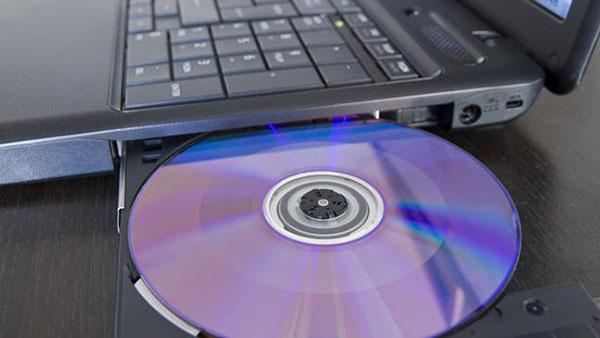
Step 1.Insert DVD disc into DVD drive or install virtual DVD drive
Firstly, you should insert the DVD disc into internal or external DVD drive if you want to play DVD disc on the program. When you need to play DVD ISO image file, you have to download and install the virtual DVD drive like DAEMON Tools on your computer in order to recognize the ISO image file beforehand.
Step 2.Free download and install the program
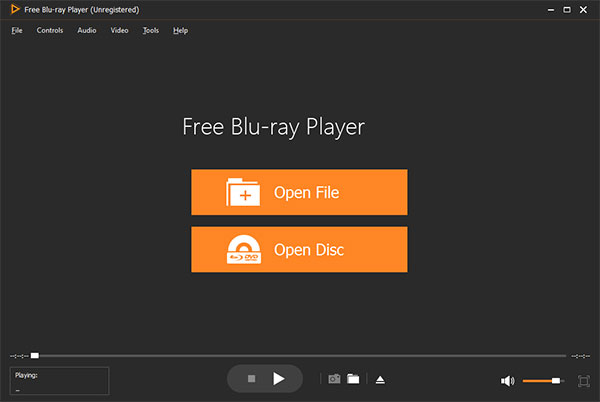
You should download this wonderful Blu-ray Player software from above download link and install it on your computer, and then you can launch the program to open the main interface as below.
Free Download
For Windows
Secure Download
Free Download
for macOS
Secure Download
Step 3.Open DVD disc/folder/ISO image file to Play
No matter playing Blu-ray or DVD, you just click “Open Disc” button and select the corresponding disc/folder/ISO image file and then click “OK” to load Blu-ray/DVD to the program. After loading file, this program would play the movie automatically.
Step 4.Multiple user-friendly settings to optimize the DVD effect
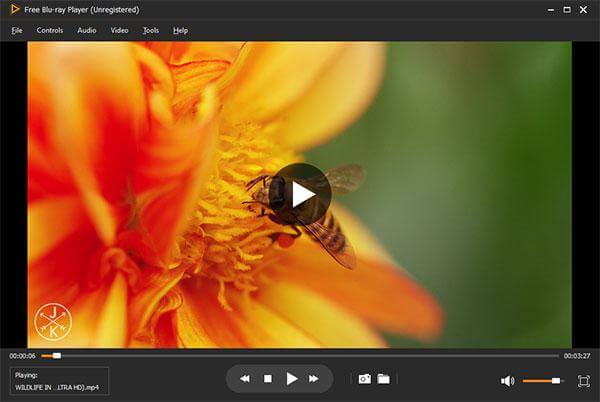
At top left of the main interface, you can click “Controls” column to select the movie title/chapter, and click “Audio” or “Video” column to adjust the audio/video track and even change the screen size to meet your audiovisual enjoyment.
3. 5KPlayer: Best for Multimedia Streaming and High-Definition AirPlay
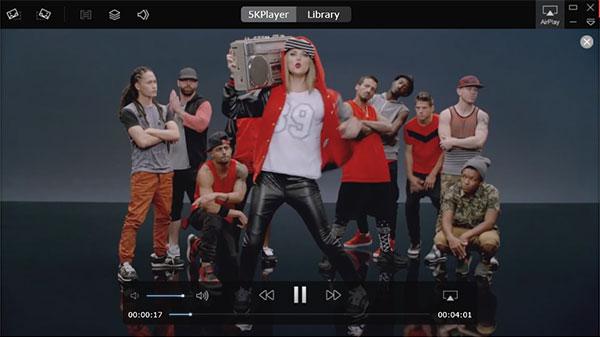
5KPlayer is a powerful media solution that plays region-free DVD discs, DVD ISO images, and HD videos on your PC with remarkable speed and quality. Beyond local playback by simply browsing to your files or clicking the "Load DVD" button, it features an integrated online downloader that lets you paste video links from the web.
During our hands-on review, we were highly impressed by its seamless screen-mirroring performance. AirPlaying a live DVD stream from a MacBook to an iMac screen worked flawlessly with zero audio lag, proving it to be the ultimate tool for multimedia users who love casting and interacting across multiple screens.
- Play DVDs and videos like MP4, MOV, AVI, FLV and others with revolutionary design.
- Work as a HD video player to play DivX, H.264, and other HD video files.
- Play audio files perfectly to activate your senses.
- Stream multimedia Airplay content to enjoy the tracks from iPhone (iPhone 18/17/16/15, etc.), iPad, or iPod.
Pros
- Support video streaming services
- Support playlist management
- Support 8K playback
Cons
- Sometimes unstable
- Confusing for beginners
User Reviews
While many users report that 5KPlayer successfully plays a wide range of formats—including commercial or homemade encrypted DVDs- the software's reputation has shifted. Though it was once highly popular, it has recently faced widespread criticism across Western tech communities, including on Reddit, for its heavy ad pop-ups and resource-intensive background processes (such as the bundled Bonjour service). Some users also report occasional stuttering or freezing during playback with specific discs. Ultimately, while it remains a capable choice for those who specifically need its robust AirPlay and screen-mirroring features, casual users looking for a clean, ad-free experience may find it occasionally unstable.
4. MPV Player: Best Minimalist and Scriptable Player for Performance Purists
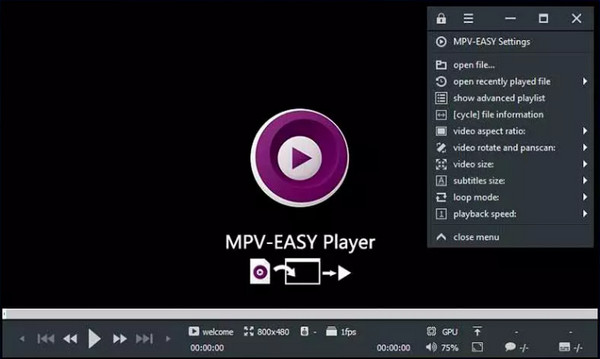
In an era where most software has become ‘bloatware’ filled with unwanted features and tracking, MPV stands as the ultimate counter-culture tool. It is a free, open-source, and cross-platform media player that strips away the flashy interface to focus entirely on what matters: unrivaled playback performance. While popular players like IINA (macOS) use mpv as their core, the ‘vanilla’ mpv experience represents the peak of scriptable, lightweight, and high-performance media consumption.
- Supports HDR, color management, and frame timing that beats almost every ‘out-of-the-box’ player.
- You can literally code your own features—like a custom progress bar or a specific cropping tool.
- A sleek, mouse-over interface that stays out of your way until you actually need it.
Pros
- There’s no splash screen, no ads, and no 'discovery' tab.
- With custom GPU Shaders (like Anime4K or FSRCNNX), you can make crusty 480p/720p content look crisp on a 4K display.
- No tracking, no 'calling home,' and no data mining.
Cons
- Out of the box, it doesn’t even have a traditional menu bar.
- It’s not a 'plug-and-play' app for everyone.
User Reviews
• Some people praised this lightweight DVD player software for handling 10-bit HEVC like a champ.
• Some people are highly satisfied with the tool’s simplicity.
• Some people reflect that it is powerful but intimidating.
5. Leawo Free DVD Player: Best User-Friendly Interface for Casual Viewers
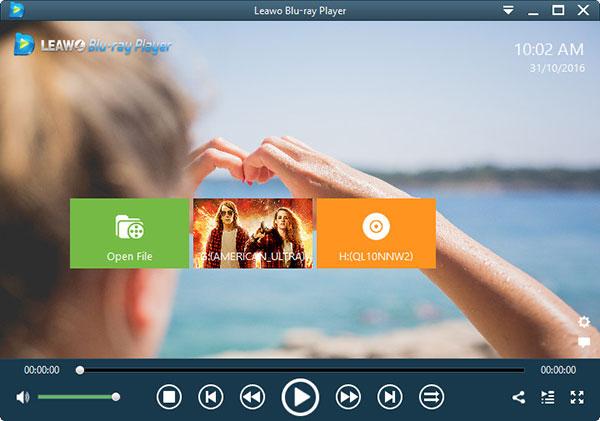
Leawo Free Blu-ray Player, the intuitive and simple DVD Playing software to play back the newest DVD disc released in the market and DVD folders, DVD ISO files and IFO files on Windows 8.1/8/7/XP/Vista and 10. The Mac version has the same function for you to use on Mac OS X/11/12 especially macOS Sonoma. Meanwhile, it’s not only a Free DVD Player, but also a Free Video Player be capable of playing VOB, MKV, MP4, TS, MOV, AVI and other popular formats.
For better user experience, Leawo Free DVD Player for Windows and Mac provides detailed navigation and full playback control and allows you to adjust subtitles, audio tracks and videos during playback, customizes background picture, switches program skins and supports multi-languages and multiple screen displays, etc.
- Play back Blu-ray/DVD disc, audio, common videos and audios smoothly on Windows 11/10/8/7/Vista/XP in lossless quality.
- Take screenshots during movie playback anytime you like and save in either JPG, PNG or BMP format.
- Change video aspect ratio from zoom, stretch 2:3, wide zoom, stretch 16:9, and original, or even custom aspect ratio.
Pros
- Low system resources using
- Support wide formats variety
Cons
- Crashed sometimes
- Ads supported
User Reviews
• Consumers frequently comment on the DVD’s good audio and video quality.
• This free DVD player software for Windows 10 supports DVD menus well, enabling users to access special features, navigate chapters, and adjust settings.
• Some users are not satisfied with the ads in the free version.
6. KMPlayer: Best for Cinematic Movie Buffs Seeking Enhanced Video Controls
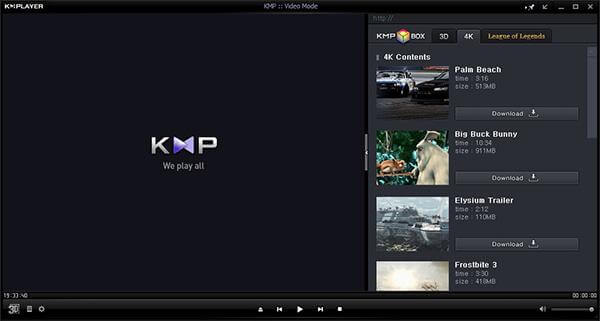
KMPlayer is a free DVD player that handles both DVD and video playback, providing you with an excellent audiovisual effect. It is simple enough to use for an average person but is not deceived by its simplicity. Its strong user base and the active official forum helps you out whenever you run into a problem with KMPlayer.
The best part of the DVD Player for Free is the number of options. You can set multifarious audio and video effects, control playback speed and octave, sharpen and change picture properties, apply external filters, select parts of a video as favorites, and make video captures within the program.
- Easily play DVD movie with smooth video and audio quality.
- High resolution movie (3D, 4K and UHD) supported to allow you to watch movies in superb quality.
- Capture audio and video or screen capture is possible, and can be saved in the format you want.
- Provide full control over DVD selection, Movie menus, audio menus, subtitle menus, brightness/contrast and more, to suit user needs.
Pros
- Amazing 3D playback feature
- Support remote playback
- Support downloading extra codec
Cons
- High CPU usage
- Ads supported
- Installer contains other software
User Reviews
Many movie buffs praise KMPlayer for its excellent built-in audio processing, often noting that its theater-like sound quality feels richer than VLC. However, the software has drawn significant criticism in Western tech communities like Reddit in recent years. Long-time users frequently point out that ever since the original developer sold the software to Pandora TV, the 32-bit version has become cluttered with heavy side-panel advertisements, performance bugs, and occasional installer bloatware. Although the newer 64-bit version (KMPlayer 64X) stripped out most of these ads to focus on seamless 4K and 8K playback, some users still report that its interface feels outdated compared to modern platforms, and navigation can be intimidating for beginners.
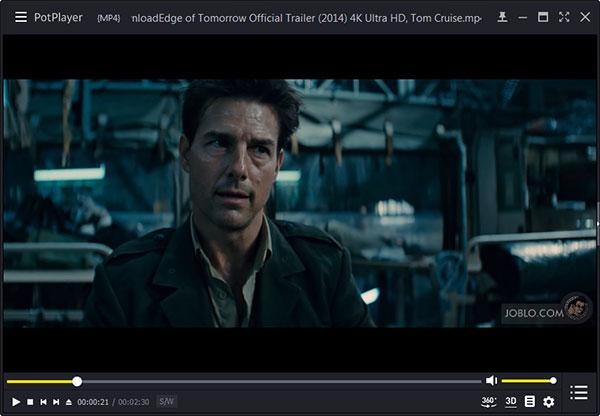
7. PotPlayer: Best for Tech-Savvy Windows Users Demanding Advanced
PotPlayer is a free Windows DVD player that provides a smooth DVD playback experience. It works solely on Windows (11/10/8) and features a great-looking, user-friendly interface, letting you watch DVD movies without any Cacophony. It also offers an extensive range of configurable options and a lot of functionality. With it, you can play Blu-ray, DVD, video formats, and audio CDs with superb sound and video quality.
There are a few cool features tucked away inside this free Windows DVD Player, too, such as the ability to take snapshots of the media you are viewing and save them as JPEG files, and great support for subtitles. If you are looking for a new Free DVD Player with extensive format and codec support, PotPlayer may be just what you are looking for.
- Play DVD movie with high-quality playback as well as video and audio.
- Multiple options like File Associations, Visualizations, Shortcuts, and Subtitle Formats.
- Support various skins, logos, color subjects, and adjust the screen size to monitor size.
Pros
- Support various subtitle files like ASS, SAA, etc.
- Easy operation for video effects
Cons
- Not beginner-friendly
- Installer contains other software
- Ads supported
User Reviews
• Many users consistently praise PotPlayer for its smooth and high-quality DVD playback.
• This free DVD player software for Windows 10 utilizes the acceleration technologies, like DXVA, CUDA, etc., to lead to the smooth playback of DVDs.
• Some users have complained about odd playlist behavior, like the playlist remembering the last played position or immediately adding all files in a folder.
8. IINA for Mac: The Ultimate Modern Media Player Tailored for macOS
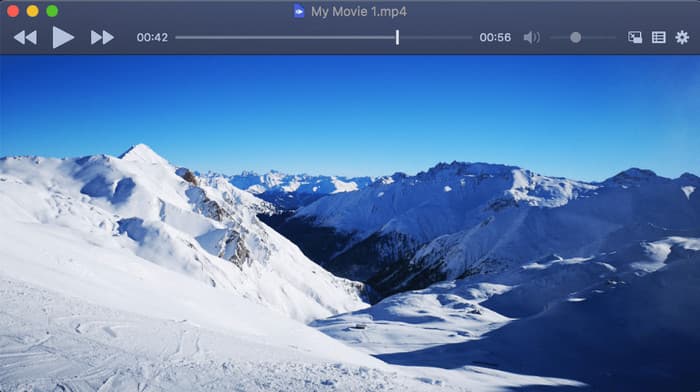
IINA is widely considered the ‘VLC for the modern age’ on macOS. It is an open-source media player built specifically for the Mac ecosystem, using the powerful mpv engine under the hood. While it excels at playing 4K MKV files and web streams, it also serves as a sleek, albeit sometimes temperamental, DVD player for those who still appreciate physical media or ISO backups.
- You can pop your DVD movie into a small corner window while you browse or work.
- Provides a beautiful visual scrubber and quick controls right on your keyboard.
- Real-time adjustments for brightness, contrast, and saturation if that old DVD looks a bit washed out.
- Supports various scripts and plugins to extend functionality, like syncing with your trakt.tv account.
Pros
- It’s built with Swift, so it actually feels like a part of macOS.
- You can use your trackpad to pinch-to-zoom or swipe to seek through a movie.
- It boots up instantly and doesn't hog your CPU, which is great if you're watching a long DVD on a MacBook battery.
Cons
- It often chokes on interactive DVD menus.
- While it handles .iso files like a champ, sometimes it’s picky about external USB Apple SuperDrives or third-party disc readers.
User Reviews
IINA was widely praised as the true 'VLC for the modern age' for Mac users. Because it uses the robust `mpv` engine under the hood, power users report excellent hardware-accelerated playback for complex 4K HEVC files, anime fansubs, and tricky MKV containers with multi-track audio and advanced `.ass` subtitles. Of course, it also has problems. Some users note that out-of-the-box color and brightness rendering can feel overly dark or washed out in moody cinematic scenes unless you manually disable the "Load ICC Profile" setting.
9. MPC-BE: Best Lightweight, Snappy Player for Legacy Systems and ISO Files
MPC-BE is a lightweight, open-source media player that carries on the classic Windows player legacy. While modern streaming has made physical media feel like relics, MPC-BE offers high-quality decoding and seamless, direct reading of large DVD ISO image files, so you can enjoy DVDs on old Windows devices with ease.
We tested this player on an older, budget Windows 10 laptop with limited RAM, and it booted up instantly. It managed to mount and play a heavy 8GB DVD ISO file smoothly with less than 5% CPU usage, making it the absolute best choice for keeping legacy systems fast and responsive.
- This open-source tool provides a much smoother playback experience and prevents screen tearing during fast action scenes.
- It allows you to apply post-processing scripts (like sharpening or color correction) to upscale old DVD content.
- Highly granular control over subtitle placement, timing, and font styles.
- It mounts and plays DVD .iso files or VIDEO_TS folders seamlessly without needing to ‘burn’ anything.

Pros
- It doesn't hog your RAM or CPU, making it perfect for older laptops with internal DVD drives.
- It handles MPEG-2 (the DVD format) right out of the box.
- You can tweak everything from the renderer to the shader effects to make those low-res 480p DVDs look a bit sharper on a 4K monitor.
Cons
- If you’re not tech-savvy, seeing terms like 'LAV Filters' or 'EVR Custom Presenter' might give you a headache.
- It is only available for Windows.
User Reviews
• It’s just faster. No splash screens, no ads, no ‘checking for updates’ for five minutes.
• The best part about BE is how it handles upscaling.
• Some people complain that it’s way too finicky with drivers.
FAQs of Best Free DVD Player Software
-
1. How can I play a DVD on my computer for free?
First, you can download and run Blu-ray Master Free DVD Player on your computer. Then, insert the DVD disc into the internal or external DVD drive. Click "Open Disc" to load the DVD disc into the program. And the program will play the DVD file for free automatically.
-
2. How do I play a DVD on VLC on Windows?
First, you can download and install VLC media player on your Windows computer. Insert the DVD disc into the external or internal DVD drive. Open VLC media player, and click "Media" > "Open Disc". Then, make sure that the DVD disc, Disc device, Title is correct in the prompt. Click "Play" to play a DVD on VLC on Windows.
-
3. Does Windows 10 have a built in DVD player?
Windows 10 doesn't have a built-in DVD player. Windows Media Player enables Windows 10 to play DVD.
-
4. How do I get Windows Media Player to play a DVD?
You can free download Windows Media Player from Microsoft official website. Generally, once you insert a DVD disc, it will play automatically. If it doesn't play, you can open Windows Media Player, select Disc name in Player Library.
-
5. What is the best free DVD player for Windows 11 that actually works without ads?
VLC Media Player is the most reliable free option. It plays DVDs smoothly, is open‑source, and has no ads or spyware. Other free players exist, but VLC remains the most trusted choice.
-
6. Does Windows 11 have a built-in DVD player, or do I need to download one?
No. Windows 11 does not include a built-in DVD player. You must download third-party software like VLC or other free DVD players to watch discs.
-
7. How to play a region-locked DVD on my Mac for free?
Macs enforce DVD region codes, but you can bypass them by using free tools like VLC combined with region-free libraries, or by ripping the DVD to a region-free format with free software. This allows playback without hitting the region lock limit.
-
8. Is VLC still the best choice for playing DVDs?
Yes. VLC remains one of the best free DVD players. It’s cross-platform, open source, plays most discs, and has no ads or tracking.
Wrapping up
The above best free DVD player software is for Windows 11/10/8/7and macOS X and macOS 11/12. To play a DVD movie smoothly on a computer, you should pick up the best DVD player application. Among, Free Blu-ray Player is the recommended DVD player for PC and Mac users.
If you want to play the DVD files on iPhone and iPad similar portable devices, then you will need the DVD player for iPhone iPad exactly.
More from Blu-ray Master
Best DVD Player
Easily play Blu-rays, DVDs, and various video/audio formats with rich playback features.
100% Secure. No virus
