

Nov 04, 2025Posted by Kevin Miller to Rip DVD
In today’s technology, you can stream all popular movies on your laptop without too much work. There are streaming services that provide amazing content with features to boost the playback experience. However, some of us still have collections of CDs, and probably, the time will come to watch them again. But how can you watch a video on a CD without an optical drive on your computer? This guide gives the best external DVD drive and CD drive with detailed reviews. But first, let’s learn the importance of having an external drive.
- Part 1. What is an External CD and DVD Drive
- Part 2. Best 5 External CD and DVD Drive
- Part 3. How to Use External CD and DVD Drive on Computer
- Part 4. External CD and DVD Drive Not Working
- Part 5. FAQs about Best External CD and DVD Drive
Part 1. What is an External CD and DVD Drive
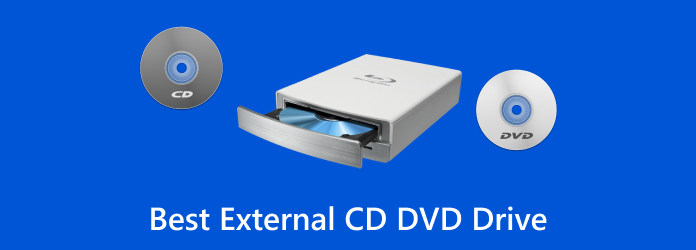
Any laptop nowadays lacks the built-in optical drive that supports running videos from a CD or DVD. But this inconvenience can be solved with an external CD drive. The compact drive allows you to access a disc that can be run on a computer. Usually, USB is used on external DVD drives, which you only need to plug into the computer for streaming. Most modern external drives support other discs, such as Blu-rays and DVDs.
Use Cases
• Media Playback: You can watch DVDs or listen to CDs on devices without built-in drives.
• Data Backup: Archive important files to physical media for long-term storage.
• Software Installation: Install legacy software or operating systems from disc.
• Disc Burning: Create music CDs, video DVDs, or data discs for sharing or archiving.
• Accessing Old Archives: Retrieve content from older discs like photo albums or documents.
Key Features of a Good External Drive
• Disc Format Support: It should be able to load and recognize various CD and DVD discs, like CD-ROM, DVD-ROM, and others.
• Read and Write Speeds: It would be great if the drive has an excellent reading and writing speed. Faster speeds mean quicker data access and burning, which is ideal for large files, video content, or frequent backups.
• Connectivity and Power: USB 3.0 or USB-C for quick plug-and-play, no extra adapter needed.
• Design and Form Factor: Bonusly, a good external drive should be easy to carry. Moreover, a durable build with aluminum or tough plastic casing ensures long-lasting protection. Integrated cable storage keeps everything neat and travel-ready. Noise-reduction design allows for quiet, smooth disc playback.
Part 2. Best 5 External CD and DVD Drive
Even with the rising digital streaming services, know that there are a lot of external drives available today that you can purchase anywhere. If you are new and don’t know which one is the best, see the following reviewed drives to try on your computer.
Rioddas
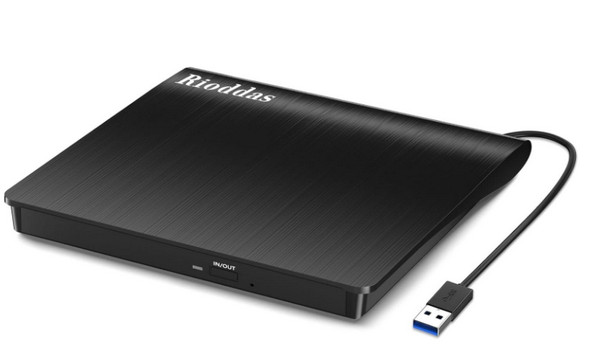
Rioddas external CD drive driver is a straightforward device with a USB port for computer connection. It is confident about its simplicity as the user only needs to plug in the USB port, and it will be detected by the computer automatically.
Pros
- The cable is attached by default to prevent losing it.
- Stable performance with high-speed strong fault tolerance.
- Excellent and stylish external design.
Cons
- Errors in verification of the written disk.
Gotega
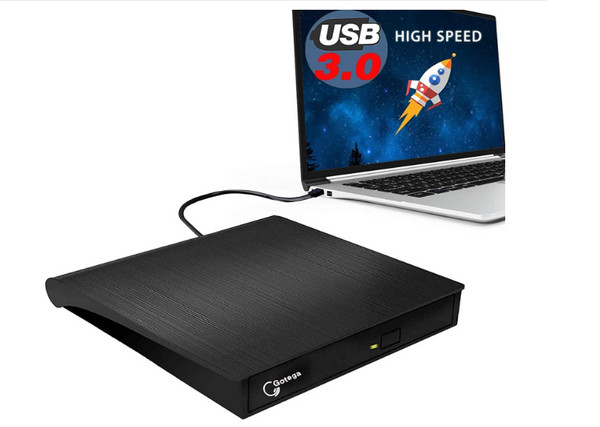
Gotega external DVD drive for laptops maximizes its features as a portable CD player, DVD player, DVD burner, CD burner, and more. It has 8x DVDR write speed and 24x CD write speed with no data loss. The USB of the external DVD drive provides high transfer speed, as well as excellent recording and installing process. Then you can play your DVDs or Blu-rays on your computer with the drive.
Pros
- Not complicated to set up.
- It does not require additional software.
- Built-in eject button to unstick a disc.
Cons
- Reports of heating and ejecting issues.
- Randomly will not work for up to 20 to 30 minutes.
Roofull
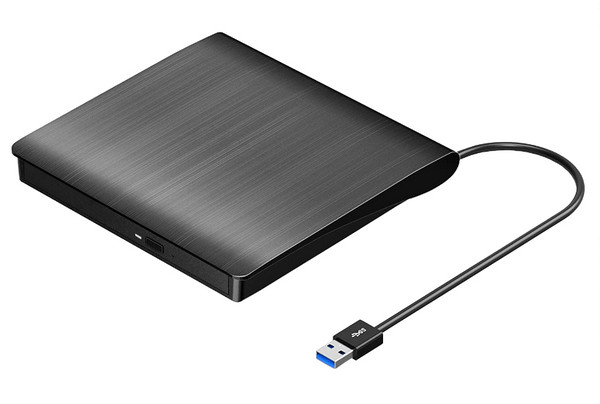
Roofull external DVD drive is considered an excellent tool for movie playback. It is equipped with internal CD and DVD drives that can read and write discs at an astounding speed. One of its notable features is it is mostly compatible with media players and allows you to copy or rip movies.
Pros
- Enable to read and write CD+R, CD-ROM, DVD+R/RW, etc.
- Multifunctional tool with a ripper, burner, and recorder functions.
- Guarantee strong error-correcting system and low impedance.
Cons
- Incompatible with other systems like Chrome.
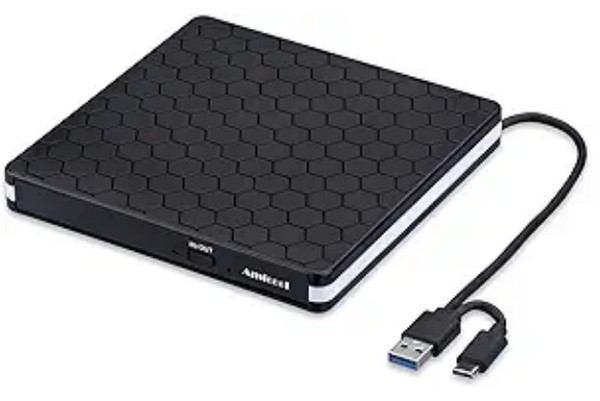
Amicool
Amicool is an external CD and DVD drive that can casually play any disc on Windows, Mac, and other devices. It has a lightweight body, designed with embedded cable that can’t get disconnected or lost when you are traveling. Amicool is compatible with USB 3.0, USB 2.0, and USB 1.0 for maximum reading speed.
Pros
- Special offer as a DVD/CD burner and portable player.
- Faster data transmission speed for up to 5Gbps.
- Plugs are versatile for connecting other devices.
Cons
- Skip some content from the disc.
Asus ZenDrive
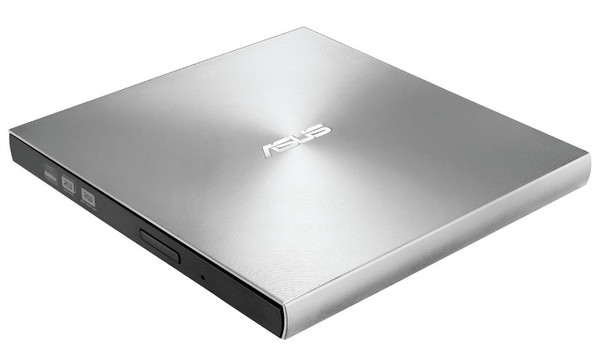
For Asus external external DVD drive, this option supports a lifetime of data backup for Windows and Mac. One thing to look forward to is disc encryption, which can guarantee high-security standards, password control, and encoded file names.
Pros
- Slim and light to carry around.
- Quickly drag and burn CDs and DVDs.
- Support Type-C and Type-A for Windows and MacOS.
- Use M-DISC to protect and store digital content.
Cons
- Have trouble copying files from the CDs.
Part 3. How to Use External CD and DVD Drive on Computer
Once you have an external DVD drive for a laptop, how do you use it for media playback? Although most drives tell you they are easy to connect to your device, some things must be considered for seamless streaming. Here are the simple steps to follow:
Step 1.Prepare the external CD drive for the Macbook Air or PC and the cable. Use the USB cable to plug in the driver to the computer. Make sure to check the specs of both devices to see if they are compatible.
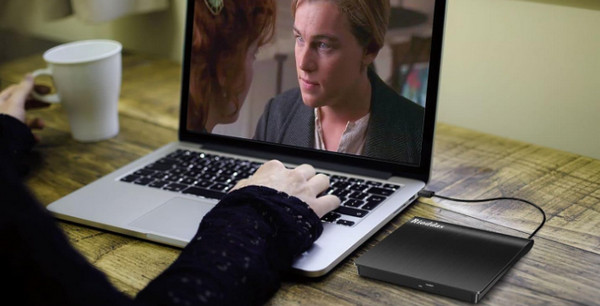
Step 2.Insert a disc in the optical drive. The default media player will automatically detect it. Follow the onscreen prompts for further configuration. Enjoy the media playback.
What if you wish to transfer the disc’s content to your computer while you still have the external DVD drive? The recommended tool is the Free DVD Ripper by Blu-ray Master. After you insert the disc into the external drive, the software can scan the DVD information, and the titles will be listed in the interface. You can select the titles you want to retain and remove the unwanted parts. It is a powerful tool that can efficiently convert DVDs to various digital formats, like MP4, MKV, MOV, etc., which are all common and widely compatible formats. Besides, it provides multiple profiles of different parameters, and if you want, you can customize them, such as encoder, resolution, bitrate, and others. Plus the built-in editing tools, you can make some adjustments to your DVD videos, including adding filters and effects, trimming and cropping, and others.
Key Features
• Rip and convert videos with an external CD drive for MacBook Pro, Windows, etc.
• Use Hyper-threading and Super Encode Engine to maintain the video quality.
• Allow users to edit and normalize sound and other settings before ripping.
• Work well with DVD 5/DVD 9/ DVD ROM/ DVD-R/ DVD+R, etc.
Free Download
For Windows
Secure Download
Free Download
for macOS
Secure Download
Part 4. External CD and DVD Drive Not Working
Everyone is familiar with device malfunction. Even if you bought a Best Buy CD drive external, it might not be able to read the disc. So, the following solutions will help you recognize the causes and the best way for troubleshooting.
Solution 1
Verify if the LG external DVD drive is detected in the Device Manager. Just press the Windows key and R at the same time on your keyboard to open the Run dialog box. Enter devmgmt.msc to see the DVD/CD-ROM drive list. Check for your optical drive by playing the DVDs on your computer to see if the problem has been solved.
Solution 2
Set the Auto-play feature on your computer to easily detect discs that are in the optical drive. This also helps to launch the correct app to play the content without overloading your device. What you only need to do is access the Run dialog box and enter the word ‘Control.’ Double-click the Autoplay button and tick the checkbox for Use AutoPlay for All Media and Devices. Then, save the changes.
Solution 3
Try to disable the DMA mode from the external CD drive for the laptop. From the Run dialog box, enter devmgmt.msc to open the Device Manager window. When you find the optical drive, right-click on it and select Properties. Navigate to the Advanced Settings tab and turn off the Enable DMD option. Try to open the disc again.
Part 5. FAQs about Best External CD and DVD Drive
-
What is the best external CD DVD burner?
Some laptop external CD and DVD drives provide built-in burners. Among the above-mentioned options, Roofull, Gotega, and Amicool have default CD burners without additional software setup.
-
Will an external DVD drive play CDs?
Yes. Depending on the brand and features, some of the best external CD/DVD drives for Windows 11 and other platforms enable to read and write CDs. Just make sure that an optical drive points out this clearly, as most drives are different in terms of disc writing and reading systems.
-
How do I choose an External CD/DVD/Drive?
To pick the best Windows or Apple external CD drive, consider the drive speed and how fast it will be able to read and write data within the drive. Also, mind the connectivity and compatibility to allow you to use the optical drive with any computer.
-
What's a good external CD drive for Mac or Windows?
A good external drive can be flexible for device connectivity with different USB ports. Or support the newest Blu-ray and DVD content. Still, it depends on what you need and the budget for purchasing.
Conclusion
At last, you have learned the best external CD/DVD drives for a laptop in this article. You also learn how to use it with troubleshooting solutions when it acts up. Blu-ray Master Free DVD Ripper is an excellent tool for when you need to copy or convert videos from CDs or DVDs, so you should try it on Windows or Mac.
More from Blu-ray Master
DVD Tips

Fast and free ripping software to decrypt all DVDs to digital easily on your computer.
100% Secure. No virus
