

Sep 24, 2025Posted by Kevin Miller to Create DVD
Creating DVDs is among the best ways to store various content or data. It includes music, video, documents, software programs, and more. So, when creating a DVD, you will need the help of an excellent DVD creator, like InfraRecorder. With this software, you can achieve your objective in terms of storing content. Also, if you have no knowledge about the software, this review is perfect for you. You will get to know everything about InfraRecorder, such as its description, good and bad sides, and prices. After that, you will also discover the best InfraRecorder alternative for creating DVDs. With that in mind, read this review and be well-informed about InfraRecorder.
Table of Contents
Part 1. What is InfraRecorder
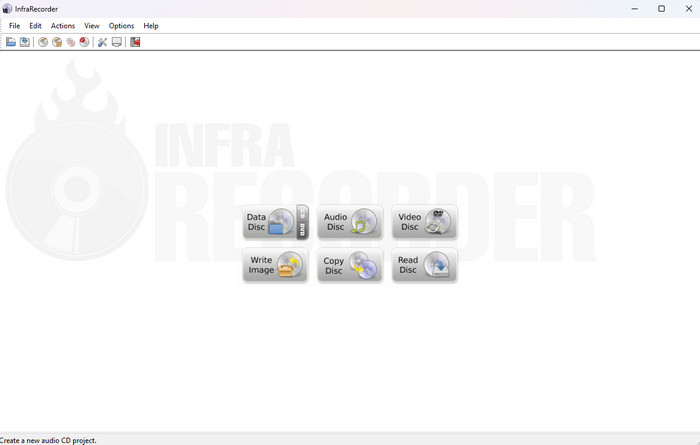
InfraRecorder is among the open-source CD and DVD burning and writing programs for Windows. The program was developed by Christian Kindahl in 2006. InfraRecorder can offer various features you can enjoy. It includes creating DVDs for storing content purposes. With this program, you can create DVDs using a simple process. This is because it can provide an understandable user interface that all users can navigate easily. The best part is that InfraRecorder can help users erase the disc, view the disc information, and import certain sessions from multi-session discs. You can also access InfraRecorder on Windows 10 and other Windows versions, making it more convenient for all users. To give you more of an idea about the software, you will see all the features we discovered when utilizing the program. To discover all the extensive features of InfraRecorder, see the details in the next section.
Part 2. Core Features of InfraRecorder Software
If you want to learn all of the core features of the InfraRecorder software, we are here to provide all the information you need. So, to begin learning, read all the data below.
Key Features :
- Make custom data, mixed-modded and audio projects, and record them to physical DVDs. It includes disc images.
- It supports dual-layer DVDs and disc rewriting.
- The program can record disc images, including BIN/CUE and ISO.
- Create/make disc copies right away and can use temporary disc images.
- The offline program can support recording dual-layer DVDs.
- It can erase rewritable discs using various methods.
- The software can fix the disc by writing lead-out data to prevent further data from being added to the DVD.
- It is capable of importing session data from multi-session discs. It can also add more sessions to them.
- The program can save data and audio tracks to files, such as .wma, .wav, .iso, and .mp3.
The InfraRecorder is an open-source CD and DVD burning and writing software. It means you can download and utilize the program without paying a penny. It is 100% free, making it the best choice for burning DVDs. If you plan to create a DVD cost-free, choosing the software is the right choice.
Part 3. Good Things about InfraRecorder
Safety and Stability
Rating:
InfraRecorder is built on open-source code and barely uses any system resources, so it runs smoothly and safely. Users often mention that it seldom crashes, even on older Windows PCs. On the downside, since it hasn’t been updated in a few years, you might run into occasional hiccups with brand-new disc types or the latest Windows patches.
Easy to Navigate User Interface
Rating:
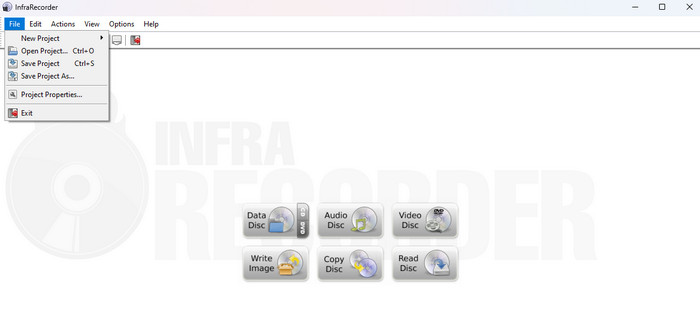
Based on my experience using the InfraRecorder, the thing I like best here is its user interface. The software can offer amazing overall layouts and designs, making it understandable for both non-professional and skilled users. Its interface can show all the functions and features needed for a certain task. You can see various options, such as Data disc, Audio disc, and Video disc. What’s more, it even provides trouble-free procedures for burning DVDs to store data. Therefore, we can tell that navigating InfarRecorder software is simple.
Simple Burning-DVD Process
Rating:
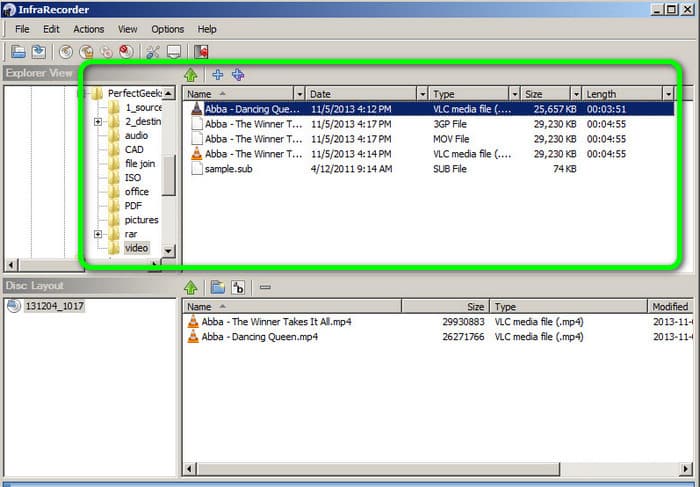
Another thing we like here is that when burning DVDs, you will never have a hard time. It is because the program ensures that you can achieve your main objective without getting a sweat. Its burning process can only take a few clicks, making it an ideal DVD burner for Windows operating systems.
Open-source Program
Rating:
As we all know, burning DVDs requires a purchase to complete the task. But the good thing here is that when using InfraRecorder software, you don’t have to pay a penny. The 100% free program makes it one of the best free DVD burners.
Compatible with Windows 10, 11, and other Versions
Rating:
There is also an InfraRecorder for Windows 11 and other versions, making it a workable program for Windows computers. With that, if you are a Windows user, consider using InfrRecorder to burn DVDs.
DVD Burning Performance
Rating:
InfraRecorder is fast and dependable when it comes to burning disks. Data CDs, audio CDs, dual-layer DVDs, and even ISO or BIN/CUE images can all be burned. Several customers praise its straightforward, hassle-free process. Some have suggested that it's advisable to wait until the progress bar truly reaches 100% before ejecting because the verify step occasionally displays 'done' before it's truly finished.
Price Plans
Rating:
The InfraRecorder is an open-source CD and DVD burning and writing software. It means you can download and utilize the program without paying a penny. It is 100% free, making it the best choice for burning DVDs. If you plan to create a DVD cost-free, choosing the software is the right choice.
Part 4. Weaknesses of InfraRecorder
Compatibility Issue
One of the drawbacks of the software is it is only suitable for Windows computers. So, if you are a Mac user, sad to say, you can’t operate the program. It is best to use another DVD creator for burning or creating DVDs.
Limited Feature
InfraRecorder is only good at burning and writing DVDs. If you want to edit your files before putting them on DVDs, you must look for another software capable of editing them.
Part 5. Final Verdict
As our final verdict, InfraRecorder software is considered a powerful DVD creator for creating DVDs, especially for storing content purposes. Also, it has a simple user interface, making it perfect for professionals and beginners. However, it also has some drawbacks you must learn. It is only workable for Windows operating systems. With that, we suggest using another DVD creator if you are a Mac user.
Part 6. Best InfraRecorder Alternative
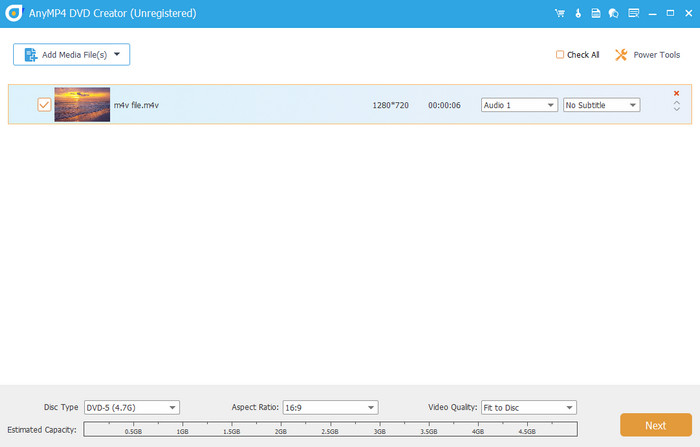
After discovering the capabilities of InfraRecorder, you learned that it is only best for Windows and can’t edit files before the burning process. If you want an excellent program that is downloadable to Windows and Mac and can edit files, use Blu-ray Master DVD Creator. Compared with InfraRecorder, it can provide more enjoyable functions to help you finish your task efficiently and effectively. What’s more, it can also provide a simple user interface with a fast DVD-burning procedure, making it more powerful and reliable. Furthermore, besides DVD, it can also support other formats. It includes Blu-ray, MP4, WMV, MOV, 3GP, FLV, MTS, and more. Plus, you can use basic editing tools to enhance your files. These are crop, rotate, effects, filters, watermarks, and more.
Free Download
For Windows
Secure Download
Free Download
for macOS
Secure Download
| Blu-ray Masetr DVD Creator | VS | InfraRecorder |
| Burn Video to DVD and Blu-ray Convert Video Create DVD and Blu-ray | Features | Create DVD Store Video, Audio, and other files. Fix Disc Save data and audio track to files. |
| Simple | User Interface | Simple |
| Windows Mac | Platform | Windows |
| Monthly $12.45 Lifetime $39.96 | Pricing | Free |
 | Easy-to-Use | |
| DVD Blu-ray MP4, MOV, FLV, MTS, 3GP, AVI, and more | Supported Formats | DVD |
| Lightweight | File Size | Lightweight |
| Crop and Rotate Effects and Filters Watermarks Subtitle | Editing Tools | None |
| Fast DVD-burning Process | |
| Free Menu Templates | None |
Part 7. FAQs about InfraRecorder Review
-
Is InfraRecorder malware?
Absolutely not. The InfraRecorder software is not considered malware. It is an open-source offline program capable of burning and writing DVDs. With this software, you can effectively store various content on a blank DVD. It includes video, music, and other document files. The software has been active for many years and has a large user base. If it is malware, many users will discover and report it already.
-
Is InfraRecorder safe?
Definitely, yes. The InfraRecorder program ensures the user’s privacy and security. It won’t share any information with other users. Also, the software is not prone to viruses, making it safer for all users.
-
How to use InfraRecorder?
First, you have to download InfraRecorder on your Windows. Then, when you have already launched the main interface, click the DVD from the Data Disc option. But before that, ensure that you have already inserted the blank DVD on your computer. Once done, you can begin the burning process by adding the files from your computer and adding them to the program’s interface. Afterward, select the option from the top interface, “Burn the current compilation to a physical compact disc.”
Wrapping up
Well, there you go! You have learned everything about the InfraRecorder program. You have discovered its overall capabilities. However, if you are a Mac user, the best alternative is DVD Creator. Compared with InfraRecorder, the program is accessible on both Windows and Mac. Also, it can provide basic editing tools for enhancing your files.
Best DVD Creator Review
