

Oct 10, 2025Posted by Kevin Miller to Create DVD
Are you a Mac user who wants to search for suitable DVD-burning software? In that case, you can check my review of this post, which tackles SimplyBurns software. It is among the programs I have discovered that can meet your needs in creating DVDs. Also, there are more features you might discover and enjoy when operating the program. So, if you want an idea about SimplyBurn, read the review instantly.

- Part 1. A Quick Overview of SimplyBurns
- Part 2. Features of SimplyBurns
- Part 3. SimplyBurns Pros
- Part 4. SimplyBurns Cons
- Part 5. Final Verdict of SimplyBurns
- Part 6. Best Alternative to SimplyBurns
- Part 7. FAQs about SimplyBurns Review
Part 1. A Quick Overview of SimplyBurns
After experiencing the SimplyBurns software, there are various discoveries I have found out. SimplyBurn is an open-source and free offline software created to create or burn DVDs and CDs on Mac operating systems. In addition to that, it has an easy-to-understand layout, making it simple to navigate and suitable for all users. When creating a DVD, you don’t have to consume more time since the software can offer a fast DVD-creation process. But wait, there’s more. You can also burn various data discs for storing and backup purposes. It is also capable of creating audio CDs from different audio formats, such as WAV, MP3, and AAC. With these functionalities, you can tell that SimplyBurns is a powerful burning software you can access on your Mac devices. However, you can also encounter some drawbacks when operating the program. Compared with some paid burning software, the SimplyBurn has some limitations. It lacks some advanced features like menu creation for DVD. Also, it can only offer limited editing capabilities for audio CDs. But overall, if you intend to burn DVDs, you can still rely on this program.
How We Test
To give you a complete insight about the program, we do the following procedure:
− We access the program and operate it in terms of creating DVDs.
− The team explores each feature that can help the user achieve their preferred result.
− To test the software’s capability, the team ensures that all functions it offers are working well.
− For additional information, we also look for other users' feedback about the program to learn more about their experiences.
Part 2. Features of SimplyBurns
If you want to learn more about the features of SimplyBurns software, I can help you. I am going to share with you everything I found out about operating the offline program.
DVD-Burning Feature
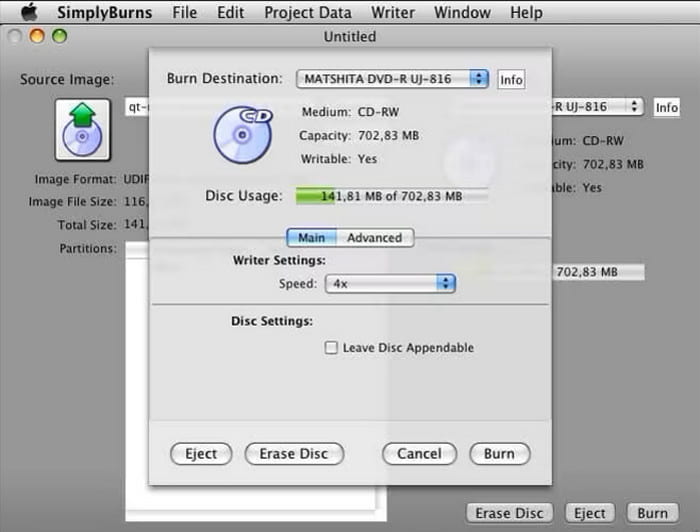
The main feature of SimplyBurn software is that it burns DVDs and CDs. With this feature, you can burn your files from your computer to a black disc. It is helpful for users who want to create a backup file to have a copy. Aside from that, it is also useful if users want to store files or folders for collection purposes.
Disc Image Burning
The software is also capable of burning image files to blank DVDs, CDs, and Blu-ray discs. With this, you can burn ISO and DMG files effectively and smoothly.
Rip DVD Disc
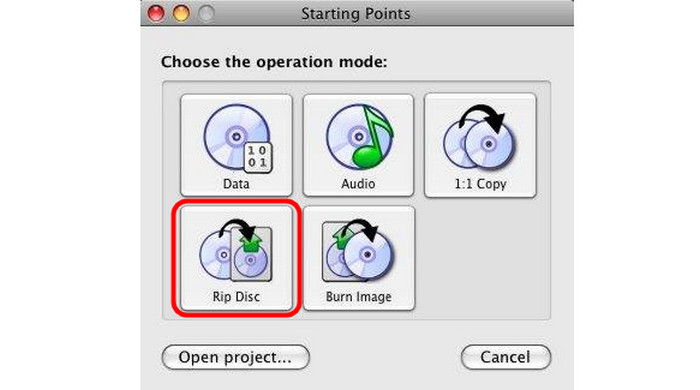
Besides burning DVDs and other discs, you can enjoy this software's DVD ripping feature. With the help of SimplyBurn, you can turn your DVDs into various digital formats, like MP4, MKV, and more.
Output DVD Types and Quality
SimplyBurns offers basic DVD creation for Mac users with decent burn quality and fast performance, especially for pre-converted files like ISO or DMG. While it’s praised for its simplicity, many users find its limited format support and lack of direct video burning frustrating. Overall, it’s a functional tool for straightforward tasks, but not ideal for more advanced DVD authoring needs.
Part 3. SimplyBurns Pros
Safety and Stability
Rating:
The correction action is to download the software from its official website. Generally, SimplyBurns is considered safe and stable for basic disc burning tasks on macOS. Users report that it performs reliably for creating audio CDs and data DVDs, with minimal crashes or errors during operation. However, some users have experienced compatibility issues with newer macOS versions because it hasn’t been updated in years.
Easy-to-Understand User Interface
Rating:
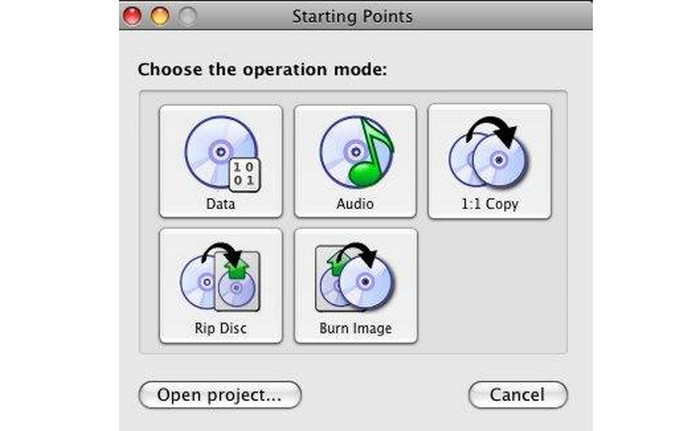
What I like about this DVD burning software is that it can provide an understandable user interface and design. With this offer, all users, especially beginners, can easily navigate the program’s functionalities. Aside from that, since the layout is comprehensible, you can burn DVDs smoothly and effectively. It only takes a few clicks to achieve your final DVD, making it more powerful than other burning software.
Free-to-Use Software
Rating:
The SimplyBurn for Mac is an open-source and free-to-use software. This means that you can access this DVD-burning software without paying for a subscription plan. Aside from that, even though it is free, you can still enjoy its features. You can burn, rip, and create audio more effectively and efficiently.
Lightweight Burning Software
Rating:
After downloading and accessing the software, I discovered it is a lightweight burning software. It only has a small file size, making it more downloadable on your Mac platform. With this advantage, you don’t need to consider the space from your device. You can already get the software and begin the burning process right away!
Save Projects as Documents
Rating:
What’s good about using SimplyBurn is that it allows you to save your burned project into a document for later use or adjustment. Another advantage is that you can lessen the project's file size, making it more convenient for all users.
Price
Rating:
It is a totally free tool with no extra fees, making it an attractive option for users who need basic disc burning features without spending money. This no-cost model is praised by many, especially those looking for a straightforward tool without hidden fees or premium upgrades.
Part 4. SimplyBurns Cons
Limited Feature
Well, since the offline software is free, I expect that there are some limitations you may encounter. One thing that I found out is that when burning DVDs. During the process, all you can do is burn the file simply. Before proceeding to the final process, you can do much, such as adding a menu or templates.
Security Concern
Upon operating, it seems like the software doesn’t have an active development scene. With that, it might have vulnerabilities, especially if it is not being updated regularly. So, when burning confidential data, it can be a security risk.
Part 5. Final Verdict of SimplyBurns
After having a detailed review of SimplyBurns, we can see that it is a good tool to burn DVDs on Mac computers. The burning process is clear and easy. Moreover, it is a free and open-source tool, which is suitable for casual users. Users appreciate its simplicity and reliability on older Mac systems, but many report compatibility issues with newer macOS versions and limited format support.
Overall, SimplyBurns is a decent choice for basic DVD burning on older Macs, but not recommended for users seeking advanced features or full compatibility with current systems.
Part 6. Best Alternative to SimplyBurns
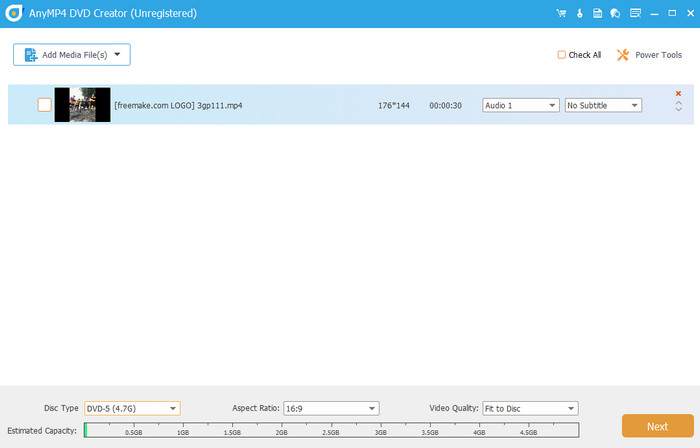
Since the SimplyBurns software has some limitations, there are times when you need to use another DVD-burning software. In that case, the best alternative to SimplyBurn for creating DVDs is Blu-ray Master DVD Creator. Plus, it is a free and open-source software, which is budget-friendly. The program is good at burning DVDs, lets users customize the menu, and even provides various templates. With those functions, you can ensure you get an excellent result after the creation procedure. Moreover, the program can offer various basic editing features you can’t find on SimplyBurns. DVD Creator allows you to edit the file, such as trimming, cropping, rotating, adding watermarks, effects, and more. Plus, unlike SimplyBurns, the software is more accessible since it can be downloaded on Windows and Mac computers. Overall, I can conclude that DVD Creator is the best alternative for creating DVDs.
Free Download
For Windows
Secure Download
Free Download
for macOS
Secure Download
| Blu-ray Master DVD Creator | VS | SimplyBurns |
| Create/Burn DVD Video Conversion Menu Creation Basic Editing | Primary Function | Burning DVD Rip Copy DVD |
| DVD, Blu-ray, ISO, AVI, MOV, FLV, MP4, MKV, and more. | Supported Formats | It can handle common audio formats for audio CDs (MP3, AAC, AC3, and more). |
| 720p 1080p or High-definition 4K | Resolution | 720p 1080p or High-definition |
| Extensive DVD-burning options Menu creation Chapter editing | Burning Feature | Burn DVD Disc Image Burning |
| Rotate Crop Watermarks Add Filters and Effect Trim | Basic Editing Tools | None |
| Free trial version. Premium versions with monthly and lifetime plans. | Price | Free |
| Easy | User Interface | Easy |
| Windows Mac | Platform | Mac |
| Video Enhancement Watermarking Sharing Create Video and Photo Collection | Additional Function | Copy Disc Data organization |
| Good for burning DVDs and menu creation. | Overall Suitability | It is only ideal for the basic DVD-burning process. |
Part 7. FAQs about SimplyBurns Review
-
Is SimplyBurns good?
Absolutely, yes. If you prefer a basic way of burning DVDs, then SimplyBurn is an effective software. Since it has a simple interface, burning or creating a DVD is simple.
-
Why is burning CDs illegal?
If you are burning CDs without an owner’s consent, it will be considered an illegal action. So, if you want to do the task legally, it is best to ask for the owner’s permission.
-
How do you burn a DVD on SimplyBurns to a Mac?
The first is to access the SimplyBurns software on your Mac. Then, add the file you want to burn from the computer folder. Once done, go to the Burn destination option and choose DVD. After that, you can burn the DVD by clicking the Burn button.
-
Is there a SimplyBurns for Windows?
You can’t access SimplyBurns on Windows since the software only downloads to Mac. So, if you want to create DVDs using Windows, you can try using Blu-ray Master picked DVD Creator or Cisdem DVD Burner. It is more accessible since you can download it on your Windows and Mac computers.
Wrapping up
SimplyBurns is a helpful Mac DVD creator. Its simple user interface lets you complete your task without wasting too much time. However, it has limited features, such as a lack of menu creation and basic editing functions. So, if you want the best alternative, use Blu-ray Master DVD Creator. With this, you can burn DVDs, customize the menu, and use basic editing tools.
Best DVD Creator Review
