

Jul 25, 2025Posted by Kevin Miller to Create DVD
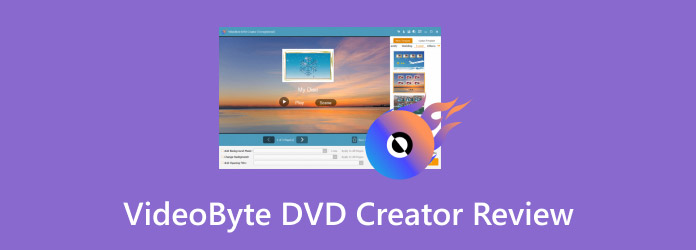
Many people still rely on DVD burning for various reasons, including backing up data, storing personal videos, and watching movies on physical discs. To accomplish these tasks effectively, choosing a reliable DVD creator is essential. This post will cover a complete VideoByte DVD Creator review. It is a powerful tool designed to create DVDs from media stream formats. Continue reading to determine if this software is the ideal solution for your disc authoring requirements.
- Part 1. VideoByte DVD Creator Overview
- Part 2. VideoByte DVD Creator Detailed Review
- Part 3. VideoByte DVD Creator: How to Use It
- Part 4. Best Alternative to VideoByte DVD Creator
Part 1. VideoByte DVD Creator Overview
VideoByte DVD Creator is a disc authoring software that enables you to burn videos to DVDs and Blu-ray discs. It can convert 300+ media stream profiles to DVD and Blu-ray formats with lossless quality. It supports various DVD types and Blu-ray discs, including DVD-5, DVD-9, BD-25, and BD-50. In addition to physical discs, it can easily burn media to VIDEO_TS folders and ISO image files. It provides a powerful, fast, and easy way to turn digital videos into polished, menu-driven discs.
Overall Ratings (out of 5 stars):
Video to Disc Burning: ⭐⭐⭐⭐
Disc Menu Creation: ⭐⭐⭐
Speed Performance: ⭐⭐⭐
Built-in Editor: ⭐⭐⭐
Success Rate: ⭐⭐⭐
Part 2. VideoByte DVD Creator Detailed Review
Compatibility
VideoByte is fully compatible with the two major operating systems: Windows and Mac. It can be downloaded on Windows XP and later, as well as Mac OS X 10.11 or higher. This platform's versatility ensures that you can easily burn videos to physical DVDs without any OS restrictions. However, the Blu-ray disc burning feature is only available on the Windows version.
Safety
This DVD Creator tool is regarded as safe and secure to download and install. It is free from malware or ads, and updates are released through its official website. It also guarantees data security and integrity throughout the burning process.
Burning Speed
Speed is one of the software's strong points. To test its burning speed, we use a 20-minute-long video as a sample. Here is the result of our experiment:
| Video Duration | Disc Type | Result | Estimated Time of DVD Creation |
| 20 minutes | DVD-5 | Successful | 2 minutes and 12 seconds |
| DVD-9 | Successful | 3 minutes and 48 seconds |
As shown, we can say that the software burns DVDs at a rapid speed. Using a 20-minute video as an example, DVD burning can be completed in under 5 minutes. Still, the actual burning speed is influenced by factors such as file size, format, DVD type, and hardware performance.
Input and Output Formats
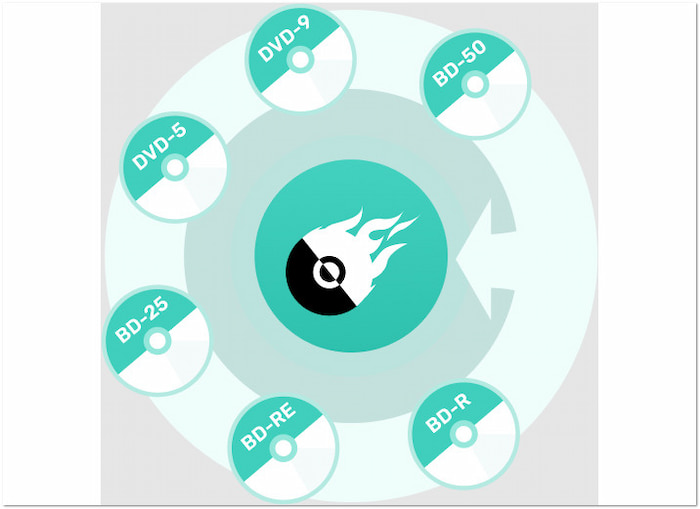
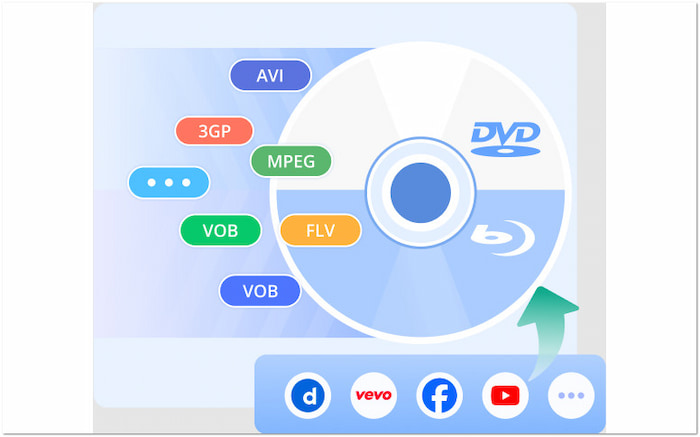
The software supports over 300 media stream profiles as input for DVD creation. Options include popular formats such as AVI, MPG, 3GP, MKV, MP4, SWF, VOB, and FLV, among others. On the output side, it supports DVD-5, DVD-9, VIDEO-TS folder, ISO, as well as PAL and NTSC standards. On Windows, it extends this capability to BD-25, BD-50, BDMV folders, and ISO files.
Advanced Settings
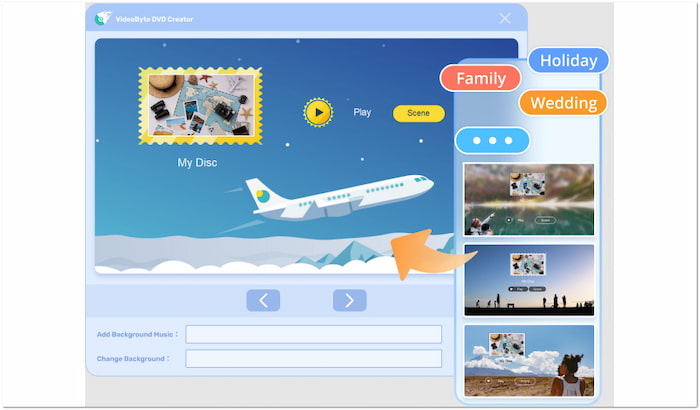
In addition to its burning functionalities, VideoByte offers advanced settings for both content and presentation. It allows you to specify the disc type, set the aspect ratio, and even adjust the video quality. For presentation settings, it offers several menu templates to enhance the navigation of the disc. Additionally, it features a built-in editor with basic tools for editing video, audio, and subtitles.
Price
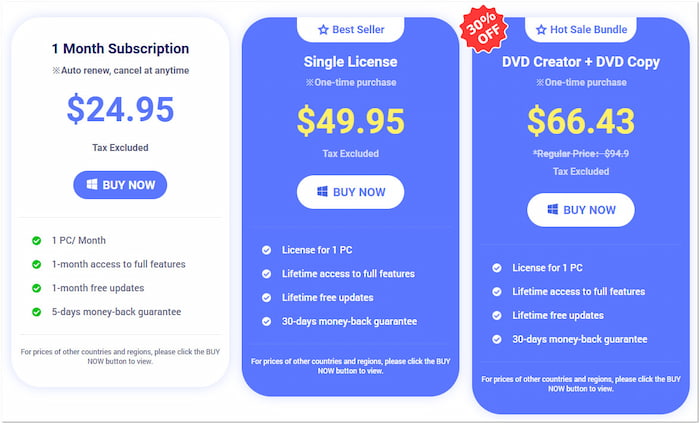
1 Month Subscription:
The 1-Month Subscription provides full feature access on a single device for one month. This plan costs $24.95 (Tax excluded) with free updates for one month. This option suits users who find the free trial limited, such as those who prefer non-watermarked output.
Single License:
The Single License plan is a one-time purchase of $49.95 (Tax excluded). It provides lifetime access to all features for one device, along with free lifetime updates. This plan is ideal for those who have previously tried the software and wish to avoid monthly payments.
Single License:
This bundle plan includes DVD Creator and DVD Copy software, with a regular price of $ 94.90 (Tax excluded). Like the Single License plan, you can get full access and free updates for lifetime. This option is best for those who need to create and back up DVDs simultaneously.
Part 3. VideoByte DVD Creator: How to Use It
VideoByte DVD Creator can be called one of the best free DVD burning software. After we review VideoByte DVD Creator's features, you're likely interested in how to put it into action and start creating your DVDs. Our featured software provides a straightforward process for converting videos into playable DVDs. This section will guide you on how you use the software easily:
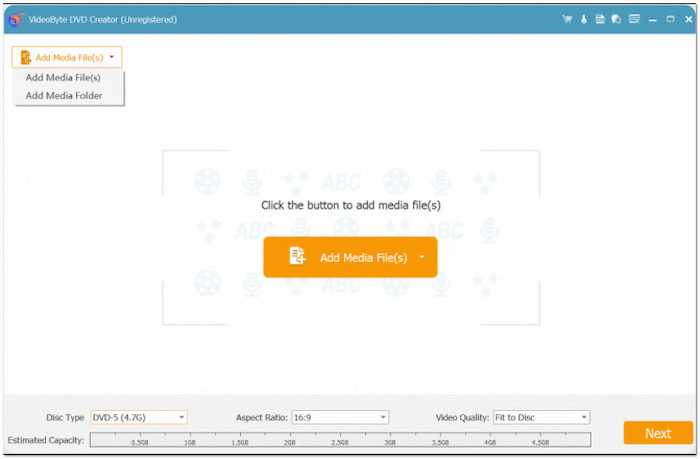
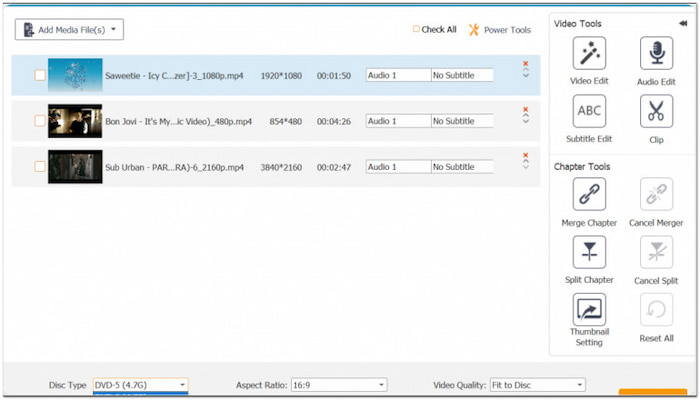
Step 1.Insert a blank DVD in your computer's external disc drive and run the software afterward. Upon startup, select the DVD Disc option as your output type. Click Add Media File(s) to load the video file(s) you want to burn. Once added, set the disc type (DVD-5 or DVD-9), aspect ratio, and video quality. Then, click Next to proceed.
Step 2.In the following window, you'll enter the DVD Menu creation window. Select a template and theme for your menu navigation under the Menu Template section. You can also edit it to your liking by adding background music, uploading images, and inserting an intro film.
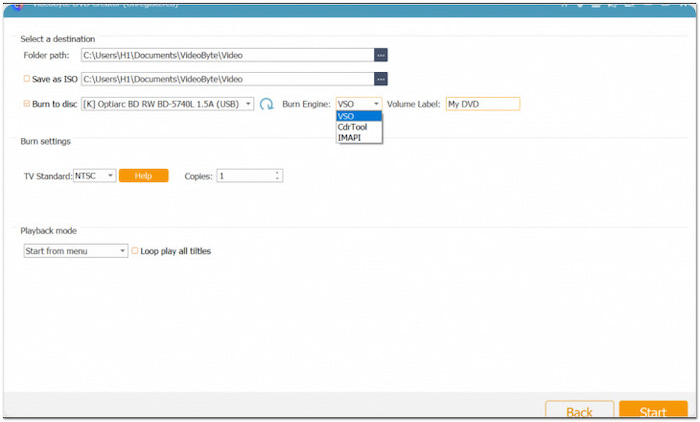
Step 3.Click the Burn button to access the Burning Settings window. Check Burn to Disc and select your disc drive from the pulldown menu. Then, choose the appropriate TV standard and click Start to begin the DVD creation process.
The software makes it easy to convert your digital videos into DVDs. However, please note that the trial version adds watermarks to the resulting DVD. Additionally, you can only use it for 10 days, after which a subscription is required.
Part 4. Best Alternative to VideoByte DVD Creator
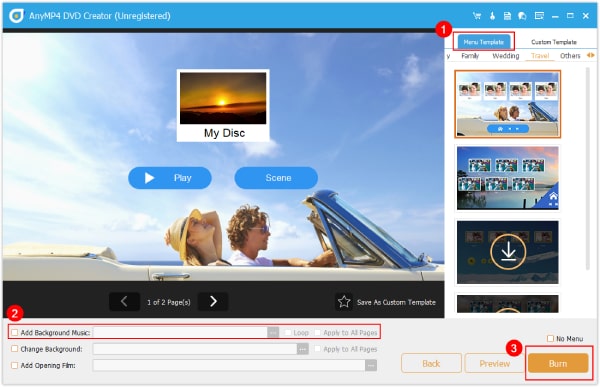
VideoByte DVD Creator is an excellent tool for creating basic DVDs. However, its limited trial version access and watermarked output lead users to seek alternatives. If you're looking for a reliable alternative, Blu-ray Master DVD Creator is highly recommended.
Free Download
For Windows
Secure Download
Free Download
for macOS
Secure Download
This multifunctional disc authoring tool offers DVD and Blu-ray burning modes, allowing users to create DVDs or Blu-rays. You can load one or more media profiles and burn them simultaneously to a DVD. It supports various file formats, including MP4, MKV, MOV, M2TS, AVI, and over 500 more.
Why Choose Blu-ray Master DVD Creator Instead:
• Accepts over 500 media inputs, including MP4, MKV, MOV, AVI, etc.
• Burn any media to DVD, Blu-ray, a VIDEO_TS folder, a BDMV folder, or an ISO file.
• Built-in editor with essential tools for editing video, audio, subtitles, and chapters.
• 20 pre-designed templates to enhance menu navigation appearance with customization.
Conclusion
As outlined in the VideoByte DVD Creator review, our featured software is a reliable solution for burning DVDs. It is ideal for those looking to quickly convert videos into DVDs with minimal setup. However, it falls short in offering advanced customization features and editing tools. If you're looking for a more robust alternative, it is highly recommended to try Blu-ray Master DVD Creator. It features a richer menu template, flexible editing options, and supports both DVD and Blu-ray burning.
More from Blu-ray Master
Best DVD Creator Review
