

Mar 06, 2026Posted by Kevin Miller to Play DVD
Best Picks:
Casual User: Leawo Free DVD Player
Movie Buff: KMPlayer
International User: Blu-ray Master Free DVD Player
Budget-Conscious User: VLC Media Player
Tech-Savvy User: PotPlayer
When you want to relax and watch a DVD movie on your PC, you probably prefer an application that supports DVD playback. Different from hardware DVD Players, the software DVD player just needs you to download and install it on your computer and then launch it. Of course, you don’t want to use much money to buy the DVD Player. In order to meet your needs, here we collect the best 10 free DVD player software in 2024. You can find the perfect one to help you enjoy DVD playing experience.

- Part 1. How to Pick the Best Free DVD Player Software
- Part 2. Free DVD Player Freeware for Windows and macOS
- Part 3. Free DVD Watching Software Only for Windows/Mac
- Part 4. FAQs of Playing DVDs on Computer
| Supported OS | Support Formats | Subtitle Support | Region Code Support | Audio Quality | Advanced Playback Controls | Ease of Use | Price | |
| Blu-ray Master Free DVD Player | Windows 11/10/8/7, macOS | DVDs, Blu-rays, and various digital formats. | Yes | Region 1-6 | Excellent | Speed adjustment, playlist, etc. | 5 stars | Free |
| VLC Media Player | Windows 11/10/8.1/8/7/Vista/XP, macOS | DVDs, Blu-rays, and common video files. | Yes | Region 1-6 | Good | Speed, frame-by-frame, etc. | 4 stars | Free |
| 5KPlayer | Windows 10, macOS | DVDs, and common digital formats. | Yes | Region 1-6 | Good | Speed adjustment, etc. | 4.5 stars | Free |
| MPV Player | Windows and Mac | DVDs, and common digital formats. | Highly advanced; scriptable | Limited | Audiophile-grade | Keyboard-centric / Scripted | 3.5 stars | Free |
| Leawo Free DVD Player | Windows 11/8.1/8/7, macOS | DVDs, and common digital formats. | Yes | Region 1-6 | Good | Speed adjustment, etc. | 4.5 stars | Free |
| KMPlayer | Windows 10, macOS | DVDs, and common digital formats. | Yes | Region 1-6 | Good | Speed, frame-by-frame, etc. | 4 stars | Free |
| BlazeDVD Free | Windows 10, macOS | DVDs and common digital formats. | Yes | Region 1-6 | Good | No | 4.5 stars | Free |
| PotPlayer | Windows 11/10/8.1/8/7/Vista/XP | DVDs and common digital formats. | Yes | Region 1-6 | Excellent | Speed adjustment. | 4 stars | Free |
| IINA | macOS (10.11+) | DVDs, and common digital formats. | Built-in online search | Limited | Excellent | Modern UI / Gestures | 4.5 stars | Free |
| MPC-BE | Windows | DVDs, and common digital formats. | Solid; supports internal/external | Strong | High | Classic Windows GUI / Hotkeys | 4 stars | Free |
Part 1. How to Pick the Best Free DVD Player Software
At Blu-ray Master, we don’t just list software; we put every player through a series of real-world stress tests to ensure they meet the demands of modern PC and Mac users. Our goal is to provide unbiased, data-driven recommendations.
1. Hardware Diversity Testing
We test each software across multiple hardware configurations to ensure compatibility:
- Mac: We use the latest Apple Silicon (M1/M2/M3) MacBook Pros and legacy Intel-based iMacs.
- Windows: We test on Windows 11 and 10 across various CPU generations, specifically checking for Intel SGX compatibility issues for 4K playback.
- Drives: We use a mix of native USB-C external drives and older USB-A drives connected via high-quality adapters.
2. Disc Type Compatibility
Blu-rays aren't all the same. We test software against:
- Standard BD-25/BD-50: Testing load times and menu navigation.
- Encrypted Commercial Discs: Checking if the player can bypass AACS, BD+, and region codes without lag.
- 4K Ultra HD Blu-rays: Measuring frame drops and HDR10/Dolby Vision color accuracy.
- Homemade/Burned Discs (BD-R/RE): Ensuring file-system readability.
3. Performance & Resource Impact
A movie shouldn't freeze your computer. We monitor system performance during playback:
- CPU/GPU Load: We measure how much 'Hardware Acceleration' (like NVIDIA NVENC or Intel Quick Sync) reduces the strain on your processor.
- Battery Drain: For laptop users, we track how many hours of playback a single charge provides compared to native media players.
5. User Experience (UX) Analysis
Finally, we evaluate the 'friction' of the software. We look for:
- Ease of Setup: How many clicks from 'Insert Disc' to 'Movie Start'?
- Ad-Free Experience: We flag software that interrupts the user with pop-ups or hidden bloatware.
Part 2. Free DVD Player Freeware for Windows and macOS
Top 1. Blu-ray Master Free DVD Player for Windows and macOS
Blu-ray Master Free Blu-ray Player is also powerful and all regions Free DVD Player software, which not only plays Blu-ray and DVD disc/folder/ISO image file, but also plays any popular video formats and audio files with extraordinary perfect audiovisual effect. This DVD player is compatible with Windows 11/10/8.1/8/7/Vista/XP and Mac including macOS Sonoma. You can also download Free DVD Player for Mac for entertainment.
With the best Free DVD Player software for Windows and Mac, you are allowed to watch all kinds of DVDs including protected DVDs, commercial DVDs, DVDs and all region 1-6 DVD-5 and DVD-9 easily and smoothly, making you enjoy DVD movies and audios at home freely. You can select any chapter or title as well as the audio track and subtitle. When previewing video, you can capture the favorite video images to save on local disc.
Pros
- Support playing DVD discs/ISO files/folders
- DVD playback with high quality
- Compatible with various formats: MP4, AVI, WMV, TS, FLV, MTS, M2TS, MKV, TRP, MXF, MPEG, RMVB, etc.
- User-friendly and beginner-friendly interface
- Support customizing DVD playback
Cons
- Some pro features are limited in the free version.
User Reviews
• Many descriptions praise its simple and user-friendly interface.
• Some individuals commend editing features such as cropping, modifying movie effects, and taking screenshots.
• The free version does not support advanced audio codecs like DTS and Dolby 5.1.
How to play DVD on Windows/Mac/MacBook Pro with Blu-ray Master Free DVD Player
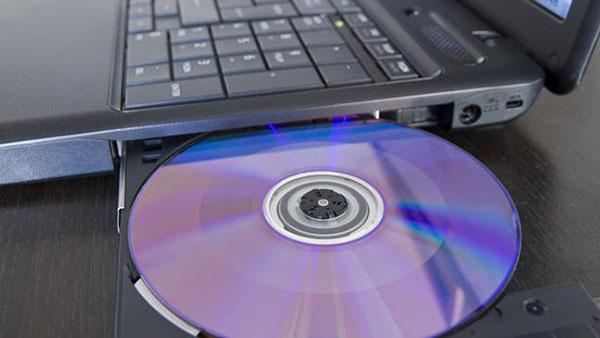
Step 1.Insert DVD disc into DVD drive or install virtual DVD drive
Firstly, you should insert the DVD disc into internal or external DVD drive if you want to play DVD disc on the program. When you need to play DVD ISO image file, you have to download and install the virtual DVD drive like DAEMON Tools on your computer in order to recognize the ISO image file beforehand.
Step 2.Free download and install the program
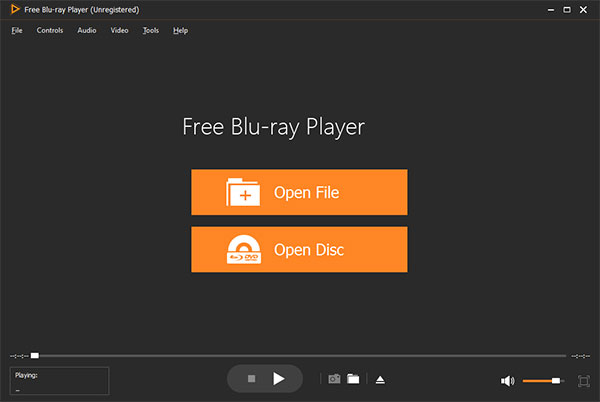
You should download this wonderful Blu-ray Player software from above download link and install it on your computer, and then you can launch the program to open the main interface as below.
Free Download
For Windows
Secure Download
Free Download
for macOS
Secure Download
Step 3.Open DVD disc/folder/ISO image file to Play
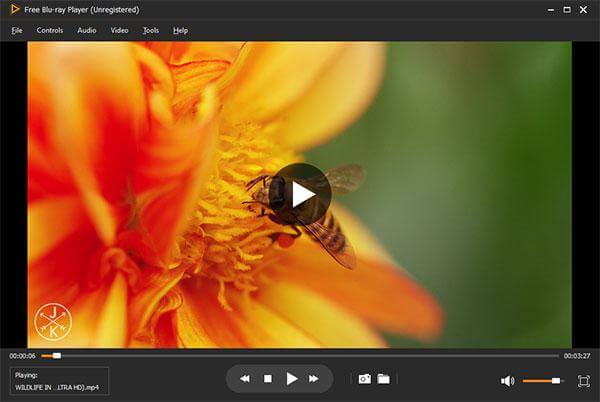
No matter playing Blu-ray or DVD, you just click “Open Disc” button and select the corresponding disc/folder/ISO image file and then click “OK” to load Blu-ray/DVD to the program. After loading file, this program would play the movie automatically.
Step 4.Multiple user-friendly settings to optimize the DVD effect
At top left of the main interface, you can click “Controls” column to select the movie title/chapter, and click “Audio” or “Video” column to adjust the audio/video track and even change the screen size to meet your audiovisual enjoyment.
Top 2. VLC Media Player for Windows and macOS
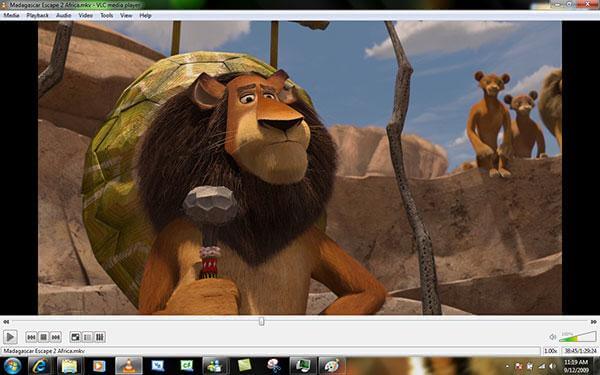
The multimedia player, VLC Media Player can be a free DVD watching software, which has different versions to be compatible with Windows, Mac, Android and iOS operating system, you can download corresponding version to use. As you know, it is most popular open source Free Media Player to play DVDs, VCDs as well as video/audio files.
How to play DVD movie with VLC DVD Player app on Windows or Maccomputer? You can set it to automatically play DVDs when a DVD is inserted by choosing the “Play DVD movie VideoLAN VLC Media Player” option, it is easy to use.
- Fully compatible with all operating systems especially Windows 11/10/8.1/8/7, and Mac including macOS Sonoma.
- Easily play DVD disc, DVD folder, and DVD ISO image file.
- Play most codecs with no codec packs needed – MPEG-2, MPEG-4, H.264, MKV, WebM, WMV and MP3.
- Provide most complete feature-set over the video, subtitle synchronization, video and audio filters.
Pros
- Simple and clear interface
- Create or connect to a video stream
- Support a wide range of file formats
Cons
- No video editing functions
- No folder adding
User Reviews
• Many people applaud VLC as an open-source, free media player that works with various audio and video formats, including DVDs.
• The playback controls, which include play, pause, volume, and chapter navigation, are easy for users to understand.
• Many customers complain that they have trouble playing professionally made, copy-protected DVDs wth this free DVD player.
Top 3. 5KPlayer for Windows and macOS
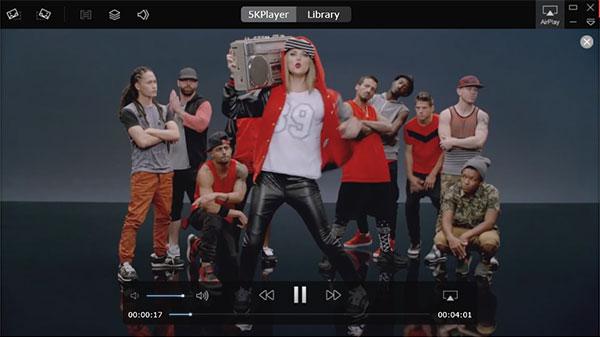
WinX DVD Player is also named 5KPlayer, which has the ability to play region-free DVD disc and DVD ISO image file with super high speed and quality. And it has the ability to play HD and common video on PC. You can start watching a DVD movie or a HD video stored locally on your PC by simply browsing to its location.
If you are not satisfied with your local files or your DVDs, you can browse the web, copy the link of a video you like, and then paste it within WinX DVD Player and download it to your PC. You can even choose the target format and size to suit your necessities. How to play DVDs with WinX DVD Player? You can click “Load DVD” image button to access to the “Open DVD Disc” window, and then load your DVD disc, at last click “Play” button to play DVD movie.
- Play DVDs and videos like MP4, MOV, AVI, FLV and others with revolutionary design.
- Work as a HD video player to play DivX, H.264, and other HD video files.
- Play audio files perfectly to activate your senses.
- Stream multimedia Airplay content to enjoy the tracks from iPhone (iPhone 15/14/13/12, etc.), iPad, or iPod.
Pros
- Support video streaming services
- Support playlist management
- Support 8K playback
Cons
- Sometimes unstable
- Confusing for beginners
- Not support Windows 11
User Reviews
• Numerous users indicate that both commercially and homemade encrypted DVDs can be successfully played with 5KPlayer.
• This free DVD player for Windows 11 can play VIDEO_TS folders, ISO image files, and regular DVD discs, according to users.
• Some customers have complained about certain DVDs not working properly or about playback stuttering or freezing.
Top 4. MPV Player for Windows and Mac
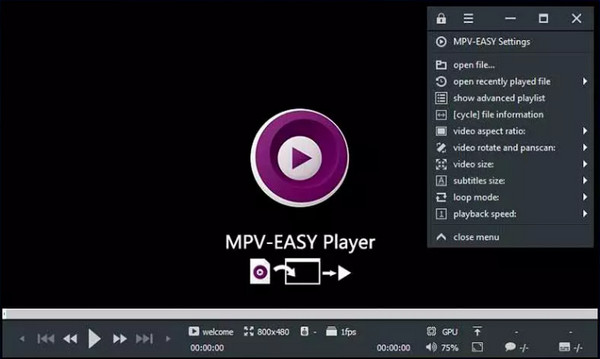
In an era where most software has become ‘bloatware’ filled with unwanted features and tracking, MPV stands as the ultimate counter-culture tool. It is a free, open-source, and cross-platform media player that strips away the flashy interface to focus entirely on what matters: unrivaled playback performance. While popular players like IINA (macOS) use mpv as their core, the ‘vanilla’ mpv experience represents the peak of scriptable, lightweight, and high-performance media consumption.
- Supports HDR, color management, and frame timing that beats almost every ‘out-of-the-box’ player.
- You can literally code your own features—like a custom progress bar or a specific cropping tool.
- A sleek, mouse-over interface that stays out of your way until you actually need it.
Pros
- There’s no splash screen, no ads, and no 'discovery' tab.
- With custom GPU Shaders (like Anime4K or FSRCNNX), you can make crusty 480p/720p content look crisp on a 4K display.
- No tracking, no 'calling home,' and no data mining.
Cons
- Out of the box, it doesn’t even have a traditional menu bar.
- It’s not a 'plug-and-play' app for everyone.
User Reviews
• Some people praised this lightweight DVD player software for handling 10-bit HEVC like a champ.
• Some people are highly satisfied with the tool’s simplicity.
• Some people reflect that it is powerful but intimidating.
Top 5. Leawo Free DVD Player for Windows and macOS
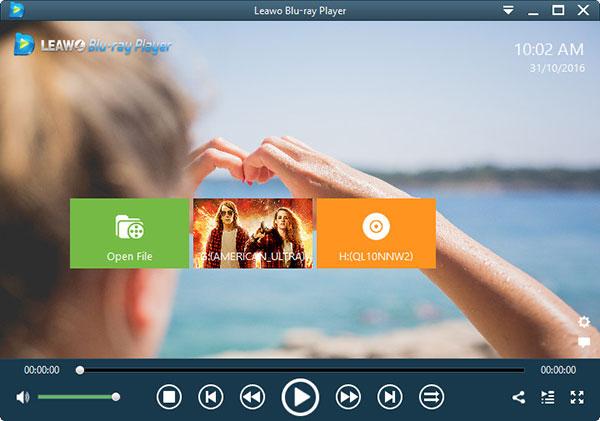
Leawo Free Blu-ray Player, the intuitive and simple DVD Playing software to play back the newest DVD disc released in the market and DVD folders, DVD ISO files and IFO files on Windows 8.1/8/7/XP/Vista and 10. The Mac version has the same function for you to use on Mac OS X/11/12 especially macOS Sonoma. Meanwhile, it’s not only a Free DVD Player, but also a Free Video Player be capable of playing VOB, MKV, MP4, TS, MOV, AVI and other popular formats.
For better user experience, Leawo Free DVD Player for Windows and Mac provides detailed navigation and full playback control and allows you to adjust subtitles, audio tracks and videos during playback, customizes background picture, switches program skins and supports multi-languages and multiple screen displays, etc.
- Play back Blu-ray/DVD disc, audio, common videos and audios smoothly on Windows 11/10/8/7/Vista/XP in lossless quality.
- Take screenshots during movie playback anytime you like and save in either JPG, PNG or BMP format.
- Change video aspect ratio from zoom, stretch 2:3, wide zoom, stretch 16:9, and original, or even custom aspect ratio.
Pros
- Low system resources using
- Support wide formats variety
Cons
- Crashed sometimes
- Ads supported
User Reviews
• Consumers frequently comment on the DVD’s good audio and video quality.
• This free DVD player software for Windows 10 supports DVD menus well, enabling users to access special features, navigate chapters, and adjust settings.
• Some users are not satisfied with the ads in the free version.
Top 6. KMPlayer for Windows and macOS
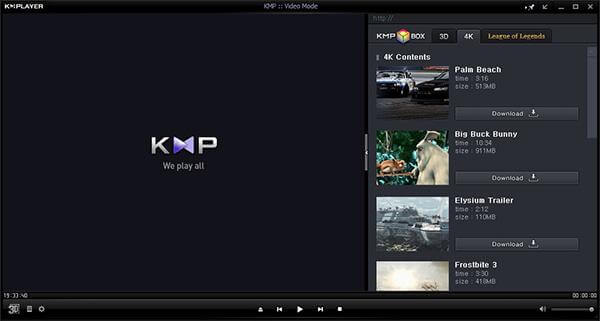
KMPlayer is Free DVD Player, which handles both DVD and video playback, providing you excellent audiovisual effect. It is simple enough to use for an average person but is not deceived by its simplicity. Its strong user base and the active official forum helps you out whenever you run into a problem with KMPlayer.
The best part of the DVD Player for Free is the number of options. You can set multifarious audio and video effects, control playback speed and octave, sharpen and change picture properties, apply external filters, select parts of a video as favorites, and make video captures within the program.
- Easily play DVD movie with smooth video and audio quality.
- High resolution movie (3D, 4K and UHD) supported to allow you to watch movies in superb quality.
- Capture audio and video or screen capture is possible, and can be saved in the format you want.
- Provide full control over DVD selection, Movie menus, audio menus, subtitle menus, brightness/contrast and more, to suit user needs.
Pros
- Amazing 3D playback feature
- Support remote playback
- Support downloading extra codec
Cons
- High CPU usage
- Ads supported
- Installer contains other software
- Not support Windows 11
User Reviews
• Users praise the wide range of customization options, such as audio controls, video adjustment, and subtitle settings.
• Numerous customers remark on dependable and smooth DVD playback.
• Some beginners reflect that the functions are complex for them to easily play DVDs.
Part 3. Free DVD Watching Software Only for Windows/Mac
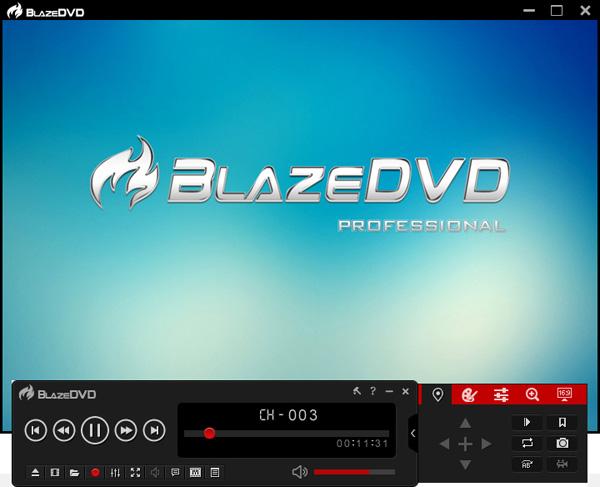
Top 1. BlazeDVD Free for Windows 10
BlazeDVD Free, a full-featured and easy-to-use Free DVD Player software, is fully compatible with Windows 11/10, playing DVD, CD, VCD, SVCD with great smooth video and stereo audio quality. You can also use it as a free common video player for MP4, AVI, MPEG, RMVB, VOB, WMV, DTS, HD (high-definition) videos. It also includes a photo slideshow player that lets you watch your pictures.
This Free Windows 11/10 DVD Player provides you with superior video and audio effect by adjusting various preferences, such as Equalizer, bringing you a wonderful audio-visual experience. You can also enjoy playback experience: Play/Pause, Full-screen, Fast-forward/Fast-backward, Volume Control, Next/Last Chapter, Select Subtitle, Video setting, Audio setting, Main menu button, Playlist and more.
- Act as Free DVD player software, free VCD Player as well as Free SVCD Player software for Windows 10 PC.
- Cost-free Media Player to play popular video files.
- Add bookmark to record down the exact frame where you decide to close the Windows 11/10 DVD Player.
Pros
- Support customization functions
- Support unlimited video/audio recording
Cons
- Limited free version
- Not support Windows 11
User Reviews
• The interface is simple and easy to use for basic DVD playback, according to users.
• Some people recommend its advanced feature to select subtitles for DVD playback.
• This free DVD player on Windows 10 has been reported stability problems, including potential crashes or freezing during playback.
Top 2. PotPlayer for Windows
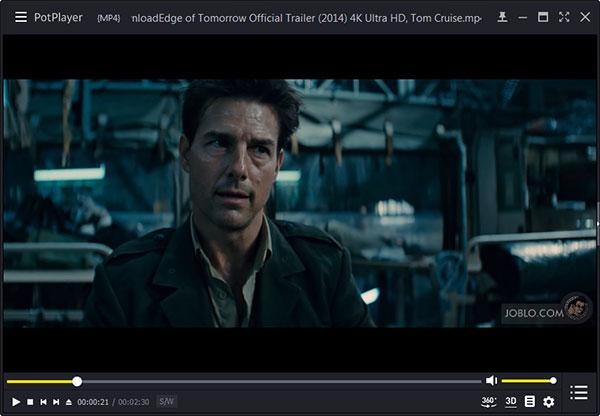
PotPlayer is a smooth and free Windows DVD Software Player. It works for Windows (11/10/8.1/8/7/Vista/XP) with a great looking, user-friendly interface, letting you watch DVD movie without any Cacophony. It also has an extensive range of configurable options to choose from and lots of functionality. With it, you can play Blu-ray, DVD, video formats, and audio CD with superb sound and video quality.
There are a few cool features tucked away inside this free Windwos DVD Player, too, such as the ability to take snapshots of the media you are viewing and save as a JPEG file, and great support for subtitles. If you are looking for a new Free DVD Player that has stacks of format support, and excellent codec support, then maybe PotPlayer is just what you are looking for. One thing you should notice that it only supports Windows version, and more free Mac DVD players, check it here.
- Play DVD movie with high-quality playback as well as video and audio.
- Multiple options like File Associations, Visualizations, Shortcuts, and Subtitle Formats.
- Support various skins, logos, color subjects, and adjust the screen size to monitor size.
Pros
- Support various subtitle files like ASS, SAA, etc.
- Easy operation for video effects
Cons
- Not beginner-friendly
- Installer contains other software
- Ads supported
User Reviews
• Many users consistently praise PotPlayer for its smooth and high-quality DVD playback.
• This free DVD player software for Windows 10 utilizes the acceleration technologies, like DXVA, CUDA, etc., to lead to the smooth playback of DVDs.
• Some users have complained about odd playlist behavior, like the playlist remembering the last played position or immediately adding all files in a folder.
Top 3. IINA for Mac
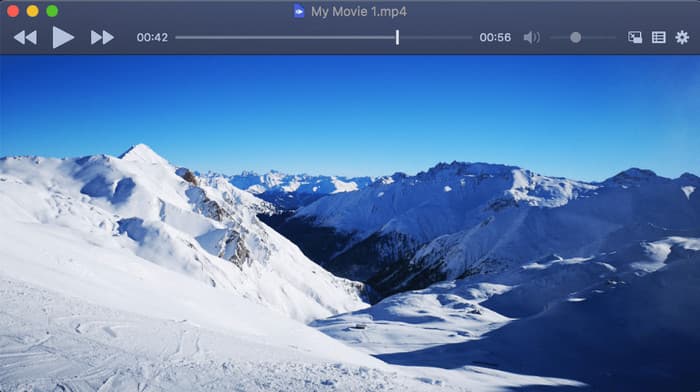
IINA is widely considered the ‘VLC for the modern age’ on macOS. It is an open-source media player built specifically for the Mac ecosystem, using the powerful mpv engine under the hood. While it excels at playing 4K MKV files and web streams, it also serves as a sleek, albeit sometimes temperamental, DVD player for those who still appreciate physical media or ISO backups.
- You can pop your DVD movie into a small corner window while you browse or work.
- Provides a beautiful visual scrubber and quick controls right on your keyboard.
- Real-time adjustments for brightness, contrast, and saturation if that old DVD looks a bit washed out.
- Supports various scripts and plugins to extend functionality, like syncing with your trakt.tv account.
Pros
- It’s built with Swift, so it actually feels like a part of macOS.
- You can use your trackpad to pinch-to-zoom or swipe to seek through a movie.
- It boots up instantly and doesn't hog your CPU, which is great if you're watching a long DVD on a MacBook battery.
Cons
- It often chokes on interactive DVD menus.
- While it handles .iso files like a champ, sometimes it’s picky about external USB Apple SuperDrives or third-party disc readers.
User Reviews
• Some people express their love for the Dark Mode natively.
• One user mentioned that while they love the ‘snappiness’ of the app, the DVD menu support drives them crazy.
• Some people noted that for a ‘plug-and-play’ DVD experience, it can be a bit hit-or-miss.
Top 4. MPC-BE for Windows
MPC-BE is a lightweight, open-source player that feels incredibly snappy. While modern streaming has made DVDs feel like relics, MPC-BE treats them with respect, offering high-quality decoding without the bloat of larger media suites.
- This open-source tool provides a much smoother playback experience and prevents screen tearing during fast action scenes.
- It allows you to apply post-processing scripts (like sharpening or color correction) to upscale old DVD content.
- Highly granular control over subtitle placement, timing, and font styles.
- It mounts and plays DVD .iso files or VIDEO_TS folders seamlessly without needing to ‘burn’ anything.

Pros
- It doesn't hog your RAM or CPU, making it perfect for older laptops with internal DVD drives.
- It handles MPEG-2 (the DVD format) right out of the box.
- You can tweak everything from the renderer to the shader effects to make those low-res 480p DVDs look a bit sharper on a 4K monitor.
Cons
- If you’re not tech-savvy, seeing terms like 'LAV Filters' or 'EVR Custom Presenter' might give you a headache.
- It is only available for Windows.
User Reviews
• It’s just faster. No splash screens, no ads, no ‘checking for updates’ for five minutes.
• The best part about BE is how it handles upscaling.
• Some people complain that it’s way too finicky with drivers.
Part 4. FAQs of Playing DVDs on Computer
-
1. How can I play a DVD on my computer for free?
First, you can download and run Blu-ray Master Free DVD Player on your computer. Then, insert the DVD disc into the internal or external DVD drive. Click “Open Disc” to load the DVD disc into the program. And the program will play the DVD file for free automatically.
-
2. How do I play a DVD on VLC on Windows?
First, you can download and install VLC media player on your Windows computer. Insert the DVD disc into the external or internal DVD drive. Open VLC media player, and click “Media” > “Open Disc”. Then, make sure that the DVD disc, Disc device, Title is correct in the prompt. Click “Play” to play a DVD on VLC on Windows.
-
3. Does Windows 10 have a built in DVD player?
Windows 10 doesn’t have a built-in DVD player. Windows Media Player enables Windows 10 to play DVD.
-
4. How do I get Windows Media Player to play a DVD?
You can free download Windows Media Player from Microsoft official website. Generally, once you insert a DVD disc, it will play automatically. If it doesn’t play, you can open Windows Media Player, select Disc name in Player Library.
-
5. What is the best free DVD player for Windows 11 that actually works without ads?
VLC Media Player is the most reliable free option. It plays DVDs smoothly, is open source, and has no ads or spyware. Other free players exist, but VLC remains the most trusted choice.
-
6. Does Windows 11 have a built-in DVD player, or do I need to download one?
No. Windows 11 does not include a built-in DVD player. You must download third-party software like VLC or other free DVD players to watch discs.
-
7. How to play a region-locked DVD on my Mac for free?
Macs enforce DVD region codes, but you can bypass them by using free tools like VLC combined with region-free libraries, or by ripping the DVD to a region-free format with free software. This allows playback without hitting the region lock limit.
-
8. Is VLC still the best choice for playing DVDs in 2025?
Yes. VLC remains one of the best free DVD players in 2025. It’s cross-platform, open source, plays most discs, and has no ads or tracking.
Wrapping up
The above best free DVD player software is for Windows 11/10/8/7and macOS X and macOS 11/12. To play a DVD movie smoothly on a computer, you should pick up the best DVD player application. Among, Free Blu-ray Player is the recommended DVD player for PC and Mac users.
If you want to play the DVD files on iPhone and iPad similar portable devices, then you will need the DVD player for iPhone iPad exactly.
More from Blu-ray Master
Best DVD Player

Easily play Blu-rays, DVDs, and various video/audio formats with rich playback features.
100% Secure. No virus
