

Oct 20, 2026Posted by Kevin Miller to Rip Blu-ray
Quick Summary
Looking for a tool that converts Blu-ray, DVD, and video in one go? This Acrok Video Converter Ultimate review covers how the program performs on modern computers. Based on our testing, the software is a solid choice if you want a tool on the pricier side. However, its high price point comes with versatile features that may make it worth it for users who value these strengths.
Looking for an all-in-one solution that can convert videos, Blu-rays, and DVDs in one go? Acrok Video Converter Ultimate is a good option for converting files to compatible formats. But be guided in this post as we unveil the software’s all-inclusive features, pricing, system requirements, and results. Also, stay tuned for the best alternative in case Acrok does not meet your standards.
Table of Contents
- Part 1. How We Tested Acrok Video Converter Ultimate & Quick Verdict
- Part 2. Acrok Video Converter Ultimate Key Features
- Part 3. Acrok Video Converter Ultimate Pros and Cons
- Part 4. Pricing & Free Trial — Is $53.40 Worth It
- Part 5. Blu-ray Master Blu-ray Ripper — Best Alternative to Acrok
- Part 6. FAQs About Acrok Video Converter Ultimate
Part 1. How We Tested Acrok Video Converter Ultimate & Quick Verdict
Test Environment & Benchmarks
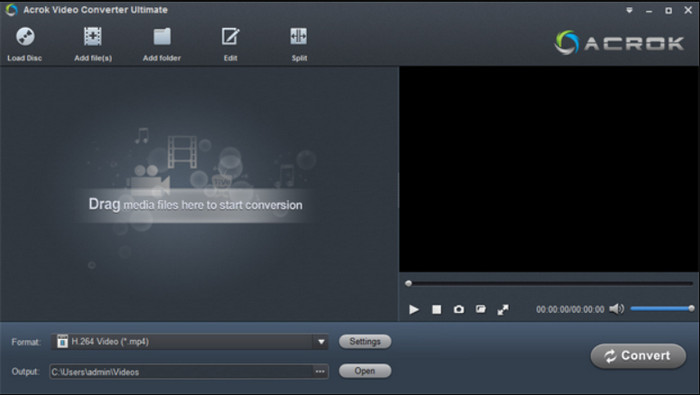
For objective testing of Acrok Video Converter Ultimate, we have reviewed the program by converting a 2-hour Blu-ray or DVD to MP4 format. We have recorded the time it took to convert the media, reviewed the output MP4 video file size, and compared the video quality of the Blu-ray with that of the MP4 conversion.
Quick Verdict Snapshot
Based on testing Acrok Video Converter Ultimate, we identified how the program performs across key features and elements users need to consider. In terms of features, it has good offerings, making it a solid choice for users who prefer practicality. The versatility of the program’s features makes it a good value.
Unfortunately, this comes at a high cost, as Acrok’s pricing is higher than other options on the market. For example, the alternative program we have featured is half the price of Acrok Video Converter Ultimate. Its ease of use is another area the program needs to improve.
Features: 4/5
Price: 3/5
Ease of Use: 3/5
Value: 4/5
Part 2. Acrok Video Converter Ultimate
Input & Output Format Support
When it comes to input, the program offers good compatibility for loading 8K/6K/4K/Full HD videos (MP4, MKV, AVI, WMV, etc.) and converting them to any format. Moreover, it can convert Blu-ray and DVDs to various video and audio formats. In conclusion, its input capabilities are sufficient to meet your various needs.
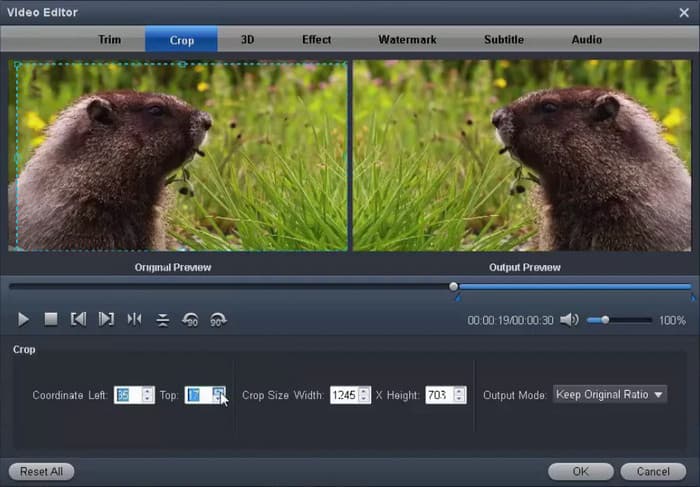
In terms of output formats, Acrok Video Converter Ultimate supports more than just video containers; it also has devices to make movies compatible with your Android, Mac, Smart TVs, cameras, and more. If anything else, the resolution is also a supported output to preserve HD and 4K after converting the movies. For smart measures, converting Blu-ray to MKV is a good choice.
Editing, 3D & Watermark Tools
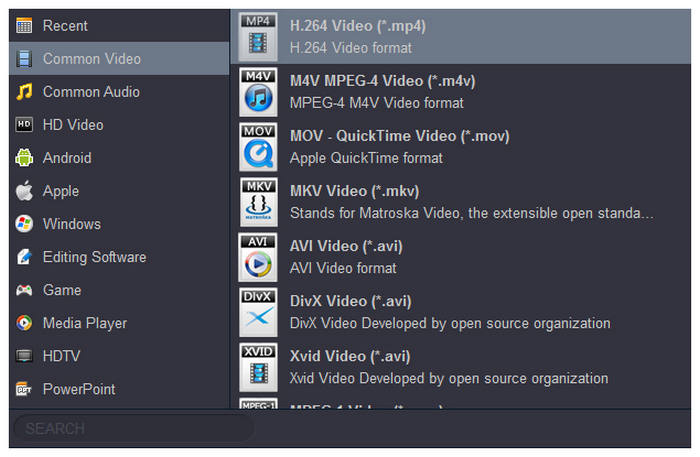
It is not enough to convert videos and be done with it. Sometimes, converted files do not have the same aspect ratio, duration, or effect, which is unappealing. That’s why, in addition to being Acrok converting and Blu-ray ripping software, it offers editing functions to trim video clips as needed.
Lossless Blu-ray/DVD Backup
Instead of using Blu-ray ripping software, Acrok can back up or copy your favorite movies to another disc. It even supports a full disc copy as a folder saved on your computer or hard disk drive.
Part 3. Acrok Video Converter Ultimate Pros and Cons Key Features
Pros
- Versatile input and output format support.
- Equipped with advanced video editing features.
- Converted Blu-ray and DVD media are saved losslessly.
Cons
- Minimal and infrequent updates.
- Expensive pricing plans.
- Laggy interface and overall performance.
Part 4. Pricing & Free Trial — Is $53.40 Worth It
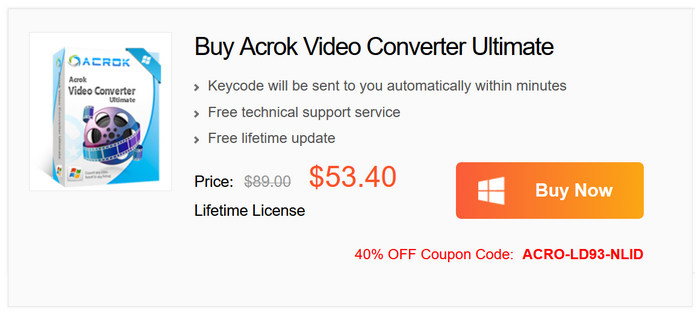
Unfortunately, the program's price point is on the high side compared to other multimedia tools. As such, we recommend buying the software only if you plan to use its advanced features. However, for new users who want to test the waters first, Acrok Video Converter Ultimate offers a free trial that lets you try its premium features for a limited time.
Once the program is upgraded to the paid version, you will unlock its full functionality, and all output formats can be used to save videos. Batch processing will also be unlocked to make video processing more efficient.
Part 5. Blu-ray Master Free Blu-ray Ripper — Best Alternative to Acrok
If you find the downsides of Acrok inexcusable, then the Blu-ray Master Free Blu-ray Ripper may help you. Compared to Acrok Video Converter Ultimate, it can only rip Blu-ray movies. However, it performs well at decoding and ripping Blu-ray movies to multiple video formats, including MP4, MOV, MKV, WMV, and others. It is a cross-platform tool you can download on Windows and Mac with a simple setup. Moreover, it provides editing tools to crop and edit your video, manage watermarks, and adjust subtitles.
- Supports Blu-ray discs, folders, and ISO files.
- Converts Blu-ray movies with copy protection and region codes.
- Provides customization settings to adjust output profiles.
- Fast Blu-ray conversion on Windows and Mac.
Free Download
For Windows
Secure Download
Free Download
for macOS
Secure Download
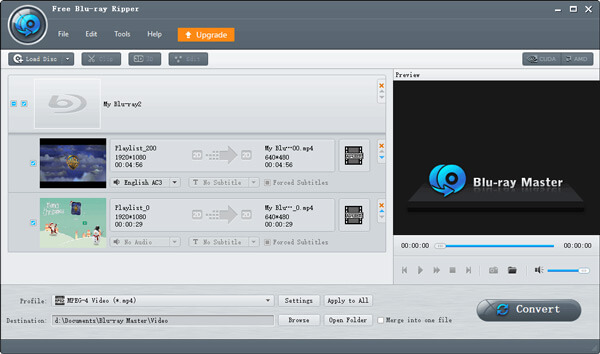
To see the significant differences between the two desktop applications, here is a summary table of the features they provide in the free and Pro versions.
Blu-ray Master vs Acrok — Side-by-Side Table
| Blu-ray Master Free Blu-ray Ripper | VS | Acrok Video Converter Ultimate |
| Free | Price | $55.30 |
| MP3, AAC, FLAC, WAV, and more. | Audio Extraction | Unsupported |
| No Watermark | Watermark | Watermark on Free Trial |
| No | Support Multi-tasking | Yes |
| Yes | Video Editing Side-by-Side Preview | Yes |
Part 6. FAQs About Acrok Video Converter Ultimate
-
Is Acrok Video Converter Ultimate safe to download?
Yes, it is. Acrok Video Converter Ultimate is legitimate software. It is safe to download and use for general video conversion work.
-
Does Acrok leave a watermark in the free trial?
Yes, it does. Videos converted by the Acrok Video Converter Ultimate free trial version are tagged with watermarks. Watermarks are present on converted digital videos and DVDs.
-
Is there a cheaper alternative with Blu-ray support?
Yes, there are. A good Blu-ray converter or ripper tool you can use is Blu-ray Master Free Blu-ray Ripper. Since it is a dedicated ripper tool, it is more affordable than Acrok Video Converter Ultimate, and its performance is better as well.
-
Is Acrok Video Converter Ultimate good?
Overall, the converter is a great tool for video conversion, offering a simple utility with extensive features. Only, it still depends on the user’s needs, and based on this Acrok Video Converter Ultimate review, you can tell whether it’s worth it.
-
Is it safe to use Acrok Video Converter Ultimate?
Yes. The software is safe to download and use on a desktop. Even for online transactions, purchases made within the Acrok website are secured by VeriSign.
-
Is Acrok Video Converter Ultimate free and safe?
You can try the video converter for free on Windows and Mac. It is also safe to install the software without corrupting your computer or files.
Wrapping up
We hope this Acrok Video Converter Ultimate review provides the answers you are looking for about the software. To summarize, it is an excellent conversion tool with a few limitations that might hinder a smooth workflow. However, Blu-ray Master Free Blu-ray Ripper is the ideal alternative for Blu-ray and DVD conversions. If you only plan to rip Blu-rays occasionally or prefer a cheaper option, the alternative Blu-ray Master Free Blu-ray Ripper is the better choice. For an all-in-one tool for videos, Blu-ray, and DVD, you may use Acrok’s free trial to avoid paying its price tag upfront.
More from Blu-ray Master
Blu-ray Ripper Review
Rip Blu-rays to any video and audio formats of different parameters for free in minutes.
100% Secure. No virus
