

Jun 05, 2025Posted by Kevin Miller to Rip DVD
DVDFab DVD Ripper is a powerful tool for ripping DVDs into digital formats. It gained popularity among users who want to digitize their physical media into various formats. This software is worth considering if you’re looking to extract videos from your DVDs for backup. This DVDFab DVD Ripper review explores everything you need to know about it. We’ll briefly review its features, strengths and weaknesses, and problems you may encounter while using it. Also, we will introduce an alternative to help you determine if it is the right choice for your DVD conversion needs.
- Part 1. DVDFab DVD Ripper Quick Review
- Part 2. What We Like and Dislike about DVDFab DVD Ripper
- Part 3. Problems of DVDFab DVD Ripper
- Part 4. DVDFab DVD Ripper Best Alternative
Part 1. DVDFab DVD Ripper Quick Review

DVDFab DVD Ripper is included in the DVDFab 13 software suite, along with DVDFab DVD Creator. It is made to rip DVDs, VIDEO_TS folders, and ISO to thousands of digital profiles. Options include video, audio, and device presets like MP4, MKV, MP3, AAC, Apple, Android, etc. The software can recognize and remove any DVD copy protection, such as APS, CSS, RC, etc. Also, its Cloud Decryption Service can detect and decrypt encryptions from newly purchased DVDs. It aims to help you load and process any old and new disc in minutes.
What You Need to Know About WonderFox DVD Ripper:
- Converts DVDs to 1000+ video, audio, and device preset in a 1:1 quality.
- Built-in editor with basic tools for cropping, trimming, watermark insertion, etc.
- Multitasking mode enables simultaneous ripping of multiple titles with a task queue.
- Decodes all types of DVD protections, like APS, CSS, RCE, Sony DADC, and more.
- Adopts advanced acceleration technology to deliver fast ripping speeds of up to 50×.
Part 2. What We Like and Dislike about DVDFab DVD Ripper
Output Profiles and Device Preset
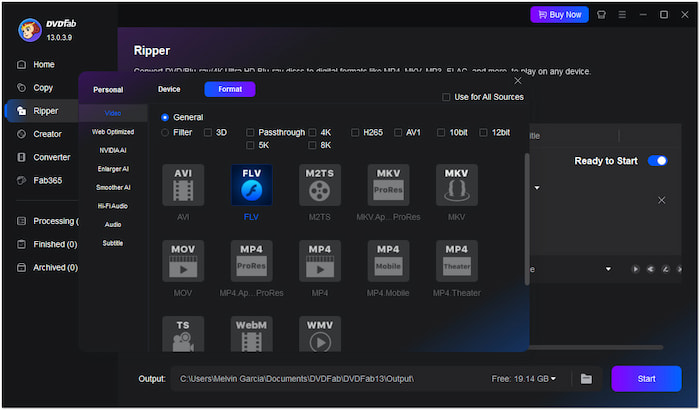
The DVDFab 13’s DVD Ripper tool supports thousands of video and audio profiles. It allows ripping DVDs, VIDEO_TS folders, and ISO files to MP4, MKV, MP3, WMA, etc. Beyond digital formats, it offers more than 260+ device presets for compatibility.
What We Like:
- It covers both old and latest codecs.
- It offers device presets for popular brands.
- It supports nearly all mainstream digital profiles.
What We Don’t Like:
- Its actual number of supported output profiles is less than its claim.
- It lacks support for the latest device models, like the iPhone 12 and later.
DVD Protections Management
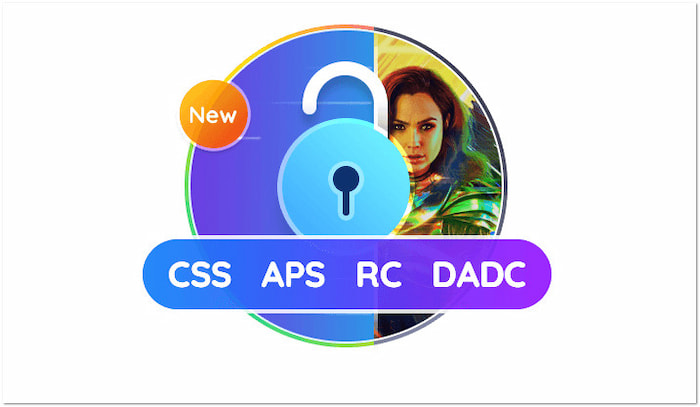
The DVDFab’s Cloud Decryption Service efficiently bypasses encryptions from old and newly purchased DVDs. It can detect and unlock standard copy protections, making DVD-to-digital conversion possible. It includes commercial DVDs with APS, CSS, RC, Sony DADC, etc.
What We Like:
- It can handle various DVD encryptions.
- It supports DVD Region 1, 2, 3, 4, 5, and 6.
- It doesn’t require plugins to bypass copy protections.
What We Don’t Like:
- It cannot load damaged, incomplete, or corrupted DVDs.
- It can’t handle newer encryptions, resulting in incomplete rips.
Ripping Speed
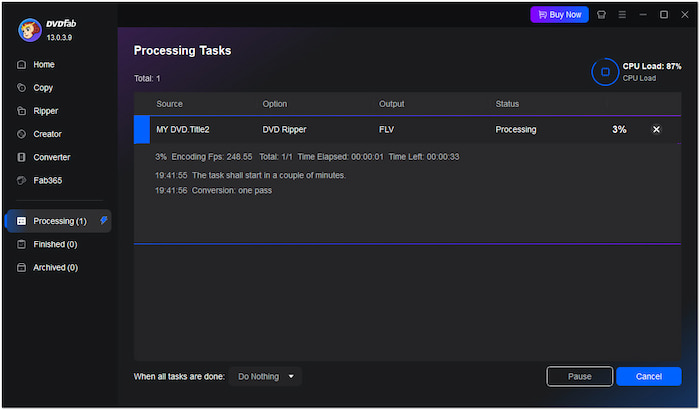
The DVDFab adopts the latest advanced GPU acceleration technologies to deliver a faster conversion speed. It reduces wait times, allowing you to rip standard-length movies up to 50×. However, the DVDFab DVD Ripper free trial version can only rip a 5-minute content.
What We Like:
- It is convenient for ripping multiple DVDs in batches.
- It cuts down ripping time through advanced GPU acceleration.
- Its Multi-core CPU technology allows multitasking during ripping.
What We Don’t Like:
- It can take over 60 minutes to rip a full-length DVD.
- Its high-speed ripping relies on the user’s computer specs.
Built-in Video Editor
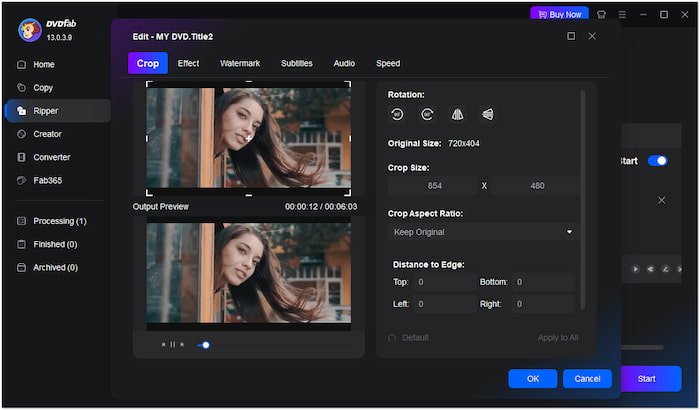
The DVDFab goes beyond DVD to digital conversion by offering a built-in editor. You can crop the video to any dimension, trim unnecessary clips, merge multiple videos, etc. Aside from the basics, it allows inserting external subtitles and adjusting video effects.
What We Like:
- It allows the insertion or customization of subtitles.
- It includes a watermark insertion tool for branding.
- It supports video effect adjustments for quality improvement.
What We Don’t Like:
- It lacks advanced video editing features.
- It lags when editing larger or longer DVD titles.
Quality of the Ripped DVD
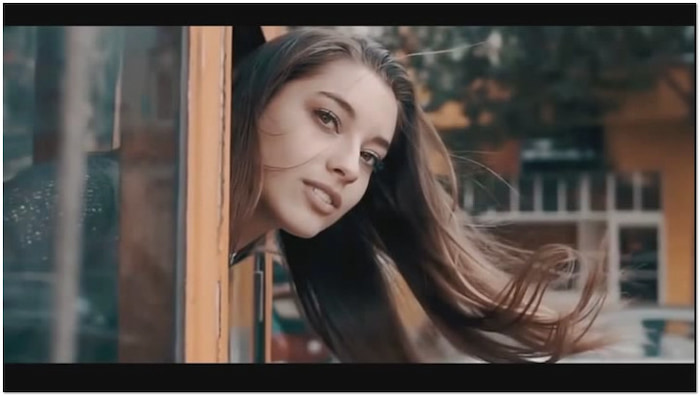
The DVDFab maintains high output quality through efficient encoding even after the conversion. It can deliver a 1:1 quality of the source, preserving all the original structures. But here’s the deal: Never try to download the DVDFab DVD Ripper crack version, as it may invite malware.
What We Like:
- It keeps 5.1 and even 7.1 surround sound intact.
- It supports lossless formats to maintain original quality.
- It allows customization of output profiles for high-quality exports.
What We Don’t Like:
- Its lossless output can exceed 2GB or more per title.
- It doesn’t improve the original resolution of the DVD much.
Part 3. Problems of DVDFab DVD Ripper
DVDFab Won’t Open DVD Source
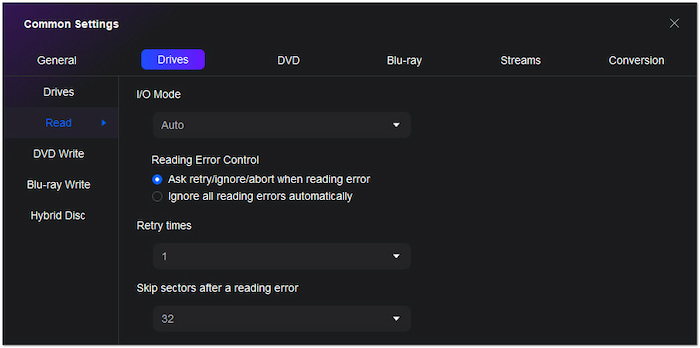
DVDFab sometimes fails to recognize or load the DVD inserted into the drive. There are instances that you will encounter a DVDFab error 102 messages and freeze the loading process. This problem is rooted in the copy protection that DVDFab struggles to bypass. As a result, the ripping process cannot begin, leaving you stuck at the starting point.
DVDFab Failed To Create a Directory
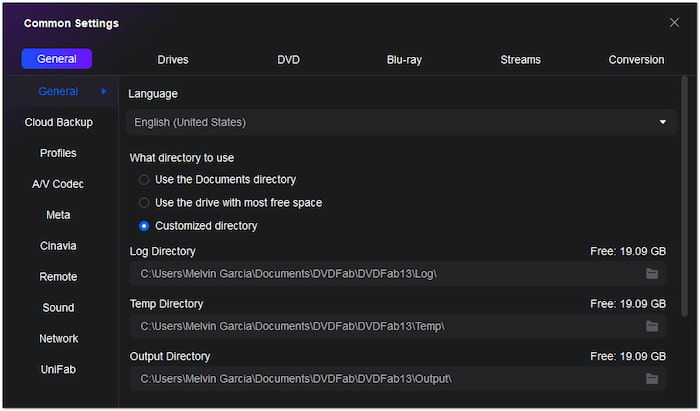
The failed-to-create directory problem appears during the initial setup of the ripping process. It occurs when the software tries to create a directory to save the output files. Usually, your local drive has insufficient storage, or there are special characters in folder names. It prevents the ripping process from proceeding since it cannot complete basic file management operations.
DVDFab Process Failed
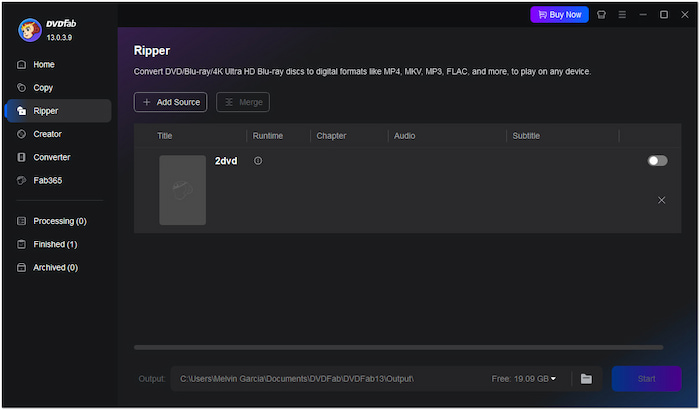
DVDFab fails to process your DVDs if you convert directly from a DVD. The external drive’s reading speed limits the ripping process, resulting in a slower or failed conversion. Sometimes, it happens due to hardware acceleration, especially after recent updates. It occurs after hours of waiting, wasting time, and processing resources without yielding results.
Part 4. DVDFab DVD Ripper Best Alternative

You may encounter issues after you download DVDFab DVD Ripper and begin using it. Some of the common problems are failure to open the source, directory creation errors, or failed ripping processes. Consider a more reliable alternative if these problems persist despite multiple troubleshooting attempts. Blu-ray Master Free DVD Ripper is a free DVD-ripping software that offers stability and efficiency.
Free Download
For Windows
Secure Download
Free Download
for macOS
Secure Download
It is compatible with macOS 10.12 or later and Windows 11/10/8/7. It provides over 200+ output profiles, including video, audio, and device preset. Being a no-cost DVD-ripping solution, it became popular by delivering a video resolution of up to 4K. In terms of performance, it can rip DVDs from Regions 1 to 6 and uses advanced decryption technology to handle heavily encrypted discs. It also includes a built-in editor for basic video enhancements like applying effects. It also lets you set a custom output directory for your ripped DVDs to manage your files.
Conclusion
This brings our DVDFab DVD Ripper review to a close! DVDFab offers a powerful solution for converting DVDs to digital formats. Although the software provides a comprehensive solution for ripping DVDs, it has drawbacks. There are reports from some users that they face persistent issues and technical limitations. If you’ve encountered these frustrations, switching to a more stable alternative might be time. Blu-ray Master Free DVD Ripper is a reliable, free, and full-packed tool that supports multiple formats, high-quality conversion, and region-free DVD ripping.
More from Blu-ray Master
Various DVD Ripper Review

Fast and free ripping software to decrypt all DVDs to digital easily on your computer.
100% Secure. No virus
