

Jul 24, 2025Posted by Brittany Garcia to Rip DVD
In the past, sometimes people have seen some excellent DVD movies, and they want to extract audio from the DVD as their mobile phone ringtone or something else. They usually use the voice recorder that comes with their phone to record, which can only have a period of low-quality audio. Today, however, we can use software to solve such a problem, cutting out the audio perfectly while maintaining the quality. It can be realized with just a few clicks, and no need to learn any complex procedures. Thus, we will test the top 5 DVD Audio Rippers based on their features, pros, cons, etc. Let's see if there is one that fits you the most!
- Part 1. Can You Extract Audio from a DVD
- Part 2. Top 5 DVD Audio Rippers (Free Incl.)
- Part 3. What is the Best Software to Rip Audio from a DVD
- Part 4. FAQs Of DVD Audio Ripper
Part 1. Can You Extract Audio from a DVD
Can you extract audio from a DVD? The answer is, of course, YES! With the powerful DVD audio extractor, you can easily extract audio from your DVD collection.
So, what's the best audio format for ripping DVD? Let's know about them clearly.
| Feature | Full Name | First Release | Channel | Typical Bitrate (kbps) | Typical Sample Rate (kHz) | Quality |
| FLAC | Free Lossless Audio Codec | 2001 | Stereo, 5.1 (up to 8) | Variable (Lossless) | 44.1, 48, 96, 192 | Lossless (Perfect) |
| WAV | Waveform Audio File Format | 1991 | Stereo, 5.1 (unlimited) | Variable (Uncompressed) | 44.1, 48, 96, 192 | Uncompressed Lossless (Perfect) |
| AAC | Advanced Audio Coding | 1997 | Stereo, 5.1 (up to 48) | 128 – 320 (Lossy) | 44.1, 48, 96 | High (Lossy, better than MP3 at same bitrate) |
| AC3 | Dolby Digital | 1992 | Stereo, 5.1 (up to 5.1) | 192 – 640 (Lossy) | 48 | Good (Lossy, native DVD audio) |
| MP3 | MPEG-1 Audio Layer 3 | 1993 | Stereo (up to 2) | 128 – 320 (Lossy) | 44.1, 48 | Good/Fair (Lossy, most widely compatible) |
Part 2. Top 5 DVD Audio Rippers (Free Incl.)
Free DVD Ripper
Free DVD Ripper is a powerful and free DVD audio and video extractor software from Bluecopys. It can easily rip and convert DVDs' audio to various digital formats, including MP3, AC3, M4A, and more. It supports both homemade and commercially protected DVDs. It can bypass multiple copy protection schemes like CSS, region codes, and AACS. The software utilizes the latest hardware acceleration technologies from Intel, NVIDIA, and AMD. Aiming to provide lightning-fast ripping speeds, with the ability to rip a full 2-hour DVD soundtrack in as little as 8 minutes. Free DVD Ripper also offers a range of editing features, allowing users to trim, crop, and adjust the video and audio settings before conversion. With its understandable interface and comprehensive codec support, Free DVD Ripper is an excellent choice for anyone looking to easily and quickly convert their DVD audio collection to digital files for playback on various devices.
Free Download
For Windows
Secure Download
Free Download
for macOS
Secure Download
Features
- Wide formats support: AAC AC3, M4A, M4R, etc. are supported
- Stunning soundtrack: The audio channels are supported up to 5.1
- Smoother export speed: CUDA and AMD acceleration is available
Pros
- Comprehensive support on file formats
- Hardware acceleration is well supported, offering much faster output speed
- This DVD audio ripper only takes 8 minutes to convert a 2-hour DVD soundtrack
- No hardware requirements
Cons
- The system older than Windows 7 and macOS 10.12 is not supported
After learning its basic information, we will see how to use it. It mainly in 3 steps
Step 1. Download and install Free DVD Ripper. Then, click "Load Disc" or "Add File" to import files

Step 2. Adjust the settings to meet your requirements
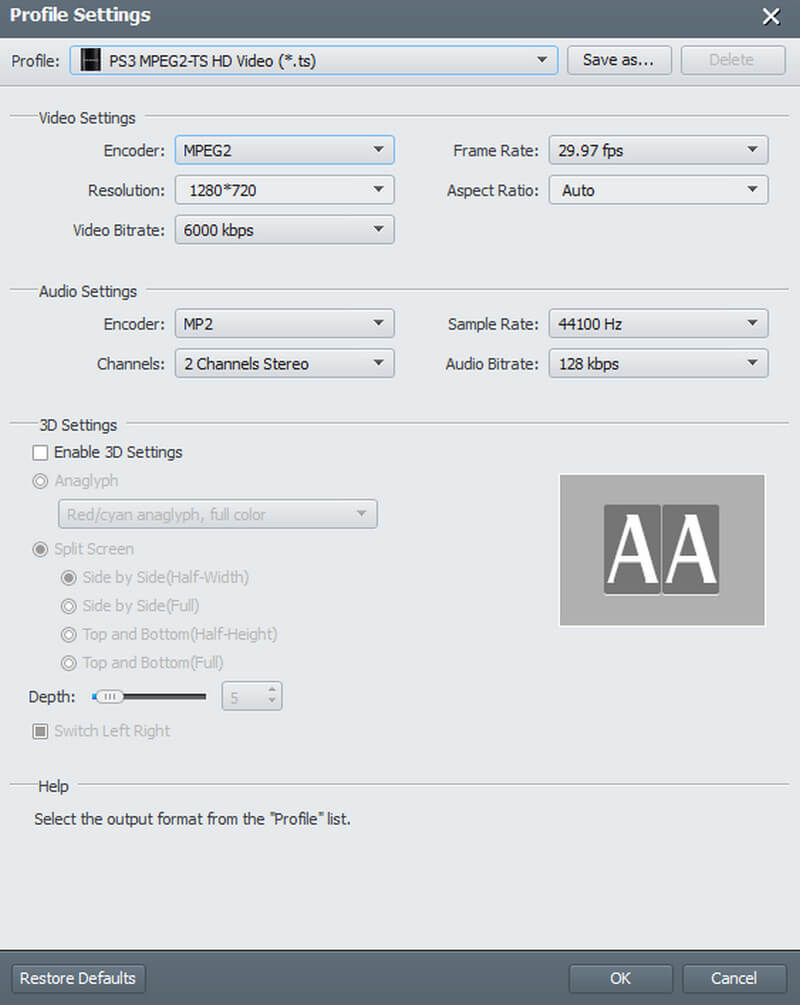
Step 3.After the above steps, choose the target file you want to export. Then, select "Convert" to start the process

The Free DVD Ripper only takes 3 steps to finish your work, which is more efficient than most other DVD Rippers. Meanwhile, it also puts the whole operation procedure on the interface, making it highly convenient and user-friendly.
HandBrake
HandBrake offers a wide range of audio encoding options. Its audio codecs include AAC, MP3, Vorbis, Opus, AC3, and E-AC3, allowing you to convert audio tracks to various formats. HandBrake also supports audio passthrough, which preserves the original audio quality by copying the track directly to the output file without re-encoding. This is particularly useful for lossless audio formats like FLAC, DTS, and TrueHD. Additionally, HandBrake provides advanced audio settings, such as the ability to adjust bitrates, sample rates, and channel configurations, enabling you to optimize the audio quality and file size for your specific needs.
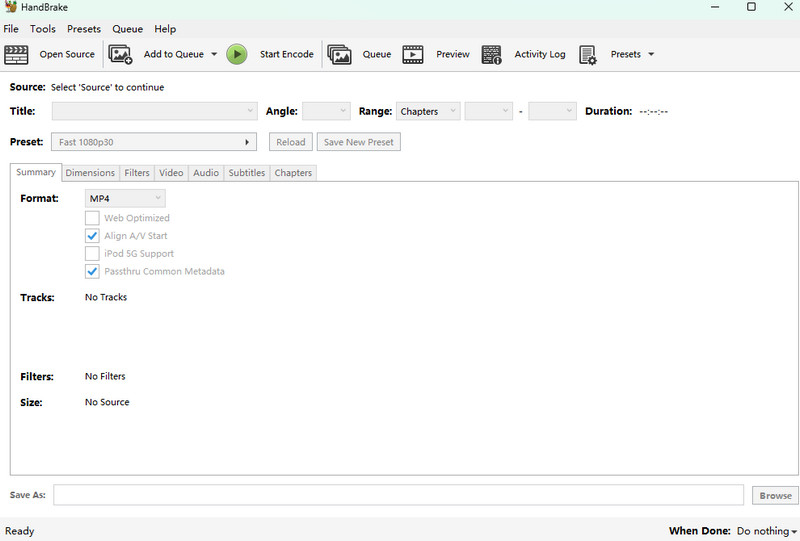
Features
- H.264, HEVC, VP9, and more are supported
- Allows for audio encoding, with support for popular audio formats like AAC, MP3, FLAC, and Vorbis
- Available for Windows, macOS, and Linux systems
- Extract specific audio tracks from the input media is available
Pros
- Multiple audio settings, such as bitrate, sample rate, etc.
Cons
- This DVD audio ripper freeware is not friendly for beginners
- Lacks advanced video editing features
- Have hardware requirements
VLC
VLC Media Player is a Windows 10 pre-installed media player with robust audio ripping capabilities. It can rip soundtracks from DVDs, CDs, etc., and online streams, converting them to a wide range of audio formats, such as MP3, FLAC, and WAV. The audio ripping process in VLC is straightforward, allowing users to select the desired audio tracks and customize the output settings. Additionally, this best DVD audio extractor provides advanced features like extracting specific audio channels, adjusting the bitrate, and even removing unwanted audio segments. If you are a beginner and know little about professional audio rip, you can choose this as the simplest one to help your work.
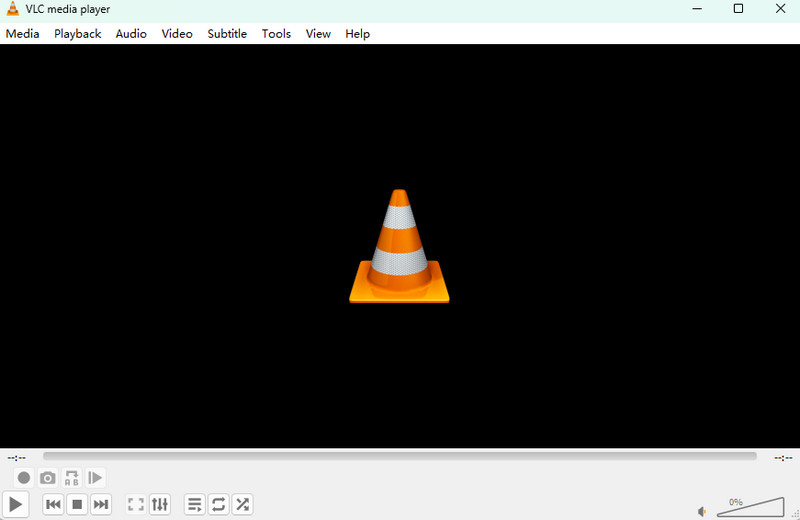
Features
- MP3, FLAC, WAV, and so on are supported
- The batch process is available
- Audio equalizer, compressor, and more are offered
Pros
- Low learning cost
- Audio and subtitle synchronization are adjustable
- Windows 10 users don't need to download the app
- No hardware requirements
Cons
- The output speed is too slow
- Lack of more professional functions
DVDFab DVD Ripper
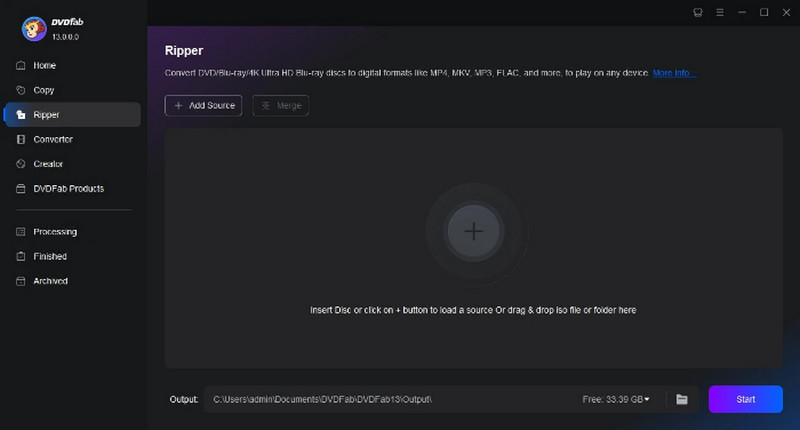
DVDFab DVD Ripper is a powerful DVD audio ripper tool that handles any DVD, old or new, encrypted or not. It bypasses standard DVD protections like CSS and APS. It even utilizes a Cloud Decryption Service for newly released discs, making it a successful ripper and DVD creator. This versatile ripper allows for 1:1 lossless conversion to MKV. Passthrough preserves original video and 5.1 AC3 audio quality, ideal for home theater setups. DVDFab prioritizes user preference, prompting them upon launch to select their desired playback mode (Mobile, Theatre, AI, or Web), providing complete control over how they enjoy their converted DVD audio content.
Features
- CSS, APS, etc. can be bypassed
- Convert audio to 5.1 soundtrack
- Nvidia, AMD, and Intel acceleration are available
- Rip DVDs to lossless Hi-Fi audio with 24-bit and 192 kHz
Pros
- 1000+ Audio like MP3, FLAC etc.
- Open old or new discs in 5 - 10 seconds
- This DVD audio converter has a Cloud decryption service that offers a more flexible work style
Cons
- The installation progress is plodding (5 mins)
- Not affordable for most of the users ($265.99)
- Complex pro settings without any guide
- High hardware requirements
VideoByte BD-DVD Ripper
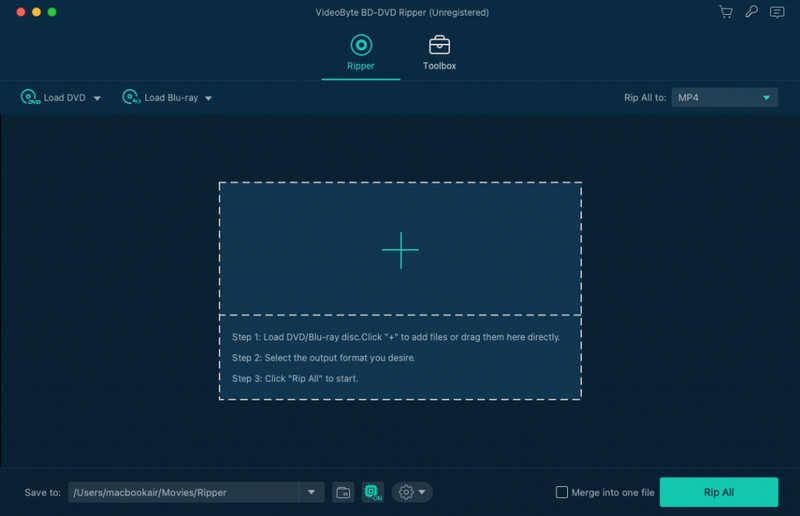
The VideoByte BD-DVD Ripper offers robust audio ripping capabilities. It supports over 300 audio and video output formats, allowing you to extract the audio from your DVDs and Blu-rays and save them in popular formats like MP3, AAC, M4A, and more. The software preserves the original audio tracks and subtitles, so you can enjoy the content with your preferred language and audio settings. Additionally, the ripper provides lossless audio output, ensuring the extracted audio retains the same high quality as the original disc. With its understandable interface and advanced features, this DVD to audio converter makes it easy to liberate the audio from your physical media and enjoy it on your preferred devices.
Features
- 300+ mainstream audio export formats (MP3, AAC, M4A, and more)
- 1:1 audio quality keeping: Convert without quality losses
- Nvidia, AMD, and Intel acceleration are available
- audio channel adjustment, sample rate, audio encoder, etc. are supported
Pros
- 300+ mainstream audio output formats (MP3, AAC, M4A, and more)
- Wide acceleration support: Intel QSV, CUDA, and AMD
- Remove almost any DVD/Blu-ray protection
- Windows XP is supported
Cons
- MacOS may have some compatibility problem
- Lack of a one-time subscription plan
- The audio might be choppy or disappear when playing MKV or M2TS in VLC
- The audio file settings do not match the conversion settings
Part 3. What is the Best Software to Rip Audio from a DVD
To pick the best DVD audio ripper, we tried many DVD ripping programs to extract audio from a DVD movie of 2GB. Considering the ease of use, audio quality, output formats, etc., we share with you the 5 best DVD audio rippers, and here is an intuitive table to compare them.
| Platform | Ripping Time | Output Formats | Audio Quality | Best for | |
| Blu-ray Master Free DVD Ripper | Windows 11/10, macOS 10.12 or above | 17 mins | MP3, AAC, FLAC, etc. | Lossless | Extract audio from DVDs losslessly. |
| HandBrake | Windows 11/10, macOS 10.13 or later | 59 mins | AAC, AC3, and others. | Moderate | Take DVD audio for free. |
| VLC | Windows 11/10, Mac OS X 10.7.5 or later | 66 mins | MP3, AAC, and others. | Moderate | Rip DVD to audio within several clicks. |
| DVDFab DVD Ripper | Windows 11/10/8, macOS 10.10 – 15.x | 26 mins | MP3, AAC, DTS, OGG, and more. | Lossless | Extract specific DVD audio tracks to multiple formats. |
| VideoByte BD-DVD Ripper | Windows 11/10, macOS 10.12 – 15.x | 21 mins | MP3, AAC, M4A, FLAC, etc. | Lossless | Obtain high-quality, lossless audio files from your DVD collection. |
Part 4. The FAQs Of DVD Audio Ripper
-
What is the best software to extract audio from a DVD?
You can't go wrong with Free DVD Ripper from Bluecopys. Because it not only has multiple pro functions but also makes users feel it is simple to use.
-
Can you convert DVD to mp3?
Yes, you can convert DVDs to MP3, but not directly. DVDs contain video and audio data, while MP3 is an audio-only format.
-
Can VLC extract audio?
Of course! VLC can extract audio from video files, including those ripped from DVDs. It's one of the most frequently used audio rippers because it is totally free software.
-
Can you convert MKV to DVD?
Yes, there are mainly several ways to convert MKV to DVD You can follow the guide of MKV to DVD to help yourself.
Conclusion
Today, we have tested 5 top DVD Audio Rippers, including their features, pros, cons, and so on. We hope you find the one that fits you most among these apps. As for a recommendation, the Free DVD Ripper from Bluecopys might be a good choice. Because it has not only broader file support but also faster output speed. Meanwhile, if you have more questions, you can visit the article below or get in touch with us through email.
More from Blu-ray Master
Top-rated DVD Ripper

Fast and free ripping software to decrypt all DVDs to digital easily on your computer.
100% Secure. No virus
