

May 15, 2026Posted by Kevin Miller to Rip DVD
Summary
What is the best DVD Decrypter?
For users looking for a clear recommendation among the best DVD decrypters, Blu-ray Master Free DVD Ripper should be your first pick. It offers the best balance among ease of use, decryption capability, ripping speed, and overall performance.
When it comes to entertainment options, movies and TV shows stand at the top because both are easy to consume. Although digital streaming options have increased in popularity, home DVD releases have remained relevant due to their ability to deliver UHD-quality video. With that in mind, reliable DVD decrypter software remains a valuable tool, as it makes it easy to convert DVD-quality videos into digital ones. To learn more about the modern DVD decrypting tools available today, read this article for a full review of the five best DVD decrypters and ripper tools optimized for contemporary usage.
Below, we have provided a short table for each option to quickly compare the tools and essential software features. Please continue reading the article below for a more detailed review of each tool.

Table of Contents
How We Test
- • The programs we have featured were tested by converting a modern 4K UHD DVD release.
- • The DVD content is equipped with a standard copy protection.
- • The conversion time was recorded from the moment the Convert button was activated until the conversion was complete.
- • Each program has undergone a software safety scanning process using Windows Security and XProtect (macOS).
- • Genuine user reviews were also collected from online forums and discussions regarding each software.
| DVD Decrypter Tool | Ease of Use | Decryption Capabilities | DVD Ripping Acceleration System | Speed and Performance Optimization | Supported Operating System |
| Blu-ray Master Free DVD Ripper | Beginner-friendly. | • Hyper-threading • Super encode engine • CSS • Copy-protection bypass • Region-code bypass | • Multi-core processing • Hardware Acceleration | Optimized for multi-core PC and Mac. | • Windows • Mac |
| AnyDVD HD | Require technical skills for fixing compatibility issues. | • CSS • Copy-protection bypass • Region-code bypass | • Multi-core processing | Optimized for low-end PCs. | • Windows |
| WinX DVD Ripper | Beginner-friendly and has an easy-to-use interface. | • CSS • Copy-protection bypass • Region-code bypass | • GPU accelerated | Works well on GPU-equipped hardware. | • Windows • Mac |
| Leawo Blu-ray Ripper | Offers a basic decrypting option for simple use. | • CSS • Copy-protection bypass • Region-code bypass | • GPU accelerated | Works well on GPU-equipped hardware. | • Windows • Mac |
| MakeMKV | Provides a one-click button for converting DVD media to MKV. | • CSS• Copy-protection bypass• Region-code bypass | • GPU accelerated | Works well on GPU-equipped hardware. | • Windows |
Part 1. Blu-ray Master Free DVD Ripper
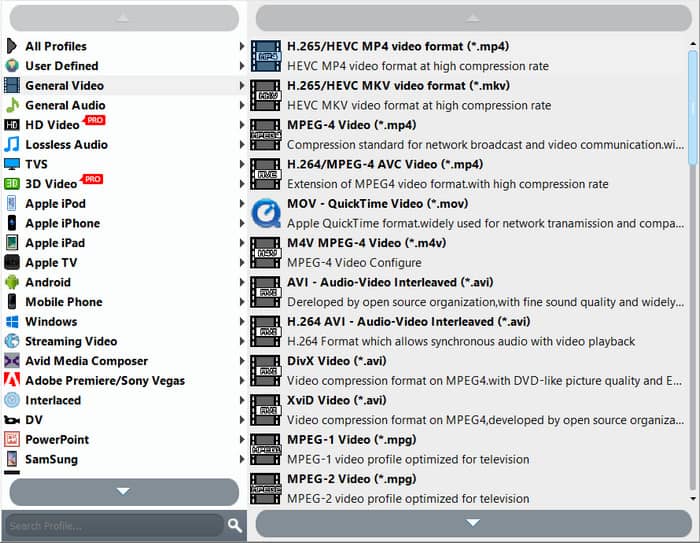
Converting DVD videos to a digital format.
Windows PC, Mac
720p HD to 4K UHD
Hyper-threading, Super Encode Engine, Region Code Bypass, Copy Protection Removal
Pros
- Hyper-threading acceleration allows for decrypting 4K UHD videos in under 20 minutes.
- Beginner-friendly and well-labeled interface design.
- It can handle advanced DVD encryption systems such as Content Scramble System (CSS).
Cons
- Its free version has slightly limited features.
Main Features
- • DVD ripper to MP4, AVI, FLV, etc.
- • DVD to portable device format (Android, iPhone, iPad).
- • Decrypting DVDs, ISO, and folders.
- • Converting DVD files to over 200 formats.
- • Multi-core processor acceleration for faster DVD ripping.
Regarding digital format conversion, the option to convert your DVD videos is highly valuable. In this case, Blu-ray Master Free DVD Ripper is the best option, as it can decode DVD files and save them to 200+ digital formats by bypassing regional codes and copy protection. Popular options such as MP4, MKV, and AVI can be used to convert and adjust DVD videos. On the other hand, users who want to digitize music albums can convert DVD-Audio to MP3, WAV, AAC, and other popular audio formats.
Blu-ray Master Free DVD Ripper enables DVD decryption by serving as a reliable file-ripping tool. It can process various DVD types, including DVDs, ISO files, DVD folders, and encrypted DVDs. The software ensures high-quality DVD digitalization through a decryption method centered on hyper-threading and a high-performance encoding engine.
On top of being a free decryption tool for Windows 11/10 and Mac, the software also offers an efficient, fast conversion process up to 20x the standard speed, thanks to its multi-core optimization. It is a more reliable option for computers without expensive GPUs.
Download the software to experience the balance between performance and quality in the best free DVD decrypter for PC and Mac.
Free Download
For Windows
Secure Download
Free Download
for macOS
Secure Download
User Reviews
According to its users, the sheer number of 200+ digital formats is the most commendable feature of the software. This makes converting DVD media to higher-quality digital formats, such as MKV for video or FLAC and ALAC for audio, easier.
Part 2. AnyDVD HD
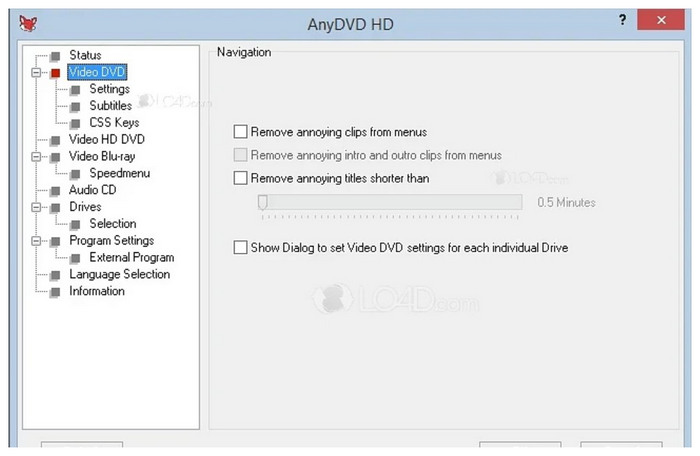
Removing DVD copy protection and region-locking systems.
Windows PC
480p SD to 4K UHD
DVD copy protection bypass.
Pros
- Supports on-the-fly DVD decryption in the background.
- It can bypass region codes and basic copy protections.
- Fixes basic DVD reading errors and damaged disc issues.
Cons
- Its pricing plans are more expensive than other DVD decrypter tools.
- It is only available for the Windows operating system.
- Ripped DVDs are saved in the Video_TS folder, not in standard digital video formats.
Main Features
- • DVD region code removal.
- • ISO file creator.
- • Blu-ray and DVD support.
If you are having trouble with traditional DVD copying protections and regional coding restrictions, software designed to bypass these restricting measures should work best. In this case, AnyDVD HD is one of your best options.
Since this tool was designed to remove DVD-cloning measurements, AnyDVD HD offers a more reliable way to bypass standard DVD protection systems such as CSS, AACS, and BD+. On top of its reliability, the software automatically bypasses these protections, which eliminates the need for manual bypass.
Unfortunately, the practicality of software that offers automatic bypass comes with a price. Since the tool does not have a free-to-use version or an official freeware version, if you want to download this DVD decrypter software, you can only buy it for €59.00 to €109.00.
User Reviews
Users of AnyDVD HD commend the program’s automatic decrypting software. The feature makes it highly effective, as it saves time and makes it a more beginner-friendly option.
Part 3. WinX DVD Ripper
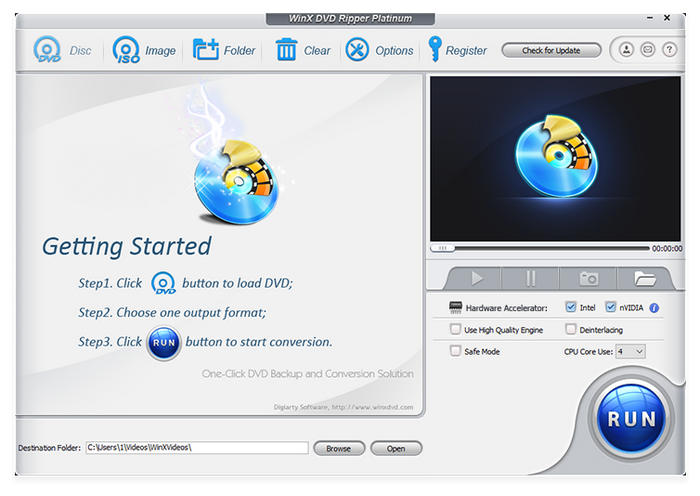
Modernizing DVD media to digital files.
Windows PC, Mac
720p HD
Copy-protection bypass for DVDs.
Pros
- Supports decrypting 99-title DVDs.
- It can still read DVDs with light damage and scratches.
- GPU-accelerated for a faster DVD decryption process.
Cons
- Its installer is bundled with other software.
- No Blu-ray support.
- Operates more like a ripper tool than a decrypter.
Main Features
- • CSS, UOPs, and region-code bypass.
- • Damaged or scratched DVD recovery.
- • Hardware acceleration for faster processing.
WinX DVD Ripper may come first as a generic DVD decrypter-free software. This impression was made possible by the tool’s simple design and highly intuitive menu. However, the program is more than that, since this software works best if you are looking to recover older DVD hardware or hardware plagued by scratches.
Aside from bypassing copy protections, WinX DVD Ripper also excels at recovering files saved from damaged and scratched DVDs. Due to this unique feature, the program should be optimal for users who want to recover old DVDs containing old footage for digitization.
This program was designed as a DVD decrypter first and an old media recovery tool second.
User Reviews
Due to its unique ability to read damaged and corrupted DVDs, most WinX DVD Ripper users are inclined toward video restoration and digitizing older footage.
Part 4. Leawo DVD Ripper
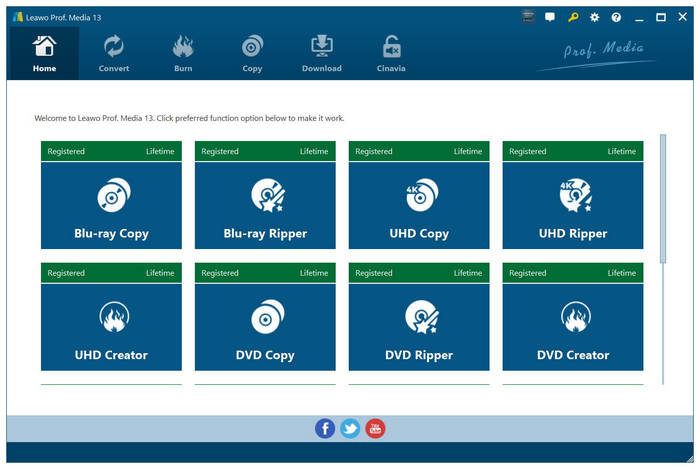
Blu-ray and DVD ripping to digital files.
Windows PC, Mac
1080p to 4K
Bypass basic DRM protections.
Pros
- Visually appealing UI design.
- It can decrypt both DVD and Blu-ray discs.
- It can convert DVD media to 180+ output formats.
Cons
- Its decryption features are relatively weak and only standard.
- Only suitable for basic DRM bypass.
- Slower than GPU-optimized tools.
Main Features
- • Output customization of converted files.
- • GPU-accelerated conversion process.
- • Blu-ray and DVD support.
Preserving the quality of digitized videos should be among the top considerations when choosing DVD decrypter software. Leawo DVD Ripper would work best in this case, as it can preserve the original quality of videos decrypted from it, provided the video is 1080p.
However, the program has a significant issue with DVD and Blu-ray protection, as it cannot bypass the latest encryption on these releases. Despite that, the software can still breach generic copying protection measures.
It also helps that the tool is equipped with modernized GPU acceleration, making it a far better option if your computer is fitted with one.
User Reviews
Users of the free software version often encounter issues when converting the tool, as it can only process videos up to 5 minutes long. Leawo’s premium version must decrypt DVDs containing videos longer than 5 minutes.
Part 5. MakeMKV
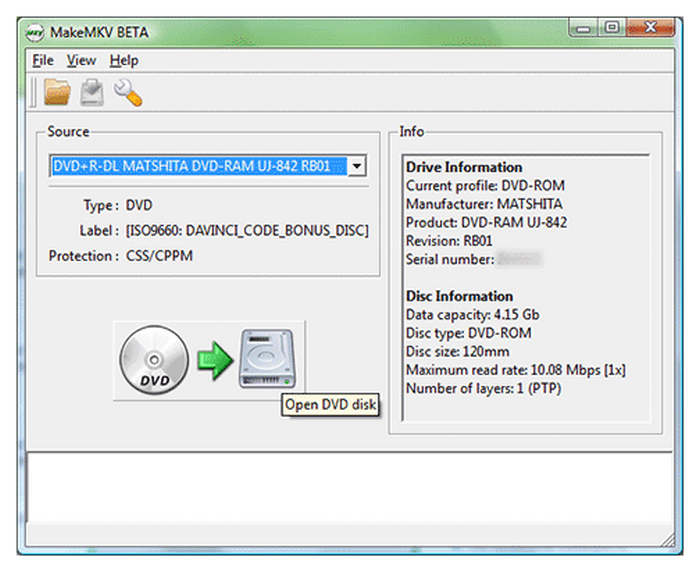
Converting DVD and Blu-ray videos to MKV files.
Windows PC
720p to 1080p Quality
Bypass DVD copying protection.
Pros
- Lossless DVD decryption.
- MakeMKV Beta is free to use and reliable.
- Strong decryption for DVDs and Blu-rays.
Cons
- Only offers MKV as an output format.
- Advanced and very technical interface design.
- Decrypted digital videos are large files.
Main Features
- • Designed to convert DVD files to high-quality MKV format.
- • Preserves video quality by avoiding video re-encoding.
- • Fast DVD ripping process.
As its name suggests, MakeMKV specializes in decrypting DVD videos and converting them to the MKV format. Although less popular than MP4, MKV comes in a close second because it was designed to ensure that videos saved in this format retain lossless quality.
Due to the nature of the MKV file, DVD and Blu-ray releases work best when digitally decrypted and saved as MKV files. Aside from video quality, MKV files can also preserve other metadata encrypted in the DVD release, such as audio tracks and subtitles. This is exceptionally compatible with DVD releases of TV shows.
MakeMKV is highly recommended for producing a backup digital file from home TV shows and series releases.
User Reviews
Although MKV is a highly reliable format, its larger file size may be a hindrance for users with limited storage. The tool’s lack of another digital format may affect its quality.
Part 6. Bonus Tutorial: How to Decrypt DVDs
If you want to learn how to use the best DVD decryption software for both PC and Mac, we have provided a bonus tutorial below, featuring none other than Blu-ray Master Free DVD Ripper.
Free Download
For Windows
Secure Download
Free Download
for macOS
Secure Download
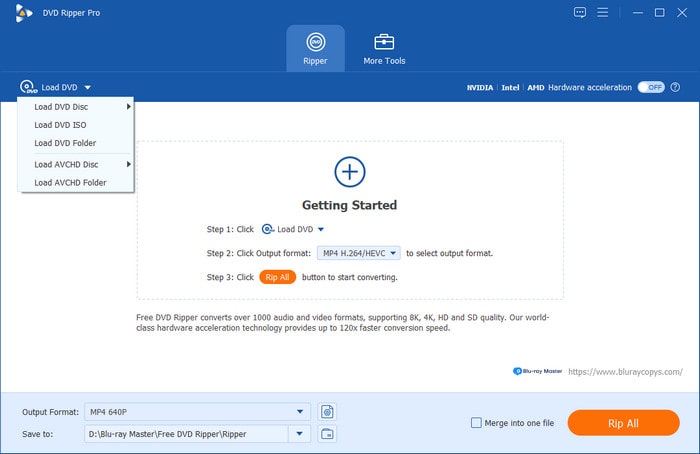
Step 1.Insert the DVD you want to decrypt into your PC. Then open Blu-ray Master Free DVD Ripper, click Load DVD, and select Load DVD Disc.
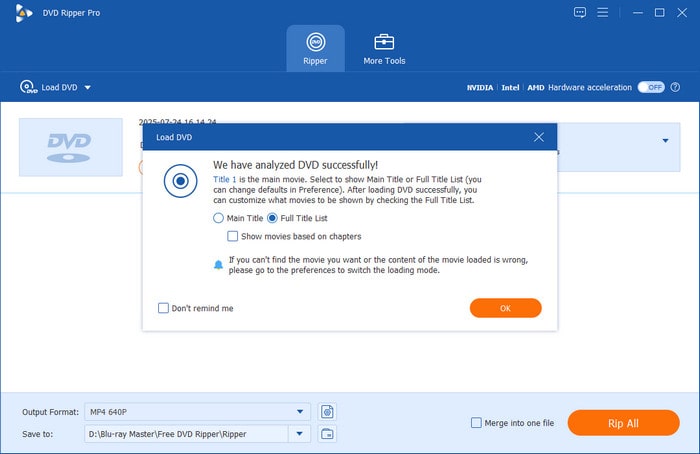
Step 2.Once the loaded DVD has been analyzed, choose whether to rip the Main Title or the Full Title List. Click on OK to confirm your selection.
Step 3.Click on Output Format and choose from the available Conversion Profiles. These options will set how your converted DVD media will look once it is converted digitally. Among the available options, MP4, MOV, and MKV are safe choices because they are highly compatible with a wide range of devices and media players.
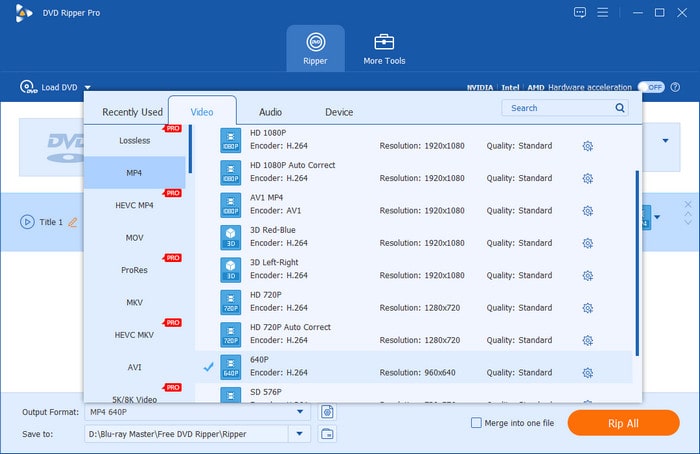
With the Output Format now set, click on Rip All to begin ripping your DVD media and converting it to digital video.
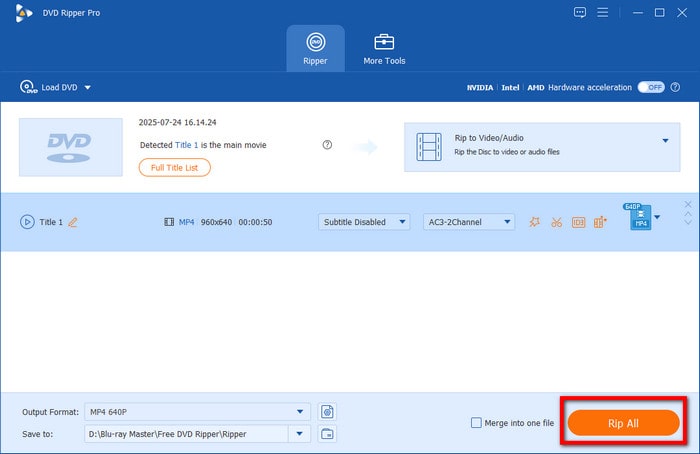
After following these steps, you can now enjoy the ripped DVD video on your laptop or mobile device as a digital file.
Part 7. FAQs About DVD Decrypter Tools
-
Is the original DVD Decrypter software still safe to use on Windows 11?
They are still functional. However, the lack of updates makes their security subpar. It is recommended to use modern decryption tools instead.
-
What is the best free alternative to DVD Decrypter in 2026?
For simple DVD decryption in 2026, Blu-ray Master Free DVD Ripper is a good option. Even its free version includes a hyperthreading system to improve performance. This allows the tool to perform faster decryption when handling UHD media.
-
Can DVD Decrypter remove Cinavia protection from modern DVDs?
Yes, it can. Although Cinavia protection is an advanced encryption system, modern DVD decrypters can handle it. Some good examples are Blu-ray Master Free DVD Ripper and MakeMKV.
Conclusion
We hope this article has helped you decide which DVD decrypter option you should use when digitalizing DVD releases. If you are still undecided, we recommend trying Blu-ray Master Free DVD Ripper, since it is the most efficient option on this list, especially for decrypted modern 4K/8K UHD media. It also helps, since the tool is the most versatile among the programs presented in this article in terms of supported digital formats.
More from Blu-ray Master
- 10 Best Multi-Region DVD Players (2026): Play Any Disc Anywhere
- Best Multi-region Blu-ray Players 2026: Hardware & Software
- Region Codes for Blu-ray Discs: Full Knowledge Explained
- 10 Region-Free Blu-ray Players: 2026 Hardware and Software
- 5 Best Free DVD to MP3 Converters in 2026 (Tested & Ranked)
- 4 Best DVD Decoders for Windows & Mac (2026 Free & Paid)
Top-rated DVD Ripper

Fast and free ripping software to decrypt all DVDs to digital easily on your computer.
100% Secure. No virus
