

Jun 10, 2026Posted by Kevin Miller to Rip DVD
Simple Summary:
If you need a free and robust option, MakeMKV is excellent. For advanced decoding, premium tools like Blu-ray Master Free DVD Ripper or DVDFab DVD Ripper offer the fastest hardware acceleration.
You may have realized that your DVD collection is past its prime. As time passes, they are shelved and gathered in dust, constantly worn down. To save your DVD movies, digitizing your DVD collection is a good way to back them up. To bypass DVD region codes and other frustrating DVD encryptions, you need a professional DVD decoder. While many people confuse a DVD decoder with a DVD ripper, a high-quality ripper actually handles both. By decrypting the video and converting it into a modern digital file, you can rescue your collection from disc rot, stream it on any device, or even preserve it for advanced local AI datasets. Read this post to get to know the 5 best DVD decoders for quick and easy DVD backups.

Table of Contents
How We Test and Pick the Best DVD Decoders
To ensure fair, accurate, and realistic results, every DVD decoder on this list was put through a rigorous hands-on benchmark. We didn't rely on marketing specs; we tested them live in a standardized environment that mimicked a modern PC setup. We conducted the test on Windows 11 Home (64-bit) and used a mix of physical discs, including a standard CSS-protected commercial film (6.13 GB), a Region 2-locked European import, and a notoriously difficult multi-title (99-title) commercial concert disc.
Here is the test result.
| Software Name | Price | Decryption Capability | Output Formats | Speed Score |
| MakeMKV | Free | Advanced (AACS, BD+, standard DVD DRM) | MKV only (Lossless) | 4.5 stars |
| Blu-ray Master Free DVD Ripper | Free | Standard CSS, Region Codes, Sony ARccOS | MP4, MKV, AVI, MOV, FLV, etc. | 4 stars |
| DVDFab DVD Ripper | Paid | Advanced (Cloud-updated studio DRM, latest blocks) | MP4, MKV, AVI, FLV (Supports 4K AI Upscaling) | 4.5 stars |
| HandBrake | Free | None Natively (Requires manual libdvdcss plugin) | MP4, MKV, WebM | 4 stars |
Top 1: MakeMKV
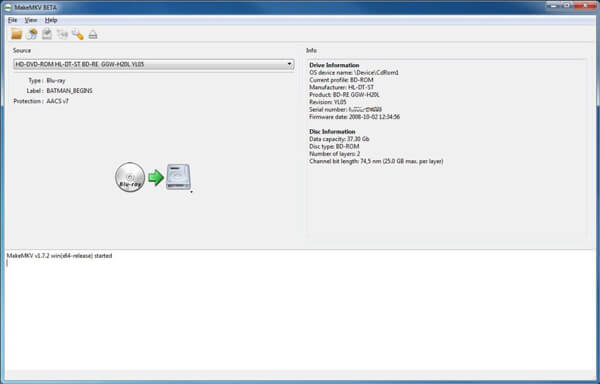
MakeMKV is a well-known DVD decoder with powerful decryption capabilities that can convert any DVD with copy protection into MKV format. It is favored by many media collectors for its ease of use. It is available for Windows, Mac, and Linux to meet your different needs. The core feature of MakeMKV is ripping DVDs without re-encoding, preserving the original DVD quality 1:1.
Pros
- It is free to use, and you can visit the MakeMKV forum to obtain activation keys.
- It can 1:1 rip and copy the full DVD information, including titles, audio tracks, and subtitles.
- It can keep all audio tracks, such as surround sound, multiple-language tracks, and chapter markers, completely intact.
- It can bonusly decode Blu-ray movies with ease.
Cons
- It can only rip DVDs to the MKV format.
- The output file size is always large.
Verdict: If you pursue the video quality, MakeMKV is the definitive industry standard for high-quality DVD ripping.
Top 2: Blu-ray Master Free DVD Ripper
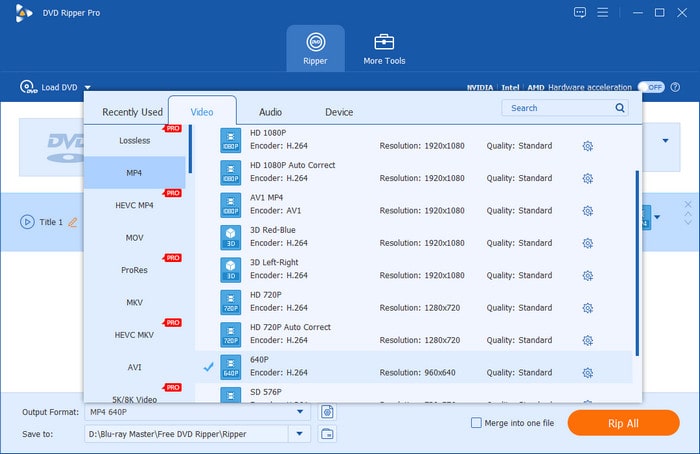
Blu-ray Master Free DVD Ripper is one of the top-rated DVD-decoding software programs. Equipped with advanced decryption technology, it can bypass most DVD copy protection schemes, including but not limited to CSS, APS, region codes, and others. It provides various audio, video, and device profiles to choose from, such as MP4, MKV, MOV, FLAC, and ALAC. Moreover, it offers a range of editing tools to adjust video effects, add filters, select audio tracks, and more.
Free Download
For Windows
Secure Download
Free Download
for macOS
Secure Download
Pros
- The output file size is always large.
- You can adjust the parameters of output profiles, such as encoder, resolution, and bitrate.
- It can load DVD discs, folders, and ISO files for decryption and ripping.
Cons
- The maximum video output resolution of the free version is 720P.
- The processing speed is slower than that of the premium version.
Verdict: If you are looking for a completely safe and cost-free way to digitize your standard DVD collection without complex settings, Blu-ray Master is your go-to choice.
Top 3: DVDFab DVD Ripper
DVDFab DVD Ripper stands out for its powerful decryption ability and fast ripping speed. It is a paid tool designed for people who want to pay for DVD-ripping efficiency. With its cloud-based server, it can recognize and bypass brand-new encryption schemes within days of their release. It provides a range of output formats to choose from, including MP4, MKV, and MOV.

Pros
- It updates frequently to crack the newest studio encryptions.
- It utilizes advanced AI technology to upscale old 480P DVDs to 1080P and even 4 K resolution.
- This DVD decoder would automatically
Cons
- The one-time purchase subscription is expensive for most people.
- The software suite has a heavy, complex interface
Verdict: If your budget is enough, and you want to use AI to improve your video effects, DVDFab DVD Ripper is suitable for you.
Top 4: HandBrake
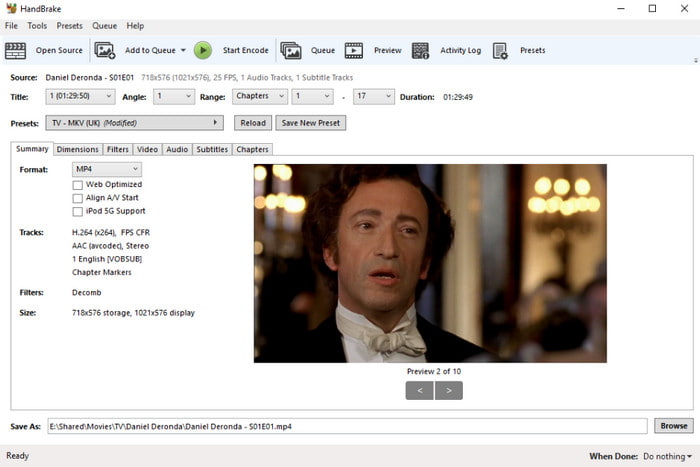
You must be clear about HandBrake, a free and robust DVD ripper for Windows, Mac, and Linux. To use it to decode commercial DVDs, you need to install the libdvdcss plugin. It provides various built-in video profiles, custom bitrates, frame-rate adjustments, and advanced audio filtering tools to customize the video output. Moreover, it supports modern space-saving formats such as MP4, MKV, and WebM and uses highly efficient codecs.
Pros
- It is 100% free and has no hidden costs.
- It offers unmatched, granular control over video bitrates, codecs, and compression settings.
- It supports batch processing files automatically.
Cons
- It cannot decode copy-protected DVDs without the help of libdvdcss.
- The settings of it are complex for many casual users.
Verdict: For tech-savvy users who want granular control over file sizes and compression settings, HandBrake is perfect.
How to Decode DVD Movies in Detail
Now, let's follow us to see how to use Blu-ray Master Free DVD Ripper to actually decode and rip DVD movies to digital formats.
Free Download
For Windows
Secure Download
Free Download
for macOS
Secure Download
Step 1. Click the above download buttons to get it on your desktop. Insert a DVD disc into the optical drive.
Launch the software, and click Load DVD > Load DVD Disc to scan and import it.
Note: If you need, you can choose the Load DVD ISO or Load DVD Folder option.
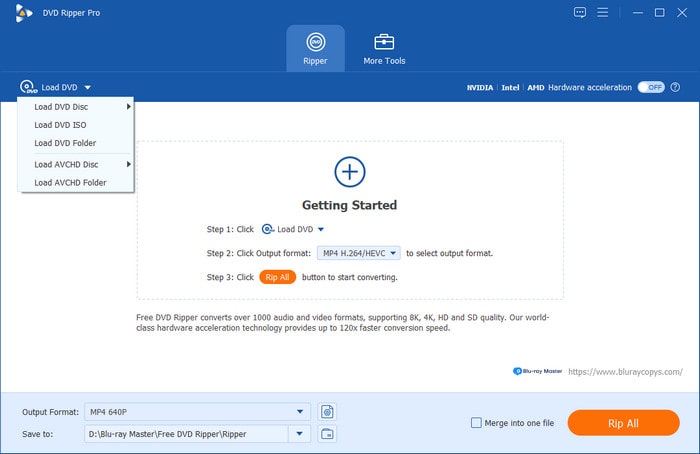
Step 2. In the pop-up window, choose Full Title List to show all information. Then, go to the Output Format drop-down list to select one desired profile. There are video, audio, and device-specific profiles for you to choose from, such as MP4 Same as source, FLAC Lossless Quality, Apple iPhone 16 Pro Mac, and others.
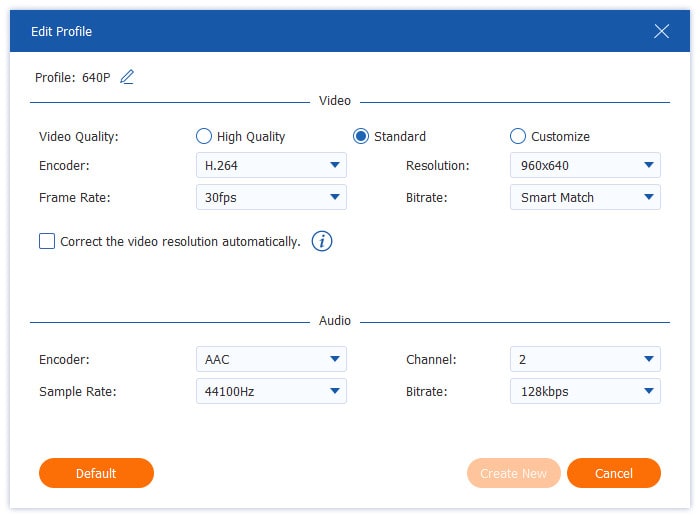
You can also click the gear icon to manually set the encoder, bitrate, channel, and other parameters.
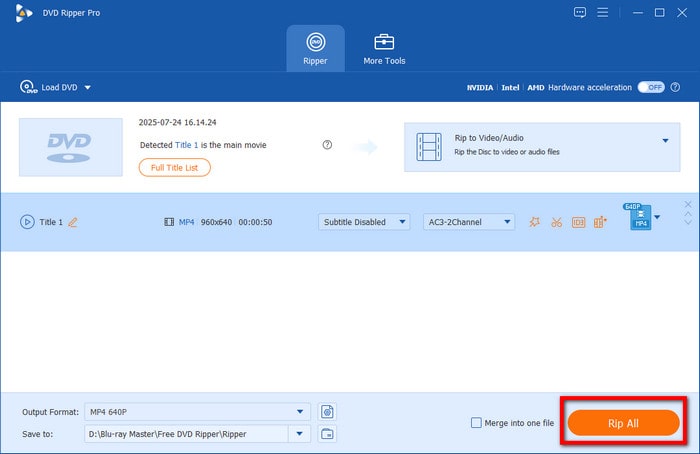
Step 3. Lastly, click the bottom folder icon to set a folder to save the ripped video files. Then, click Rip All to start the decoding and ripping process.
This tool offers powerful decryption capabilities to handle almost all DVD copy protection schemes, including CSS, region codes, APS, and more. With the support of various output formats and additional editing features, it is a good choice for those who want to back up their DVD collections in a simple way.
FAQs of DVD Decoders
-
Can HandBrake decode copy-protected DVDs?
No. HandBrake cannot handle the copy-protected DVDs natively. You can install libdvdcss on HandBrake to process DVDs with copy protection.
-
Is it legal to use a DVD decoder to rip my own movies?
If you rip DVDs just for personal use, it's ok. Distributing, sharing, selling, or uploading ripped commercial content to the internet is 100% illegal everywhere.
-
How do I decode a DVD to MP4 for free?
The best choice is to use MakeMKV to decode and rip DVDs to MKV files, and then use HandBrake to transfer MKV to MP4, which is totally free.
-
Will decoding a DVD damage or alter the original physical disc?
Absolutely no. DVD decoder software only reads the data etched onto the physical disc using the optical drive's laser.
Conclusion
Ultimately, choosing the DVD decoder depends on your needs. If you want a free, one-click solution without complex setups, Blu-ray Master Free DVD Ripper is your best bet. For those dealing with stubborn commercial restrictions or scratched discs, DVDFab DVD Ripper is the powerhouse you need. If you're an audio-visual purist who demands a flawless 1:1 backup, MakeMKV remains the definitive choice. Try one tool from them and leave a comment below to let us know which workflow works best for you!
More from Blu-ray Master
Top-rated DVD Ripper

Fast and free ripping software to decrypt all DVDs to digital easily on your computer.
100% Secure. No virus
