

Jun 05, 2025Posted by Kevin Miller to Rip DVD
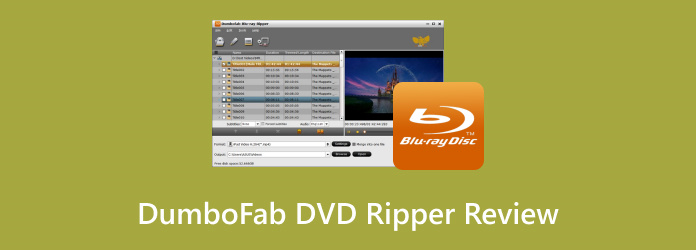
DumboFab DVD Ripper is currently establishing itself in the DVD ripping domain. It is built to handle any DVD for ripping, conversion, and backup purposes. It promises to deliver high-speed performance with lossless conversion quality. It aims to ease the DVD-to-digital conversion with minimal effort. This post will provide a detailed review of DumboFab DVD Ripper. It includes a quick review of the software and what it offers. We will cover the ratings across aspects like performance, processing speed, success rate, etc. Also, we will discuss and analyze its features and how they work. Most importantly, we will introduce a strong alternative to help you compare and decide if the featured software is the right tool for you.
- Part 1. DumboFab DVD Ripper Introduction
- Part 2. Detailed Review of DumboFab DVD Ripper
- Part 3. Best Alternative to DumboFab DVD Ripper
Part 1. DumboFab DVD Ripper Introduction
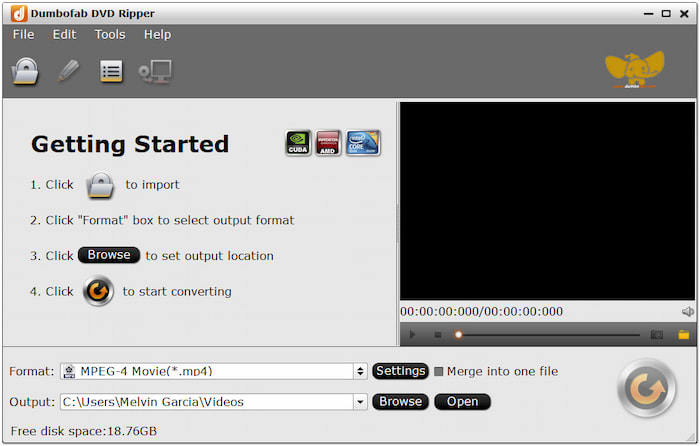
DumboFab DVD Ripper is a full-featured software made to rip, convert, copy, and edit DVDs. It supports nearly all types of DVDs, including homemade and commercial DVDs. This software can handle 99-title DVDs, movie DVDs, music DVDs, DVD regions 1-6, and workout DVDs. It lets you convert DVDs, VIDEO_TS folders, or ISO files to mainstream profiles like MP4, MKV, AVI, etc. Beyond digital profiles, it offers over 150+ device presets compatible with popular brands.
Overall Ratings (Out of 5 Stars):
⭐⭐⭐⭐
⭐⭐⭐
⭐⭐
⭐⭐
⭐⭐⭐
What You Need to Know About DumboFab DVD Ripper:
- Creates an exact 1:1 copy of standard-length DVDs within five minutes.
- Includes built-in editor with basic tools for enhancement and customization.
- Adopts the multicore processor to accelerate the conversion up to 30× faster.
- Handles any DVDs, such as 99-title, regional, workout, and movie DVDs.
- Converts DVDs, VIDEO_TS folder, and ISO files to media stream formats and device presets.
Part 2. Detailed Review of DumboFab DVD Ripper
DVD to Mainstream Profile & Device Preset Conversion
Overall Ratings: ⭐⭐⭐
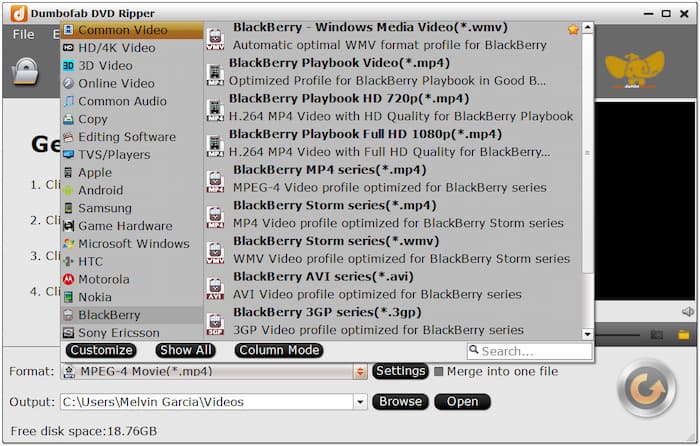
DumboFab supports input sources, such as DVDs, VIEO_TS folder, and ISO for conversion. You can convert these inputs to media stream formats like MP4, AVI, WMV, ASF, MPG, etc. Aside from digital media formats, it also offers output in 150+ device presets. This includes popular brands like Apple, Samsung, Microsoft Windows, HTC, and Motorola.
Handling of All Types of DVDs
Overall Ratings: ⭐⭐
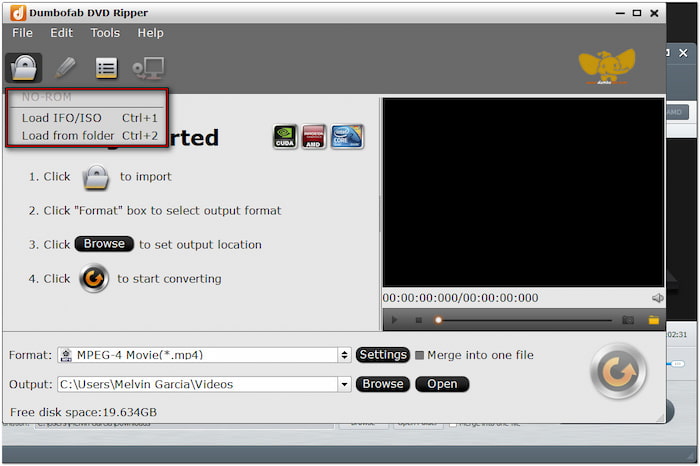
The software excels in handling any DVDs, be it homemade or commercial discs. It can process commercial DVDs with region codes and copy protections. In addition, it can efficiently load 99 title DVDs that contain fake titles. It uses a title detection algorithm to identify the correct main title for ripping. It is valuable for those who deal with multi-angle or structured DVDs
Ripping & Conversion Speed
Overall Ratings: ⭐⭐⭐
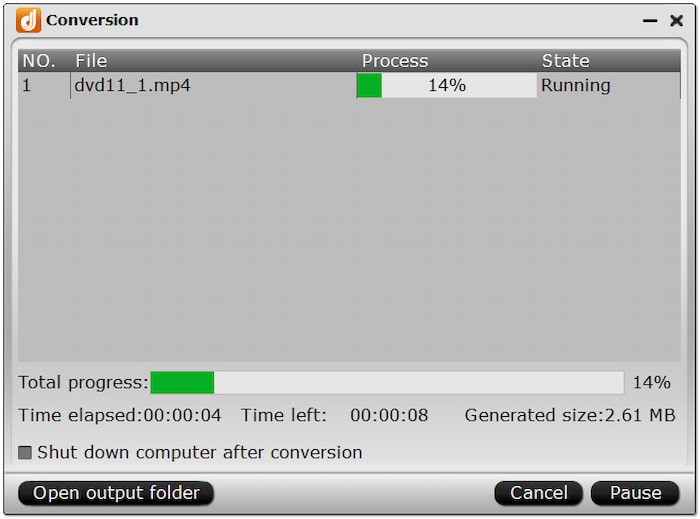
DumboFab DVD Ripper is built for performance, offering high conversion speed powered by a multicore processor. It uses AMD, Intel CPU, NVIDIA CUDA, and NVIDIA GPU to accelerate the ripping process. It can rip DVDs up to 30× speed with minimal bitrate and resolution quality degradation. This software reduces the time you need to process long or high-quality DVDs.
Built-in Editor for Basic Customization
Overall Ratings: ⭐⭐
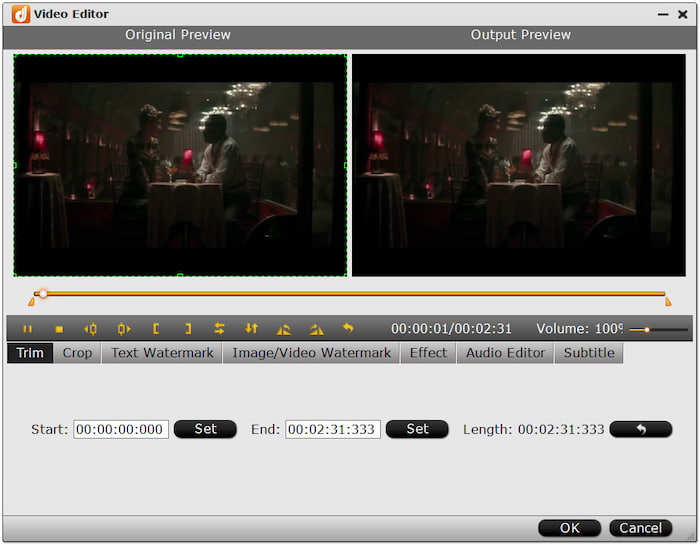
DumboFab goes beyond DVD conversion by offering a built-in editor for customizing content before export. It includes essential tools for trimming, cropping, inserting DVD subtitles, adding watermarks, adjusting video effects, etc. Although it is not a dedicated editor, these tools are adequate to enhance the DVD content quickly.
1:1 Lossless Copy of Standard-Length DVDs
Overall Ratings: ⭐⭐⭐
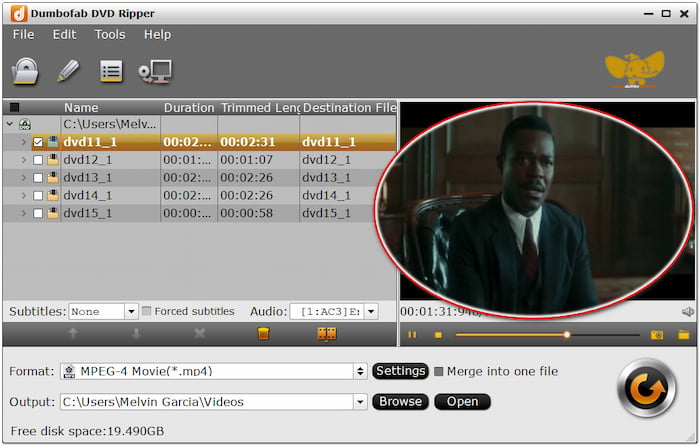
The software provides two DVD copy modes: Full Title Copy and Main Title Copy. These copy modes let you create an exact copy of standard-length DVDs within five minutes. The Full Title Copy mode creates a complete 1:1 backup of the entire disc. Meanwhile the Main Title Copy mode copies only the main movie content, excluding extras.
Part 3. Best Alternative to DumboFab DVD Ripper

Regarding DVD ripping, DumboFab DVD Ripper is not the only option available. Blu-ray Master Free DVD Ripper is a strong alternative, offering generous features at no cost. Yes, the software is 100% completely free to use. With it, you can convert DVDs to MP4, AVI, FLV, and 200+ other media profiles. It also supports the conversion of DVDs to device-specific presets, such as Apple, Samsung, Google, Blackberry, LG, etc.
Free Download
For Windows
Secure Download
Free Download
for macOS
Secure Download
Furthermore, it uses the latest and constantly updated decryption technology to rip DVDs. It can handle any DVDs, including DVDs from regions 1-6, encrypted discs, and even those with copy protection. Moreover, it includes a built-in editor with practical editing tools for adjusting video effects. But the best deal is that you can preview the content before ripping to see changes. Also, you can set an output directory for each ripped DVD for easy file management.
Why Consider Blu-ray Master Free DVD Ripper:
- Efficient decryption of DVDs from all regions, encrypted, and copy-protected discs.
- Converts DVD, VIDEO_TS folder, IFO files, and ISO files to over 200+ digital profiles.
- Uses Hyper-threading and Super Encode Engine to maintain the DVD’s original quality.
- Freely adjust profile settings, including encoder, resolution, bitrate, frame rate, ratio, etc.
- Adopts the newest and most up-to-date acceleration technology to expedite the conversion.
| DumboFab DVD Ripper | Aspects | Blu-ray Master Free DVD Ripper |
| Apple M2 & macOS 15 and Windows 11/10/8/7 | System Compatibility | macOS 10.12 or later and Windows 11/10/8/7 |
| $25.95 starting price | Price | FREE |
| DVD, VIDEO_TS folder, ISO file, etc. | Inputs | DVD, VIDEO_TS folder, IFO file, ISO file, workout, protected, regional, 99 titles, etc. |
| MP4, MKV, AVI, WMV, MOV, etc. | Outputs | MP4, AVI, FLV, WMV, MOV, and 200+ other formats |
| Standard encryptions only | Decryption Power | Old and newer DVD encryptions and copy protections |
| Up to 30× | Processing Speed | Up to 20× |
| add watermarks, adjust video effects, crop, insert subtitles, trim, etc. | Built-in Editor | 3D effect, adjust video effects, clip, insert subtitle, merge, etc. |
| Video/audio codec, size, sample rate, video/audio bitrate, frame rate, and channel | Professional Profile Settings Customization | video/audio encoder, resolution, aspect ratio, video/audio bitrate, sample rate, and channel. |
| Up to 4K resolution | Quality | Up to 4K resolution |
| Easy | Usability | Basic |
Conclusion
You’ve just read our complete review of DumboFab DVD Ripper. After a thorough look, it’s clear that the featured software offers a solution to rip, convert, and copy DVDs. Although efficient, it comes at a cost, which may not suit users seeking a zero-cost solution. If you’re searching for a completely free alternative that delivers almost the same performance, Blu-ray Master Free DVD Ripper is what you need. It is a reliable, cost-free solution compatible with Windows and Mac systems. It lets you rip DVDs and make high-quality edits at high speed.
More from Blu-ray Master
Various DVD Ripper Review

Fast and free ripping software to decrypt all DVDs to digital easily on your computer.
100% Secure. No virus
