

Sep 23, 2025Posted by Kevin Miller to Create DVD
ImgBurn has long been a popular and dependable choice for burning optical discs. It is truly one of the best DVD software you can get online. However, since it’s been running for years now, and it stopped its update, users have started to look for alternatives for it. They’re also looking for enhanced features and performance solutions as technology advances. If you are in the same scenario, this post is for you. In this comprehensive guide, we review the five highly recommended ImgBurn alternatives that have garnered attention in the market. We'll explore their core functionalities, supported formats, user-friendliness, and additional features. Keep reading as you learn about the different ImgBurn alternatives Windows or Mac.
- Part 1. Blu-ray Master DVD Creator
- Part 2. Nero Burning ROM
- Part 3. DVD Flick
- Part 4. AnyBurn
- Part 5. PowerISO
- Part 6. FAQs About ImgBurn Alternatives
| Features/Programs | DVD Creator | Nero Burning ROM | DVD Flick | AnyBurn | PowerISO |
| DVD/CD Burning |  | | | | |
| Supported Platform | Windows 11/10/8/7 & macOS 10.9 or above | Windows 11/10/8.1/7 | Windows XP/Vista/7/8/10 | Windows 11/10/8/7/Vista/XP | Windows 11/10/8/7/Vista/XP |
| DVD Menu Customization | | | |  | |
| Video Conversion | | | Limited | | |
| Supported Formats | Wide Range | Wide Range | Limited | Wide Range | Wide Range |
| ISO Support | | | | | |
| Blu-ray Support | | | | | |
| Price | Monthly – $12.45 Lifetime – $39.96 Business – 79.96 | Unlimited – $59.95 | Free | Lifetime – $29.95 | Registration Fee – $39.95 |
| Overall Ratings | 4.9/5 | 4.5/5 | 4.2/5 | 3.6/5 | 4.8/5 |
Part 1. Blu-ray Master DVD Creator
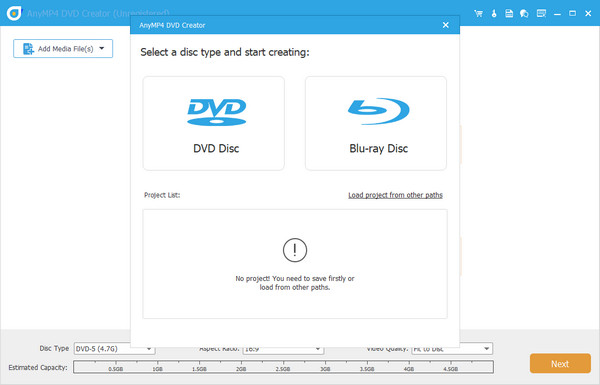
DVD Creator is a promising ImgBurn alternative with its user-friendly interface and comprehensive features. Its intuitive design makes it accessible to beginners and professionals, allowing easy navigation and quick DVD/Blu-ray/ISO file burning. The software supports various video formats, eliminating the need for additional conversion tools. Furthermore, DVD Creator offers built-in video editing capabilities, enabling users to trim, crop, add watermarks, and apply special effects to their videos before burning to DVD or creating DVDs. The availability of pre-designed menu templates adds a professional touch to the DVDs, enhancing their visual appeal.
Additionally, the software might boast optimized burning algorithms, resulting in faster DVD burning speeds than ImgBurn. With potential customer support and regular updates, DVD Creator ensures a reliable, up-to-date DVD-burning experience. And if you’re looking for the best ImgBurn alternative for Mac, you can depend on DVD Creator.
Free Download
For Windows
Secure Download
Free Download
for macOS
Secure Download
Features:
• Supports DVD, Blu-ray, and ISO burning.
• Compatible with Windows and macOS.
• Built-in video editor: trim, crop, watermark, effects.
• Pre-designed menu templates for professional output.
• Fast burning speed with optimized algorithms.
What users say:
'I love how easy it is to add menus and edit videos before burning. It feels like a full authoring suite.'
'Finally, a DVD tool that works on Mac without needing extra converters.'
Part 2. Nero Burning ROM
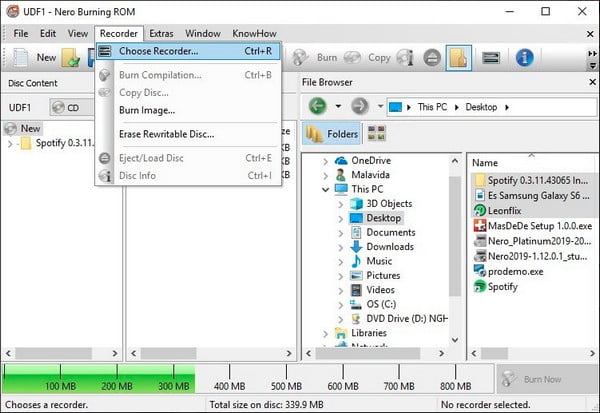
Another ImgBurn alternative is the Nero Burning ROM. Powerful software for burning CDs, DVDs, and Blu-ray discs with a user-friendly interface. It can also copy discs, create custom video DVDs and Blu-ray discs, and back up important data. Additionally, it allows users to copy exact replicas of discs, including bootable ones and supports creating and burning disc images in various formats like ISO. Another useful feature is the data backup functionality, which enables users to safeguard their important files and folders on optical media. Yet, it is not free and may use many system resources during burning tasks. Some users have also raised concerns about bundled additional software during installation. Overall, Nero Burning ROM is a great choice for advanced disc-burning needs but may not be suitable for budget-conscious users or those with lower-end computers. But it is not suitable for those who want to burn movies to DVD on Mac.
Features:
• Burns CDs, DVDs, and Blu-ray discs.
• Disc copying and backup functionality.
• Supports bootable discs and multiple image formats (ISO, NRG, etc.).
• Advanced data protection and encryption options.
• Custom video DVD/Blu-ray creation.
What users say:
'Nero is powerful, but it’s heavy on system resources. Great for advanced users.'
'It does everything I need, https://www.bluraycopys.com/create-dvd/alternatives-to-imgburn-for-mac/but I wish it came without the extra bundled software.'
Part 3. DVD Flick
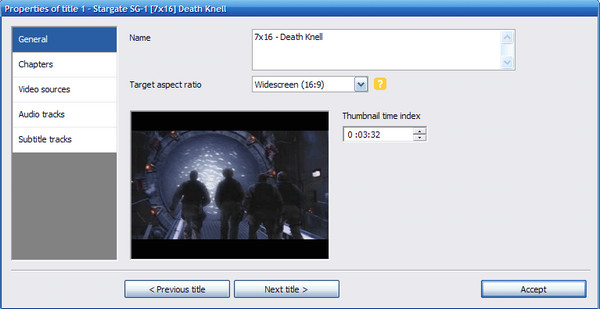
DVD Flick is a free and easy-to-use software that burns your videos into DVDs that can be played on regular DVD players. It works with many video formats and lets you customize DVD menus and add subtitles. It's a great tool for making personalized DVDs without complicated settings. The good things about DVD Flick are its simplicity, support for various formats, and free availability. However, it may not get frequent updates, lacks some advanced features, and is only compatible with Windows. Still, it’s handy for simple DVD creation, especially if you're using a Windows computer.
Features:
• Free and beginner-friendly DVD authoring.
• Supports many video formats and subtitle tracks.
• Basic menu customization.
• Converts video to DVD-compatible format automatically.
• Designed for playback on standard DVD players.
• It allows you to choose from DVD-5 and DVD-9.
What users say:
'Simple and effective. I use it to make family DVDs from MP4s.'
'It’s not fancy, but it gets the job done and it’s free.'
Part 4. AnyBurn
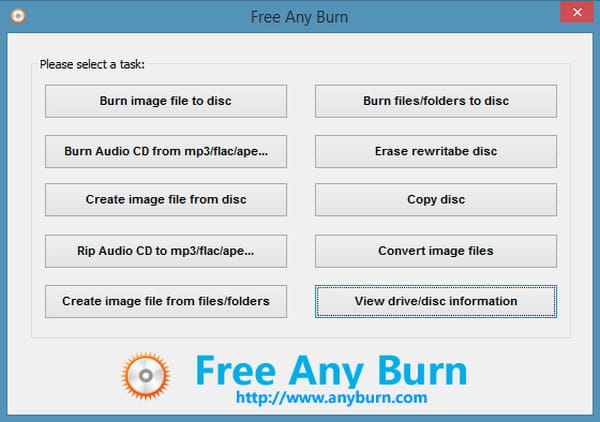
If you’re looking for software to save space on your Windows PC, AnyBurn is for you. It is a lightweight, powerful Windows DVD, CD, and Blu-ray image-burning tool. The tool also supports popular image formats such as ISO, BIN, IMG, MDF, etc. Also, you can add or backup files and folders to DVD, CD, or Blu-ray discs with it. Further, you can play Audio CDs with formats like MP3, WMA, or Flac files. AnyBurn can also be utilized using a USB or similar without prior installation. But note that to use it without limitations, you must buy and register for its AnyBurn Pro Lifetime License. Moreover, AnyBurn does not rip video Blu-ray and DVDs or support file drag and drop.
Features:
• Lightweight disc burning for CD/DVD/Blu-ray.
• Supports ISO, BIN, IMG, MDF, and more.
• Burn audio CDs from MP3, WMA, FLAC.
• Portable version available (no installation needed).
• Can back up files and folders to discs.
What users say:
'Perfect for quick burns and ISO handling. Runs fast even on older PCs.'
'Wish it had drag-and-drop support, but it’s solid for basic tasks.'
Part 5. PowerISO
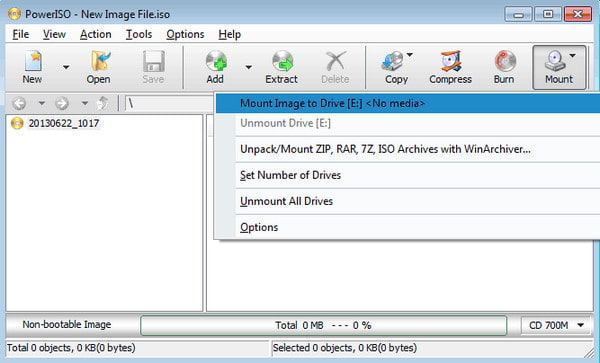
PowerISO is also a good alternative to ImgBurn. PowerISO is a user-friendly software that helps you work with disk images on your Windows computer. It allows you to create, edit, and burn ISO files like virtual copies of CDs or DVDs. You can also mount ISO files as virtual drives, which means you can access their content without using physical media. The software is efficient and supports a wide range of disk image formats. It's handy for creating bootable media and encrypting sensitive data. However, the free version has limited features, and there's no version available for Mac users. While PowerISO is a great option, you might consider other alternatives based on your specific needs and budget.
Features:
• Create, edit, burn, and mount ISO files.
• Supports a wide range of image formats.
• Virtual drive mounting without physical media.
• Bootable disc creation and encryption.
• Efficient performance with a clean interface.
What users say:
'Great for managing ISO files and creating bootable USBs.'
'Too bad there’s no Mac version, but on Windows, it’s excellent.'
Part 6. FAQs About ImgBurn Alternatives
-
Is ImgBurn safe?
Yes, ImgBurn is considered safe to use. It is a reputable disc-burning software that has been around for many years and has gained a positive reputation among users.
-
Is ImgBurn open source?
No, ImgBurn is not open-source software. It is a freeware application, which means it is free to users, but the source code is not publicly available for modification or distribution.
-
Does ImgBurn work with Windows 11?
Yes. ImgBurn supports almost all Windows versions, including Windows 11. So, the software still works and can serve many users for their DVD/CD/ISO burning needs.
-
Does ImgBurn work on Mac?
No, it does not work on Mac natively. ImgBurn is designed specifically for Windows operating systems, and you can use alternatives to ImgBurn for Mac to create DVDs and Blu-rays.
-
Is ImgBurn still supported?
ImgBurn's development was stopped 7 years ago despite how helpful it is. 2.5. 8.0 is the newest version that was made available in 2013. With that, if you ever face an issue with the software, it can be challenging to find ways to solve it.
Wrapping up
While ImgBurn has served users well for years, its lack of updates and limited compatibility with newer systems and formats make it less ideal today. Through this review, we've explored five strong ImgBurn alternatives, and each has unique strengths in disc burning, ISO handling, and DVD authoring. However, if you're looking for a modern, user-friendly, and fully supported solution that works on both Windows and Mac, Blu-ray Master recommended DVD Creator stands out as the most versatile choice. Download it today and start creating high-quality DVDs with ease!
More from Blu-ray Master
Best DVD Creator Review
