

May 29, 2026Posted by Kevin Miller to Rip DVD
DVDs have been superior in terms of excellent playback quality. And, of course, anyone would love to watch movies anywhere with a good visual. But since discs need to be played with DVD players, this is almost impossible. Fortunately, you can save DVDs to a USB for convenient playback anywhere to make it easier to watch DVDs for in-car entertainment, home media servers, or simply digitizing nostalgic memories saved on DVDs. We will discuss the most effective solutions to preserve the original video quality while maintaining fast transfer speeds.

Table of Contents
| Tools | DVD Data Types | Speed | Ease of Use | Pros | Cons | Price |
| Default Copier | DVD-5-DVD-9, CD | Slow | Easy | • Built-in tool for DVD copying. • Accessible on any Windows version. | • Only convert DVDs to VOB format. • Output Quality is not guaranteed. | Free |
| Blu-ray Master Free DVD Ripper | DVD-5, DVD-/+RW, DVD-/+R, DVD-9, etc. | Fast | Easy | • Easy to use, but it professionally copies and rips DVDs. • More editing tools to enhance videos. • Fast-speed ripping technology. | • The free version limits the user to using other features | Free |
| Walmart Service | DVD, YesDVD, DVD, MiniDVD, etc. | Fast | Easy | • You only need to send the discs to the store, and they will convert them to USB. • Wide range of output formats, such as digital, export to devices, etc. | • Too expensive. • Takes time to deliver the discs. | $13-$60 |
Part 1. How to Copy/Transfer DVD to USB Flash Drive Directly
One of the most convenient options you can try first is the default copy tool on your computer. You will only need a compatible USB that can store most of the data from the DVD. However, it is only right to let you know that this method is not very effective, for example, for copy-protected DVDs or for copying complete data. Furthermore, copying a DVD to a USB drive only lets you save the files as VOB files, which makes the process longer because you will need to convert them afterward. But if you wish to proceed, here are the simple steps:
Step 1. First, insert the disc into the optical drive and plug the USB drive into the port. Wait a few moments for your computer to recognize the plugged-in tools.
Step 2. Once the DVD content is detected, open the DVD drive and select the files you want to copy. You may press Ctrl and C altogether or right-click your mouse and select the Copy option.
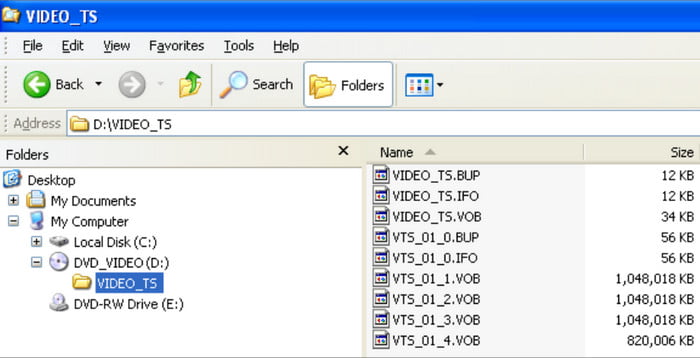
Step 3. Finally, open the USB drive and paste the data into it. If you select too many files, it may take some time to transfer them to the drive. Also, remember that this method will likely lose some data, so it is better to take it slowly.
It may be convenient to have this solution, but it comes with some unfortunate issues that no one would want to experience. It is advisable to practice converting DVDs to USB directly or use another solution in the next part.
Part 2. How to Free Convert/Save DVD Movie to USB Flash Drive by Ripping
Would you like to save movies on your USB to watch them wherever you are? The best DVD-to-USB converter you can get your hands on is Free DVD Ripper from Blu-ray Master.
The software is packed with essential features that help convert DVDs to various formats without data loss. It can convert DVDs to various digital formats like MP4, VOB, MOV, AVI, etc., and then copy and paste the ripped media files to a USB. Right before you export video or audio files, this tool also provides some editing tools so you can trim, add effects, or compress them as you wish.
On top of that, it has GPU acceleration for fast processing. It becomes easy to convert DVDs to USB on Windows and Mac with the number one DVD-ripping software. This feature is fully supported and optimized for NVIDIA, AMD, and Intel hardware, ensuring maximum compatibility across all computers.
Click the Free Download button to try it today.
- • Enable copying, ripping, and converting DVDs regardless of region codes.
- • Transfer DVD content to digital formats at 1:1 without loss of quality.
- • Built-in video editor to enhance, compress, and modify files before copying.
- • Fast-speed copying DVD to USB, even with multiple files at once.
Free Download
For Windows
Secure Download
Free Download
for macOS
Secure Download
Step 1. Download Blu-ray Master Free DVD Ripper from the official website and install it on your computer. After that, launch the application and insert the DVD into the optical drive. Instantly, this DVD ripper will recognize it. Click the Load Disc button from the main interface.
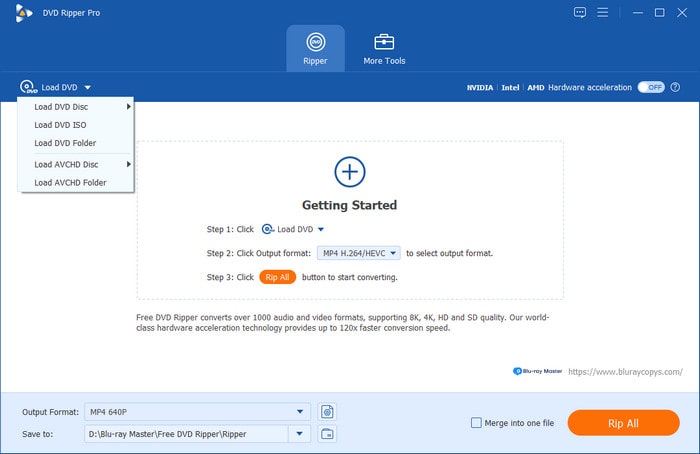
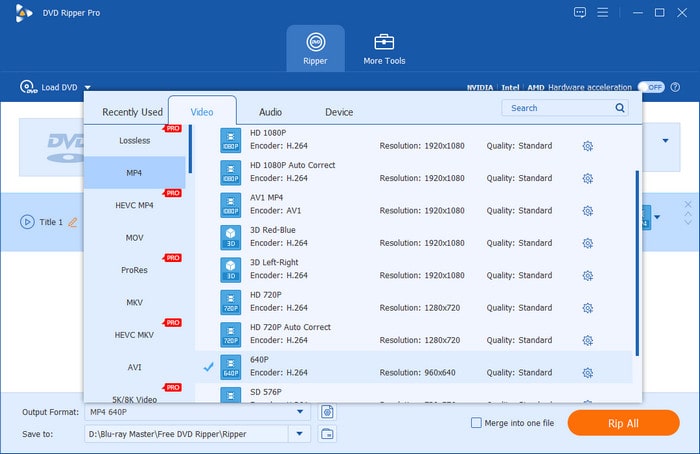
Step 2. Depending on the load option you choose, the content will appear on the main interface as a sign of successful upload. The next step is to choose the output format you would like to export the file to. Click Output Format and pick MP4, MOV, AVI, MKV, etc., as you wish. We recommend MP4 for optimal compatibility.
Step 3. To access editing tools, select the Edit option. In the editing tools, you can choose to use the Video Trimmer, Metadata Editor, Enhance Video, Rotate, Crop, and other editing tools to make the necessary adjustments. Click the OK button to apply each applied change to the video.
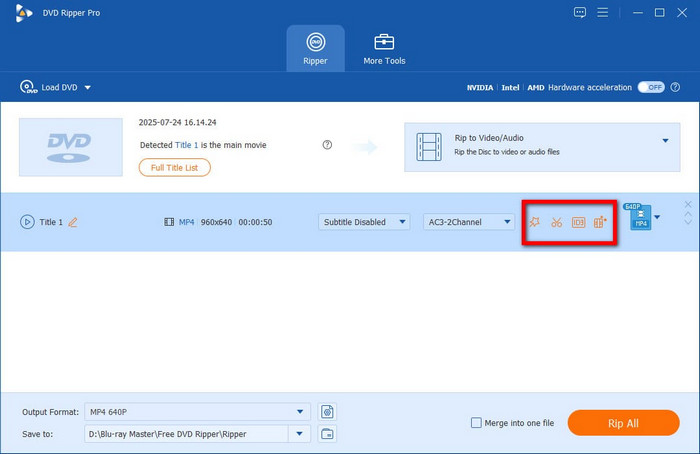
Step 4. The next thing you will do is to select a designation or location, which, in this case, is the USB drive. Insert the USB into the port and wait until the computer detects it. Then, choose the Save To option to set the destination for the ripped files. Finally, click the Rip All button to process.
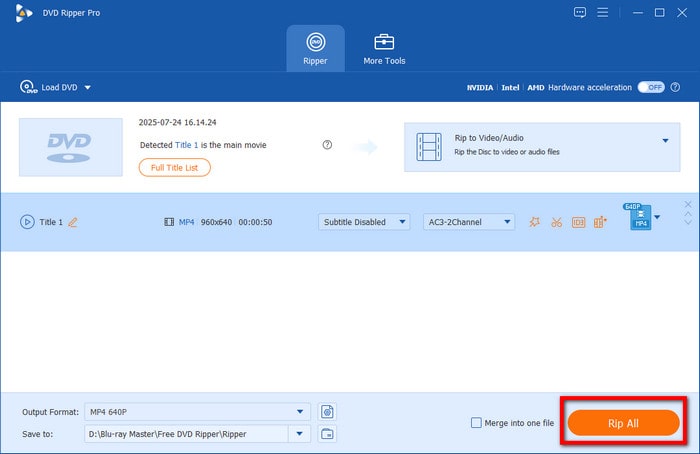
And that’s how to easily put a DVD on a flash drive using DVD Ripper, whether you are using a Windows or a Mac. You can also try it for free by clicking the Free Download button or upgrading to the premium version to unlock more excellent features. For smoother data transfer, we recommend using a USB 3.0/3.1 port to transfer the converted DVD media more quickly.
Editor’s Testing Notes
We tested this using a 4.7GB DVD-9 disc. It took 12 minutes to transfer with Free DVD Ripper on a standard USB 3.0 drive.
Part 3. How to Move/Copy DVD to USB Near Me Via Online Service
What if you don’t have a computer to make a copy of your DVD collection? Well, one of the best options to try is via Home Movie Transfer Services like Walmart. You will only need to bring your discs to the store, and the staff will handle transferring the data from the discs to the desired output drive. Before that, this service offered various data transfer options, each priced differently, so it is best to learn more about them.
Walmart Photo
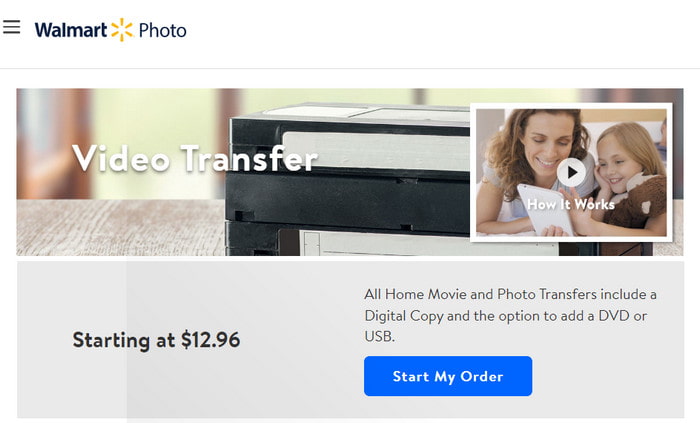
For this option, you will only need to file an order online and drop off the disc at the nearest Walmart store, and then they will turn the DVD into digital files. You can access the files from your MemoryCloud account and download them or transfer DVDs to a thumb drive. Walmart Photo charges $12.96 for one digital copy, and only for the first 30 minutes. From there, the price can go up.
CVS Photo
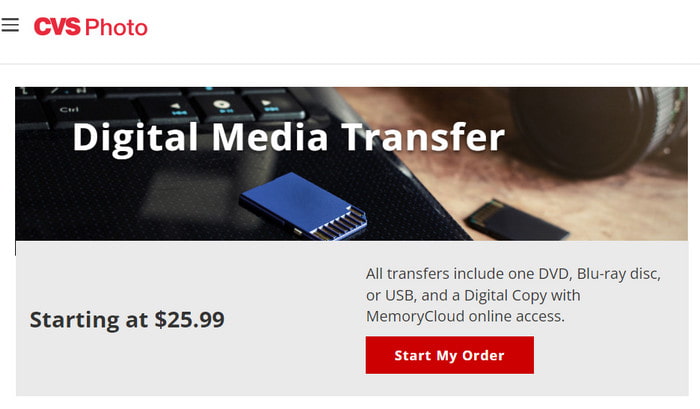
The second option accepts most discs, such as DVDs and CDs. It follows the same procedure as Walmart Photo: you will only need to file online, send the disc to the local store, and they will digitize the data. They will send your discs back; then you can view or download the files from your MemoryCloud account for 60 days. The difference with CVS Photo is that it charges $25.99 for 90 minutes and is only accessible via one device. It is more expensive than Walmart Photo.
Forever Studios
You can transfer DVDs to a USB without a computer via Forever Studios. The service includes transferring content to USB drives, storage disks, and other devices. You will need to specify the number of media units you want to transfer, and it will cost $15 per DVD. The store will send back your discs once done, along with the USB copy. Other than this, you can choose a Forever Cloud link or a DVD set as the output drives.
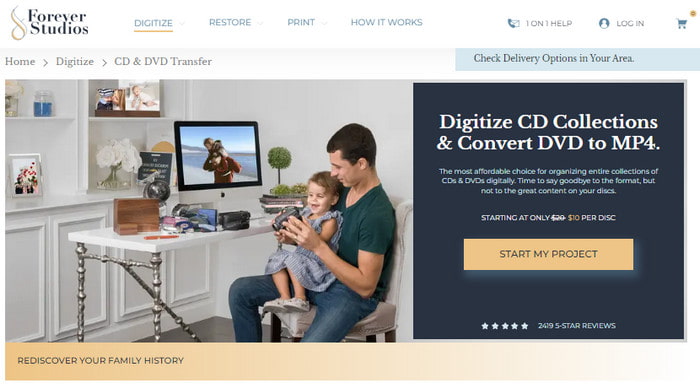
It’s quicker and safer to use a service to back up DVDs to a USB drive. However, it costs too much money per item, and most of the options mentioned do not accept transferring content from copyright-protected discs.
Editor’s Testing Notes
Although quite expensive, Home Movie Transfer Services offers a more seamless digital conversion. This is a good alternative for less tech-savvy individuals.
Fair Use and Copy Limitations
Ripping DVD content is legal only if the media you are trying to convert is a personal recording. It is prohibited and illegal to rip encrypted DVD media and distribute them, as it constitutes piracy.
Part 4. FAQs about DVD to USB
-
What is the best software to copy a DVD to a USB flash drive?
We suggest using the DVD Ripper from Blu-ray Master, which guarantees excellent output quality when transferring DVD content to a USB drive. The software is also designed to rip, convert, and transfer files with just a few clicks.
-
Can a USB DVD drive connect to a TV?
If the USB drive supports TV mode, it can be connected to a smart TV. By then, you can enjoy watching the homemade movies from your discs to USB via TV.
-
How long does it take to record a DVD to a USB?
Recording or copying content from a disc to a USB depends on many factors, such as the tool you use, the device, and the video length. In most cases, the process may take 3 to 4 hours.
-
Can you play a DVD from a USB?
No, it is impossible to play DVD content directly from a USB drive. A disc is only accessible by DVD players or devices with optical drives unless you copy it to a USB drive.
-
What is the best format to convert a DVD to for playing on a Samsung Smart TV via USB?
MP4 and MKV are good choices. For compact file size, MP4 is recommended. Alternatively, MKV is the better choice for higher-quality videos and is optimal for TV viewing.
-
Is it legal to rip a DVD I own to a flash drive for personal use?
Yes, it is. Digitizing personal DVDs is legal. However, it is extremely prohibited to do this for encrypted commercial DVDs.
-
Why won’t my computer recognize the DVD I’m trying to copy to a USB?
It may be rooted in your DVD drive. Another possible reason is that your DVD is encrypted. To avoid this issue, make sure to use a DVD-ripping tool that can bypass copy protections.
-
Can HandBrake rip copy-protected Disney DVDs to a thumb drive?
Yes, it can. However, it cannot do so natively. You have to learn how to install the libdvdcss plug-in first.
-
How much storage space do I need on a USB to store 10 DVD movies?
A raw DVD movie has a file size of 4-8GB. In this case, you need a USB driver ten times the size of the DVD movie you want to copy. Fortunately, there are compression tools you can use to cut the file size of raw DVD media.
Wrapping up
There are many ways to convert DVDs to USB, and even on a Windows computer, you will find the default way to do this. Optionally, services from Walmart, CVS, and Forever Photos can help you quickly transfer or copy data from your discs, but they are expensive. So, if you want a more affordable and effective way, Blu-ray Master DVD Ripper is the best choice! On top of that, it is also the fastest and most reliable software for handling encrypted DVD media. Make sure to download it for free.
More from Blu-ray Master
DVD to Devices

Fast and free ripping software to decrypt all DVDs to digital easily on your computer.
100% Secure. No virus
