

Aug 07, 2025Posted by Kevin Miller to Copy Blu-ray
Have you ever been in a position where the Blu-ray disc failed to read, ruining a well-planned movie-watching experience? The disc cleaning that we neglect is frequently the cause of those irksome issues like freezing, frame skipping, and even the inability to play at all. Thus, keeping your Blu-ray discs clean is essential for daily upkeep and safeguarding your Blu-ray collections to guarantee flawless performance every time.
This guide will give you the safest and most efficient cleaning techniques on how to clean Blu-ray disc, as well as helpful advice to avoid future problems, whether you're dealing with stubborn stains or regular dusting. Let’s get started!

- Part 1. Understanding Blu-ray Disc Sensitivity
- Part 2. How to Clean Blu-ray Discs
- Part 3. Best Way to Prevent Future Issues
- Part 4. Troubleshooting Common Playback Issues
Part 1. Understanding Blu-ray Disc Sensitivity
The complex physical structure and distinct working principles of Blu-ray discs require extra careful maintenance, such as using a HD or 4K Blu-ray ripper or copy software to backup and regular cleaning. The storage structure and protection mechanisms of Blu-ray discs differ significantly from those of conventional CDs and DVDs, which directly determine their unique maintenance requirements.
From the standpoint of storage structure, Blu-ray discs have a 0.1mm ultra-thin protective layer design, which is significantly thinner than DVDs’ 0.6mm protective layer. Although this design increases storage density, it also brings the data layer closer to the surface of the disc, making the disc unusually sensitive to surface contaminants. According to experimental data, a dust particle as little as one millimeter in diameter can obstruct up to fifty data pits, seriously impairing the precision of the reading.
In terms of protective mechanisms, Blu-ray discs are protected by a unique hard coating technology (7 microns thick), which can effectively resist daily tiny scratches but brings additional maintenance challenges:
• The coating is sensitive to certain organic solvents.
• Repeated wiping may cause microscopic wear.
• Improper cleaning can damage the hydrophobic property of the coating.
After understanding these characteristics, we can see why the maintenance and cleaning of Blu-ray discs requires special attention. The correct cleaning method must balance cleaning effectiveness with the integrity of the protective coating, which will lay an important foundation for our subsequent discussion on specific methods on how to clean a Blu-ray disc.
Part 2. How to Clean Blu-ray Discs
Let's go to the part on practical operation, where we will give thorough details of the professional cleaning techniques on how to clean a Blu-ray disc.
Preparation
Before we start cleaning, we must be fully prepared. It is recommended to back up Blu-ray discs before cleaning, which is equivalent to buying an insurance policy for the Blu-ray. Professional Blu-ray copy software like Blu-ray Master Free Blu-ray Copy can assist us in fully preserving the contents of Blu-ray discs. If accidents occur during the cleaning procedure, valuable information will not be lost.
Free Download
For Windows
Secure Download
Here are the steps on how to use Blu-ray Master Free Blu-ray Copy to copy your Blu-ray to Blu-ray disc, Blu-ray folder, or Blu-ray ISO files.
Step 1. Download and install Blu-ray Free Blu-ray Copy on your computer. Then, launch the software, and insert the Blu-ray disc into the drive. Before we begin, make sure your network is in good condition.
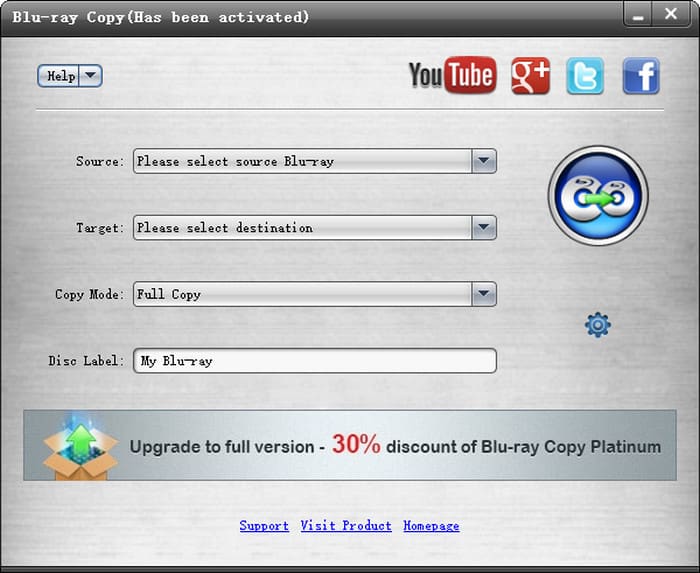
Step 2. In the main interface, select the source of the Blu-ray disc you want to copy and the target area.
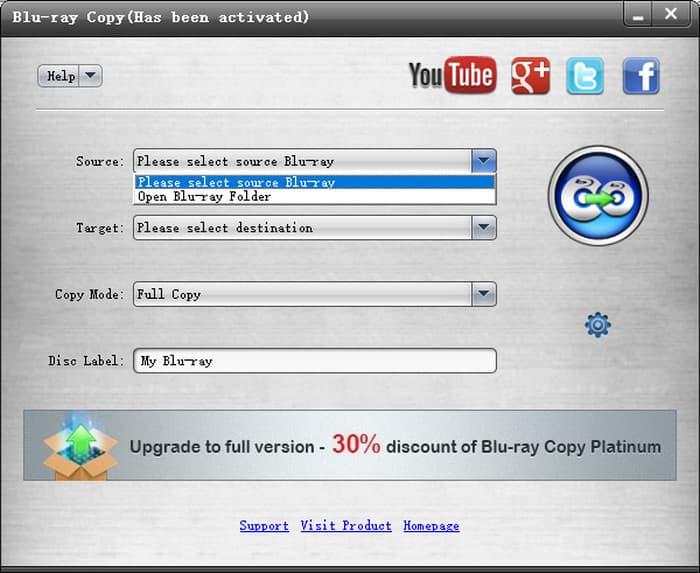
Step 3. In the next line, choose the copy mode: Full Disc or Main Movie according to your needs. Full Disc refers to a complete copy of a Blu-ray disc, including all of its audio tracks, titles, and menus, making it appropriate for original disc backup. Main Movie is more suited for those who wish to save space because it just extracts the primary feature.

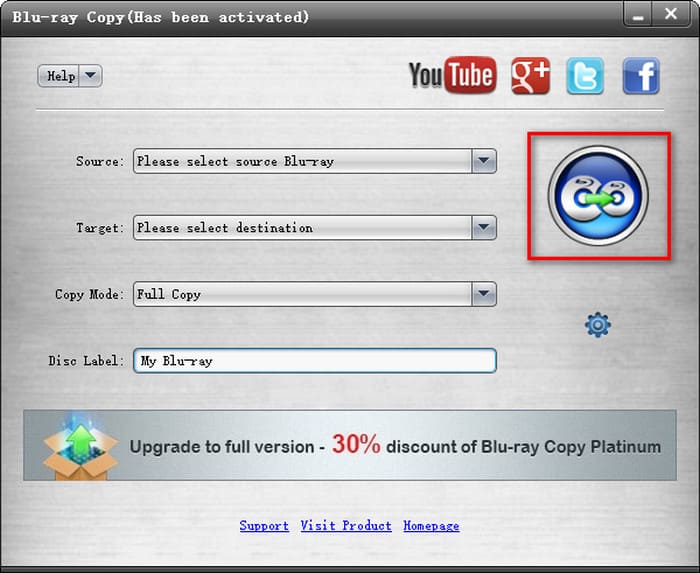
Step 4. After that, you can click the Disc button on the right to start the backup process. And after a few seconds, the Blu-ray copy process has been completed
After making the necessary preparations, we can next start the actual cleaning work.
Ways to Clean Blu-ray Disc
Here are several methods about how to clean Blu-rays verified by professional institutions, which range in strength from moderate to powerful. It is advised that you begin with the least aggressive technique and only progressively increase the level of cleaning when required. During the cleaning process, you should always pay attention to changes in the surface of the disc. If any abnormalities are found, stop the operation immediately.
The Microfiber Cloth Method
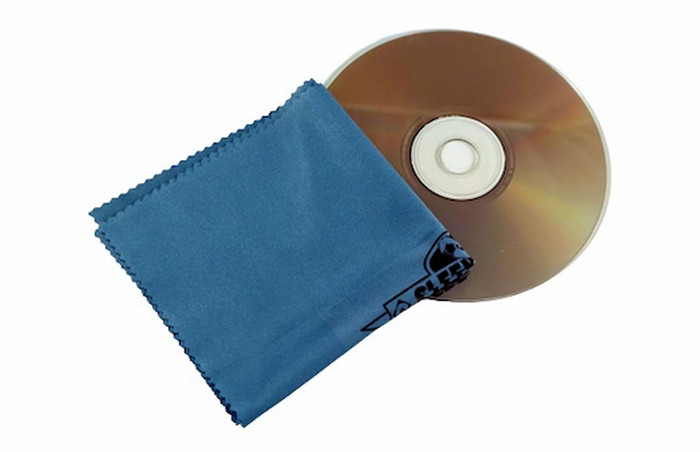
Among all cleaning methods, wiping with microfiber cloths is the safest and most reliable first choice. This method is particularly suitable for dealing with the daily light dust and occasional fingerprint smudges. When cleaning, put the microfiber cloth on its surface, starting at the center hole and wiping outward in a straight line along the radius with even pressure.
Note: Please make sure to select microfiber cloths made especially for optical devices. These cloths can clean well without leaving scratches because their fiber sizes typically range from 1 to 3 micrometers.
The Breath Wiping Technique
When there is only a little dust, the exhaled wipe method is a simple and effective choice. This technique deftly softens and removes dust particles by using the trace moisture in exhaled human breath. In actual use, gently breathe on the disc's surface for one to two seconds until a fine mist forms, and then quickly wipe it off with a microfiber cloth oriented radially. But you should avoid pushing the exhalation time too far, since this could cause too much water vapor to form tiny droplets on the disc's surface.
Mild Dish Soap Solution
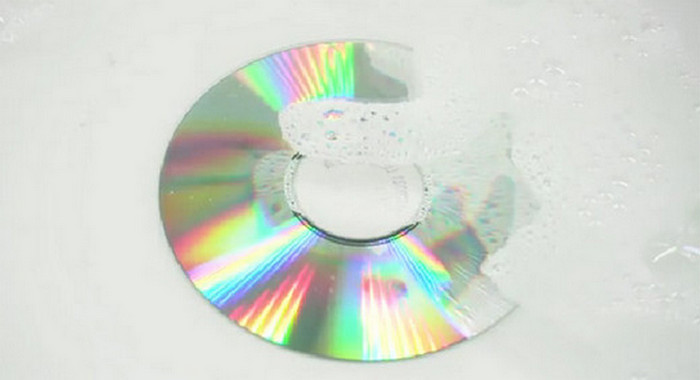
When dealing with more stubborn stains, you can cautiously use a diluted neutral detergent solution. This approach is similar to performing a deep cleaning on the Blu-ray disc, but the operating specifics require extra care. It is recommended to dilute dishwashing liquid with distilled water in a ratio of 1:100, and then soak the dirty Blu-ray in the soapy water for a minute. Once finished, the disc must be immediately rinsed with distilled water and thoroughly dried with a clean microfiber cloth.
Principles for Cleaning:
• Cleaning should always start in the mildest way, no matter what type of Blu-ray it is.
• Any cleaning operation must follow the principle of ‘minimum intervention’.
• When encountering uncertain situations, put them aside temporarily rather than taking risks.
Part 3. Best Way to Prevent Future Issues
Learning the cleaning technique on how to clean Blu-ray discs is not enough to extend the life of your priceless Blu-ray discs. Preventive maintenance is the key to extending the lifespan of discs. The following is a professional maintenance plan that has been proven over time.
Professional Handling Standards
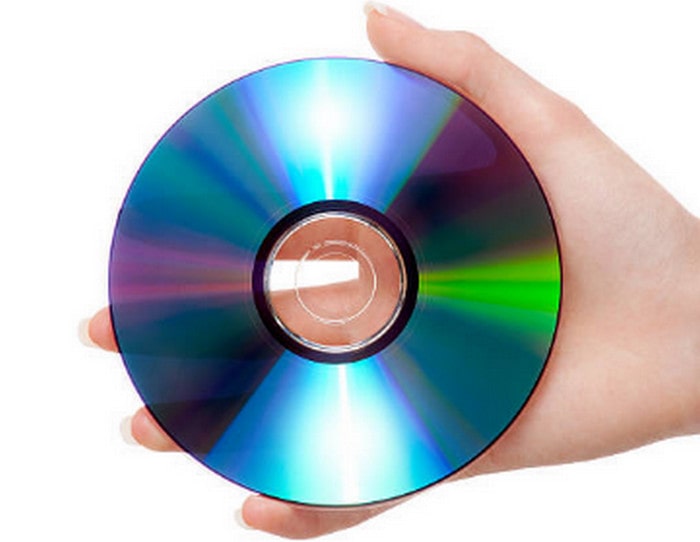
The correct way of handling can reduce surface contamination by more than 80%. When handling Blu-ray discs, one should be as cautious as when dealing with film negatives:
• Always keep your fingers touching the edge or the center hole of the disc.
• Avoid moving or vibrating the disc during playback.
• Make sure your hands are clean and dry before taking it.
• Wear cotton gloves when operating precious Blu-ray collections.
Scientific Storage Solutions
Based on laboratory research, a Blu-ray disc can theoretically last up to 100 years when stored under normal conditions. The scientific storage solutions should be as follows:
• Use standard CD cases made of polypropylene material.
• Keep it in a vertical storage state (arranged like books).
• The storage temperature should be controlled between 15 and 25°C.
• The relative humidity should be maintained within the range of 30% to 50%.
Part 4. Troubleshooting Common Playback Issues
When the cleaned Blu-ray disc still cannot play properly, the problem may lie in other areas. The issue might be with the player itself, or the disc might be too damaged.
You should first check the playback device by playing other normal Blu-ray discs. If the playback issue still exists, you can clean the laser head of the player by using a dedicated cleaning disc, and check whether the player firmware is the latest version. In addition, the disc's condition must be closely examined if the player is verified to be operating correctly. You can check for obvious scratches and coating peeling under strong light, and observe whether the CD is deformed. If the problem persists, the disc may have been severely damaged.
Therefore, the best method to safeguard important content is to perform regular backups. Copying Blu-ray movies or other contents beforehand is advised for really significant discs.
Conclusion
Cleaning and maintaining Blu-ray discs is an art that requires patience and meticulousness, just like how we treat precious camera lenses or precision instruments. I hope the methods introduced in this article on how to clean Blu-ray discs can help you solve practical problems. It would be wise to begin with the softest microfiber cloth and work your way up to the care solution that best fits your discs' condition. Every careful cleaning step is extending the time these digital carriers accompany us. I hope your collection of Blu-rays will last a lifetime and provide you with many amazing experiences.
More from Blu-ray Master
Blu-ray Tips

Free tool to copy any Blu-ray file to disc, folder, or ISO images losslessly.
100% Secure. No virus
