

Feb 04, 2026Posted by Kevin Miller to Media Player
Tips
Best for 4K movie lovers: KMPlayer
Best for Mac users: 5KPlayer
Best free option: Blu-ray Master Free Blu-ray Player
Best for low-end PCs: GOM Player
Having the best Blu-ray player software will help you have a better viewing experience at home. Whether you want to watch on your big screen or your computer screen, you will surely get a good match for your newly popped popcorn. So, while you are still thinking of searching for a good one, we have already done it for you. This article presents a list of the top player software that brings the best quality for Blu-ray playback, so you don’t need to spend much time finding the right one for you. Thus, without further ado, let’s start this bona fide review and sip on the useful information given below.

How to Choose a Blu-ray Player
Pick Standards
To watch Blu-ray movies properly, the traditional way is to use the Blu-ray player hardware. However, nowadays, people are prone to using Blu-ray player software to enjoy Blu-rays, because the player software provides convenience for Blu-ray playback while maintaining good quality. Here are some standards to pick a good Blu-ray player software.
1. Compatibility
The first thing to consider is compatibility with playing various types of discs like Blu-ray, DVD, and CD and if it is compatible with playing high-quality Blu-rays.
2. Connectivity
Next is the connectivity option available on the player. Many players, especially the hardware ones, have an HDMI output, which is important for connecting to your home theater system. Hence, consider choosing a player with additional connectivity ports like USB and Ethernet ports.
3. Built-in Wi-Fi
If you want a Blu-ray player with smart or advanced features, check if it has built-in Wi-Fi with added smart features. This attribute will enable you to access popular streaming services, giving you an enhanced experience with additional content options.
4. Region Compatibility
Usually, Blu-rays are coded with a region, which means they are made to play only on players with the same specific region. If you plan to buy Blu-ray discs from various regions, consider purchasing a region-free Blu-ray player to ensure region compatibility.
5. Price
To consider the price is only wise. Blu-ray and other media players vary in price due to their features and capabilities. Therefore, only consider the features that you think are essential and then find a player that offers such features within your budget scope.
How We Test
To choose the perfect Blu-ray player software, you need to evaluate four critical pillars: Performance, Visual Fidelity, DRM Compatibility, and Environmental Fit.
Here is a guide on how to pick the best tool based on your specific needs.
1. Performance Metrics (Speed & Efficiency)
A high-quality player should be ‘invisible’—providing smooth playback without slowing down your system.
- Load Speed: Measure how long it takes from clicking ‘Play’ to seeing the first studio logo. High-end software uses pre-scanning technology to start discs 30% faster than open-source alternatives.
- CPU & GPU Usage: Use your system’s monitoring tools (Ctrl+Shift+Esc on Windows; Activity Monitor on Mac).
• The Goal: Look for software that supports Hardware Acceleration (NVIDIA NVDEC, Intel Quick Sync, or AMD AMF). This offloads the decoding from the CPU to the GPU, preventing the ‘stuttering’ often seen on laptops.
2. Visual & Audio Fidelity (4K, HDR, Dolby)
If you have a premium screen, your software must be able to output the full data on the disc.
- Resolution: Ensure the software supports native 4K UHD and 8K playback. Some free players only ‘upscale’ 1080p, which looks blurry on a 4K TV.
- HDR Tone Mapping: For HDR10, HDR10+, and Dolby Vision, the software must communicate correctly with your monitor. Professional players offer ‘HDR Optimizers’ to ensure highlights aren’t ‘blown out’ on lower-brightness screens.
- Audio Passthrough: Look for Dolby Atmos and DTS:X support. The software should ‘pass through’ the raw audio signal to your receiver rather than decoding it to basic stereo.
3. DRM & Encryption Support (AACS, BD+)
- Licensed vs. Unlicensed:
• Licensed: These players pay for the keys. They play 99.9% of discs instantly, including full BD-J (Java) Menus.
• Unlicensed: oThese require manual installation of libaacs.dll and KEYDB.cfg files. If you aren’t tech-savvy, these can be a headache to keep updated as new discs are released. - Region Freedom: If you buy discs from overseas, look for ‘Region-Free’ software like Leawo, which can bypass region codes A, B, and C.
Top 1. Blu-ray Master Free Blu-ray Player
Blu-ray, CD, and DVD.
MP4, M4V, MOV, MPEG2, MPEG4, AVI, FLV, and more.
Windows 11/10/8, Mac OS X 10.9 or above.
People who want to enjoy high-quality Blu-ray for free.
4K, 1080P.
Free.
Subtitle and audio track customization.
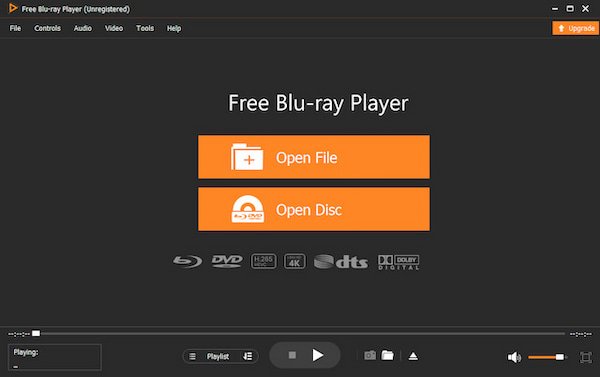
Let’s start with this program by Blu-ray Master, the Free Blu-ray Player. As the best all-around free Blu-ray player for most users, it provides a seamless cinematic experience by offering full support for Blu-ray discs, ISO files, and menus, all with smooth 4K playback.
The program is packed with intuitive features, including an adjustable playback bar that allows you to pause, stop, or skip chapters and titles with a single click. Beyond its ease of use, it is a lightweight and stable solution available for both Windows and Mac, ensuring reliable performance for long-term use. You can easily manage your own playlists directly within the interface and capture perfect moments with the built-in high-quality screenshot tool. Most importantly, it delivers a premium viewing experience that is completely ad-free, making it the ultimate one-step player for your favorite media.
Free Download
For Windows
Secure Download
Free Download
for macOS
Secure Download
Key Features
- • Support for 4K UHD multi-region Blu-rays.
- • The easy navigation process is best for beginners.
- • Neat and elegant-looking interface with a powerful playback process.
- • Video effects editor.
- • Screenshot for capturing scenes.
- • A 3D Blu-ray player.
Pros
- It is easy to install and use.
- It comes with a free trial version.
- Watch your Blu-ray movies or videos from disc, ISO, and folder.
- It is a cross-platform player.
Cons
- The free trial has limitations on file size to watch.
Top 2. Leawo Blu-ray Player
Blu-ray, CD, and DVD.
AVI, MPEG, MP4, FLV, MKV, WMV, MOV and more.
Windows 11/10/8, Mac OS X 10.13 or above.
Detailed and clear navigation for Blu-ray playback.
4K
Free
Multiple subtitle settings to adjust font, size, style, color, etc.
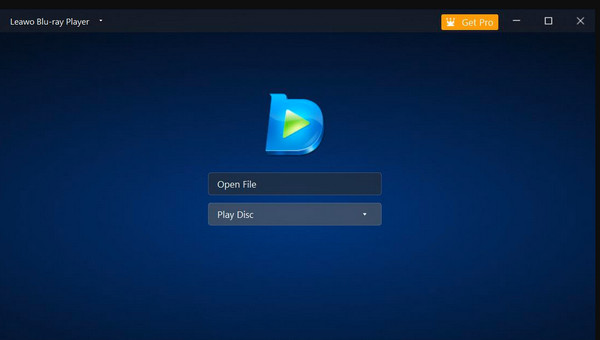
Leawo Blu-ray Player is a versatile player software specifically developed to play Blu-ray on Windows and Mac. Apart from the Blu-ray playback, Leawo’s player also supports DVDs and HD videos playback. This software offers many functionalities and features that will help you enhance your playback experience. Furthermore, one of the primary highlights of this player is its support for commercial Blu-ray discs and homemade discs smoothly due to its user-friendly interface, which is best for users of all expertise levels. Additionally, it comes with standard options such as play, pause, fast forward, rewind, stop, and chapter setting.
Pros
- It comes with a user-friendly interface.
- This Blu-ray disc player supports various digital formats.
- Infused with advanced playback features and video setting options.
Cons
- The customization is limited in this Blu-ray watching software.
- The free version comes with a watermark.
Top 3. 5KPlayer
Blu-ray and DVD.
FLV, MKV, AVI, MPEG, MP4, WMV, MOV and more.
Windows 10/8/7, macOS 10.15 and earlier.
People who want to enjoy high-definition Blu-ray playback.
4K and 8K.
Free.
Built-in radio player to serve as an AirPlay sender.
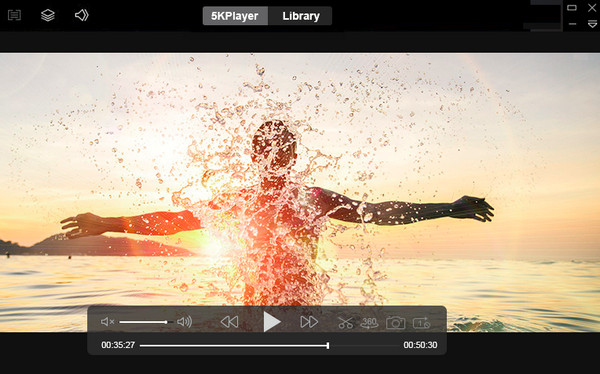
Despite its name, 5KPlayer offers far more than 5K playback. It is a robust ultra-high-definition media solution, supporting 4K, 8K, and 1080p HD videos with exceptional image detail. Beyond local playback, it excels at AirPlay and DLNA streaming, and features a built-in radio player for tuning into global stations. It even includes an online video downloader for offline viewing.
However, users should note that while it handles digital files brilliantly, it offers limited Blu-ray Disc support and includes frequent pop-ups. Ultimately, 5KPlayer is best suited for users focused on UHD video and streaming rather than physical media.
Pros
- Ultra-high playback quality.
- It comes with AirPlay for wireless streaming.
- It offers radio playback, video downloading, and video-to-audio conversion.
Cons
- It requires a high-end system.
- The advanced features are only available in the paid version.
Top 4. KMPlayer
Blu-ray, CD, and DVD.
AVI, MPEG, WMV, MKV, MP4, FLV, MOV, 3GP, VOB, WEBM.
Windows 10/11, macOS X 10.6 or later.
People who want advanced customization options.
4K
Free.
Provide cloud playback, like Dropbox and OneDrive.
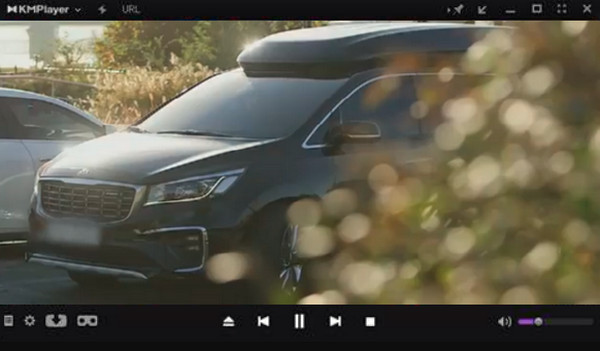
KMPlayer remains a top-tier choice for watching high-quality media on PC, offering powerful built-in codecs that eliminate the need for additional installations. It is particularly well-suited for power users who demand advanced playback controls and deep customization, such as fine-tuning filters, effects, and subtitles in real-time.
However, it is important to note that while it excels at playing digital video files, it lacks native Blu-ray Disc playback support. The interface can be quite complex for beginners due to its vast array of technical settings.
Pros
- It is lightweight and fast.
- It has a customizable interface.
- Great video playback setting options.
Cons
- It has limited smart features, unlike others.
Top 5. GOM Player
Blu-ray, CD, and DVD.
AVI, MP4, WMV, XviD, ASF, DAT MOV, MKV, FLV and more.
Windows 10, Mac OS X 10.13 or later.
Beginners due to its ease of use.
4K.
Free.
Provide subtitle customization and automatic subtitle search.
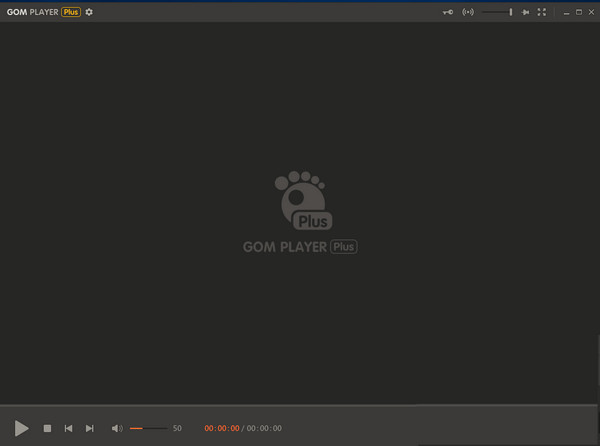
Developed by Gretech Corporation, GOM Player is a versatile media player known for its wide format support and a unique, patented Codec Finder Service. This feature automatically locates and installs missing codecs, allowing it to play various media files even if they are incomplete or partially damaged due to download errors.
While it leverages GPU optimization for high-quality playback and supports immersive 360-degree video, there are a few trade-offs to consider. Most notably, it lacks support for original, encrypted Blu-ray Discs and features an ad-heavy interface. Despite these drawbacks, it remains a robust option for users who frequently deal with diverse or corrupted digital file formats.
Pros
- Wide range of support for file formats and customization options.
- It supports 360-degree VR videos.
- It provides advanced features such as screen capture and speed control.
Cons
- The user interface is not that neat.
- You need to be careful with malicious malware when installing it.
Bonus: How to Play Blu-ray Movies
So, how to use these robust tools to play Blu-ray movies on your Windows or Mac computers? Generally, the interface of Blu-ray player software is intuitive, and the steps are similar. Now, let’s see the use guide of Blu-ray Master Free Blu-ray Player.
Step 1.Download the Player Tool
Download and install the Blu-ray Master Free Blu-ray Player from its official website or the download buttons below. Open the tool.

Step 2.Load Blu-ray
Insert a Blu-ray disc into the optical drive, and click Open Disc to scan and import the Blu-ray files you want to watch.
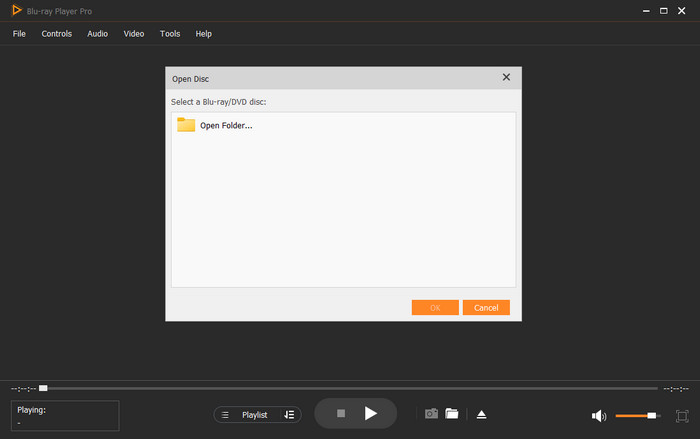
Step 3.Play Blu-ray Movies
Then, you can enjoy your Blu-ray movies. You can control the playback with ease.
Note: It will show the Menu for quick navigation. Moreover, it has multiple settings for you to adjust brightness, saturation, etc.

This free Blu-ray player gives full support of Blu-rays, DVDs, and various video and audio files. It has a clear and intuitive interface that everyone can learn how to use it to play movies and adjust playback settings. However, some advanced features like 4K support need a premium version.
FAQs Regarding Blu-ray Players
-
Can I use my Blu-ray player with 8K videos?
Nope. You cannot use a regular Blu-ray player to play 8K videos since it is only designed for up to 4K Blu-rays.
-
Is VLC a Blu-ray player?
Yes, with the latest version of the VLC tag, along with the additional codecs and libraries to install, it allows you to play Blu-rays.
-
Is QuickTime a Mac Blu-ray player?
No, it is not. QuickTime doesn’t have the built-in codecs and function to cater to Blu-ray encryption.
Wrapping up
With this comprehensive review of the 5 best Blu-ray player software, you can conveniently enjoy Blu-ray movies on your computer. In addition, the provided parameters will help you choose the right player as you like. This way, picking will not be challenging. On the other hand, if you are torn in choosing one among the software players, then take it from the expert, and also choose the Blu-ray Master Free Blu-ray Player.
More from Blu-ray Master
Top Blu-ray Player

Easily play Blu-rays, DVDs, and various video/audio formats with rich playback features.
100% Secure. No virus
