

Feb 06, 2026Posted by Kevin Miller to Play Blu-ray
Best for Categories:
Best Free 4K Blu-ray Player: VLC
Best for Windows: Blu-ray Master Free Blu-ray Player
Best for Mac: 5KPlayer
Best for Dolby Vision: Panasonic DP UB820
Best Budget: LG UBK80
You can easily notice the quality increase over streaming. Many popular video sharing sites even allows you to directly access various 4K movies online. But you may also face the 4K video streaming problems like buffering, dropout and bandwidth caps. So it becomes a quite necessary need to get a good 4K Blu-ray player.
Comparing the standard DVD, Blu-ray provides a whopping improvement to image and sound quality. You may purchase many new 4K Blu-ray discs or can get some of your favorite movies downloaded as 4K videos on computer. The question is, which 4K Blu-ray playing software you should use to play them? What is the best 4K Blu-ray player for Mac and PC?

Part 1. Top 5 4K Blu-ray Player (Software)
To watch 4K Blu-ray movies comfortably at home, you will need a convenient 4K Blu-ray player software. Among all the choices, which one should you pick for your Windows or Mac computers? No worries now. The following detailed review presents you with a clear picture of what’s good and bad about 5 popular player software. Let’s dig in and take a quick peek at the pros and cons of these players.
| Supported OS | Blu-ray Support | Subtitle Support | Region Free | Wi-Fi | HDMI | |
| VLC Media Player | All versions of Windows; Mac OS X 10.7.5 or later; iOS 9.0 or later; Android 2.2/4.2 or later | Doesn’t natively support 4K Blu-ray playback. | Support all common subtitle formats |  |  | |
| Blu-ray Master’s Free Blu-ray Player | Windows 11/10/8/7 | Blu-ray disc, Blu-ray folder, Blu-ray ISO | All common subtitle formats | | | |
| 5KPlayer | Windows 10/8.1/7 Mac OS X and later | BD-A, Ultra HD Blu-ray, 4K Blu-ray, 3D Blu-ray | srt, .ass, .ssa, .json, .aqt and .sub | | | |
| AnyMP4 Blu-ray Player | Windows 11/10/8/7 Mac OS X 10.9 or above (macOS Sonoma included) | Latest Blu-ray and DVDs of all regions | Support both hard-encoded subtitles and external subtitles of all formats | | | |
| CyberLink PowerDVD Ultra | Windows 10/8/8.1/7 | 3D Blu-ray, Blu-ray, and Ultra HD Blu-ray | Dual subtitle display allowed. SMI, ASS, SSA, PSB, SRT and SUB. | | | |
1. Open Source 4K Blu-ray Player for Mac and PC – VLC Media Player
VLC Media Player is one of the best 4K Blu-ray players, which can play 4K movies with ease. It stands as the premier open-source choice for users who value flexibility and are willing to perform a bit of technical lifting. By manually bridging the gaps in encryption support with the right plugins and environment settings, you can transform this lightweight software into a high-performance 4K powerhouse without the premium price tag of proprietary players.
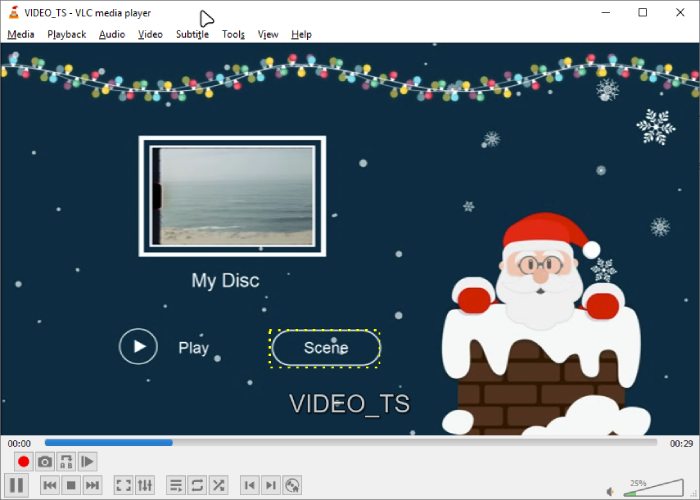
Its ability to handle everything from physical discs to streaming links makes it a permanent fixture in any media setup. As long as you keep the software updated and your hardware acceleration active, VLC provides a transparent, ad-free environment that puts the control of the 4K cinematic experience back in your hands.
Pros
- Open-source and free.
- Accessible across platforms.
- Supports Blu-ray and DVDs of all regions.
Cons
- It requires extra settings for a 4K Blu-ray playback.
- It cannot play encrypted discs.
2. Free Blu-ray Playing Software for PC – Free Blu-ray Player
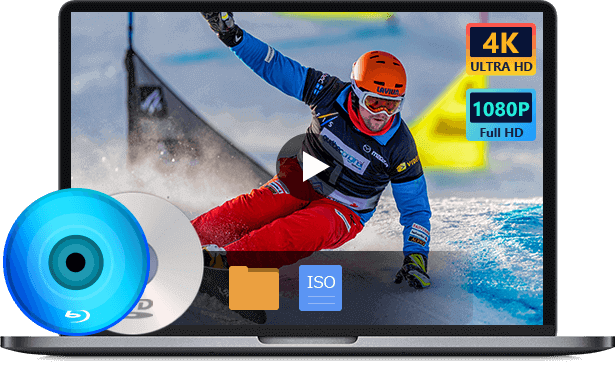
- Free Blu-ray Player is the free video and audio playing software which can help you play any Blu-ray disc with great visual and sound experience.
- Play the latest and most popular Blu-ray movies on Windows 10/8/7 PC.
- Play any Blu-ray disc, Blu-ray folder and ISO files on PC with great image and sound quality.
- Support DVD disc, DVD folder and any popular video and audio formats.
- Enjoy Blu-ray movies with the 5.1 surround sound, Dolby Digital, DTS effect.
Free Download
For Windows
Secure Download
Free Download
for macOS
Secure Download
Blu-ray Master Free Blu-ray Player is one of the best 4K resolution Blu-ray players for Windows 10/8/7/XP PC users. It is expertly designed to play 4K Blu-ray discs, folders, and ISO image files with stunning visual fidelity. Unlike many free alternatives that struggle with encrypted media, this player excels at bypassing modern digital rights management, specifically offering robust support for AACS 2.0 protection. This ensures that even the latest commercial 4K releases play smoothly without the frustration of region locks or playback restrictions.
Beyond its decoding power, Blu-ray Master is engineered for lightweight performance, making it ideal for users who want 4K quality without taxing their system. In internal tests, this player maintains a significantly lower footprint than traditional media hubs. While playing a standard 4K Blu-ray, CPU usage typically stays below 15-20%, ensuring a stutter-free experience even on mid-range laptops. Users enjoy full control over their cinematic experience, with the ability to customize audio-video effects, toggle subtitles, and select audio tracks via a streamlined, intuitive interface.

Pros
- Advanced built-in audio and video encoding technologies.
- Keep the original quality during playback.
- Completely free.
- No extra codecs are needed.
Cons
- It has no Mac version.
3. Popular 4K Blu-ray Player for Mac and PC – 5K Player
5KPlayer is an all-featured 4K UHD Blu-ray player that is compatible with both Mac and Windows platforms. It stands out as the all-in-one 4K Player with AirPlay & DLNA Support, offering a comprehensive solution for both Mac and Windows users. While it excels as a high-end 4K UHD Blu-ray player, its true strength lies in its versatility as a media hub. It can handle resolutions up to 5K, ensuring that your 4K Blu-ray movies, DVDs, and 1080p HD videos are rendered with stunning clarity. Beyond local playback, 5KPlayer integrates seamless wireless streaming and media downloading, making it a powerful alternative to traditional, single-purpose players.
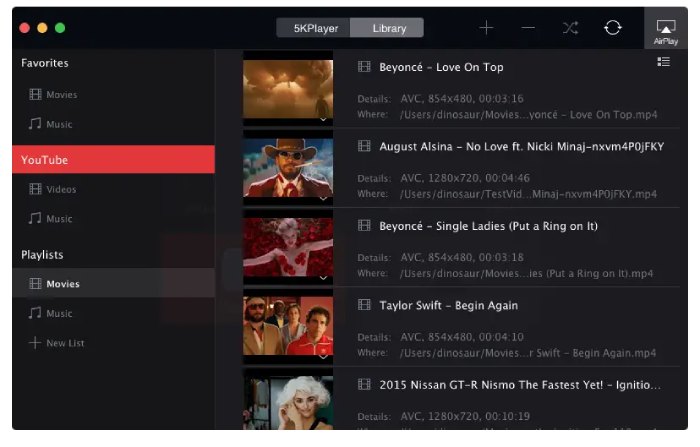
To ensure a smooth cinematic experience, this top-rated player leverages advanced Nvidia, DXVA 2.0, and Intel hardware acceleration. This specialized tech is designed to boost decoding for high-bitrate Ultra HD content, effectively eliminating lag and stuttering. What truly sets 5KPlayer apart from other 4K Blu-ray players is its built-in AirPlay and DLNA support, allowing you to bridge the gap between your computer and larger screens. By combining professional-grade hardware decoding with modern streaming capabilities, it provides a superior, integrated environment for all your high-resolution media needs.
Pros
- Built-in AirPlay tech for remote playback.
- Work as a connecting center for DLNA-compliant devices.
- H/W accelerated decoding.
Cons
- The installation contains an extra program.
4. Professional 4K Blu-ray Player – AnyMP4 Blu-ray Player
AnyMP4 Blu-ray Player is a powerful 4K UHD Blu-ray player that can help you enjoy various Blu-ray discs, Blu-ray folders, and ISO files on your Windows PC and Mac. It is outstanding as a premier 4K UHD solution, specifically engineered for enthusiasts seeking Cinematic Audio Support. It delivers an immersive, lossless listening experience by supporting Dolby Atmos and DTS-HD Master Audio through advanced bitstream output. Whether you are playing 4K UHD discs, ISO files, or folders, this player ensures that every nuance of the high-definition surround sound—from Dolby TrueHD to DTS-HD—is preserved, transforming your Windows PC or Mac into a true home theater.
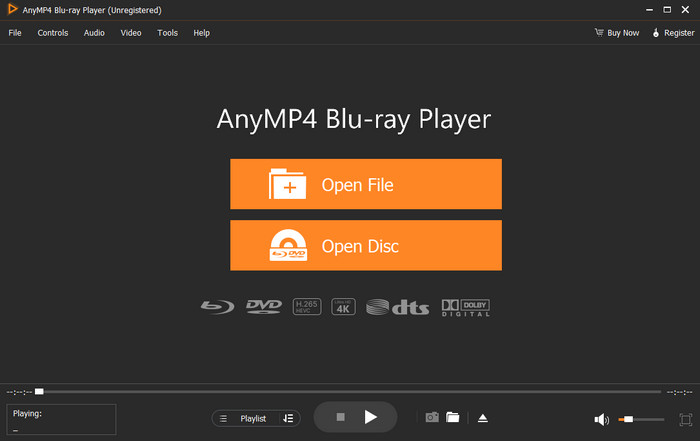
Beyond its audio prowess, this 4K Blu-ray player serves as a robust region-free 4K Blu-ray player, effectively removing the barriers of geographical coding. This allows users to enjoy Blu-ray and DVD collections from any region (A, B, or C) without restriction. Combined with its ability to play 4K videos in formats like H.265/HEVC, MKV, and MP4, it offers a seamless, all-in-one playback experience. With intuitive controls for audio tracks, subtitles, and hardware-accelerated 4K effects, it remains the definitive choice for high-fidelity physical and digital media.
Pros
- 4K/8K video playback.
- Plays all types of Blu-ray and DVDs.
- Supports the latest Dolby, DTS, and more sound techs.
- Seamless playback between titles and chapters.
Cons
- The interface is old-fashioned.
- No shortcuts for speed change.
5. Paid 4K Blu-ray Player Software for PC – CyberLink PowerDVD Ultra
CyberLink PowerDVD Ultra is the best Ultra HD 4K Blu-ray player, which only works on Windows 10, 8, and 7 PC. Beyond standard 4K Blu-ray and 3D playback, it sets itself apart with 8K video support and proprietary TrueTheater HDR Enhancement technology. These advanced features intelligently upscale video and audio in real-time, delivering cinematic quality that surpasses original disc limitations. With support for master-quality Dolby, DTS, and lossless formats like FLAC and DSD, it transforms any PC into a high-end home theater hub.
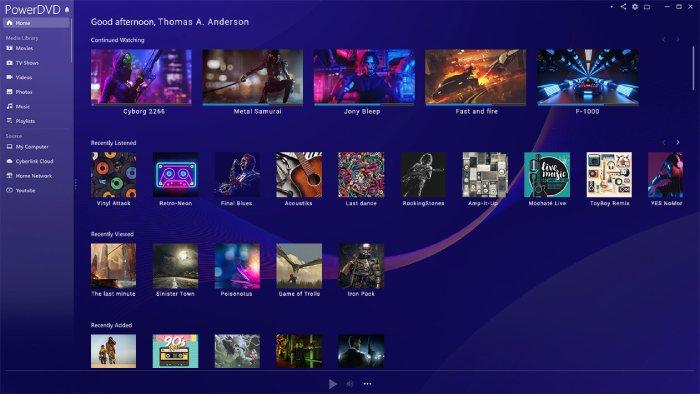
More than just a disc player, PowerDVD Ultra offers sophisticated Media Library Management tools, making it the ideal choice for enthusiasts with extensive local collections of ISO files, AVCHD, and 360-degree videos. It seamlessly organizes your movies and photos, providing a streamlined interface for even the largest digital libraries. Please note that 4K Blu-ray capabilities are exclusive to the premium versions; the standard edition does not support Ultra HD playback. Currently, the Blu-ray-ready version is available for $59.99, reflecting a 40% discount for users seeking the ultimate visual experience.
Pros
- Support up to 8K video playback.
- Enhanced Blu-ray & DVD playback.
- Enable you to stream from any device.
Cons
- Extremely expensive.
Part 2. 5 Best 4K Blu-ray Player (Hardware)
The above Blu-ray player software is robust for 4K Blu-ray playback. Without further ado, let’s see the five recommended 4K Blu-ray player hardware.
| Model | Best For | Key Feature | HDR Formats |
| Sony UBP-X700 | Beginners | Compact & Affordable | HDR10, Dolby Vision |
| Panasonic UB820 | Home Theater Pros | HDR Optimizer | All (Inc. HDR10+) |
| Sony X800M2 | Audio Enthusiasts | Premium Build | HDR10, Dolby Vision |
| LG UBK80 | Budget Users | Simple Reliability | HDR10 |
| PS5 / Xbox X | Gamers | All-in-One Media | HDR10 |
1. Sony UBP-X700: Best Entry-Level 4K Player
The Sony UBP-X700 is the perfect gateway into the world of Ultra HD. It offers a complete package, including built-in Wi-Fi and advanced 4K upscaling for your standard Blu-rays. It provides seamless access to streaming services like Netflix and YouTube in 4K. With dual HDMI outputs, you can separate audio and video signals for better performance.

Pro Tip: This player does not automatically detect Dolby Vision. You must manually enable it in the settings for Dolby Vision discs and, more importantly, turn it off for standard HDR10 or SDR content to avoid ‘soap opera effects’ or distorted color mapping.
2. Sony UBP-X800M2: Best Premium Build Quality
Replacing older entry-level models, the UBP-X800M2 is a sturdy, ‘high-resolution’ certified player designed for both cinema and music lovers. It features a rigid ‘frame-and-beam’ chassis to eliminate vibrations and supports almost any disc format, including SACD and DVD-Audio. It offers a more premium, quiet playback experience compared to budget alternatives.
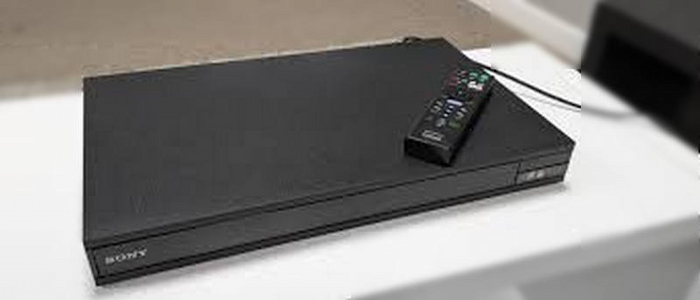
Pro Tip: To enjoy high-resolution audio (SACD or DVD-Audio), ensure you use the ‘Audio Only’ HDMI port to connect directly to your receiver. This minimizes electrical noise and jitter, providing a much cleaner soundstage for your home theater.
3. Panasonic DP-UB820: The Videophile’s Choice
If you are strict about picture perfection, the Panasonic DP-UB820 is your go-to player. It is world-renowned for its HCX Processor and HDR Optimizer technology, which tone-maps HDR content specifically for your TV’s brightness capabilities. Unlike its competitors, it supports every major HDR format, including HDR10+ and Dolby Vision, and features 7.1 channel analog audio outputs for high-fidelity sound.
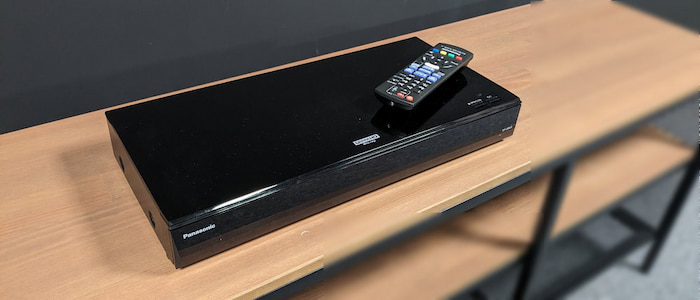
Pro Tip: Make full use of the HDR Optimizer button on the remote. This proprietary feature allows you to adjust the tone mapping based on whether you are using a high-luminance OLED or a lower-brightness projector, ensuring you never lose detail in the brightest parts of the image.
4. LG UBK80: Best Budget No-Frills Option
For users who want a stable, straightforward 4K experience without the high price tag, the LG UBK80 is a reliable workhorse. While it lacks some of the ‘fancy’ features like Dolby Vision support, it excels at playing 4K UHD Blu-rays, DVDs, and CDs with excellent stability. It is the ideal choice for those who have a standard HDR10 television and want a dedicated, easy-to-use remote experience.
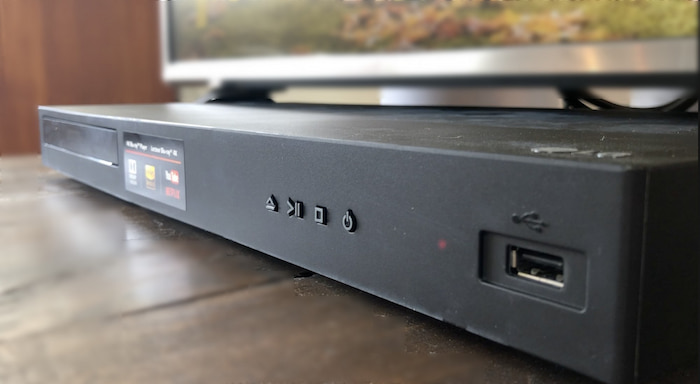
Pro Tip: Since this model lacks Dolby Vision, it is the perfect companion for budget-friendly 4K HDR10 monitors or projectors. If you experience any disk-spinning noise, placing a vibration-dampening mat underneath the player can significantly quiet the unit during nighttime viewing.
5. Xbox Series X: Best Multi-Purpose 4K Players
Instead of obsolete legacy models, many modern users opt for a gaming console. Xbox Series X features built-in 4K Blu-ray drives. While it lacks the advanced HDR tone-mapping of a dedicated Panasonic player, it offers incredible value by combining a world-class gaming machine with a capable 4K HDR media hub.

Pro Tip: Consoles are notorious for ‘handshake’ issues with 4K TVs. Always use the ultra-high-speed HDMI cable included in the box and ensure your TV’s HDMI port is set to ‘Enhanced’ or ‘Deep Color’ mode to prevent the screen from flickering or falling back to 1080p.
Part 3. 4K Blu-ray Player Software vs Hardware
We’ve compared 4K Blu-ray player software and hardware from the following 5 perspectives. From the thorough comparison, you can have a clear view of their differences and their separate benefits.
Portability
Obviously, the 4K Blu-ray player software is the winner in aspect of portability. It is a virtual thing that requires no actual space. Even if we change the perspective and compare the software and hardware from the storage space consumption. The software is still “lighter”. For the hardware, it is hard to move, and you also need a monitor to be paired with it to enjoy the 4K UHD Blu-ray truly. But, if you are watching Blu-ray on the laptop, all you need is a Blu-ray player plus a compatible drive.
Compatibility
Whether it is the software or hardware, the 4K Blu-ray player seems to have the same compatibility in reading Blu-rays, DVDs, and CDs. However, if you want to watch regular videos, that’s when the gap shows. Take the Panasonic DP-UB820 as an example; even though it is the most expensive player on the list, its playable formats are limited to WAV, WMA, AAC, AIFF, MP3, and FLAC. On the contrary, the Free Blu-ray Player from Blu-ray Master supports 20 more formats than the Samsung player does. That being said, we have a winner here, and it goes to the software team.
Regional Restrictions
It’s hard to tell which one is the winner, the software or hardware. Because some excellent 4K Blu-ray players, such as the ones mentioned above, can really bypass the region code and read all discs of all regions. But what if you have a drive that only reads region-A Blu-ray? Things can be tricky, then. Besides, if you search for a 4K optical drive on Amazon, you will see prices range from $125 to $170, while the cheapest 4K Blu-ray player hardware on our list is only $119.99. With everything considered, it seems we have a tie.
Price
When it comes to price, obviously, the software is much cheaper than the 4K UHD Blu-ray player hardware. The price can go up to $400 if you are a fan of extreme picture and sound quality. On the other hand, 4K player software, even though some of them require payment, has a lower price. The average price for the software is around $20.
Audiovisual Quality
The last thing we want to compare is the audiovisual quality. Those high-end 4K UHD Blu-ray players perform well with audiovisual quality and can even upscale your low-resolution video. However, if you have a lousy TV or monitor, these fancy features won’t work. This is also the same for the software, as the audiovisual quality largely depends on your device’s resolution support and the video/disc you are watching. Personally speaking, the hardware might do better for their HDMI output and wired connection. All these ensure less quality loss during the transmission.
Part 4. FAQs about 4K Blu-ray Player for Mac and PC
-
What is 4K?
4K is a display resolution which displays 3,840 pixels horizontally and 2,160 vertically. You can take it as four times as many pixels than a 1080p screen. So, it is expensive to create a 4K Blu-ray movie.
-
What is HDR?
HDR, stands for High Dynamic Range. HDR is a technology that improves the colors on your TV. TV which supports HDR technology can offer brighter images and a wider range of color details. It can offer a more realistic, natural image. For now, HDR has three main formats, HDR10, HDR10+, and Dolby Vision.
-
Why are 4K Blu-ray players so expensive?
You should know that, high resolution is backed up by the latest techniques and higher cost. Most hardware 4K Blu-ray players that support the multi region codes are expensive, comparing with other players.
-
What is the best 4K Blu-ray player for Windows and Mac?
• For Windows: CyberLink PowerDVD Ultra is the gold standard for home theaters, supporting 8K and TrueTheater HDR.
• For Mac: Macgo Blu-ray Player Pro or VideoByte are the top choices, as they are specifically optimized for high-bitrate playback on macOS. -
Can a PC play 4K Blu-ray discs?
Technically yes, but it is very difficult. Official support required Intel SGX technology, which was discontinued in 2021. Most users now play 4K discs by ‘ripping’ them to a digital file (MKV) first using specialized hardware and software.
-
Do I need a special drive to play 4K Blu-ray on a computer?
Yes. Standard Blu-ray drives cannot read 4K Ultra HD discs because the data is packed more densely. You must have a UHD-compatible drive (often referred to as a ‘UHD-friendly’ drive if you plan to bypass encryption).
Wrapping up
From this post, you can get 5 great 4K Blu-ray players for Mac and Windows PC. Whether you are looking for a free 4K Blu-ray player, or the professional Blu-ray movies playing software, you can easily find your preferred one.
More from Blu-ray Master
Top Blu-ray Player

Easily play Blu-rays, DVDs, and various video/audio formats with rich playback features.
100% Secure. No virus
