

Mar 05, 2026Posted by Kevin Miller to Play Blu-ray
Expert Summary
Best Budget-Friendly: Sony UBP-X700
Best for Physical Media Purists: Reavon UBR-X110
Best for Lightweight & Region-free Playback: Blu-ray Master Free Blu-ray Player
Best for Media Library Management: PlayerFab
Some of the best and our favorite films are still on Blu-ray and DVD discs. We cannot also deny the fact that these physical media provide excellent visual and sound quality. As a result, many keep these discs without any hesitation. There may come a time when you might want to rewatch your most loved movies. Thus, you might need a player for your discs. If that’s the case, then you are in the right place. Here, get to know the best 10 software and hardware Blu-ray DVD players.

Part 1. How to Pick the Best Blu-ray DVD Players
Many DVD disc holders and collectors are wondering if they can play it on a Blu-ray player. If you’re one of them, allow us to answer it for you and satisfy your curiosity. Definitely, yes. You can generally play a DVD on a Blu-ray player. Blu-ray players are created to be backward compatible, meaning they can play DVDs along with Blu-ray discs. So, if you have a collection of DVDs and upgrade to a Blu-ray player, you won’t need a separate DVD player. Instead, the Blu-ray player should handle both formats. Consequently, you just need to insert the DVD into the Blu-ray player. Finally, it should play without any issues. In fact, it is a convenient and commendable feature of a Blu-ray player. It is because it allows you to enjoy your existing DVD library without the need for an additional device.
1. How We Tested (Test Environment)
To provide an objective review, we established a standardized testing laboratory environment:
- Test Hardware (PC): An LG WH16NS40 internal drive (with 'LibreDrive' firmware) was used for all software compatibility and region-lock tests.
- Display/TV: LG C3 65' OLED, calibrated for both Dolby Vision and HDR10+ playback.
- Reference Movie Discs:
oOppenheimer (4K UHD): To test 24fps cinematic texture and bit-rate stability.
Gemini Man (4K UHD / 60fps): To test high-frame-rate (HFR) processing.
Various Regional Discs: Region A/B/C Blu-rays and Region 1-6 DVDs to verify region-free capabilities. - Audio Testing: Each player was connected to a 7.1.4 Dolby Atmos setup to verify bitstream passthrough for Dolby Atmos, DTS:X, and LPCM 7.1.
2. Best Blu-ray Player Hardware: Detailed Comparison
Modern hardware is defined by its ability to handle dynamic metadata (HDR10+ / Dolby Vision) and its HDMI bandwidth capabilities.
| Feature | Sony UBP-X700 | Magnetar UDP800 | Panasonic DP-UB420 | Samsung BD-J5700 | Reavon UBR-X110 |
| Max Resolution | 4K UHD (2160p) | 4K UHD (2160p) | 4K UHD (2160p) | 1080p (Full HD) | 4K UHD (2160p) |
| HDR Formats | HDR10, Dolby Vision | HDR10, HDR10+, DV | HDR10, HDR10+, HLG | None (SDR) | HDR10, Dolby Vision |
| HDMI Outputs | 2 (A/V Separate) | 2 (A/V Separate) | 2 (A/V Separate) | 1 | 2 (A/V Separate) |
| Analog Audio | No | XLR & RCA Stereo | No | No | No |
| SACD Support | Yes | Yes | No | No | Yes |
| DVD-Audio | No | Yes | No | No | Yes |
| Build Quality | Compact/Plastic | Heavy Duty (8kg) | Compact/Plastic | Curved/Lightweight | Rigid/High-end |
| Approx. Price | ~$250 | ~$1,600 | ~$250 | ~$70–$100 | ~$1,000 |
Critical Specs Explained:
- HDMI 2.0b vs. 2.1: While 4K/60Hz only requires HDMI 2.0, HDMI 2.1 (found in high-end units) offers better eARC support for uncompressed object-based audio (Atmos/DTS:X) return to your Soundbar or AVR.
- HDR Format Support: Dolby Vision is the industry leader for premium discs. If your TV supports it, ensure your player does too (e.g., the UB820 or X700).
3. Top Software Picks
| Software Name | Region-Free (A/B/C) | 4K UHD Support | Menu Navigation | Highlight Feature |
| Blu-ray Master Free Blu-ray Player | Yes (Auto) | Excellent | Full Menu | Lightweight; fast loading speeds |
| Leawo Blu-ray Player | Yes | Good | Simple Menu | Completely Free; low CPU usage |
| CyberLink PowerDVD 23 | Limited | Excellent | Full Menu | TrueTheater™ Audio/Video Enhancer |
| VLC Media Player | Yes(Manual) | Good | Basic | Open-source, cross-platform, and zero cost |
| PlayerFab (DVDFab) | Yes (Auto) | Excellent | Full Menu | Full Menu AI-driven Poster Wall & Ad-skip |
4. Final Verdict
The Hardware Choice:
- For Audiophiles: The Magnetar UDP800 is the gold standard in 2026. It is a 'Universal Player,' meaning it plays not just movies, but also high-fidelity music discs like SACD and DVD-Audio.
- For Videophiles: The Panasonic DP-UB420 remains the 'King of Mid-Range' for its superior tone mapping that makes HDR look better on any screen.
The Software Choice:
- For Power Users: PlayerFab is the superior replacement for VLC. It provides a 'Netflix-like' interface for your local disc collection and handles the most stubborn region codes automatically.
- For Budget Users: Blu-ray Master Free Blu-ray Player is the best free option that still offers region-Free capabilities, though it lacks the advanced 'TrueTheater' AI enhancements of PowerDVD.
Part 2. Top 5 Blu-ray DVD Player Hardware
1. Sony UBP-X700
Blu-Ray Disc, CD, DVD
3840×2160
HDMI
HDMI
Surround
Dolby Digital, DTS, PCM, MP3, FLAC, WAV, DSD, AAC
If you are looking to dip your toes into the world of 4K physical media without breaking the bank, the Sony UBP-X700 is widely considered the ‘gold standard’ for beginners. In my experience, it punches well above its weight class in terms of picture clarity and color accuracy. It’s a compact, no-nonsense machine that fits easily into tight media consoles. However, it feels a bit ‘plasticky’ compared to high-end decks, and the interface is functional rather than flashy.
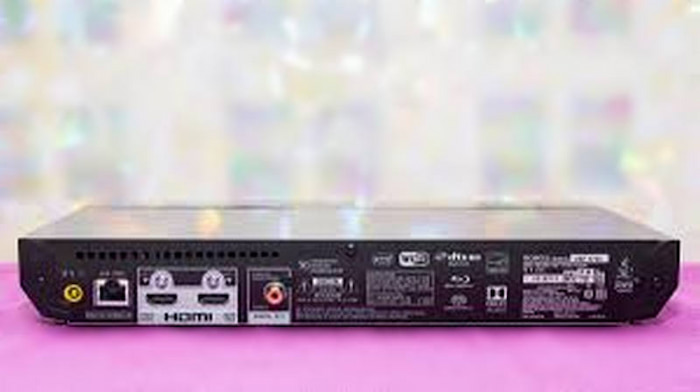
What We Like:
- Outstanding value for money and lightweight.
- It supports Dolby Vision and HDR10.
- It is good at playing high-resolution audio files and SACDs.
What We Don’t Like:
- The infamous manual Dolby Vision toggle (you have to turn it on/off in settings, depending on the disc).
- Occasional freezing issues when handling triple-layer (100GB) high-bitrate 4K discs.
2. Magnetar UDP800
Blu-ray, DVD, SACD, CD
4K UHD
HDMI
Wired
Dolby Atmos and DTS:X
Surround/Cinema, Dolby Atmos, DTS:X, Dolby TrueHD, DTS-HD Master Audio.
The Magnetar UDP800 is a ‘tank’ built for those who refuse to compromise on either sight or sound. After using this, it’s hard to go back to entry-level players. The build quality is industrial-grade, designed to eliminate vibrations. It treats audio with as much respect as video, making it a dual-purpose machine for both home cinema and high-end music listening. It’s the closest thing we have to the legendary (and now discontinued) Oppo players.
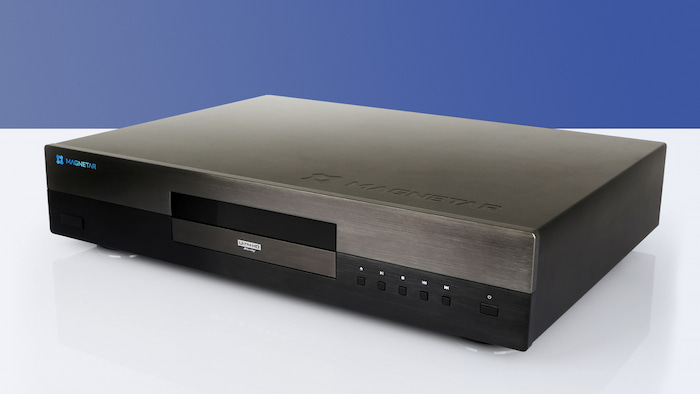
What We Like:
- Top-tier image processing and Hi-Fi grade XLR balanced outputs.
- It has universal disc compatibility (SACD, DVD-Audio, etc.).
- Delivers high-speed and smooth disc loading performance.
What We Don’t Like:
- Extremely expensive ($1500+).
- The unit is massive and heavy, requiring a dedicated sturdy shelf in your rack.
3. Panasonic DP-UB420
Blu-Ray Disc
Blu-ray support
3840×2160
HDMI
Wi-Fi, HDMI
amazon_alexa google_assistant vera
$199.95
Are you looking for a 4K Blu-ray DVD player? Then, Panasonic is here to rescue you. Its Panasonic DP-UB420-K is popular for its capability to play 4K UHD Blu-ray discs. But, this is not limited to Blu-ray discs but also to DVDs. Plus, it provides a high-resolution audio playback. The most interesting feature of it is its voice assistant. So, it works well with Alexa and Google Assistant, allowing you to make voice commands. Given these extraordinary functions, you have to note that it comes with a higher price point.
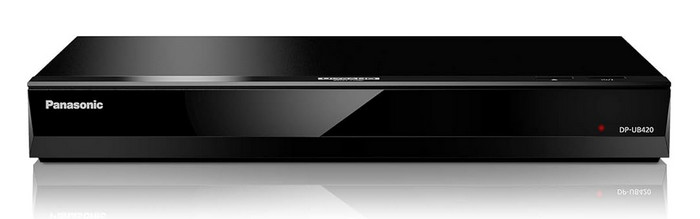
What We Like:
- It excels in providing 4K Ultra HD playback.
- Supports HDR that enhances the contrast and color range.
- The player also supports Dolby Vision, which offers advanced HDR technology.
What We Don’t Like:
- It is a bit expensive, which limits its appeal to those on a tighter budget.
- If you have a non-4K display, its advanced features may not be fully utilized.
4. Samsung BD-J5700
Blu-Ray Disc
Blu-ray support
1920×1080
HDMI
Wi-Fi, USB, HDMI
Surround
$117.00
Next up, we have the Samsung BD-J5700. It is another DVD/Blu-ray player with reliable branding. With it, you can play CD, DVD, and Blu-ray discs for full HD 1080p via HDMI. It also has built-in Wi-Fi so that you can also access Smart Blu-ray features. Besides, it allows DVD upscaling, allowing you to watch movies with greater detail and quality. It lets you stream and sync content on other devices as well. Using its AllShare feature, you can watch from your PCs, smartphones, tablets, and cameras.
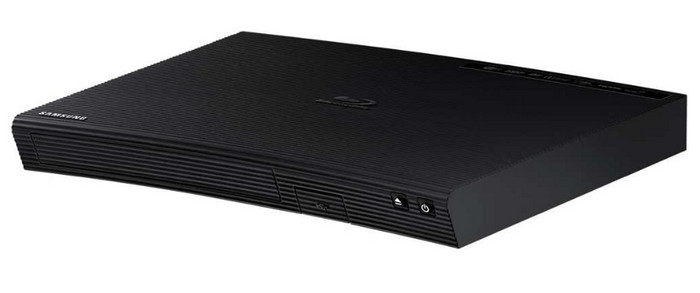
What We Like:
- It is equipped with smart features to access streaming services directly from the player.
- It offers a quick start feature to minimize wait times.
- The player provides decent picture quality for an enjoyable viewing experience.
What We Don’t Like:
- Some users may find the limited connectivity options restricting.
- It is not 4K compatible despite its high price.
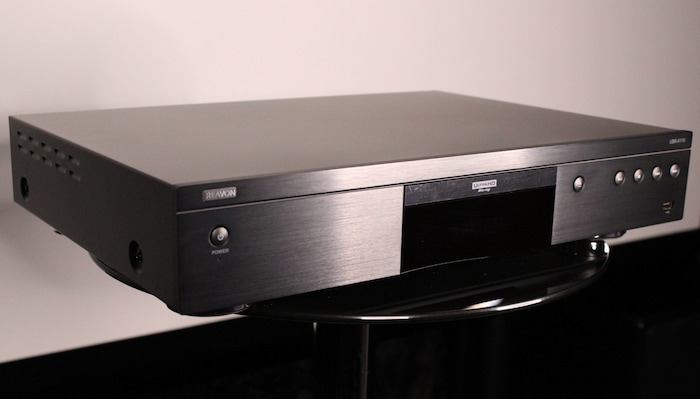
5. Reavon UBR-X110
Blu-ray, DVD, SACD, CD
4K Ultra HD
HDMI
Wired Ethernet
Digital Bitstream or LPCM
Dolby Atmos, Dolby TrueHD, Dolby Digital, Dolby Digital Plus, DTS:X, etc.
The Reavon UBR-X110 is designed for the ‘purist’ who has a massive collection of physical discs and zero interest in smart features. Using this player feels like using a precision instrument. The drive mechanism is remarkably silent – you won’t hear that annoying ‘whirring’ during quiet movie scenes. It’s a ‘transport-focused’ machine, meaning it reads the data from the disc as accurately as possible and lets your receiver do the heavy lifting.
What We Like:
- Whisper-quiet disc rotation.
- It is very rigid and has a reinforced chassis that feels premium.
- High potential for region-free modifications for international collectors.
What We Don’t Like:
- No internal streaming apps (no Netflix or YouTube).
- The remote control feels a bit dated compared to modern smart devices.
Part 3. 5 Best Blu-ray DVD Player Software
1. Blu-ray Master Free Blu-ray Player
Both professionals and beginners, offering a user-friendly interface for easy navigation and advanced features for enthusiasts.
Windows 11/10/8/7, Mac OS X 10.9 or above
Blu-rays, DVDs and common digital formats
4K
Add external subtitles to fit your watching needs.
Free
First on the list, we have the Blu-ray Master’s Free Blu-ray Player. It is a region-free Blu-ray DVD player that lets you watch 4K Blu-ray, DVD discs, and so on. It can load and play Blu-ray / DVD discs, folders, and ISO files. During playback, this tool lets you choose a title or chapter as you wish. You can also select your favorite audio track and subtitle. Not only that, but using its snapshot feature, you can capture your favorite part while watching. Thus, we can say that this software is a versatile Blu-ray DVD player. Apart from that, it supports various modern media files like MP4, WMV, MKV, FLV, MTS, and more. When we tried this 4K Blu-ray DVD player, we discovered that it can process fast and play discs smoothly. That is why we highly recommend it. Finally, it is a standalone tool that you can use even offline.
Free Download
For Windows
Secure Download
Free Download
for macOS
Secure Download
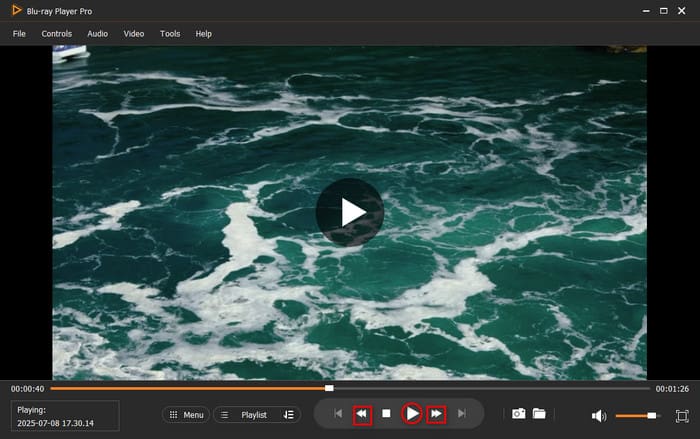
What We Like:
- It is easy to use and beginner-friendly.
- It lets you enjoy the latest Blu-ray movies up to 4K quality.
- Supports numerous media files.
- It enables adjusting video effects according to the user’s needs.
- Allows managing playlists for DVDs, Blu-rays, and other media files.
What We Don’t Like:
- For more advanced features, you need to get the upgraded version.
2. Leawo Blu-ray Player
Intermediate to professionals.
Windows 11/10/8/7, Mac OS X 10.13 or later
Blu-rays and DVDs
4K
This Blu-ray DVD player has a virtual remote controller to navigate the menu and control playback.
Free
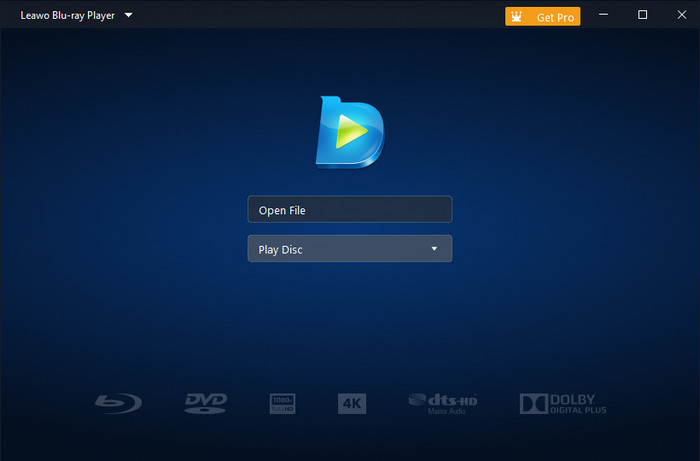
Leawo Blu-ray Player is a versatile software designed to provide top-notch Blu-ray playback. It is a reliable all-region Blu-ray DVD player as well that you can use on your computer. Apart from Blu-ray, it lets you play DVD discs that you want. What’s more, it supports a wide range of video and audio formats. Hence, it is a comprehensive choice for movie enthusiasts. Its advanced features enable you to customize options, subtitle settings, and multiple viewing modes. Thus, we felt that it was an amazing software given its features and functionalities.
What We Like:
- The player software offers an intuitive and easy-to-use interface.
- It supports a variety of formats, not limited to Blu-ray.
- Professionals can appreciate the advanced features offered.
What We Don’t Like:
- The software may have limited support for interactive Blu-ray menus.
- Some users report occasional stability issues, such as crashes.
3. PowerDVD by CyberLink
Professionals seeking advanced features like 8K playback, VR support, and HDR.
Windows 11/10
Blu-rays and DVDs
4K, 8K
This best Blu-ray DVD player can cast the Blu-ray / DVD to the TV.
Starts from $79.99
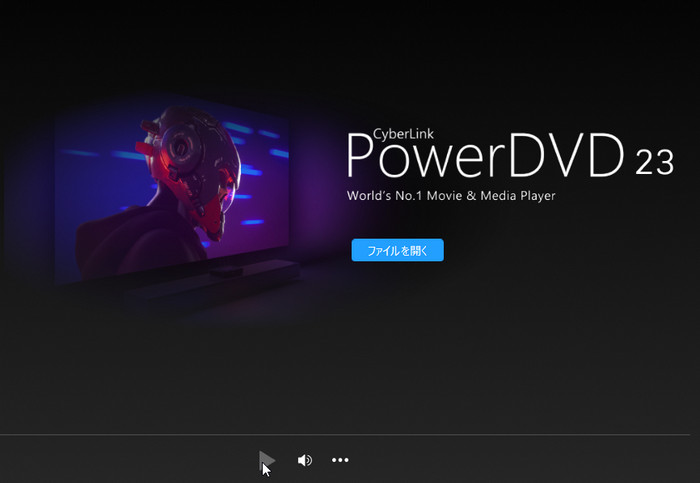
PowerDVD is a feature-rich Blu-ray DVD player software for Windows. It offers not only Blu-ray playback but also 8K video support. Aside from that, it supports VR mode and advanced audio technologies. It is created to let you have an enhanced Blu-ray and DVD playback. Hence, it lets you have a cinema-like experience. Moreover, it supports almost all major formats, like MP4, MKV, MOV, AVI, and so on. That only means that you can enjoy other content in this player. Upon testing the tool, we can say that it can play high-quality content. Thus, if video quality matters to you, then you can use this tool.
What We Like:
- It provides excellent video and audio quality.
- It lets you enjoy features like VR support, 360-degree video playback, and TrueTheater.
What We Don’t Like:
- Limited to Windows users, making it unavailable for macOS users.
- While feature-packed, PowerDVD can be relatively more expensive compared to basic Blu-ray player software.
4. VLC Media Player
Beginners and users looking for an open-source, versatile media player.
Windows 11/10, macOS 10.7.5 or later
Blu-rays, DVDs, and many digital formats.
4K, 8K
Audio track and subtitle synchronization feature.
Free
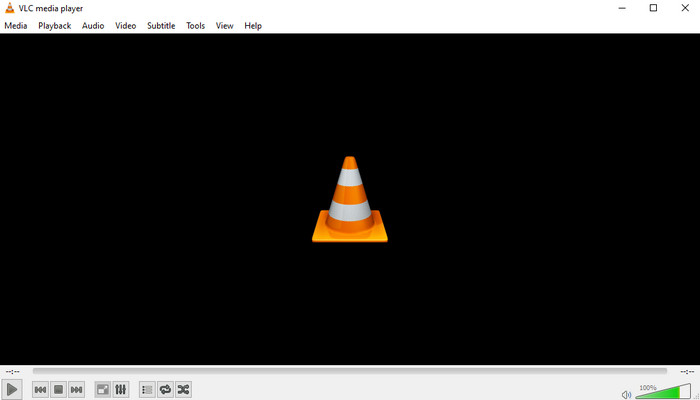
VLC Media Player is a famous open-source software known for its broad format support. Many people also use it to convert and edit video or audio files. One of its key functions is that it lets you watch videos in high quality. Luckily, using it, you can also open and play Blu-ray and DVD discs. Hence, it can be your go-to choice if you want a free and versatile media player. But note that its Blu-ray DVD media playback is only available on VLC’s latest version. Plus, despite being popular, we noticed that it can be challenging for beginners to use it.
What We Like:
- It is completely free to use and open-source, appealing to budget-conscious users.
- It can play a vast array of formats, including Blu-ray and DVD.
- It is fast and lightweight Blu-ray DVD player software.
What We Don’t Like:
- It may have a steep learning curve for new users.
- While functional, some users find the interface less polished.
5. DVDFab PlayerFab
Professionals seeking advanced features like 4K Ultra HD playback and HDR support.
macOS 10.10 – 14.x
Blu-rays and DVDs
4K
Provide PC and TV playback modes.
Starts from $39.99
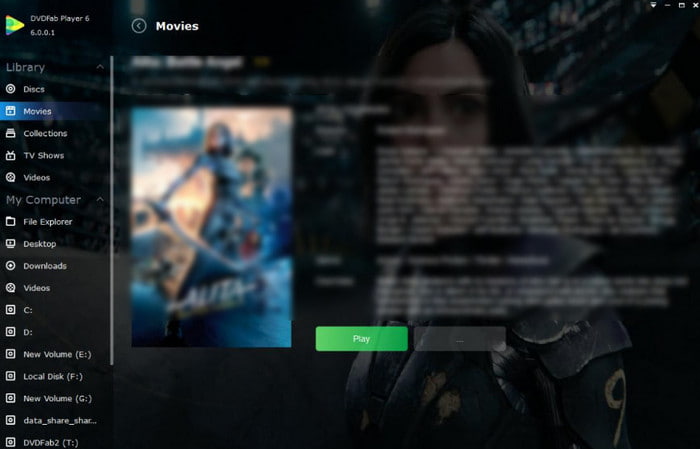
Last but not least, we have DVDFab PlayerFab. It is another software that lets you play old DVDs, including Blu-ray videos. Also, it is a new-generation media player from DVDFab. It can now efficiently handle multimedia files on your local hard drives. Plus, it improved its speed, provided playlist support, and user-friendly operation. Thus, with it, it is easier to make your Blu-ray DVD discs come to life. When we saw the tool’s main interface, we felt a bit overwhelmed due to its design. Nonetheless, it’s a good option.
What We Like:
- Professionals can benefit from advanced features like 4K Ultra HD, HDR, and more.
- It supports high-quality audio output like DTS-HD, Dolby Atmos, Dolby True HD, etc.
- It also supports 3D output modes.
- Supports numerous video formats like MP4, MKV, FLV, and more.
What We Don’t Like:
- Most of its advanced features come with a higher cost.
- Some users find the interface overwhelming due to the abundance of features.
Part 4. FAQs About Blu-ray DVD Players
-
Can I play a Blu-ray on a DVD player?
Unfortunately, no. You cannot play a Blu-ray on a standard DVD player. This is because Blu-rays use a different laser technology and have a higher storage capacity. Thus, it is incompatible with DVD players.
-
Is there a difference between a Blu-ray player and a DVD player?
Yes. There is a significant difference between a Blu-ray player and a DVD player in terms of resolution, storage capacity, and playback quality.
-
Are Blu-ray players still worth buying?
Yes. Blu-ray players are still worth buying for those who want higher resolution (1080p or 4K). Apart from that, if you value better audio quality, then buy a Blu-ray player. Plus, these players provide you access to a broader range of content with improved features compared to DVD players.
-
What’s the best free 4K Blu-ray software for Windows 11?
Leawo Blu-ray Player is the top choice. It supports 4K UHD natively and is region-free. VLC Media Player is a great alternative, but requires manual configuration of library files to play encrypted discs.
-
Can I play a Region B disc on a US Sony BDP-BX37?
No. The Sony BDP-BX37 is region-locked to Region A. It will only play Region B discs if they are specifically marked as ‘Region Free’ (ABC).
-
Is a dedicated 4K player worth it if I have a PS5?
Yes. Dedicated players (like the Panasonic UB820) support Dolby Vision and superior HDR Tone Mapping, which the PS5 lacks for physical discs. They are also significantly quieter and more energy-efficient.
Wrapping up
As we wrap up, you’ve learned our recommended Blu-ray DVD players. By now, you might have chosen a player for your needs. If you’re still undecided, try to use the Blu-ray Master’s Blu-ray Master Free Blu-ray Player. It is the best media player out of all the mentioned tools here. Its straight forward method will enable you to watch your discs whether you’re a pro or a beginner.
More from Blu-ray Master
Top Blu-ray Player

Easily play Blu-rays, DVDs, and various video/audio formats with rich playback features.
100% Secure. No virus
